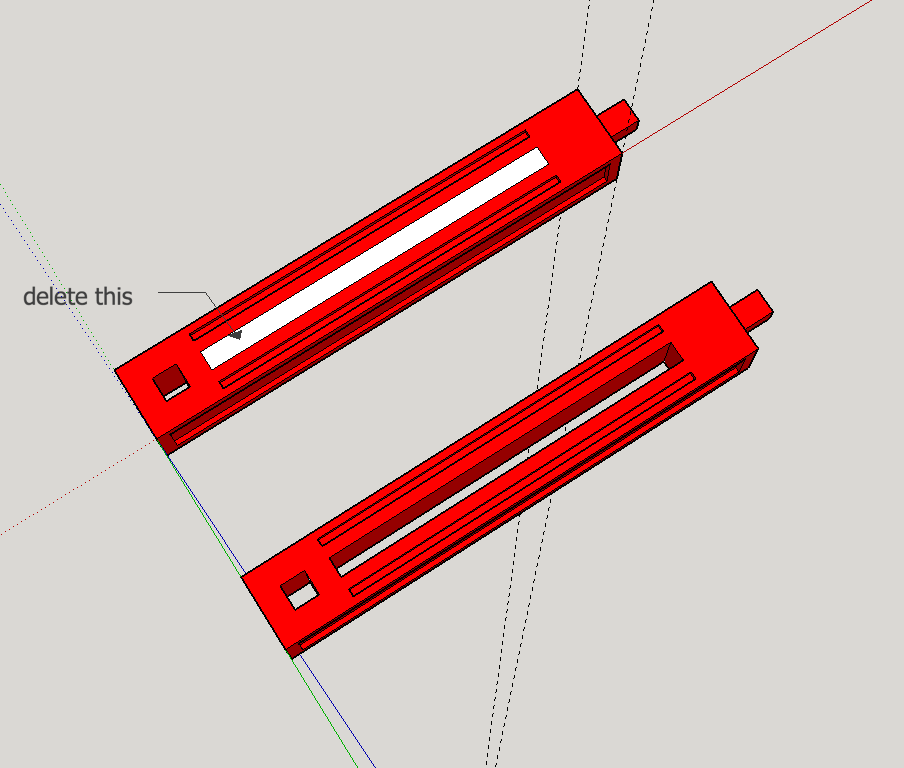
Depending on why you want to see those edges, you can also do View->Hidden Geometry.
Oops, your profile's looking a bit empty! To help us tailor your experience, please fill in key details like your SketchUp version, skill level, operating system, and more. Update and save your info on your profile page today!
🔌 Easy Offset | Offset selected faces in SketchUp in positive and negative offsets. Download
S
Offline
Posts
-
RE: How can show the edges in Curiviloft plugin ?
-
RE: Associating data structures with save
@devinlange said:
I see very interesting, thank you for all the information. One question about the groups; do they have to be mutually exclusive? That is it would be nice if one face could be used for two separate paths.
An Entity can be in only one Entities collection at a time, so a Face can be in only one Group at a time.
-
RE: The Martian
The book is like a MacGyver episode on steroids. Should be fun movie!
-
RE: Associating data structures with save
Your Array of references to Faces can not be saved per-se because Ruby objects are not persistent. Whereas the geometry is redrawn when you load a file, the Entities are not given the same Ruby object id's, which is what the Array contains.
Instead, you will need to "tag" them by adding an attribute corresponding to the path, e.g. a path name (see the API refs for AttributeDictionaries and AttributeDictionary). Provided the contents don't reference volatile things, the AttributeDictionaries of an Entity are saved in the file. Then on reload, your plugin can search for Faces with your key in their AD's. If you need to reassemble in the original order, you could use the path name as the key and the Array index as the value on each Face.
-
RE: Associating data structures with save
@devinlange said:
. I would like to be able to associate these arrays with a particular save.
Please expand on this. I don't understand what you mean to accomplish.
-
RE: Code correction
In the future, please enclose your code in
...- make it easier for others to copy.
You try to rotate pt1, which is on the blue axis, using a rotation also about the blue axis. This has no effect, since pt1 has no x or y value to rotate. Hence pt2 is the same as pt1 and this causes a duplicate points error when you try to add a face using them as two corners. Try using [0,-1,0] as the vector instead of [0,0,1].
-
RE: License has been used on too many computers
Whoa! Not at all what I would have expected!
-
RE: Where can I find the scale of a component?
I know you didn't ask for a plugin, but have a look at CutList. It will report all the instances of a Component with the same name, but it will organize them by length. E.g. all the 2x4x8 together, all the 2x4x10 together, etc.
-
RE: License has been used on too many computers
I think you have to contact Trimble tech support to get the license restored.
-
RE: "Exception Thrown In Destructor" error msg
C++ code bug. If it causes you problems, contact the developer of vctools.
(it would be better in the developers' forum, but I'll elaborate)
In C++ the programmer is responsible for allocating objects and destroying them when finished (manual memory management). A destructor is the method that cleans up an instance of a class when it is destroyed. This message is saying that the destructor for a particular class encountered an error and raised an exception. Usually this indicates a programming error such as destroying the wrong object or destroying an object for the second time. -
RE: Revert back to saved version
Seems like maybe a lot of the posts have dodged the original question: when you revert a file, you close the current version and reload the saved one from disk. Can't this be done via:
# true says ignore changes and suppress the save dialog Sketchup.active_model.close true Sketchup.open_file(path_to_file) -
RE: Colour By Axis
This behavior occurs for exactly the same root reason as the infamous small geometry problem: to allow for floating-point arithmetic, SketchUp puts a tolerance around how closely things match before they are considered "same". In the small geometry case, it causes vertices that SketchUp deems to be "the same" to merge. In the color by axis case, it causes SketchUp to color an edge if it is "close enough". And in both cases, it is not hard to construct a model in which close enough wasn't adequate.
-
RE: Work Planes
As a further thought, the desire for "work planes" is sometimes due to an attempt to make SketchUp function like other CAD software. As Dave says, you should be free to use SketchUp the way that works best for you, but you should also try to learn and use the way it was designed.
-
RE: Object not solid
There are a lot of small flaws in the model that suggest you are not paying close enough attention to the inference system when drawing and placing parts. For example, I don't think the gap shown in the attached screenshot was intended.
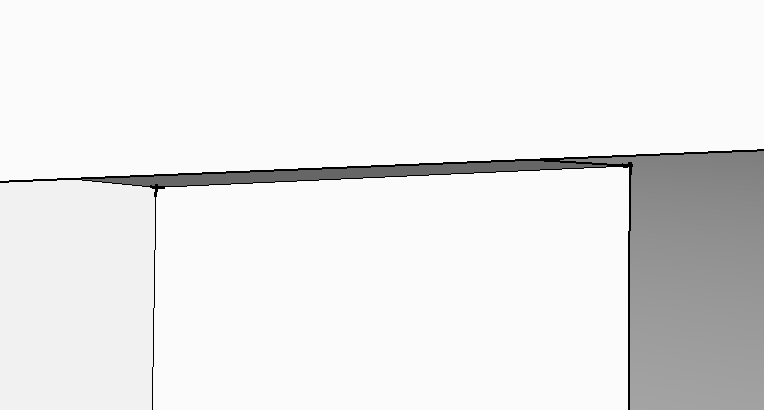
In SketchUp, you should think of a "solid" as a leak-free single-chamber container enclosing a volume, and that also has no spurious edges or faces that don't form part of its outer boundary. Your structure is awfully complicated to fit that description, with numerous sub-structures that touch each other along just one edge - e.g. where the beams rest on the cylinders. Depending on how you export for 3D printing, it may be ok to have a model with multiple disjoint solids in it.
-
RE: Garden bench
Classic! Now, when I make it from teak it will only cost $2500!
-
RE: Layout won't save
John, your experience seems to differ from mine...I wonder why? Having a ":" in a folder name is a very bad idea, bound to cause problems, so I am interested mainly from a technical point of view.
Using the terminal command line, I can mkdir a folder with a ":" in its name. The "ls" command shows it with a ":". So Mac OS itself can deal with a ":". But Finder displays it as a "/" even though ":" is not a path separator (foo:bar is a single folder, not two nested ones as foo/bar), and when I save a SU file to that folder, the save dialog also shows "/" (and SU successfully saves the file). The save dialog in Layout also shows it as "/", but when I try to save there, I get that popup with the message that I can't save to a folder with punctuation in its name. So, I conclude that this is due to how the various apps were programmed, not a fundamental aspect of Mac OS X.
-
RE: Layout won't save
This appears to be a Layout-specific catch. From the command line, I can create a folder with a : in the name (though Finder displays it as a / afterward). Layout refuses to save a file to that folder. However, SketchUp quite happily saves to the folder. So it is in the Layout code, not a generic issue!
-
RE: 32bit and 64bit sketchup pro
What version of Windows are you running? Are you sure it is 64-bit? Did you copy your previous plugins instead of reinstalling fresh copies (some of them may be compiled for 32-bit)? For every upgrade of SketchUp, the only safe course is to reinstall all plugins.
But anyway, all you lose in the 32-bit version is ability to use larger amounts of memory, which usually matters only if you are running an embedded renderer or work with very large models.
-
RE: Interpolate Polygons in z-direction ?
Multiple possibilities depending on what sort of interpolation you want...linear, quadratic,...?