sketchucation logo sketchucation
    • Login
    1. Home
    2. slbaumgartner
    3. Posts
    Oops, your profile's looking a bit empty! To help us tailor your experience, please fill in key details like your SketchUp version, skill level, operating system, and more. Update and save your info on your profile page today!
    🚨 Skimp | 25% Off until March 30 Buy Now
    S
    Offline
    • Profile
    • Following 0
    • Followers 0
    • Topics 19
    • Posts 1,024
    • Groups 2

    Posts

    Recent Best Controversial
    • RE: SketchUp 2018

      The main difference in a subscription scheme is that if you let your subscription lapse, the software ceases to run at all! In SketchUp's permanent license scheme you just lose support and upgrade to the next version. The software continues to run as is. As a result, there are a lot of people out there still using (for example) SketchUp v8 because it was the last version without the no-commercial-use restriction in the license for free/Make.

      I also despise subscription licensed software. From what I can see it is nothing more than a mechanism to keep sucking money out of your wallet even if they have added/fixed nothing that affects you. The big guys went to this when it became apparent that people were no longer slavishly updating to every new release - because the vendors ran out of new things to add that were valuable to more than a specialized subgroup of users, or started making changes that were just "tomayto" vs "tomahto".

      Frankly, there are enough long-outstanding bugs in SketchUp that the team could work on them to make a new release without adding any more features at all!

      posted in SketchUp Discussions
      S
      slbaumgartner
    • RE: Not possible to create guidelines from axes in certain views

      I can reproduce what you see, so it isn't just your setup. It seems to be an issue with the inference engine not finding an inference to the axes in those views, as opposed to a bug in the tape measure itself - it can only measure from an inference.

      posted in SketchUp Bug Reporting
      S
      slbaumgartner
    • RE: Fredo6 Tools problems on macOS High Sierra

      Yes, I have RC 3.2d. Also JPP 3.6a and FS 3.0a. I checked for updates before reporting this, so I hope they are all current.

      posted in Developers' Forum
      S
      slbaumgartner
    • RE: Fredo6 Tools problems on macOS High Sierra

      A test with Dir[#{"plugins_path}/*"] (where plugins_path is the full path to the Plugins folder) returned the list of plugin folder contents in seemingly random order, as feared! I'm wondering if this is also what is causing the random ordering of materials that some people have reported on High Sierra?

      Substituting your revised .plugin file stopped the load error from popping up πŸ˜„

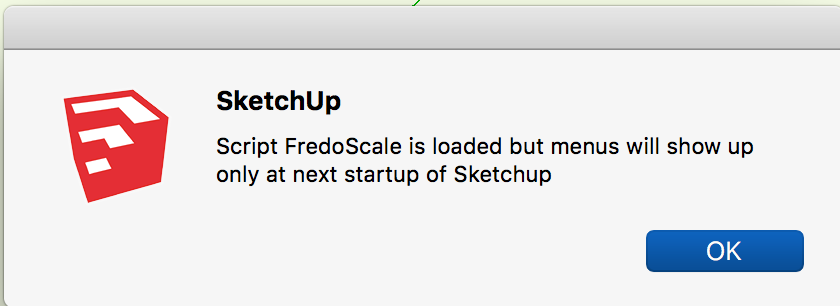
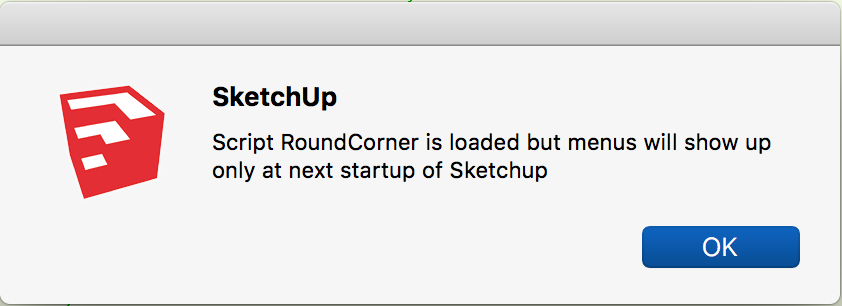
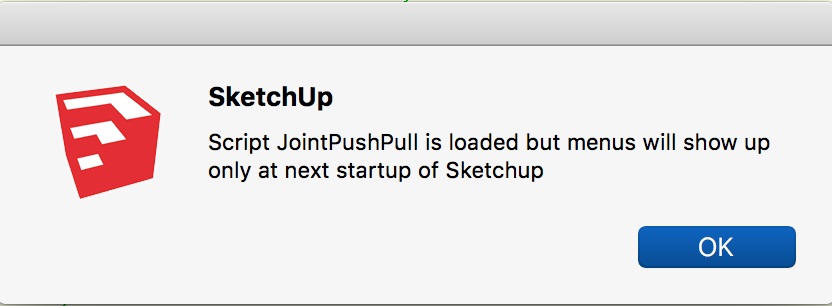
      However, I'm getting the attached warning messages each time I launch SketchUp (including relaunch). I'm not sure exactly what menus they are referring to. I see the items I expect in your Fredo6 Collection pull-right in the Tools menu.

      Steve


      Screen Shot 2017-10-01 at 1.19.54 PM.png


      Screen Shot 2017-10-01 at 1.20.04 PM.png


      Screen Shot 2017-10-01 at 1.20.17 PM.png

      posted in Developers' Forum
      S
      slbaumgartner
    • RE: Fredo6 Tools problems on macOS High Sierra

      I get a return of "false".

      I notice that in a Terminal the listing of file names puts all capitalized ones before lower case, as if they are in purely ASCII sorting order. I don't recall whether that was true in HFS+, but I wonder if this is a change that came with case-sensitivity in the new APFS? I notice that the file __loader__FredoTools.rbe comes after a lot of FredoTools_xxx.rbe files in the listing, which seems illogical.

      Edit: I found this in the Apple docs about APFS. It may have bearing on this and other issues people have reported in SketchUp under High Sierra:

      Calling readdir(2) on a directory in APFS returns filenames in hash order, whereas HFS+ returns filenames in lexicographical order.

      posted in Developers' Forum
      S
      slbaumgartner
    • Fredo6 Tools problems on macOS High Sierra

      I upgraded my Mac to macOS 10.13 High Sierra and SketchUp 2017 (17.3.116) started showing the attached errors on launch. I have installed the latest updates to LibFredo6 (7.7e) and FredoTools (3.1d) from the PluginStore and subsequently restarted SketchUp.


      Fredo load errors.zip

      posted in Developers' Forum
      S
      slbaumgartner
    • RE: Convert to length error

      Can't say with absolute certainty without seeing your code, but you are most likely right about the decimal point mark causing the error. Depending on your OS and its settings, the mark may or may not automatically change when you change the input language. You may have to change the locale and reboot.

      posted in Developers' Forum
      S
      slbaumgartner
    • RE: Toggle between tools?

      @jga said:

      Matthieu NOBLET released a plugin Recall_last_tool.rb that worked with SU7, but I've found it didn't appear to work with SU201* versions.

      Depending on what kind of errors occur, that could be because SketchUp changed from Ruby 1.8 to Ruby 2.0 in 2014, or it could be due to changes in the SketchUp API. It is quite common for older plugins, especially way back to SU7, to need updating for new versions of SketchUp.

      posted in Newbie Forum
      S
      slbaumgartner
    • RE: Faces Splitting Up at random

      SketchUp often creates hidden diagonal edges across a face during an edit operation when it isn't sure whether the face will remain planar. On completion of the operation, if the face stayed planar these edges are supposed to be deleted (or kept as folds if the face is indeed no longer planar). Sometimes, perhaps due to limits of computer arithmetic, SketchUp fails to delete the temporary edges, causing effects such as what you see. If you view hidden geometry and then delete these edges yourself, the face will remain if planar and vanish if not.

      PS: Color by Axis works to within a tolerance. Sometimes an edge will be colored even though it is off-axis by enough to cause issues in some other operations.

      posted in SketchUp Discussions
      S
      slbaumgartner
    • RE: Trying to Push/Pull

      You didn't mention the size of the object in your model - perhaps it is too small relative to SketchUp's small edges threshold? Try scaling everything up by 10x or 100x before doing the follow-me and then scaling back down afterward.

      posted in Newbie Forum
      S
      slbaumgartner
    • RE: Orbit about a specific axis

      @djh said:

      @remus said:

      you could always just hold ctrl while your orbiting, this will turn of the 'turntable' effect you usually get.

      Holding control while rotating should constrain the rotation?

      No. SketchUp's orbit has a notion of "gravity" by which it tries to keep the horizon line (duh!) horizontal. Holding ctrl (option on Mac) suspends this action and actually allows less constrained orbiting, the opposite of what is being requested!

      posted in SketchUp Discussions
      S
      slbaumgartner
    • RE: Can one use the orbit tool with precision?

      That's because CorelDraw is 2D! SketchUp is 3D. Orientation of axes is a whole different game when you are viewing a 3D space, especially when perspective camera is on.

      posted in Newbie Forum
      S
      slbaumgartner
    • RE: Cleaning up memory in script

      The Ruby Garbage Collector runs automatically every so often and reclaims memory from all objects to which there is no remaining reference. All ordinary references are released as soon as they go out of scope. So, unless your script is holding references in persistent variables, such as globals, class, and module variables, there is usually nothing more you need to do.

      If you think you have generated a lot of dangling objects, you can explicitly initiate garbage collection via methods in the GC module. SketchUp may take a noticeable hit when you do so because everything else must be suspended while the collection takes place. So, if you are creating a lot of small objects (e.g. to assemble Strings piece by piece) it is usually better to rethink your code to pre-allocate larger objects and add data into them incrementally.

      posted in Developers' Forum
      S
      slbaumgartner
    • RE: SketchUp 2017 - anti aliasing problem Mac OS Sierra

      The problem isn't with your Mac, it is that the SketchUp team did not implement any support for anti-aliasing when they coded the new graphics pipeline for 2017 on Mac. I haven't seen an explanation of why, just acknowledgment that's what they did.

      posted in SketchUp Discussions
      S
      slbaumgartner
    • RE: Macintosh (Mac) Plugin's

      You won't find much when searching for "mac" because as @pbacot observed, the vast majority of extensions/plugins run equally well on both platforms. In that case, they don't break out "mac" as a visible keyword anywhere that the search would find. You should search for the functions you need and then verify Mac-compatibility rather than the other way around.

      Plugins usually state both the OS and the SketchUp versions the author has tested for compatibility. Given the major changes in SketchUp and the version of Ruby it uses since SU 8, many authors no longer support SU 8. That's a bigger factor than Mac vs Windows.

      posted in Newbie Forum
      S
      slbaumgartner
    • RE: HOW DO I MEASURE AN ARC?

      @kbendewald said:

      ...I'm aware of the Angular Dimension but not able to get it to work how I'd like. I'm sure this is a user error. Any help is appreciated.

      Please clarify what you mean by "how I'd like". I'm the author of the Angular Dimension and co-author of Angular Dimension 2 both available in the plugin store here, so I may be able to help once I know what you need.

      posted in SketchUp Discussions
      S
      slbaumgartner
    • RE: Use of Mac "command" key for shorcuts

      Dave is exactly on the money. Keychords involving command never make it to the part of the app that handles user-defined shortcuts. They are either processed by OS X itself (which has many cmd-key shortcuts) or by the compiled-in menu system of the application. SketchUp doesn't allow them because they wouldn't work anyway!

      posted in SketchUp Discussions
      S
      slbaumgartner
    • RE: T.V. Stand

      Undermounts are available today with significant load ratings (100lb/45kg and 150lb/68kg), so that shouldn't be a problem - e.g. Blum Tandem, Salice, and others. Be advised, though, that they require clearance under the drawer bottom which will affect the drawer height required to fit CD cases inside the drawer.

      posted in Woodworking
      S
      slbaumgartner
    • RE: Application Development Exploding Component Instances

      My suspicion is that each explode causes SketchUp to process intersections between the newly released Entities and all other Entities in the context and to update the view accordingly. You might try wrapping the block that does the explodes in a start_operation /commit_operation pair with disable_ui set to true.

      Also, don't have the outliner window open while you run your script. It is known to cause major slowdown.

      SInce you said it seems to work, I didn't give much thought to the part of your code that picks what to delete, beyond noticing that it seems far more complicated than my gut feels it needs to be.

      posted in Developers' Forum
      S
      slbaumgartner
    • RE: Can't get an arc radius/dimension

      http://sketchucation.com/pluginstore?pln=clf_arc_centerpoint_finder

      posted in Newbie Forum
      S
      slbaumgartner
    • 1 / 1