http://www.artlantis.com/support/forum/
Si tu n'arrives pas directement dessus il y a le petit drapeau en haut à droite 
Oops, your profile's looking a bit empty! To help us tailor your experience, please fill in key details like your SketchUp version, skill level, operating system, and more. Update and save your info on your profile page today!
🔌 Smart Spline | Fluid way to handle splines for furniture design and complex structures. Download
 Offline
Posts
-
RE: Exporter sous sketchup
-
RE: Inverse Selection - where is it?
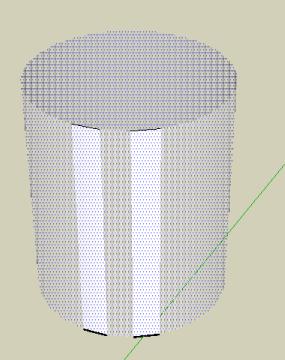
works fine when you delete
but when you hide seems curious result
(hidden geometry was enable for select facett then disable after selection and only 2 facets were selected)Edited : all works fine, it was only result when you click on the selected facetts!

-
RE: Formes incurvées et ruby script
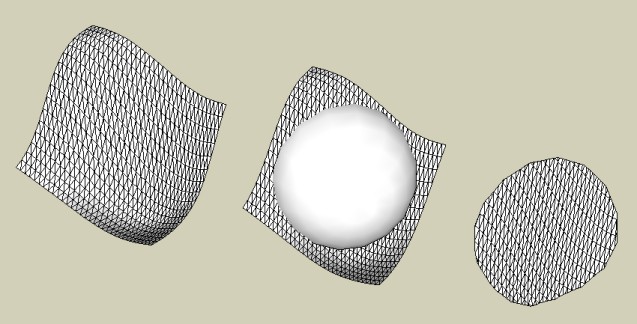
Il y a peut être un bidouillage avec le Sand Box
 (sans script)
On se débrouille à faire coller les arêtes par déformations gràce à l'outil "Smoove"
Ou encore une intersection avec un modèle qui donnera les courbes contour et on vire tout ce qui est autour!
-
RE: Inverse Selection - where is it?
So easy now Selection : Right click/inverse + click "H" (if H is the shortcut of hide
-
RE: Formes incurvées et ruby script
Il y a ce ruby script musclé terrible!

Soap Skin & Bubble dément!
Un tout petit peu difficile à prendre en main la 1ère fois mais après çà roule! -
RE: Transformer une animation en vidéo?
Il y a pas mal de "trucs" ici et notamment des portes coulissantes et tournantes
C'est soit on anime les scènes par pages, soit on anime les objets dans une animation hors page!
Voir l'exemple de ma bicyclette en 2ème pageLe script de Didier Bur: Transformer est parfait pour cela! (il ya un petit tut dans les posts
Le problème c'est il très difficile de faire cohabiter les 2 voire impossible dans Sketchup lui-même!
C'est le mouvement de la caméra qui donne l'animation entre 2 pages!Il faut jeter aussi un oeil sur Sketchyphysics2 qui lui aussi pour l'instant n'anime qu'en "hors page"
Il faudra donc faire des "captures écrans" de ce qui se passe à l'écran pour enregistrer les animations! (avec des logiciels comme Camstasia ou le gratuit Wink(qui permet aussi de faire des tuts vidéo)
-
RE: [Plugin] SketchyFFD (Classic)
@unknownuser said:
That is the new group created by the FFD. You can simply delete or hide it when done with it.
THX: very simple indeed !

-
RE: [Plugin] SketchyFFD (Classic)
impressive task
Works fine except the control points stay on the screen after deformation
-
RE: In Development: Subdivide and Smooth
@unknownuser said:
I don't see the relevance here....Topmod isn't really a subdivision tool right?
Or am I missing something?....hehe
Topmod is the prog who has the big largest collection tools of subdivision!
it's for that I put it here -
RE: In Development: Subdivide and Smooth
-
RE: Basic Animation
Another solution use Sketchyohysics2
http://code.google.com/p/sketchyphysics2
http://code.google.com/p/sketchyphysics2/downloads/list
see the example : motor radial 7 explosed
(inside folder examples)
A terrific Plugin! -
RE: Basic Animation
Maybe you can use this
"Transformer" ruby Script by Didier Bur
Concept is this
create goup of each object (or objects so use Groups)
Select one object : Menu transformer / Position initial = first line "group"
Move your group to the final position wished
Menu Transformer / Final Position = second line "Group"
(as it's a beta conceptor should write, Initial Group, Final group
Now you have just to click Menu / Animation : Initial Final
Et voila
A very tricky script!A french version of the mini tut:)
http://www.sketchucation.com/forums/scf/download/file.php?id=3099&mode=viewPS If you have keep on the same time initial and final object on the screen you can
Menu Transformer / Movement / Final Initial
or Transformer / Movement / Initial Final -
RE: New here - totally confused
This site is a true gem for the free tuts video on line!
http://go-2-school.com/
 for the French Soldier