sketchucation logo sketchucation
    • Login
    1. Home
    2. pichuneke
    3. Posts
    Oops, your profile's looking a bit empty! To help us tailor your experience, please fill in key details like your SketchUp version, skill level, operating system, and more. Update and save your info on your profile page today!
    🔌 Smart Spline | Fluid way to handle splines for furniture design and complex structures. Download
    P
    Offline
    • Profile
    • Following 0
    • Followers 0
    • Topics 14
    • Posts 368
    • Groups 1

    Posts

    Recent Best Controversial
    • New Monopoly City Streets uses Sketchup

      I have just read that a new massive online game of Monopoly starts tomorrow. And I believe that users can design its own buildings in Sketchup!

      @unknownuser said:

      This global game will feature an incredible amount of amazing new buildings and building types from MONOPOLY. From humble houses to stupendous skyscrapers and everything in between, never before will you have had the freedom to tailor your property empire exactly the way YOU want it.

      But…

      We still need 3 new building designs and we’d like YOU to design them!

      MONOPOLY and Google SketchUp fans worldwide be sure to check back from next Tuesday 8 September for entry details and the chance to show the world your ultimate 3D building creation.

      Source: http://blog.monopolycitystreets.com/

      Edit: Well, I didn't read, at this momment they need just 3 buildings. Anyway will be interesting to follow this game.

      posted in Corner Bar
      P
      pichuneke
    • RE: Rebuilding Rome

      See this user: http://sketchup.google.com/3dwarehouse/search?uq=13768710844291476073&scoring=m 😲

      He has almost half of the roman forum in 3D, including Palatine Hill.

      posted in SketchUp Discussions
      P
      pichuneke
    • RE: Bad News for Architects in the next ver. of Google Sketchup

      @dedmin said:

      Blender is not any difficult that any other 3D software in the same class. But with Collada you can import from SketchUP to texture and render - there are very good free renders for it. You ask to much - free, easy and powerful! No way...

      You can find even OS free, easy and powerful, like Ubuntu Linux. Or tools like firefox, Openoffice... Anyway I don't know programming, I was telling an idea. And in fact I never use dwg/dfx for my desings, but I am giving my opinion as I see that, as a bad new. I have exported skp to blender without Collada before, so for me Sketchup free is getting "smaller".

      posted in SketchUp Discussions
      P
      pichuneke
    • RE: Bad News for Architects in the next ver. of Google Sketchup

      @kwistenbiebel said:

      @dedmin said:

      Collada support is very positive - a lot of companies are improving their support - Blender, SolidWorks, Modo etc.
      The real problem is Autodesk's monopoly and arrogance! If dwg is a standard - make it open standard! About Blender - this hype about the difficult interface is nonsense! Actualy it is very easy if YOU READ ABUT IT! There is coming a new version with a lot of improvement in the UI side ! Read this http://www.blender3darchitect.com/

      I still think Blender should get a 'sketchup UI skin' 😄
      But Blender will never be able to level the default presentation power Sketchup has.
      No one does instant model presentation better than Sketchup and that alone makes Sketchup a killer app, especially for design communication!

      I fully agree. I have used Blender a little, and its very powerful, but has a very difficult learning curve and it takes you a lot of work to start using it (at least me). In other words, its interface is non-intuitive. Perhaps in a month you can manage very well with it, but for a newbie... a newbie likes the interface of Sketchup.

      posted in SketchUp Discussions
      P
      pichuneke
    • RE: Bad News for Architects in the next ver. of Google Sketchup

      I've heard that Blender is going to have dxf support soon. But its interface is very complex. I don't know programming, but an easy interface for blender like sketchup's one would be fantastic.

      It's just a dream, but...

      posted in SketchUp Discussions
      P
      pichuneke
    • RE: Ati o nvidia

      The language of the forums is english. Anyway I will try to translate it, I understand it with my spanish.

      I have a mac pro with a 8800gt, but I don't like how it works with sketchup.

      I have decided to replace it with an Ati Radeon 4870 or a GTX 285.

      Which one do you think is better?


      My answer: Don't worry. The use that sketchup makes of the GPU is minimal, unfortunately. The load is in the CPU, as far as I know.

      In spanish: No te preocupes, el uso que hace sketchup de la GPU es mínimo, desafortunadamente. La carga está en la CPU, hasta donde yo se.

      In italian: I have no idea of italian/No tengo ni idea de parlare italiano 😄 😄

      posted in Italiano
      P
      pichuneke
    • RE: Which Photorealistic Renderer?

      @serge.n said:

      To extend the topic, does anyone know how much photorealistic are all theses tools?

      I mean is there a way with one of them to know light levels and so verify the IEQ credits 8.x of LEED?

      Thanks
      Serge

      Not what you are asking for, but I have found this for Blender. Anyway I hope it helps:

      favicon

      (abhishekfx.jimdo.com)

      posted in Extensions & Applications Discussions
      P
      pichuneke
    • RE: Which Photorealistic Renderer?

      We need exporters for opensource renderers. Like Lux Render.

      posted in Extensions & Applications Discussions
      P
      pichuneke
    • RE: Re: Some Funny Pics.

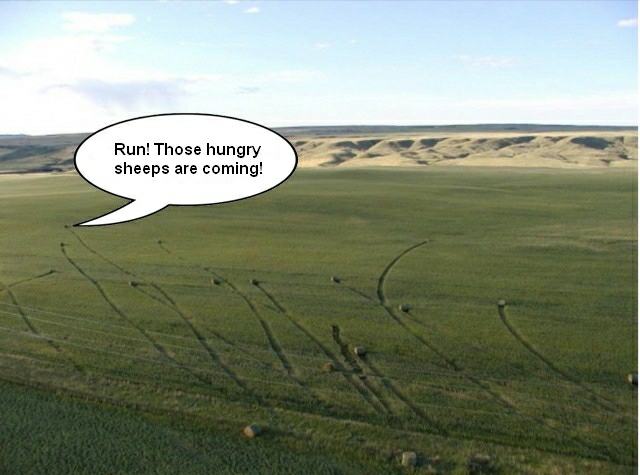
      Run!


      borra.jpg

      posted in Corner Bar
      P
      pichuneke
    • RE: Re: Some Funny Pics.

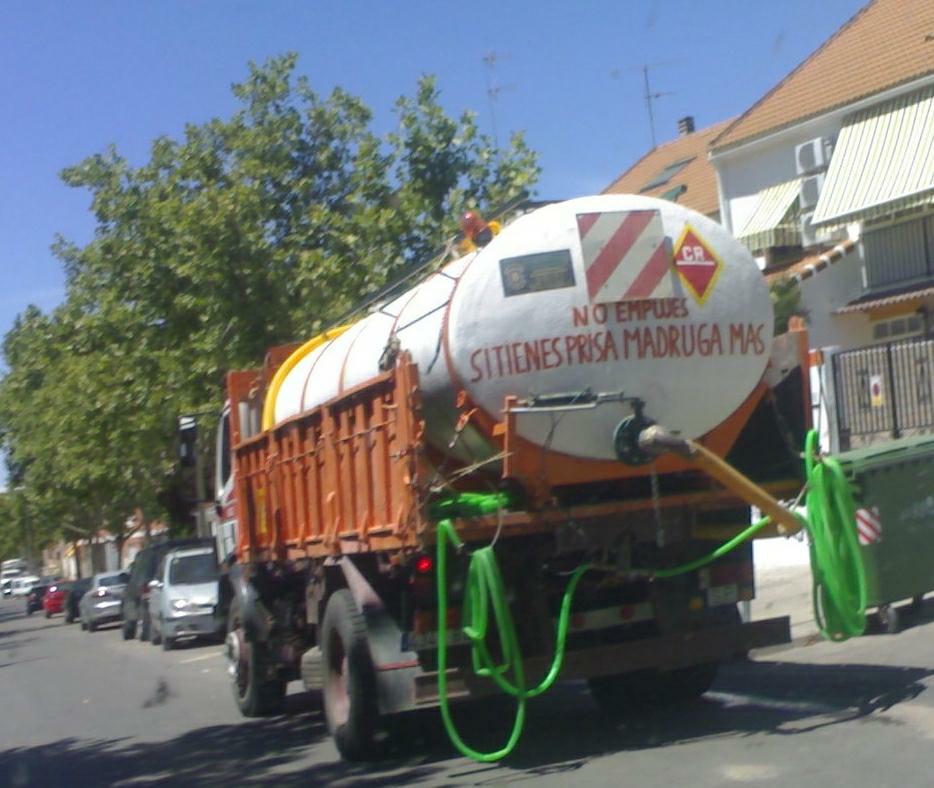
      Translation: Don't push, if you are in a hurry, get up earlier

      (I took the photo myself, with my phone camera). I hope to have translated it well 😄


      optimized.jpg

      posted in Corner Bar
      P
      pichuneke
    • RE: Re: Some Funny Pics.

      http://farm1.static.flickr.com/152/330402895_13e84c6dff_o.jpg

      ¿Me puede decir alguien que significa este último cartel? 🤣

      (I know what it means, I was kidding) 💚

      posted in Corner Bar
      P
      pichuneke
    • RE: The Pantheon, Rome (WIP)

      You have a very advanced chorintian capital.

      The only thing you must do is what I did with mine: Make some holes 😆 The problem is that my model is very heavy.

      Alternatively you can use a texture, or better: with the photo of the real capital, you must render the 3D capital with a Bump Mapping using that texture (the black holes are deeper), only Bump Mapping. For the texture of the 3D use a tileable white Marble (Carrara kind). You'll save A LOT of polygons. I don't know which software you use to render. I use Kerkythea (although is discontinued now), but I pretend to move to Luxrender in a future, through blender if they don't release a plugin for sketchup.

      I make tileable marbles very fast with Gimp. I open the texture, then (SORRY for the english speakers, I have the spanish version) Filtros -> Mapas -> Crear sin Costuras. Very good results for rocks.

      My capital took me a month to model, but with your squared capital you can make easily a cilindrical one, put the leaves into the right places.

      And you can find some optimized columns in these models:

      Error 404 (Not Found)!!1

      favicon

      (sketchup.google.com)

      Error 404 (Not Found)!!1

      favicon

      (sketchup.google.com)

      posted in Gallery
      P
      pichuneke
    • RE: The Pantheon, Rome (WIP)

      ¡Que me dices! Otro español y con uno de los proyectos que me gustaría hacer si tuviera vidas suficientes 😆 😆 😆

      Well, let's start to speak in english. jopsa2, I have a neverending model of the roman theatre of Cartago Nova that you can see here:

      http://forums.sketchucation.com/viewtopic.php?f=81&t=8057

      I really like your textures. A lot... 😆

      And the level of detail that you are reaching, is the level of detail I would like to reach one day with my theatre. I can't model it now, I have not time.

      Are you considering to put inside the "squares" of the ceiling (I don't know the english name, the spanish one is "casetón") the lost ornaments of bronze?

      posted in Gallery
      P
      pichuneke
    • RE: Foro romano (Final render)

      artysmedia, I have to convince you to start a personal serious project of archeological reconstruction... 😆

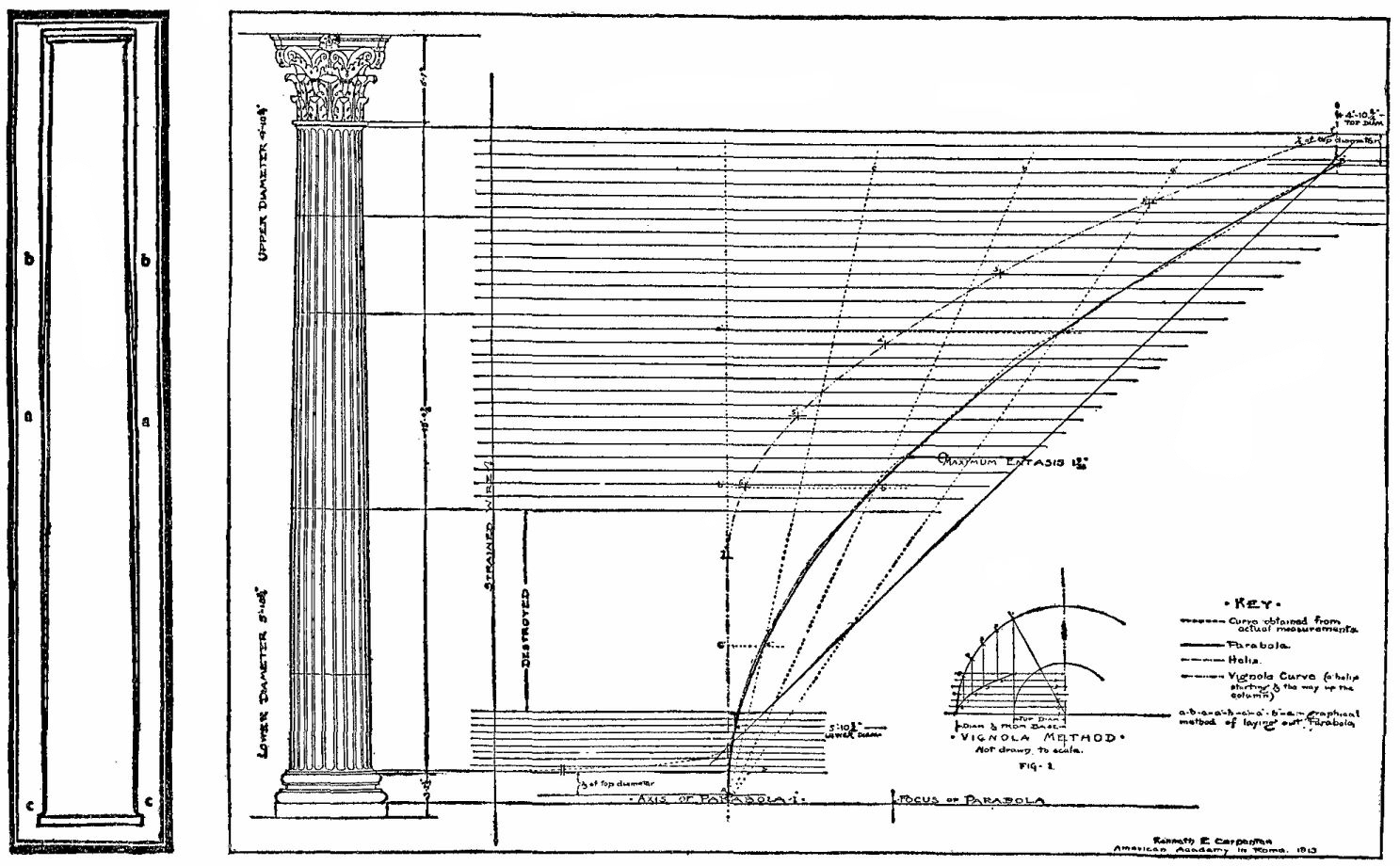
      If I could make a model with half of the quality of this:

      I would be very proud of me.

      posted in Gallery
      P
      pichuneke
    • RE: Foro romano (Final render)

      I am sorry, but that's not a roman building 😆

      First of all, those are not roman columns. I recommend you to read something about vitruvius http://en.wikipedia.org/wiki/Vitruvius

      And you have the ideal columns (and all the roman architecture) here:

      Link Preview Image
      Project Gutenberg

      Project Gutenberg is a library of free eBooks.

      favicon

      Project Gutenberg (www.gutenberg.org)

      Link Preview Image

      I know that you didn't make this model seriosly, but if you enjoy reading about that, you have the sources there.

      By the way, the romans with toga, are 3D models?

      posted in Gallery
      P
      pichuneke
    • RE: Buildings

      I always enjoy your buildings.

      Some of them may fit well in a very ambitious projects to design the city of Ank-Morphork, of Discworld (Mundo disco), the novels of Terry Prattchet.

      http://forums.sketchucation.com/viewtopic.php?f=15&t=13176

      posted in Gallery
      P
      pichuneke
    • RE: Terrain data conversion to a xyz-file

      @charly2008 said:

      Thank you Pichuneke,

      the program looks interesting. I tried to install it but anything was wrong. Unfortunately i don't speak spanish so i couldn't read the messages given at the installation.

      Karlheinz

      When you start it you must check the box, a message appears that says "Enviaré mis comentarios al foro cuando pueda" (I will send messages to the forum when I can). Don't worry, it's a bit absurd, but the software doesn't connect to internet.

      Menu:

      Archivo -> Importar -> Ascii (File -> Import -> Ascii). Select the extension of the file (.pun , .xyz , .dat , .txt, .csv...)

      A menu appears. You have a box with something like NXYZC (Name, X Coordinates, Y Coordinates, Z Coordinates, Comments). It's self-explanatory.

      At left, you have to select the separator: , comma, space, tabulation, columns...

      At right:

      El separador decimal es una coma: Decimal separator is a comma.

      El separador de miles es un punto: Thousands separator is a point (like 2.009).

      Click on Importar.

      On Menu: Click on MDT -> Triangular...

      Maxima diferencia de los lados: Maximum distance between generated triangle, test with bigger values if you have some problems. Click Aceptar.

      Fix Manually the problems with the triangulation with: MDT -> Permutar. Click on the green lines, you can see the model changing its shape.

      When finished:

      Menu: Archivo -> Exportar -> Dxf(3D)

      This is a fast guide. Sometimes I add manually points to get better results, the program can interpolate the Z coordinate or a Z value inserted manually.

      posted in SketchUp Discussions
      P
      pichuneke
    • RE: Terrain data conversion to a xyz-file

      You can use the basic version (1.2.250) of this software:

      Link Preview Image
      TopoCal 2026: Software CAD y Topografía Profesional – 100% Gratuito en 2026

      TopoCal 2026: Software profesional de CAD y topografía completamente gratuito durante todo 2026. Versión Pro sin restricciones + Lite permanente. Compatible con AutoCAD y ZWCAD. Incluye asesor IA 24/7 integrado.

      favicon

      (www.topocal.com)

      Link Preview Image
      TopoCal - Descargar

      TopoCal, descargar gratis. TopoCal última versión: Cálculo topográfico del Modelo Digital del Terreno (MDT).

      favicon

      (topocal.softonic.com)

      Sorry... in spanish. It's for windows, a bit old. You can import any text file, triangulate, and export it to dxf.

      posted in SketchUp Discussions
      P
      pichuneke
    • RE: An unchecked exporter/IMPORTER to T3D, ASE, PSK and OBJ

      I asked for help, as the exporter/importer download link is down, and someone answered me!

      He put a link in the "Shout There" Box with the exporter of the official blog ( http://hardpcmtechnologies.blogspot.com/ ). I don't want to overload his server as it's a temporary solution, so I will attach the file here.

      Of course, the alternative download link is placed in the "Shout There" box.

      I am testing it right now. I am exporting a sketchup file to .obj format in a very complex model. I hope it can export textures, too. So the zip is untested now.

      I will tell you the results.

      Thanks a lot rog! I link your page:

      http://rog.gameslate.com/

      Edit 1: I am trying to import .obj and .ase files to blender, but there is a python error. I believe that, in theory, .obj is exported with textures. Is the problem due to my Blender? I continue testing.

      Edit 2: It can import in sketchup the previously generated .obj files, without textures.

      Edit 3: .Obj files imported in Blender with other model. Probably a problem with blender's obj importer regarding scale. No textures, I believe now that are generated in a separated folders for .obj files, and there is not such folder.


      HSKP2UNR_v089.zip

      posted in Developers' Forum
      P
      pichuneke
    • RE: Buildings

      😆

      At the beginning, when I saw your photos, I thought of that horrible (horrible because it has the worst possible situation in Rome) monument, but I thought later that it was different and it couldn't be the Monument of Victorio Emanuele. I read that some italians call it the "typewriter" (máquina de escribir, in spanish).

      posted in Gallery
      P
      pichuneke
    • 1
    • 2
    • 8
    • 9
    • 10
    • 11
    • 12
    • 18
    • 19
    • 10 / 19