sketchucation logo sketchucation
    • Login
    1. Home
    2. Pg09
    3. Posts
    Oops, your profile's looking a bit empty! To help us tailor your experience, please fill in key details like your SketchUp version, skill level, operating system, and more. Update and save your info on your profile page today!
    Check out Febhouse | New extensions for Shadow Analysis in SketchUp Download
    P Offline
    • Profile
    • Following 0
    • Followers 0
    • Topics 6
    • Posts 89
    • Groups 1

    Posts

    Recent Best Controversial
    • RE: Obj exporter plugin question

      Hi Jim!
      No problem and of course i thank you for all your work you put into rubies and helping out here in the forum.
      The Ivy Generator needs an object only as a dummy to run the ivy on sg so sometimes it's not a problem if some triangles are missing.
      I also use Archicad so i think i will try an dxf > obj workaround - although right now it looks that this .obj format is kinda fragile so i dont have high hopes.

      Anyways, thanks for the help everybody!

      posted in Newbie Forum
      P
      Pg09
    • RE: Obj exporter plugin question

      Thanks πŸ˜„

      I read somewhere that the Pro SU version has a triangulate option while exporting and here i see triangles missing soooo,
      maybe that gives an idea to someone ... πŸ˜„

      posted in Newbie Forum
      P
      Pg09
    • RE: Obj exporter plugin question

      Thanks for the tip but it didn't work. (there were no reversed faces)
      Other things i tried was grouping or creating a component before exporting...

      I tried v6 now --- same result 😞

      posted in Newbie Forum
      P
      Pg09
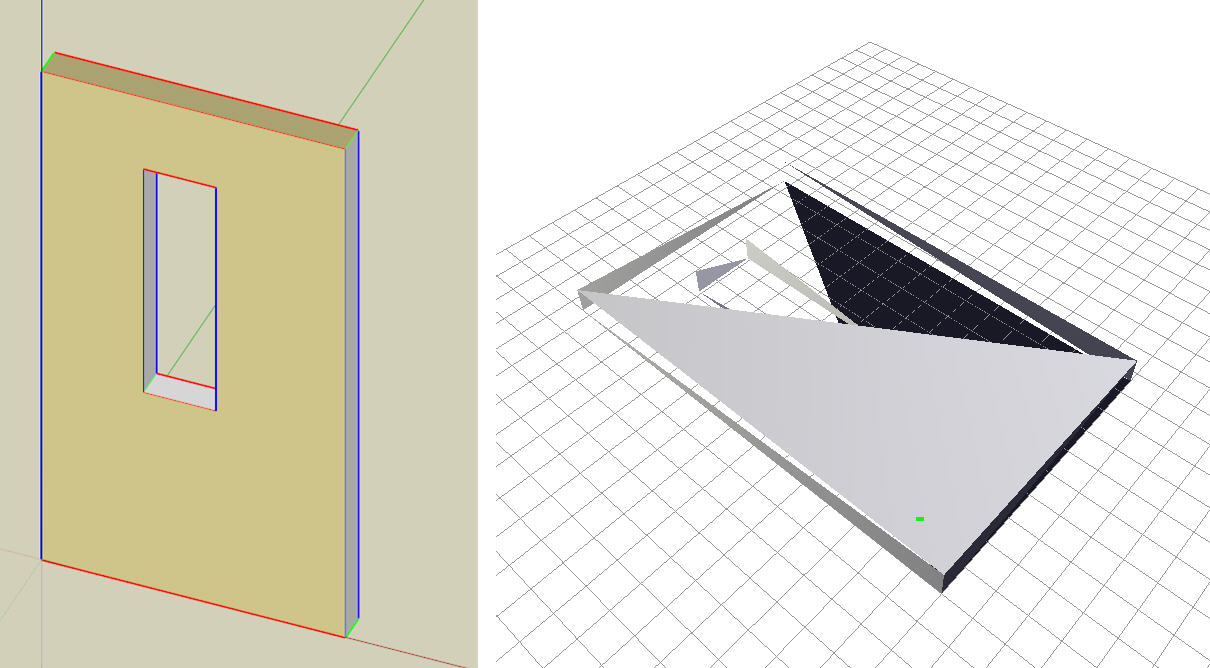
    • Obj exporter plugin question

      Hi there!
      This might belong to the rubys forum but i'm a newbie so... πŸ˜„

      I would like to use the great ivy generator: http://graphics.uni-konstanz.de/~luft/ivy_generator/
      and i wanted to export a simple wall to let the ivy grow on it but i don't have SU Pro so i installed Jim's plug in:
      http://sketchuptips.blogspot.com/2007/01/wavefront-obj-exporter.html

      The Generator was able to open the file but it kinda fell apart.
      Any idea what to do?
      Any other (free) ways to export skp to obj?

      Thanks in advance!


      skptoobj-problem.jpg

      posted in Newbie Forum sketchup
      P
      Pg09
    • RE: More kitchens

      @kevsterman said:

      (I can't get photoshop to install on my Vista machine, grr)

      Have you tried the Run as Administrator trick? That worked for me with PS.

      posted in Gallery
      P
      Pg09
    • RE: Curve-align textures?

      Thank you guys!
      I think i will stick with the second method for now it seems to be more simple - especially when the arc is made up of plenty segments...
      Thanks again for the quick answer!

      posted in Newbie Forum
      P
      Pg09
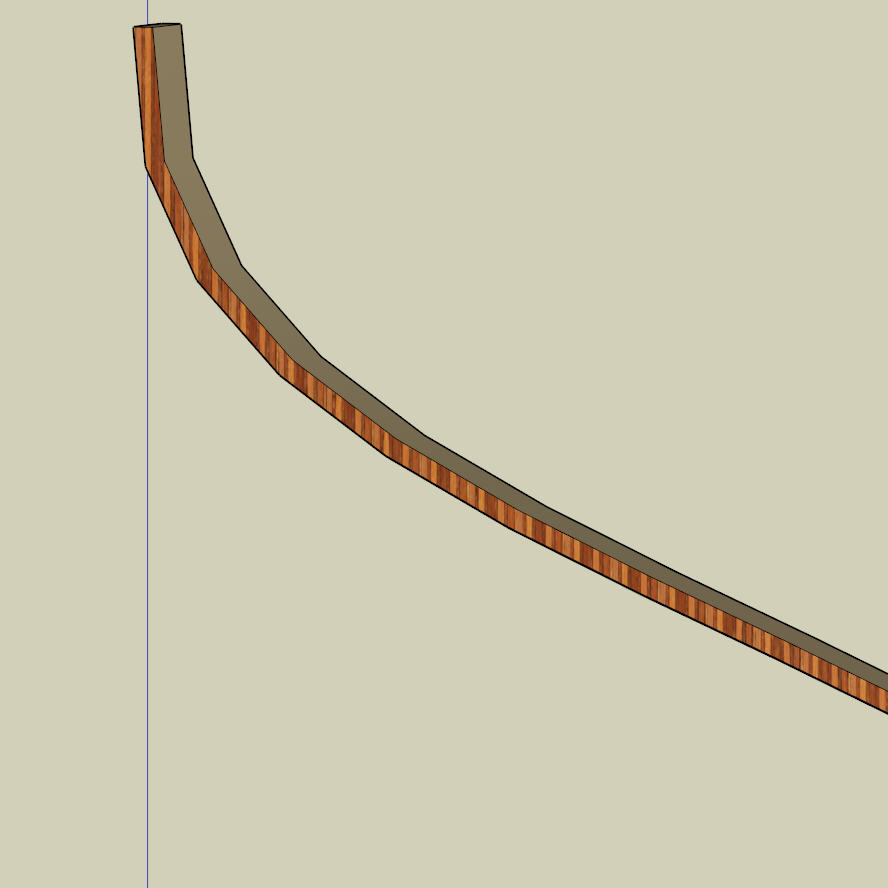
    • Curve-align textures?

      Hello!
      This is my first question-post here.
      I was searching the forums but i didn't find anything similar to my problem...

      Can i align my texture like this: the object is a bracing for a lamp made of bent plywood and the grains should run along the curve not just in one direction...
      Is there a way to do that?

      Thank You!


      Lamp-Question2.jpg

      posted in Newbie Forum sketchup
      P
      Pg09
    • RE: Chilean Embassy Addition (WIP) - updated Dec19

      Edson,
      thank you for the quick answer!
      I'm having the same dilemma as you. I'm looking for renderer that can produce nice renders, quick and fast.
      Luckily, now i have little time around Xmas to learn more about KT which is the most impressive (and free!) rendering engine i met so far.
      I'm pretty sure I will never master KT as the the guys over there in the KT Forums http://www.kerkythea.net/joomla/index.php?option=com_content&task=view&id=28&Itemid=70 but i hope to "develop" a "method" or a set of tools with I can create nice renders with just a few clicks, like you do with Podium.
      At least this is my goal for the next few days/weeks πŸ˜„
      So thanks again, I will check back here from time to time to see nice projects from you and others!

      Merry Xmas!

      A.

      posted in Gallery
      P
      Pg09
    • RE: Chilean Embassy Addition (WIP) - updated Dec19

      Hello Edson!
      Really nice renders!!
      Did you give up on Kerkythea for good?
      If yes why?

      posted in Gallery
      P
      Pg09
    • 1
    • 2
    • 3
    • 4
    • 5
    • 5 / 5