Thank you - DaveR, Richard, pbacot & Nick.
I will try both Richard's & DaveR's workarounds
Trimble: Perhaps you might consider some improvements to dimensioning 3D views in 'Layout'.
Thank you once again for your generous help.
Regards,
Penguin2
Thank you - DaveR, Richard, pbacot & Nick.
I will try both Richard's & DaveR's workarounds
Trimble: Perhaps you might consider some improvements to dimensioning 3D views in 'Layout'.
Thank you once again for your generous help.
Regards,
Penguin2
Nick,
I needed to finish and issue my details so I dimensioned front and side elevations and added a 3D view without dimensions. It would have been so much better just to dimension the 3D view properly.
I am moving from 2D AutoCAD and I also produce a great number of details. Do any of your videos show the dimensioning of 3D details you refer to?
Regards,
Penguin2
Is Layout a 2D programme? It is behaving like one for me. I have tried & tried and cannot get Layout to dimension my 3D Sketchup View the same as it is in Sketchup. I am trying to align the dimension lines at 90deg to the faces. When I drag the dimensions out from the model the dimensions are not in perspective. I must be missing something or doing something wrong.
I have even dimensioned the Sketchup Model and inserted this into Layout but the results are far from satisfactory.
I am trying not to be negative about this but I am finding Layout for working drawings far from satisfactory despite spending hours viewing other posts on the subject and Nick Sonder's excellent videos.
'Layout for Dummies' would be a good start.
Rant over. Sorry!
Regards,
Penguin2
Yes,
I was trying to use the 'Move' tool & Ctrl to copy.
Edit>Copy>Paste did work up to a point. I found I had very little control over insertion points however so I grouped the items before pasting which allowed me to select & move without affecting the recipient component.
Many thanks for your help.
Penguin2
Hi,
Trying very hard to get used to using Components. I have a component open which I have edited but I now want to copy and paste some geometry from outside the component and add to the component I am editing. It seems if the component is open I can only edit from within. I just cannot seem to figure out how to introduce anything from outside.
Can someone put me out of my misery please?
Many thanks,
Penguin2
As Always all your help has been invaluable.
Although I constructed my chimneys in the vertical position I wrongly assumed that the axes are the same as for applying windows (Sketchup for Dummies). You can see my blue axis is horizontal (pointing outwards) and I believe this should be vertical and perhaps has more to do with where it is placed. I've edited my component changing the axes and so far so good. Gaieus your article was also very useful and I've learnt a lot from that also.
One to ponder though. Please refer to my initial attachment. If I did create the axes incorrectly as explained above why did the brickwork appear to be correct on the side of the chimney. I think there is more to this than just making sure that the blue vertical axis is pointing up when constructing chimneys. Just a thought.
Regards,
Andrew
OK.
Thank you for the link I will read this now.
However,
I have just tried on anther part of my model.
On a separate group of houses.
I click and then 'Edit Group'.
I then click on chimney (component) and select 'Edit Component'.
I apply brickwork via paint bucket to the first face I select and it faces vertically despite the image being horizontal in the material palette.
To make matters worse I am unable to instigate the routine [Edit>Face>Textures>Position].
Cuppa Tea now and a read of the article and fingers crossed it will tell me where I am going wrong.
Regards,
Andrew
Hi,
Believe me I have tried help files etc to fathom this.
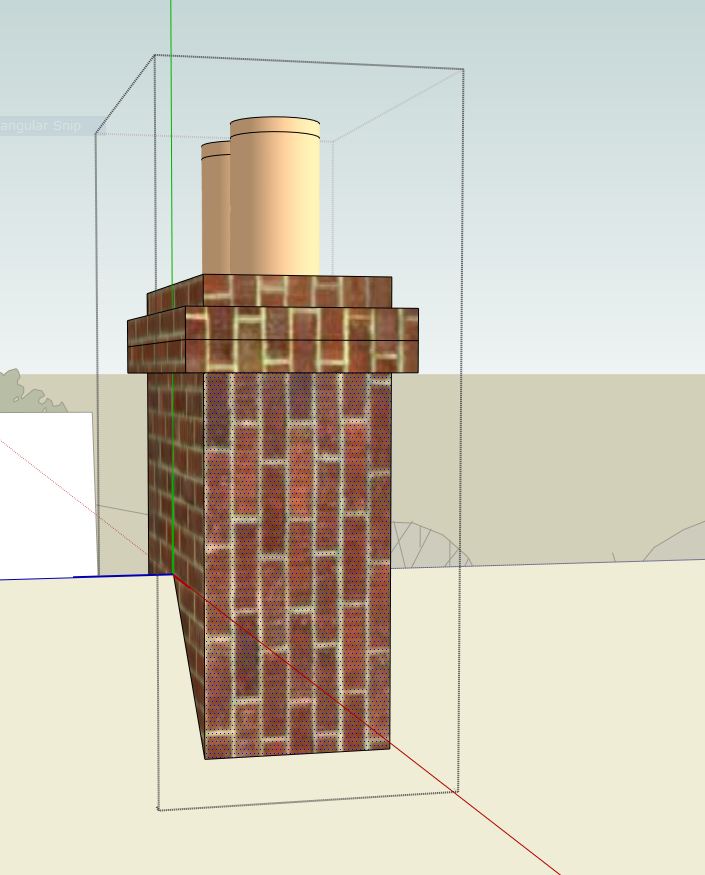
I have a chimney component and applied some brickwick to the faces. However some faces are clearly mis-aligned.
I select Component.
Edit Component.
I select the face I want to change (see attached).
I right click for Context menu but there is no Edit>Face>Textures>Position. In fact no Edit option.
I then went to Edit drop down. At the bottom of the list I click on 'Face' and again there is no Textures>Position to allow me to manipulate the incorrect face.
Any suggestions gratefully received.
Regards,
Andrew
Thank you I will try that.
Regards
Penguin2
'On Ground' Shadows Setting was checked and yes there are Ground Level Issues.
Just started introducing Contours and used Sandbox for the first time a couple of days ago (what a great feature Sandbox is).
Thanks again.
Panic over.
Regards,
Andrew
Hi,
Have been working on a Site Model for a few days and generally things have been OK until today.
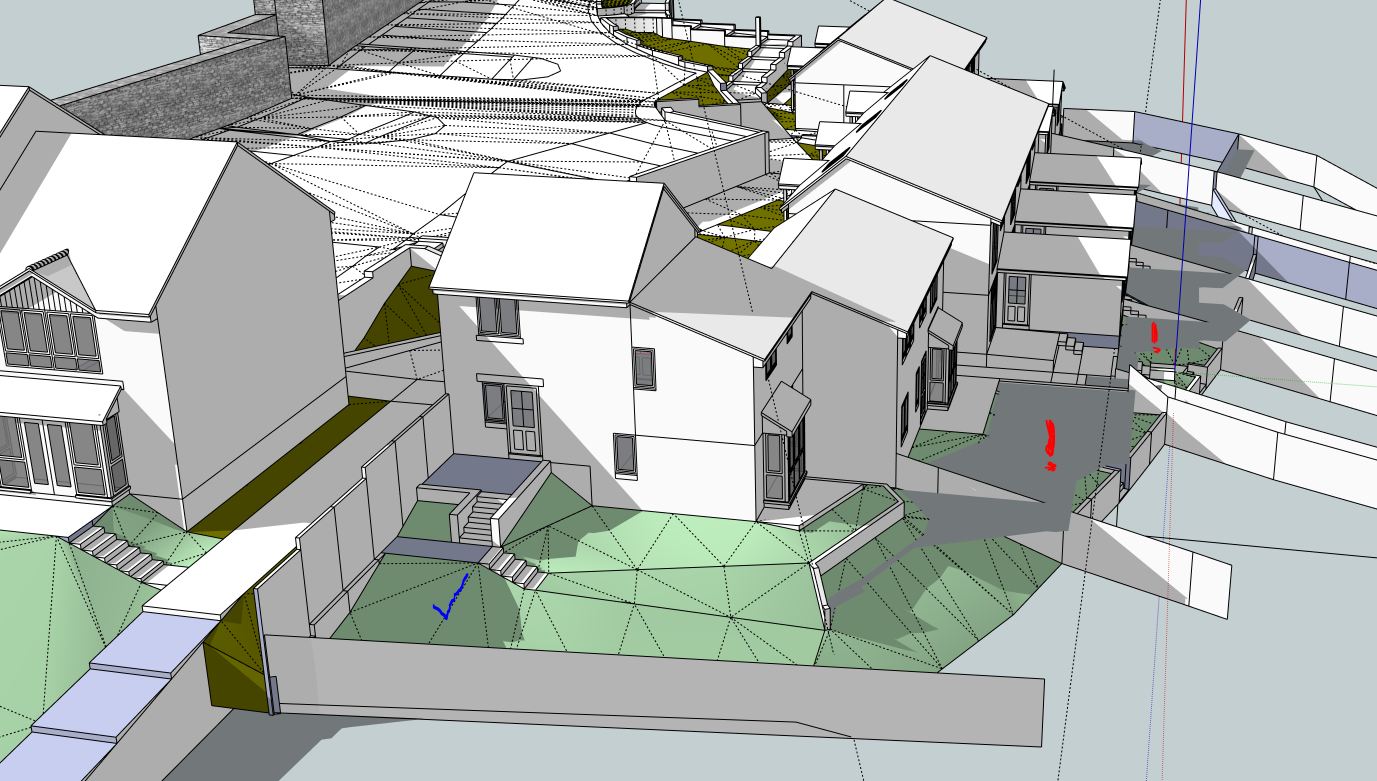
My Shadows seem to be casting on a flat plane on parts of the model and other areas appear to be fine. (please see attached).
Sorry to trouble you again but can anyone come to the rescue?
Many thanks.
Andrew
Hi,
I'm sure this has been covered before but a Topic search did not come up with anything.
A have just insert a few construction lines on the face of a simple cube and when I zoom in and out the lines fade and sometimes disappear (see attached).
Anyone tell me what I am doing wrong please?
Regards,
Andrew
Hi,
Not a technical answer but I found that certain styles I was using in Sketchup quadrupled the PDF file size in Layout.
Penguin2
Hi Nick,
I feel quite humbled by your kind comment.
I purchased Sketchup Pro over a year ago but the time was not right. Just before Christmas I watched your 4 minute video and I have you to thank for my first attempt with Sketchup.
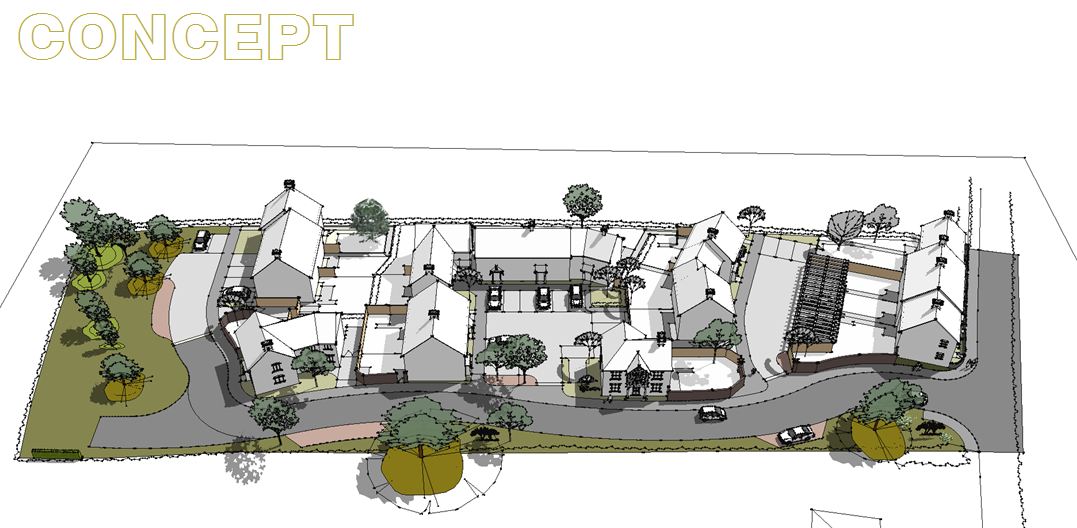
I have, as you requested, attached a copy of one of the layout pages. To me the result is very mediocre but my Clients seem to like it.
Most of my work is on affordable housing (bread & butter). I am having constant battles in trying to pursue the 'Passivhaus' route.
I hope one day to become as proficient as I believe I am with AutoCAD. The kind help I have received recently from several very talented forum members just gives me so much heart.
Someone said recently that you demonstrated to everyone that Sketchup is not a toy. I have never thought of Sketchup as a toy. There is no substitute for sheer hard work and determination and dedication which can be seen in your work. I believe the success of Sketchup is mainly due to the fact that it is fun to use. I only hope Trimble do not lose sight of this.
My thanks once again.
Kind regards,
Andrew (Penguin)
Thank you David & David,
I guess I had Senior Moment.
Everyone on this site has been so helpful. I must learn to try harder before troubling you.
Have also, as requested updated my profile.
Thank you again.
Regards,
Andrew
A comprehensive PDF manual or Layout for Dummies would be great for a newbie like me!
Yes thank you for sharing.
I am new to Sketchup & Layout and need to learn quickly.
Two observations
I like the new logos but they are so similar.
Hi,
I have a 10 page Layout document converted to PDF. The file is 40MB and way too large for my Client.
My question is: Can an individual page be exported to PDF? If so can anyone point me in the right direction on how to do this please?
Many thanks,
Penguin2
Hi Dave,
Thank you.
Blindingly obvious now.
Regards,
Penguin2
Hi,
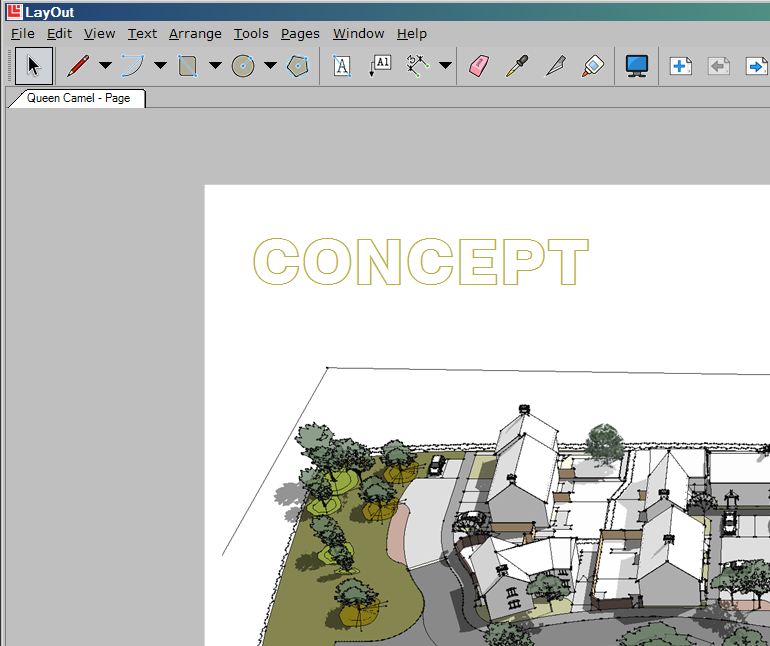
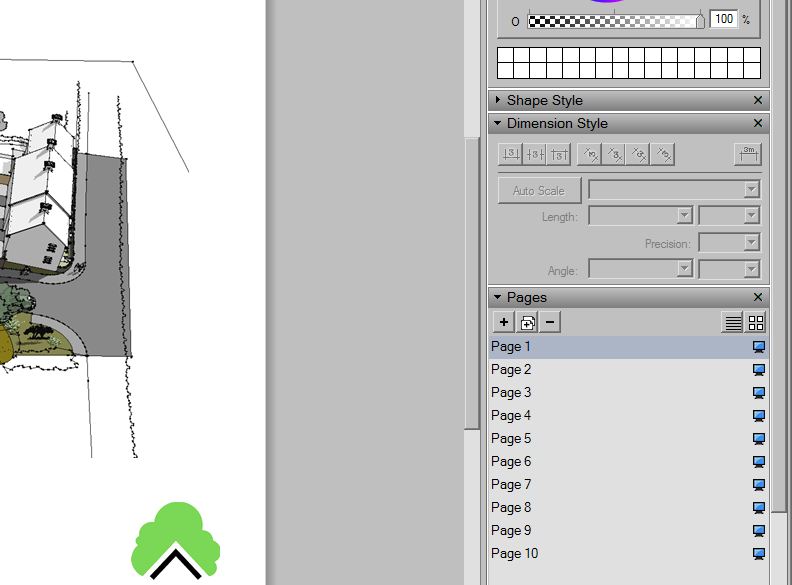
Just spent the morning with Layout 3 (never used layout before)and quickly produced a 10 page presentation. Very,very pleased.
However, I think I may have switched off some setting because I only have 1 Page Tab. In my pages toolbar it shows all 10 pages (all working with different Scenes).
Can anyone tell me how I get these pages to show as tabs across the top.
Many thanks,
Penguin2