@mike lucey said:
Hi ken,
This link should explain all,
http://sketchup.google.com/support/bin/answer.py?hl=en&answer=36212Mike
Thanks, Mike!
Have a nice day, 
_KN
@mike lucey said:
Hi ken,
This link should explain all,
http://sketchup.google.com/support/bin/answer.py?hl=en&answer=36212Mike
Thanks, Mike!
Have a nice day,
_KN
Hello everyone,
Out of curiosity, would anyone know where the Auto-saves files are located?
I know that an auto-save file will be in the same folder than the original Skp file, but it does not stay there.
For example, if I set my Auto-save every 10 minutes, I will find one auto-saved file in the folder but it will disappear like a few minutes later.
How can I find the auto-saved file that was saved like 7 minutes ago for example (or 20 minutes, or 30 minutes ago, etc.).
Thanks!
_KN
Pretty cool tut, Marian. 
Thanks for sharing.
_KN
Hi Charly,
Pretty cool. How did you do the columns in the second image.
Thanks,
_KN
@tig said:
Here's the latest version http://forums.sketchucation.com/viewtopic.php?p=217663#p217663
It has a new tool added 'ExtrudeEdgesByLoft'...
Awesome, TIG! Your plugins are so useful to me that I use them at work everyday!
Thank you, Sir. 
@chris fullmer said:
Agreed. I'm wondering if you have a mouse with a scroll wheel on it? If not, go get one. Its an absolute must have for working in SketchUp.
I agree with Chis, the scroll wheel is very useful to zoom in/out. However, to work faster and more efficiently, in combination with the scroll wheel, you should buy a Space Navigator/3D mouse by 3D Connexion. http://www.3dconnexion.com/
I use the 3D mouse everyday and would not imagine modeling in Sketchup without it. This is a really good investment if you use Sketchup all t he time and have deadlines.
Best,
_KN
Great renders, Oli.
Cheers!
-KN
Very nice. Looking forward to seeing more of your renders.
Hi TIG,
The plug is working, but I get that error message.
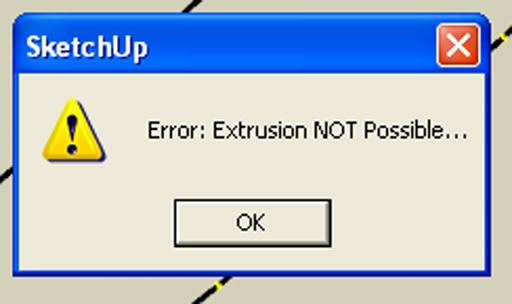
Thanks,
_KN
WOW, amazing plugin!
Thank you so much, TIG!
Have a wonderful day!
_KN
@marian said:
this might be more useful to people that make models for games, where there is a a limit of how many triangles they can use.
Thanks, Marian.
Very useful plugin indeed, since i work in the game industry and do all my conceptual models with Sketchup, before exporting into Maya or the game engine.
Take care,
_KN
Awesome renders!
I love the trees and the rocks. Are the trees 3d objects?
Could you please post an image of the sketchup model with and without textures.
Keep it up!
_KN
@jean lemire said:
To copy objects, why not use "Copy" (CTRL-C) on the objects in one file and then "Paste" (CTRL-V) in the other.
On the PC you can open more than one instances of SU at the same time.
Bonjour Jean,
This technique works great. I never thought about it even though I use the copy/paste all the time with other programs.
Merci and have a terrific day!
_KN
Pretty cool. Looking forward to seeing more of the robots.
@remus said:
Ken, probaly not as quick as the method discussed in the OP, but if you make the stuff you want to copy a component then right click it you can save it out to a separate file which you can then import in to your new model.
Oh yeah, I have never tried that. Thank you, remus! 
It seems quite useful. I will make sure to take a look.
I often want to past an object from one file into another. The thing is I have to save as a new file and delete everything but the object I want. Then import it into the other sketchup file, which is quite time consuming sometimes.
Thanks for sharing.
_KN
Sketchup was introduced to the architectural company I worked for back in 1999 or 2000 (whatever the year At Last software created that amazing program). It was love at first sight. Sketchup was so easy to learn and very intuitive.
I left architecture in 2003 to pursue a career in the game/film industry. I learned Studio Max and Maya, but I am still using sketchup as my 2D/3D software of choice to build architecture and props, from hard surface objects to organic ones.
Have a great weekend!
_KN
Awesome, Kirill! Just what I was looking for.
Thank you.