sketchucation logo sketchucation
    • Login
    1. Home
    2. fbartels
    3. Posts
    Oops, your profile's looking a bit empty! To help us tailor your experience, please fill in key details like your SketchUp version, skill level, operating system, and more. Update and save your info on your profile page today!
    Urasik Extensions | Lots of new extensions to check out Learn More
    F
    Offline
    • Profile
    • Following 0
    • Followers 0
    • Topics 116
    • Posts 542
    • Groups 1

    Posts

    Recent Best Controversial
    • RE: I just got the Sketchupdate :( and send Adian a mail

      Jim,

      A really interesting creative idea well worth exploring.

      I think a lot depends of whether Google has been doing any serious work on the core of the program. If they have, and we all end up being reasonably happy with the improvements, then the rationale for open sourcing SU will be less compelling. If they really have not been able to make much progress with the core then open sourcing becomes much more attractive.

      Fred
      posted in SketchUp Discussions
      F
      fbartels
    • RE: SDS & FFD Abstract Sculptures with Interesting Textures

      Hi _olo,

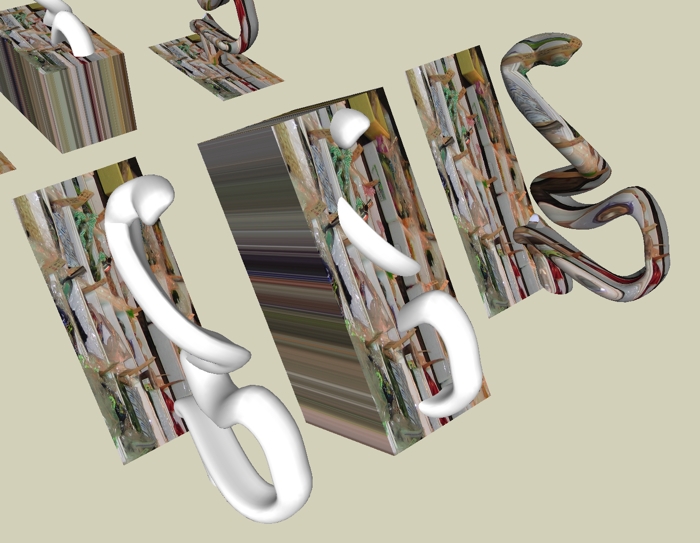
      The steps to project a texture are...

      1. Bring an image into your model and position it as you want relative to your geometry. Be aware that after sampling, the image in essence projects out at 90 degrees from the plane of the image surface.

      2. Once you have the image where you want it relative to the geometry you want to paint then select the paint bucket tool while holding down the Command key (on a Mac) and click on the image. This samples the image. (If you haven't already exploded the image you will need to do this.)

      3. Then let go of the Command key (or Windows equivalent) and click on the geometry you want to paint. If the geometry is grouped, or a component, then you want to enter the group/component and select everything you want to paint before painting with the bucket tool.

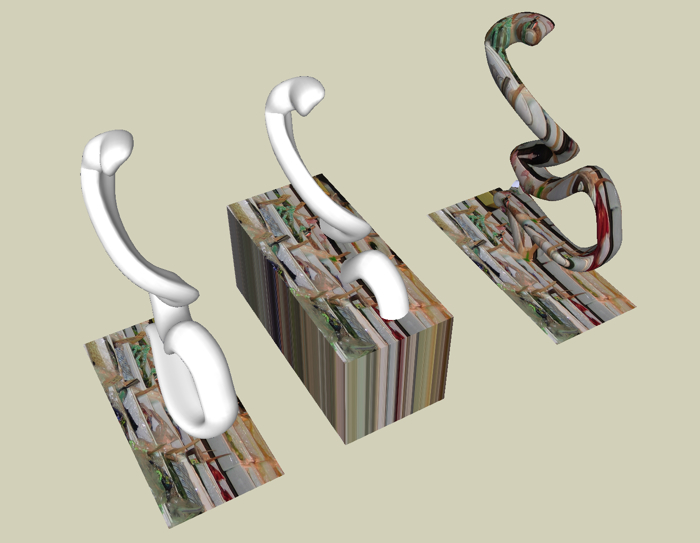
      A trick I use is to extrude the image to make sure it completely covers the geometry I want to paint. If it doesn't, use the Scale tool to resize the entire extruded box until it encloses the geometry. The two images below should help make this clearer. The SU file used to make the images, which it too large to upload here, is available at the bottom of this page.

      ex 1.jpg

      projection example 2 .jpg

      posted in Gallery
      F
      fbartels
    • RE: SDS & FFD Abstract Sculptures with Interesting Textures

      Just a couple more. One, a final export from last night in which I removed the screen "shadow" shapes, and the other from a quick experiment using follow-me to create the proxy shape to feed into SdS. Quite a bit of potential there I think. (Chris.. btw, I enjoyed your original pre self-censored comment. ๐Ÿ˜‰ ๐Ÿ˜„ )

      http://dws.editme.com/files/Home/sds last one v7.jpg

      http://dws.editme.com/files/Home/sds 8 v2 sm.jpg

      posted in Gallery
      F
      fbartels
    • RE: My life...

      Chris,

      That second image is brilliant. Nice envelope pushing! Be careful or you'll spend the rest of your life designing 21st century cathedrals. Just curious, have you given any thought to the exterior form of these spaces?

      Fred

      posted in Gallery
      F
      fbartels
    • RE: SDS & FFD Abstract Sculptures with Interesting Textures

      Thanks all, for the kind comments. One more experiment.

      http://dws.editme.com/files/MayJune2008/sds last one v5.jpg

      http://dws.editme.com/files/MayJune2008/sds last one v4.jpg

      http://dws.editme.com/files/MayJune2008/sds last one v3.jpg

      http://dws.editme.com/files/MayJune2008/sds last one v1.jpg

      posted in Gallery
      F
      fbartels
    • RE: SDS & FFD Abstract Sculptures with Interesting Textures

      Chris... I agree about the limitations being a pain, I just try to work within/around them.

      Pete... I really, really, really need to find the time to learn how to do rendering. ๐Ÿ˜ž

      Some new ones. I've got to stop this.

      http://dws.editme.com/files/MayJune2008/ttt 4 v2.jpg

      http://dws.editme.com/files/MayJune2008/ttt 4 v1.jpg

      http://dws.editme.com/files/MayJune2008/ttt 4 v4.jpg

      posted in Gallery
      F
      fbartels
    • RE: SDS & FFD Abstract Sculptures with Interesting Textures

      @kwistenbiebel said:

      Fred, a little question:
      How do you texture these shapes?

      biebel, (I'll just rotate through the various name permutations)

      Nothing to the texturing I'm doing. I just import an image, explode it, size and orient it as needed, sample it with the paint tool (by holding down the Command key), then select the surface I want to project upon, and paint it with the texture. With transparent areas in the texture you need to do the same steps on the inside surface as well. I just show hidden geometry, delete a triangle, double click on the inner surface, paint, then paste in place the deleted triangle.

      Fred

      posted in Gallery
      F
      fbartels
    • RE: Base Camp 2008 !!!!!

      @lewiswadsworth said:

      I'm going just to irritate everyone else...a sort of resident "troll."

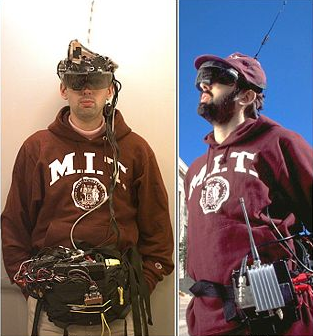
      I think Lewis should be outfitted with a wearable computer so we all get to experience his life as a troll.

      Picture 1.png

      posted in Corner Bar
      F
      fbartels
    • RE: SDS & FFD Abstract Sculptures with Interesting Textures

      More Rorschach tests for KB et al. If only these textures worked with shadows. ๐Ÿ˜ข

      http://dws.editme.com/files/MayJune2008/trans text test 5.jpg

      http://dws.editme.com/files/MayJune2008/trans text test 4 .jpg

      http://dws.editme.com/files/MayJune2008/trans text test 3.jpg

      posted in Gallery
      F
      fbartels
    • RE: SDS & FFD Abstract Sculptures with Interesting Textures

      Pilou, It is important to stay away from those infinite circular loops. ๐Ÿ˜ฎ Fred

      Another experiment both with SDS and transparent textures.

      http://dws.editme.com/files/MayJune2008/sds 6 v4.jpg

      http://dws.editme.com/files/MayJune2008/sds 6 v2.jpg

      posted in Gallery
      F
      fbartels
    • RE: My life...

      Let's see. Rough guess, that's about 12 million dollars worth of Corian. ๐Ÿ˜„

      posted in Gallery
      F
      fbartels
    • RE: Dealing with Complexly Curved Facades?

      Hi Geomp,

      I agree about this thread being interesting. Kwist and Lewis have been holding a little graduate seminar for all of us.

      I'd love to keep the tutorial on complexly curved facades going. Kwist presented some options in terms of small repeatable units. I'm curious what solutions Lewis is exploring? I've got some ideas related to the work I've been doing with complexly curving roofs, ideas which I'll share in the next couple of days. Can you share what you are working on?

      Regarding the textures. The key is to align the texture image to the face you want to project onto, then to sample the image by selecting the paint tool and holding down the Command key (on a Mac). Once the texture is sampled you can then use that texture to "paint" your curved surface (both sides). I've attached the png file I used. In this case only one transparent circle is needed because the texture is just that one circle tiled across the surface.

      If this isn't clear please let me know.

      Regards,

      Fred


      circle.png

      posted in SketchUp Discussions
      F
      fbartels
    • SDS & FFD Abstract Sculptures with Interesting Textures

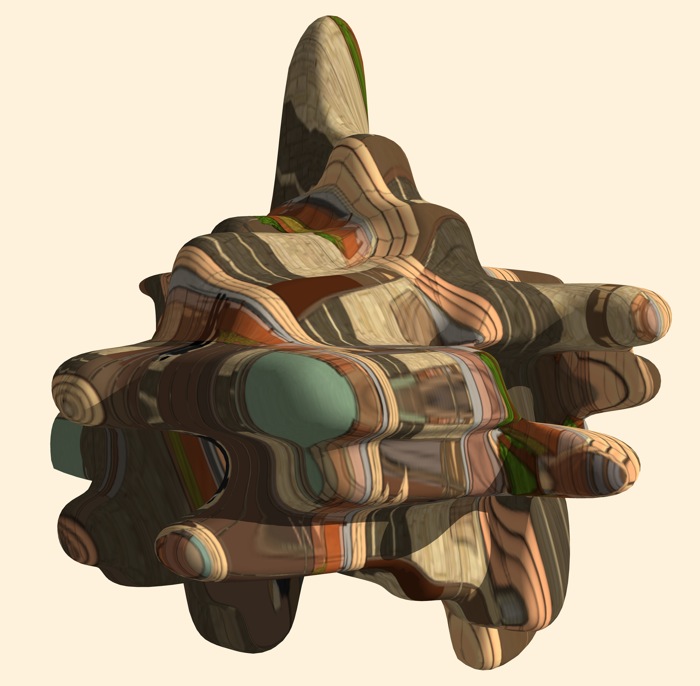
      I used two previously created models to produce this abstract sculpture. One, for the SDS proxy, was a set of stacked twist rhombic dodecahedrons which I uploaded to the 3d-warehouse almost 2 years ago. The second, which I made earlier today, provided the texture via a screenshot of an exported image (see below). If nothing else, my building models often provide interesting textures for my abstract sculptures. I love it when I can repurpose old work.

      http://dws.editme.com/files/MayJune2008/sculpture from trd small.jpg

      small.jpg

      posted in Gallery
      F
      fbartels
    • RE: Dealing with Complexly Curved Facades?

      Lewis and Chris,

      I'm just playing with ideas here guys. Nothing that is actually going to be built... but you knew that. ๐Ÿ˜„

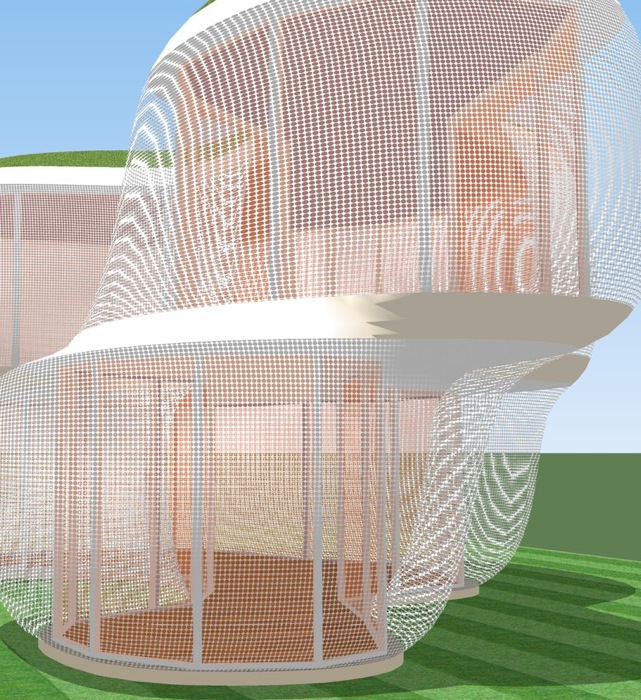
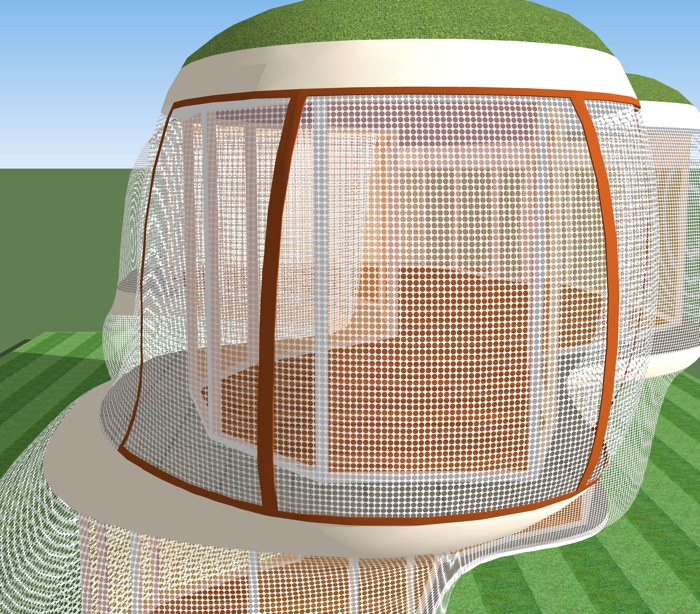
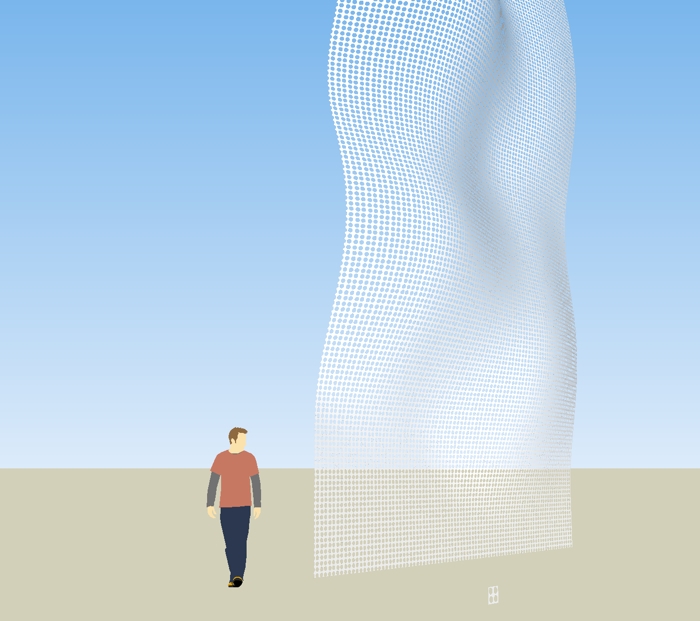
      The perforated screen is not meant to be in any way structural. (The real support structure could be traditional post/slab stuff.) Think of the perforated facade more as a heavy duty insect screen that can maintain its structural shape (see image). It just needs to support itself, nothing else. There has to be some material -or some way to shape material- that would work for something of this nature. If not, the material scientists need to get to work.

      curved screenwframe sm.jpg

      This thing is starting to remind me of an aviary. Maybe it's time to move on. ๐Ÿ˜•

      Fred

      posted in SketchUp Discussions
      F
      fbartels
    • RE: Dealing with Complexly Curved Facades?

      A quick and dirty (ok, not so quick and actually pretty clean) attempt at using a curved perforated "screen" for a building. Meant to spend about an hour on it but it took two. Urghh, and it is a beautiful day outside. ๐Ÿ˜ž

      I didn't attempt to align the texture to the different screen segments (actually I started to but it was so tedious I gave up) so there are lots of moire like effects, however I think the general idea comes through. Not sure if this is worth pursuing even though it is kind of interesting.

      http://dws.editme.com/files/MayJune2008/screen v2.jpg

      http://dws.editme.com/files/MayJune2008/screen 1.jpg

      posted in SketchUp Discussions
      F
      fbartels
    • RE: My life...

      kb,

      great stuff... i presume on this planet Podium for Mac has been released

      fred

      posted in Gallery
      F
      fbartels
    • RE: Dealing with Complexly Curved Facades?

      Lewis or Chris,

      Will renderers correctly cast shadows with a .png texture with transparency?

      Fred

      posted in SketchUp Discussions
      F
      fbartels
    • RE: Dealing with Complexly Curved Facades?

      On a more practical note. While out for a kayak I wondered if I could use a texture with transparency to simulate a perforated mesh surface. Works nicely except for shadows.

      screen test.jpg


      screen test.skp

      posted in SketchUp Discussions
      F
      fbartels
    • RE: Dealing with Complexly Curved Facades?

      @lewiswadsworth said:

      Fred, the issue of making complexly curved surfaces--of the sort you can describe easily with computer modeling--realizable(both buildable and affordable) at architectural scales (building size) is extremely...ha!...complex. It's something I spend a lot of time thinking about.

      Lewis,

      Could we talk about an online architecture course? I'm in if you are interested. ๐Ÿ˜„

      Lots of good leads to follow up, thanks for those!

      Lewis, is it possible to export SketchUp files into one or another of the NURBS-capable modelers?

      Thanks,

      Fred

      posted in SketchUp Discussions
      F
      fbartels
    • RE: Dealing with Complexly Curved Facades?

      @watkins said:

      That looks very interesting, but a step by step tutorial would be even more interesting, unless it is so simple that it is not worth the effort. Did you start with a flat mesh and then deform? Do the dimensions of the mesh remain unchanged when you deform? Perhaps I am being a little dense, but how do you use SDS in this context?

      Bob,

      Regarding making, no need for a tutorial. I just intersected an exploded curved TIN surface with a bunch of rectangles (actually, one component rectangle duplicated many times) and then deleted the rectangle shapes from the TIN surface. Regarding SDS, this model was meant to represent a subsection of a larger curved building shape that would be created using SDS... something like the following. ๐Ÿ˜„

      Fred

      sds 4 wo  v4.jpg

      posted in SketchUp Discussions
      F
      fbartels
    • 1 / 1