sketchucation logo sketchucation
    • Login
    1. Home
    2. dpaul
    3. Posts
    Oops, your profile's looking a bit empty! To help us tailor your experience, please fill in key details like your SketchUp version, skill level, operating system, and more. Update and save your info on your profile page today!
    ⚠️ Important | Libfredo 15.6b introduces important bugfixes for Fredo's Extensions Update
    D
    Offline
    • Profile
    • Following 0
    • Followers 0
    • Topics 2
    • Posts 44
    • Groups 1

    Posts

    Recent Best Controversial
    • RE: PlusSpec Lite

      PLusspec is still more expensive per year than Archicad and Vectorworks (and only has a fraction of their capabilities)---and if we decide not to renew, we have no software to work with.

      Sell us a station, then let us decide if we want to upgrade every year. If we don't, at least we have last year's model to continue working with (if it was a stable version). There are still users producing solid work with SKP 8, and I have last year's version (20) of Archicad which I can use, if I wish, for the next 20 years at no ongoing cost.
      I paid once for the licence. I own it. It is entirely my choice if I wish to upgrade to 21.

      In the face of your costing hi-jacks as a BIM puppy, your glowing mea-culpas are tiresome.

      posted in Plugins
      D
      dpaul
    • RE: 3D Truss Models

      Gutters, downspouts, and other pieces of your trusses/roof plugin will be of value to us, of course.

      But since you are now widening the use and scope of the plugin to roofs and entablatures themselves, can I suggest a close look at GET YOUR HOUSE RIGHT--architectural elements to use & avoid-- by MARIANNE CUSATO?

      I believe studying the parameters she highlights as historically correct can only be of real help to how you precisely lay out new plugin parameters (for example, how the half-round gutter fits on the entablature, or how 'poor man's greek return' could be done easily and accurately. And so on....).

      All best.

      posted in Plugins
      D
      dpaul
    • RE: 3D Truss Models

      I have been hoping for the parallel chord truss. Just great.
      Thanks...!

      posted in Plugins
      D
      dpaul
    • RE: 3D Truss Models

      I do not believe the solution can ever be to lower the price of your plugin to attract MAKE users.
      You are in the process of crafting a remarkable professional plugin, and to my mind, you have to stay the course with that group of purchasers and users.

      An observation from my little perch: purchasers are not drying up, they are WAITING. They are waiting for the plugin (floors, trusses and the WALL plugin as combined...!!!) to mature for daily professional use.

      Your own notes clearly tell us what we already know about the present limitations and how much more coding is required:
      @unknownuser said:

      The plugin as a whole has quite of bit of functionality but it also is very limited in many respects. This really jumps out at me when I try to model up some recent homes that I did structural work on a few months ago. The biggest issues seem to be:

      • Inability to cut holes in floors or create polygon floor outlines.
      • The same issue with roofs in that the plugin is only really good at rectangular roof outlines. The straight skeleton implementation will address this, at least for rafter roofs initially, truss roofs will be a much bigger problem.
      • There is no function for editing a roof or floor assembly, it's fire and forget. This feature would be particularly useful when you botched one parameter and just need to go back and edit something minor rather than recreating the entire assembly (not that this is too difficult).
      • I'm missing a good staircase creator/editor.
      • Not all of the truss types are up to speed with all the recent advanced options, so much to do.
      • The manual is almost non-existent.

      The list of limitations goes on. The plugin has potential but its certainly a work in progress and far from the polished gemstone it needs to be.

      In truth, it is almost as if you have no choice but to go 'underground', complete all of the coding required (as per the essential list above), only coming back out to the marketplace when you have a robust finished product in hand. From there, us professional users, aware of what we already see (and further imagine) could be a world-class addition to Sketchup, will willingly support your marketing efforts.

      I am encouraged to read you are not selling the code, but will continue, regardless. You show an entrepreneurs' courage. For this alone, I wish you ever possible success.

      posted in Plugins
      D
      dpaul
    • RE: Medeek Wall Plugin

      Annual subscription and a price that makes no sense. It is even more expensive than Archicad and Vectorworks per year and has dramatically less of their decades long capabilities.

      And further----if, after several years of usage one decides to stop using PS, you will have lost all the capabilities you had counted on. Gone.

      Equally essential, with AC and VW you can buy the program outright and NOT update if you do not care too. You can work with the version you bought for ever if you wish. It is still always inherently robust.

      posted in Plugins
      D
      dpaul
    • RE: Medeek Wall Plugin

      Our notes passed each other in space before landing seconds apart.
      I will read yours with great care.
      Cheers.

      posted in Plugins
      D
      dpaul
    • RE: Medeek Wall Plugin

      Hello again Nathaniel.

      I find it absolutely extraordinary with all of the hundreds of accomplished plugins out there, there is no wall tool we can use effectively. Amazing really. Not even a decent double line tool (!). So here we are.

      I have been waiting for a very long time to see a professional, robust and fluid design wall tool show up for SU. I am hoping yours is to be it.

      Also, I believe it is absolutely essential that your design wall tool be at the vital centre of the 'construction tool' you plan with the floor/foundation and truss plugin in full support of this triumvirate.

      I respectfully submit the following comments, again for your consideration, as you ramp up your wall tool coding:

      @unknownuser said:

      I'm firmly convinced that I need to start with a 2D layout tool first that allows one to layout the floor plan (location of walls, door and windows) before I extrude/generate it into its final 3D shape.

      I believe this is the exact opposite of where you should start. We do not need a 2D layout tool. SU already has one in the form of DIBAC's wall tool.....( I use it as my (present) wall layout tool and it does an adequate job. One can duplicate a wall, but one cannot move a wall. It has to be erased to start again. The double lines fuse nicely and the walls can follow the axis and the reference line can jump on either side of a wall, but no angled walls can be created unless a protractor line is placed. Not bad really. However, I do not like its paradigm of pressing a button to lift the 2D layout into 3D with windows and doors already pre-placed as 2D/3D dynamic components. It just does not give me the flexibility or control I am looking for).

      1. What we need is a parametric 3D wall that we can work with as a design tool to lay out our buildings and install 3d windows and doors into each wall.
        @unknownuser said:

      One will be able to add, modify and delete doors and windows in each wall segment.
      Yes, but in 3D as I indicate in the attached sketches.

      @unknownuser said:

      Essentially each wall segment will have its own database associated with it that stores all of the wall properties as well as all of the opening properties.
      These properties should include the ability to cut, stretch, or delete a wall, and have it fuse with its neighbour when it meets at an intersection. Eneroth's VISUAL MERGE came out recently (another brilliant plugin) and I use it to visually fuse walls at the very end of my final design conclusions. The walls do not fuse, but the coplanar lines disappear. Perfect little plugin. Not sure how you will deal with walls that need to connect and re-connect, but here is an obvious solution at hand.

      @unknownuser said:

      I've been putting together the algorithms for the studs and for adding in openings. Corner treatment is of importance to me and making sure that the studs are framed properly (as one would build it) is also of prime importance.
      I hate to disagree with you here, but I must---and my comments are similar in nature to what I said about the truss plugin as carrying too much engineering for designers. We do NOT need framing information in these walls. They should be used--at phenomenal laying out, editing, and re-editing speed---strictly for design. While it is hugely important how we lay out floor systems for finding point loads, and equally so for how truss systems will shape and carry roof loads, we do not need to educate a framer on a how a wall or headers go together. Other programs make a big deal about showing wall framing but even for them it is not necessary. As an old carpenter, I do not know any framer who needs to be shown on a drawing how to lay out a wall. Not necessary......πŸ˜„
      If, however, stud quantities are required for estimates, there are some already available for SU that extrapolate their calculations from surface area. Would that not be enough?
      If corner framing details are required, I would put them into separate SU detail files to port over to Layout as required.

      1. The ideal Medeek wall tool for us:
        a. work in plan with a Z parameter pre-established and easily modifiable;
        b. allow a horizontal section (at a chosen height, say 5ft) to show the cut location of a window, a 3D door w. a 2d door swing symbol at floor level;
        c. be able to change reference line and thickness of a wall on the fly;
        d. be able to change lengths of walls after they are placed (stretching);
        e. As I say above, walls should fuse and disconnect from other walls easily;
        f. Most win/door plugins work in 3d WITHIN a group. This facility has to be there with this wall tool (I use Vali's door/win tool exclusively);
        g. Internal section assembly of a wall to be left to details, not inserted within the double face tool itself;
        h. If there is any chance for an editable dimension line to appear when a wall is clicked this would speed up the design and editing process enormously....!
        i. have a practical connection with SKALP for section cuts;

      I am 'futzing' about what I want because I know this plugin is a very big deal to get right. This one is the game-changer.

      Most sincerely.


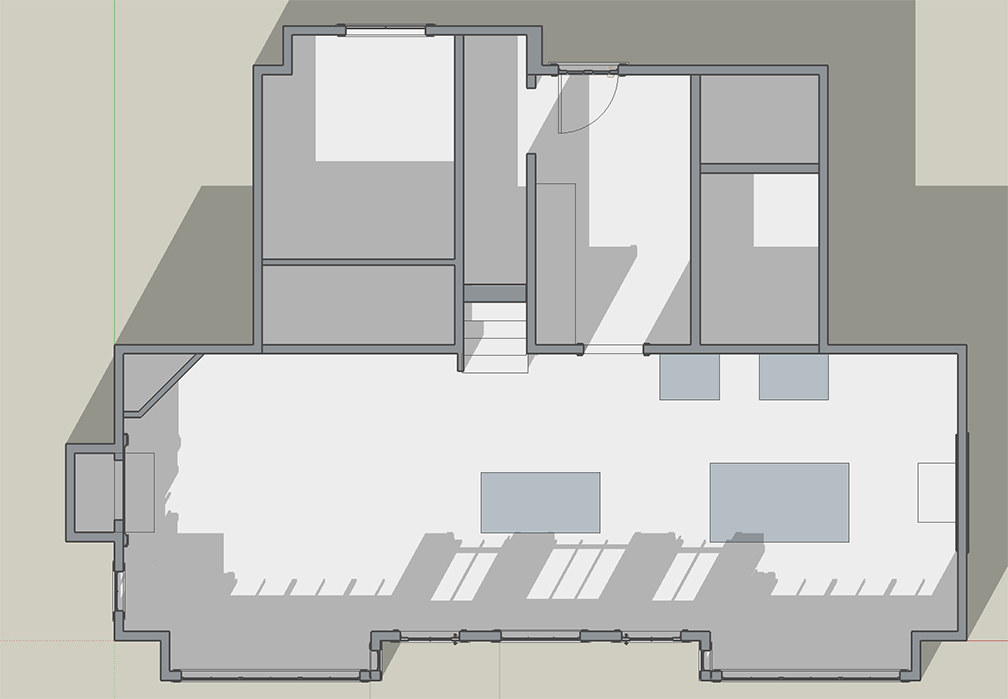
      Dibac wall-Vali doors.png


      4ft slice & door swing.png


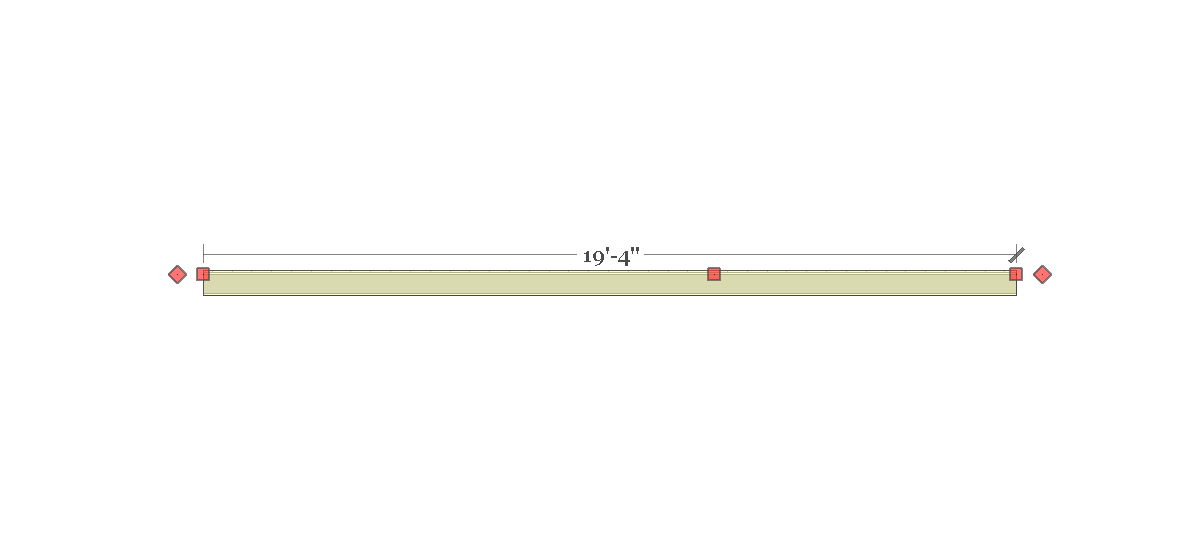
      Wall dimension line.png

      posted in Plugins
      D
      dpaul
    • RE: 3D Truss Models

      Hello Nathaniel

      I appreciate being able to provide you feedback as per your invitation to do so. It also helps me think through what I could most use for my house modelling.

      @unknownuser said:

      With regards to Item #2, please send me some details on your floor assembly that sits within the foundation. I need to understand how this construction comes together and works.
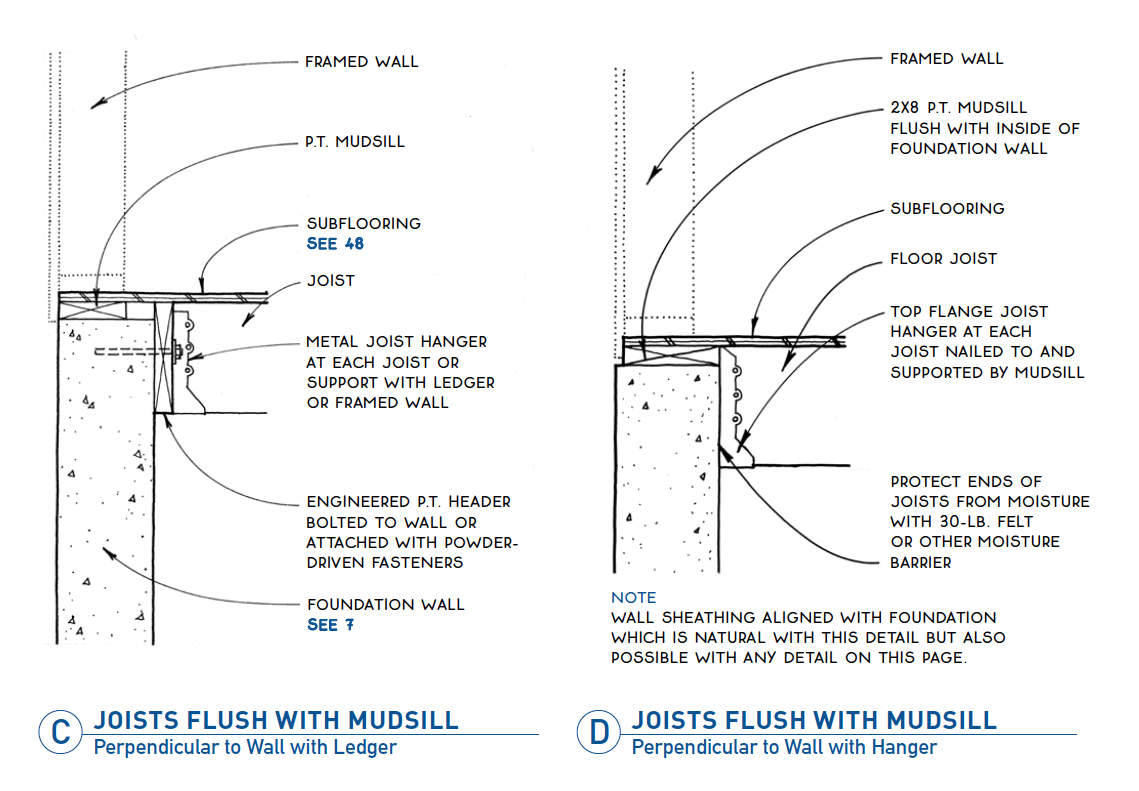
      Please see the attached sketches from Rob Thallon's book GRAPHIC GUIDE TO FRAME CONSTRUCTION (it has been an invaluable reference to me since I bought it quite a few years ago now). The sections he drew show clearly what I have referred to as 'floor assembly within the foundation walls'.

      @unknownuser said:

      I kind of came into the plugin world with an engineering mindset but have slowly evolved into a design tool developer as the client base has pushed me progressively in that direction. In an effort to make the plugins more useful I have tried to keep the big picture in mind but sometimes I get sidetracked and fall back into my engineering ways.
      Never a problem. I value the context of your coding journey.

      @unknownuser said:

      Ultimately, I have plans to develop a plugin specifically for residential structural engineers, and it will be a game changer for engineers like myself, especially if I can fully automate the load takedown, analysis and report generation.
      I did not know this, but I fully agree: it will be a game-changer, not only for engineers but for firming up the communication and synchronicity of drawings with SU as the platform for both engineers and designers. Your direction here is a very good thing, I am convinced.

      @unknownuser said:

      I enjoy making fairly realistic models (I'm not into cartons). Hence, the truss plugin has been enabled with details such as plates, rakeboards, sub-fascia, gypsum, ridge cap etc... I have been considering adding in some more advanced options such as soffit, fascia, barge board and soffit boxes to better finish off the roof.
      We want all of these 'menu items'. They fully support and speed up detailed modelling.

      @unknownuser said:

      Speeding up the design process is really what it is all about, I get that. If the designer can create an entire roof in a matter of seconds versus spending hours manually drawing all of the various elements this is certainly worth something. However, the plugin needs to be able to take care of all the details without bogging down the designer, if the details are to be included. The truss plugin currently can successfully do this for a simple rectangular roof or floor outline (hip or gable) but as soon as you get into anything more complicated it again becomes a manual process and the details become more a hinderance than a help
      Now, this can be an ongoing--and compelling---conversation with us, your user base, as you sort out how to go about coding for modelling complexity. This is an attractive problem to solve, I can only imagine.

      @unknownuser said:

      With the foundation plugin I have attempted to address the non-rectangular footprint with some success. However, the final step is to provide a preview screen which will allow one to accurately place and preview potentially multiple internal bearing points/footings.
      Very cool indeed......πŸ˜„

      A tip o' the hat.


      Joists flush w. mudsill (Thallon).png

      posted in Plugins
      D
      dpaul
    • RE: 3D Truss Models

      @unknownuser said:

      Recently I have not had a lot of feature requests so please fire away.

      Hello Nathaniel.
      Some thoughts for your consideration:

      @unknownuser said:

      The next big item on the list is the implementation of the straight skeleton algorithm and the ability to create any rafter roof shape, this is a big one.
      I agree, this is a very big one for us.

      @unknownuser said:

      The next big item which needs to be tackled is the ability to generate floor joists and trusses for any floor outline. the ability to cut holes in the floor assembly (stairwells, access doors
      Yes, essential for both. I would add (I may have mentioned it before) the need for a floor assembly to sit WITHIN a foundation wall so as to have the main floor level perhaps no more than 8" above grade. Clean walkouts to grade.

      @unknownuser said:

      Work on the Wall Plugin has begun in earnest
      Excellent. I have comments for you on the wall tool thread.

      @unknownuser said:

      The timber truss module. Just because I find it fascinating and would like to add it to the plugin doesn't mean it has any real world utility, I've learned that through experience.

      Your comment and implied question on 'world utility' brings me to the following observations:

      I do not believe many of the truss items you are developing, such as plates, bolts, gussets, etc.---all of them very specific engineering components---are required by your present user base. In fact, we cannot use them. It is almost as if you are writing code for structural engineers, when in fact, P.Eng's have their own software to overlay their drawings over our working drawings. They would not use your plugin for what they need to produce for us designers (in the broadest sense) as they have their own.

      We need your truss plugin, along with the floor/foundation and wall tool to help us speed up the building design process, NOT produce stamped structural drawings from them ourselves for local jurisdictional approval. Simply put, even if we wanted to, we are not allowed to produce engineering drawings with your plugins. Hence the P.Eng.

      As such, if it might be possible to move away from all the structural components (dealt with, as I say, by others and their software) and put the focus on speeding up the design process itself for walls, floors, foundations, and roofs to say, the 80% level (leaving structural to others) that would give us the speed--the essential utility----we are looking for.

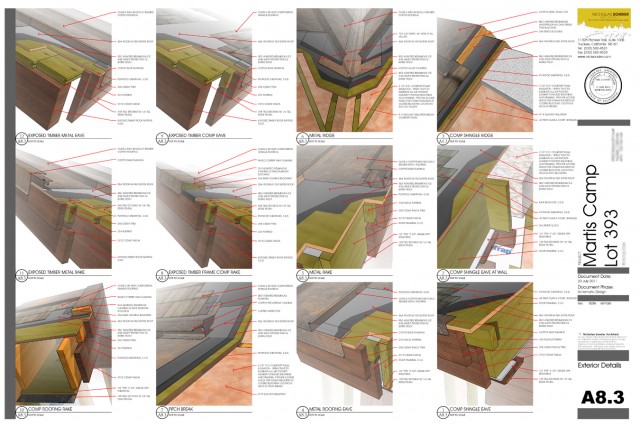
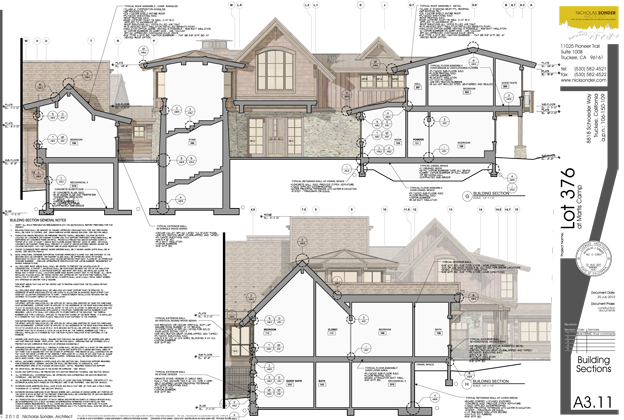
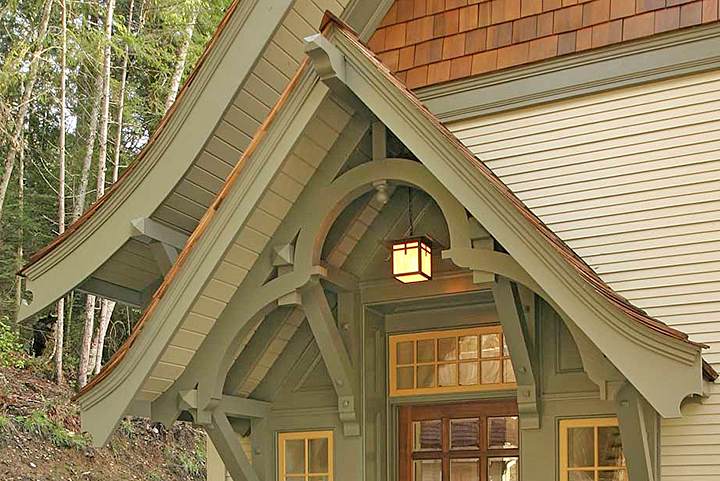
      I will bring it up on the other thread, but SONDER's drawings are a very good example of the direction working drawings are taking: at 1/4"-1-0" we need very little information in any given cross-section (note the grey area in his attached section). It is in the detail drawings (Nick's are the best I have seen in a long time: superbly expository) where information for a builder can be placed. They are not needed in a cross-section unless it is at a far larger scale, and even then they can be produced as separate files and brought into Layout for final output.

      Provide us the ability to speed up our building design process with your plugins (soon to be one, I trust). If so, it will, as I have said before, become a game-changer.

      As always, these plugins have my vital interest and I offer you my sincerest best wishes for continued success. It is evident to me you are doing premium work.


      Gray%20MC%20393_A8_1%20copy copy.jpg


      Service7-img7-MCLOT376_SECTIONS_PA3.11 copy.jpg

      posted in Plugins
      D
      dpaul
    • RE: 3D Truss Models

      @unknownuser said:

      There are currently 371 active (unique) users of the truss plugin. Yet the turnout is very low with the Kickstarter Campaign, which leads me to one of two conclusions:
      1.) Kickstarter does not work well with the SketchUp community.
      OR
      2.) The number of "active" users of the plugin is much smaller than the registered user base.

      Nathaniel,
      it is #1 as I believe it is very difficult for purchasers of any SKP plugin to come to a user forum as a learning venue only to find that there is a further investment (?) proposal being offered on a plugin we have already purchased. In my opinion--and I say so with great respect----your funding efforts perhaps could have been undertaken elsewhere. There is nothing wrong in trying, of course, but it never felt right to do so on the forums. In truth, we are just purchasers and users of plugins only on this forum, not necessarily equity partners (I have pledged, by the way, and as you know, I have also offered additional funds to you if the goal is not reached).

      @unknownuser said:

      If #2 is the case then it leads one to believe that the real world utility of the plugin is limited at best.

      Wrong. Happily so. The real world utility of, not only the truss plugin, but the other 2 (foundation and wall plugins) is potentially significant. There are many more users of other big 3D CAD platforms coming to SKP, either for the first time, or for a final time as they, like me, have 'burnt out' on the size and complexity--and rules(!) of these other programs.

      To have your plugins available to us, in tandem with the workflow importance of other plugins like VALI's and KERNAN's (extraordinary), PROFILE BUILDER, SKALP, and the brilliant host of productivity tools, allow us to produce and compete equally with the 'big boys/girls'.

      And SKP makes us happy. It will always be the 'little engine that could'. Many more designers of all stripes are taking notice of SKP. Hence the essential requirement for what you are coding.

      @unknownuser said:

      Admittedly the plugin is a bit of novelty
      Not a novelty. Essential.

      @unknownuser said:

      it can do some cool stuff but does the registered user actually employ it on a daily basis and does it add significant value.
      Yes, and yes.

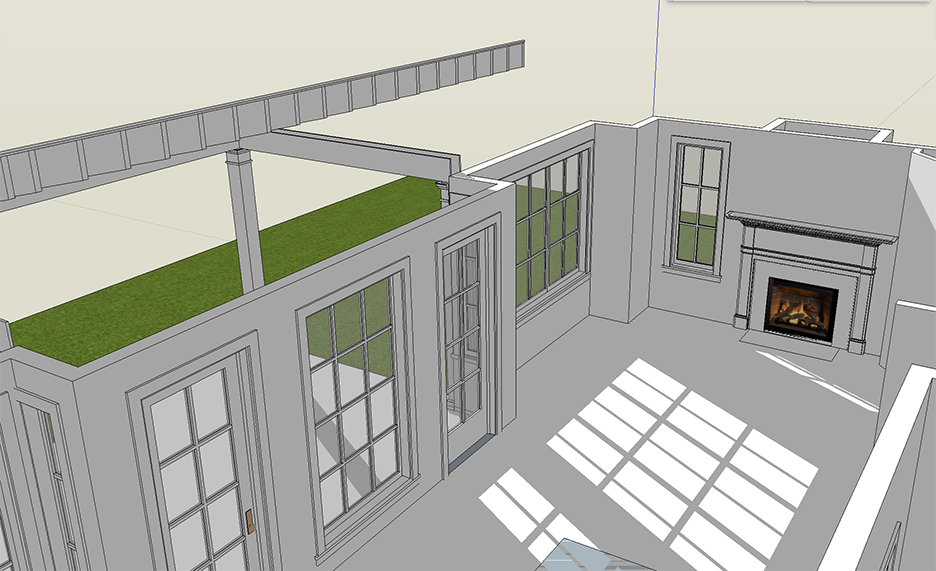
      What is of greatest importance to us, I further believe, is to have a robust WALL TOOL. It must be robust in the sense that CHIEF ARCHITECT's wall tool is robust. It is the best one in the business. One can work in plan, yet the 'Z' is already in place, walls can be cut, sliced, extended, and fused into other walls automatically. It easily takes windows and doors, etc. (please ensure we can place windows & doors inside a wall group). What is needed is a design and editing wall tool. While we very much care about joists and trusses for roofs and floors, wall studding is just not that important (except for take-off calculations---but John Brock's plugin can deal with that). What is crucial is our ability to design, but particularly, to EDIT our layouts, quickly and efficiently.

      As such, I can only encourage you to bring the wall tool forward for us to purchase and then proceed to integrate the three in one 'construction' package, as you have suggested is coming. Again, the VALI model. His architectural package is far greater than the sum of its parts (I use the win/door tool every day and is essential to my detailed workflow).

      Your '3 in 1' could have the same effect and in doing so, your user base will increase exponentially.

      ...back to the issue at hand, I do not know how you fund yourself to get there (a question we all face in our own business'), but please do not give up. Your solutions for SKP are as vital as they are brilliantly coded.

      As always, you have my very best wishes for the success of your efforts on behalf of us immediate users and the larger SKP community.

      posted in Plugins
      D
      dpaul
    • RE: Foundation Plugin

      I have just started to experiment with the foundation plugin. The parametrics are great.

      A question: might it be possible to have defaults for joists flush with the mud sill, i.e. to have the floor
      assembly sit WITHIN the foundation wall?

      With my thanks.

      posted in Plugins
      D
      dpaul
    • RE: 3D Truss Models

      You are right, or course, about the order of installation on a site (and in how you are organizing the plugin).

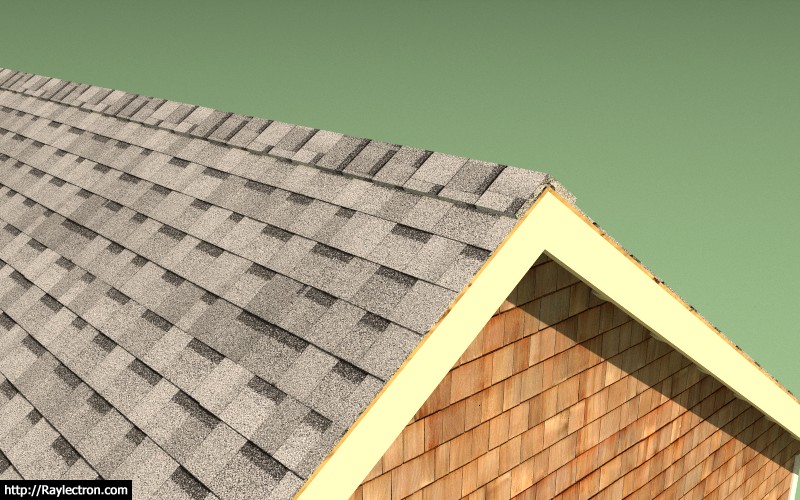
      However, in terms of my modelling and rendering, I will not necessarily be showing any drip cap on the gables themselves, just the top portion of the trim assembly (fascia plus bed moulding ,etc.) right under the roof membrane---or shingles.

      This trim assembly will cover the thickness of the roof sheathing. (1/2" ply, say?)

      If you can give us the option in the global settings to extend the roofing itself, can you also give us an option for the gable drip cap as well? Certainly on any hip we will put in a drip cap to take the water over into the gutter.

      Thanks.

      posted in Plugins
      D
      dpaul
    • RE: 3D Truss Models

      I think just the roof cladding. Our trim can go up under the cladding and hide the
      roof sheathing and sub-fascia.
      Thanks.


      roof sheathing.jpg

      posted in Plugins
      D
      dpaul
    • RE: 3D Truss Models

      It is a pleasure to watch the remarkable development of this plugin (and the others).
      A question: might it be possible to control the overhang of the roofing layer only so we can add as much
      detailed fascia work as we require (say using PB) to complete the roof details?
      Thanks.


      Fascia.jpg

      posted in Plugins
      D
      dpaul
    • RE: [Plugin] GKWare Cabinet Maker

      I have all of Gary's plugins and know how well designed for professional output they are. Gary is also attentive and highly responsive to requests or potential issues (very few---if any).

      I just noticed beaded frames are now available. This capability (plus all the others coming at us in a steady stream) takes CABMAKER to a whole new level of sophisticated detail and options. Superb.

      Happy to always be upgrading too........πŸ˜„

      posted in Plugins
      D
      dpaul
    • RE: Wall tool....?

      Hello Pixero,

      You are right, LSS Arch is very good. I have been in touch with the author of the plugin for quite some time as I suspect it could, in fact, be outstanding. I have been very keen to find out how soon a stable Mac version might be available. He said only a couple of days ago that he hopes with SU 2017 he can clean up the Mac version. I would certainly buy and use it, for sure.
      In fact, I was encouraged when he implemented my suggestion that all components (particularly walls) have an editable 'Z' for the base level so that one could work comfortably in plan knowing that the height will not change unless modified in the dialogue box.

      I will get either parallels or VMWare and try out Pilou's suggestion. Thank you both.

      posted in SketchUp Discussions
      D
      dpaul
    • RE: Wall tool....?

      Hello Pilou,

      Thank you for making me aware of this program.

      It is very powerful and appears to have all the components I am looking for to both generate and edit walls in plan or 3D. Hmmmmm.....πŸ˜„

      My only problem now is that I am on a MAC, but maybe with Paralells or Fusion I might be able to mix and match between it and SU. Do you think the import/export translators are good, not only for the programs themselves, but between Macs and PC's?

      If so, this is be something I will look at closely.

      BTW, I have seen your posts on Sketchucation for a few years now, so it is a pleasure to engage with you in this thread.

      posted in SketchUp Discussions
      D
      dpaul
    • RE: Wall tool....?

      Ok, pragmatic as well as very helpful. While I have hoped to find a complete SU solution, I guess Powercadd should be what I use for laying out a house, then bring a dwg into SU to make faces and lift. I appreciate your comments.

      posted in SketchUp Discussions
      D
      dpaul
    • RE: Wall tool....?

      "If the intersection of lines as drawn works correctly this works "sort-of" ok with native tool left-right window-select and delete."
      I'm not sure I understand what you wrote here. If you have a moment.....

      I notice you are also on Powercadd. Not sure I want to go back to using it for laying out floor plans and then bringing it into to SU as a dwg template, but perhaps I have to.

      I was hoping to work exclusively in SU if I could, particularly as I am attempting to make SU my only platform. To do this, I am ploughing my way through Matt and Nick's superb new book (lots of SU gold nuggets in it) to see if this might be possible.

      posted in SketchUp Discussions
      D
      dpaul
    • Wall tool....?

      Hello,
      I am struggling to figure out the best way to produce floor plans quickly with a good wall tool.

      I prefer to lay out houses in plan and want to be able to design my houses so that I can edit the walls easily (move them around, delete them, put in new ones, etc.) and have the walls heal when they are joined. My preference would be a solid double line tool (which I can lift when I am ready), but from what I read there does not seem to be a mature one.

      D. Bur's double line tool does not heal (if you stop a wall, then start another one from the first one, it does not fuse or heal) and it appears to be awkward to use. I have also tried DIBAC'S wall tool. It is farther advanced, but I am not sure I want to commit to their 2D/3D paradigm.

      Are there solutions out there (fee based or not) other than offsets and erasing of lines? Any insights would be appreciated.

      posted in SketchUp Discussions sketchup
      D
      dpaul
    • 1
    • 2
    • 3
    • 2 / 3