Granted, but you sacrifice accuracy for speed, with disastrous results. After your fired, the only job you can find is that of an office tea boy.
I wish everyone would like what they hear from me, too. 
 D
Offline
D
Offline
Granted, but you sacrifice accuracy for speed, with disastrous results. After your fired, the only job you can find is that of an office tea boy.
I wish everyone would like what they hear from me, too.
It was more like a casting love seat, Kevin the office tea boy (whatever that is) soon discovered when the casting agent, in a move belying her age - and her size - pulled herself out of her chair and slid in beside him, pinning him against the armrest. Like a cheetah on a gazelle, the casting agent afixed her gaze on the wayward tea afficianado and asked,
"I'm casting for a play called LOBSTER LAND.....tell me Tea Boy, how bad do you want the part?"
Granted, but it is 50 feet tall.
I wish I weren't misunderstood.
Looks great, Tom. The second images looks a little crowded on the right side, IMHO. I think there are too many birds. You might also look at adjusting your view slightly so the fountain does not line up (and hide) the corner of the building. I like the people in the windows, that is a nice touch. Great looking renderings.
His arms flailing as he skipped and sang show tunes, Kevin the Office Tea Boy (whatever that is) made his merry way to the theatre, confident this timehe'd get a part better than that of a prop. Lost in his own world of tea and the performing arts - with SketchUp thrown in there somehow - Kevin was oblivious to the approaching darkness.
Granted, but being so focused you fail to notice all else, and end up living for your work. All the joy goes out of your life. Many years later, when your an overworked, tired, old man, you wonder "whatever happened to my life?"
I wish Eric would get better soon.
Granted, but.... er.... that's not fair! Who would want to add a "but" to that wish?
I wish I could understand electricity and electrical design better.
Thanks for posting the front; the use of the red makes more sense to me. Looks great
Looks great, Joe. Would love to see more of it. What's the dark gray line running across the pavement?
The only thing I wonder about (concerning the design) is the use of colors. Since red is the only strong color used, I would think you'd want it to highlight a more visually prominant or important element, rather than what appears to be a minor element set back on the roof.
That looks great, Ross. The grass texture reminded me of the patterns on newly mowed lawns.
I haven't had any problems importing my SU models; so far I've used the units incorporated in the object file. To date haven't had any probs (but just started using VUE, so who knows). My problem has been with trees I acquired from them; the walnut tree appears correct, the fir tree comes in the size of a bonzai, and the Japanese Maples appear to be sized for Jack to climb up to the giant with.
Thats what I thought. My impression from the VUE forum was a lot of users think of it as an illustrative tool, and they adjust things 'til it "looks good". I guess I am just too anal retentive. Now please excuse me....I have to adjust my co-workers drawings; they're off by 1/64 of an inch.
I have a question for anyone who uses other modeling programs; do you model in real world units (feet, inches/metric), and at full size, in those other programs?
I recently acquired VUE, and when importing some trees, some came in at very odd sizes. When I mentioned it in their forum, and wondered why they weren't modeled at the correct size to begin with, the answers I got were to the effect that size is relative in all modeling programs. That seems illogical to me - who wants to waste time having to resize objects all the time?
You are correct, tinanne, but as the segments are not exactly symmetrical to the center, one would have to adjust where the two halves meet.
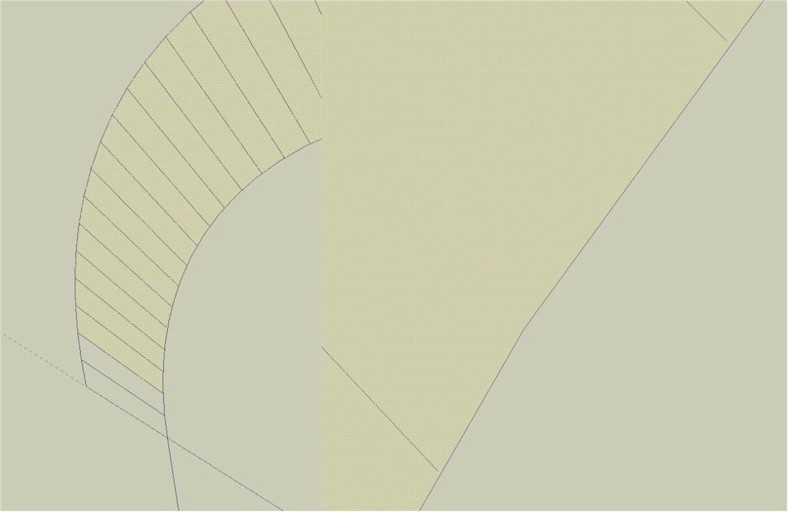
Here's a revised, simpler method for creating a brick arch from scratch, with the joints radiating from the center. Again, although simple it is time consuming and should only be used when you feel your model warrants this level of detail.
Also, this works for creating an arch from scratch. If you've alreeady modeled the arch and want to add mateerrials to it, the steps are slightly different. I will post a separate tutorial as soon as possible.
I tried that a few times, Alan. But, as you can see on the screenshots, there is usually a gap between the copied edges and the curve due to the way SU creates arcs.