I found this thread and it works for now, just wondering if there is a way to do this without manipulating a style.

https://community.sketchucation.com/topic/157409/3x3-grid-overlay-for-better-view/4
I found this thread and it works for now, just wondering if there is a way to do this without manipulating a style.
https://community.sketchucation.com/topic/157409/3x3-grid-overlay-for-better-view/4
Does anyone know of a plugin or a way to add a Camera Composition Grid over the Viewport?
I've tried Composition Guides but it disappears when I pan. I was hoping for one that stayed on there for alignments.
Is there a way to change sketchup's "theme" for a lack of better term? I've changed my pc to a darker color but sketchup 2023 stays the same light grey that I can barely make out the difference between a selected scene tab.
sketchup 2023
on windows 11 home
I was wondering if there is a new plugin that worked similar to the old Smustard Windowizer? I loved the speed of it. Also, what plugin is everyone using to create windows now?
I've just been creating them using native tools but hoping to speed up the process.
Thanks!
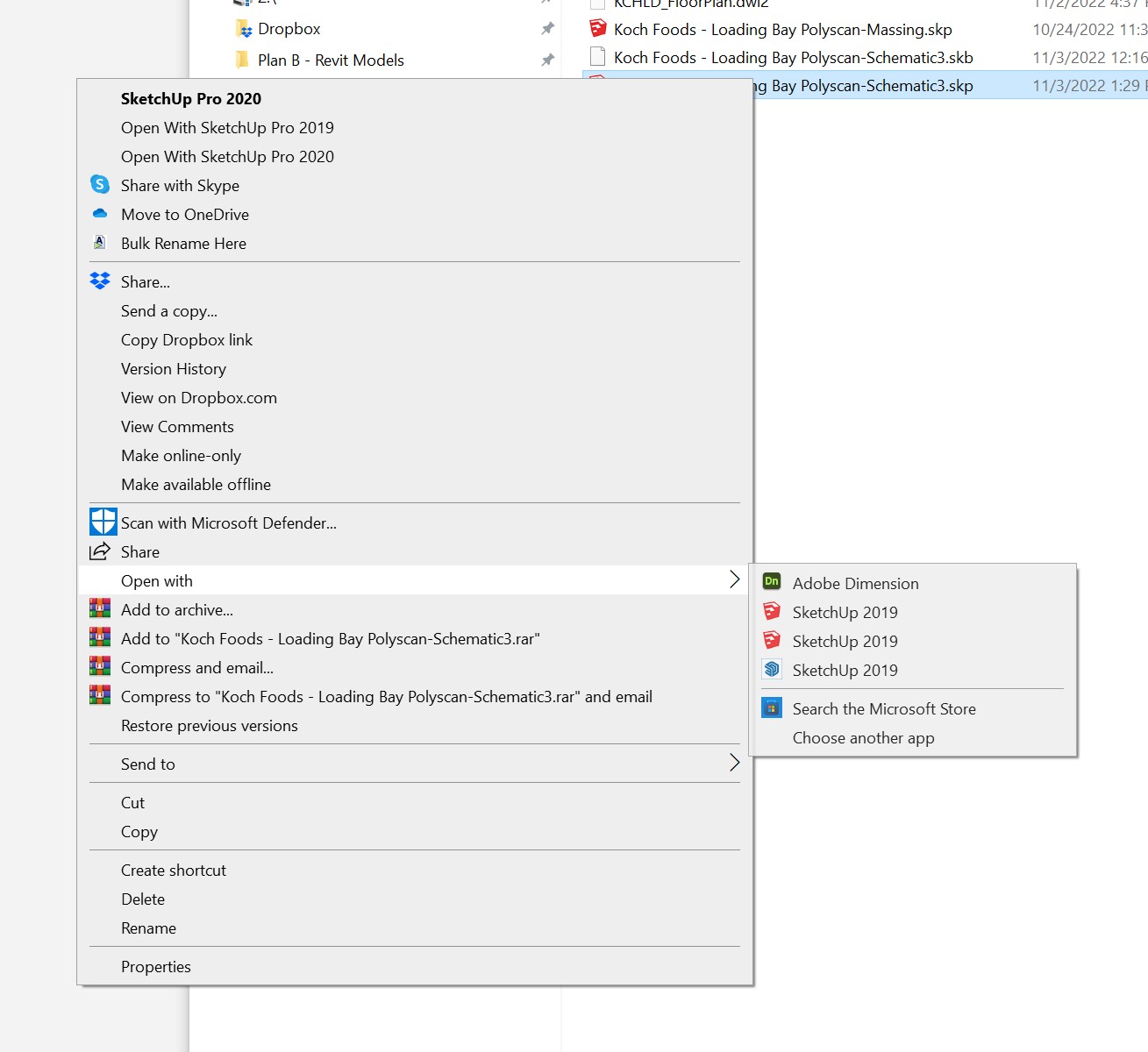
I did try that and it went back to 2020 version. I also tried downloaded the pro install again from my trimble account page and then ran a repair, that did not work either.
So, I renamed 2019,2020, and 2021 exe files and then right clicked as you said Gus select "choose another app" and then browse for the location of your SU 2022 exe file. Made sure that "always use this app" is checked, and it works. If I need to go back to another version I'll rename the exe. For now it's working.
It's weird when I try that it shows all versions as 2020 or 2019.
I have found by random clicking that the one shown with the new icon is 2022 but still I have to right-click and hit a fly out for this to work. I was hoping for it to be fixed back in windows explorer. I'll try renaming all the old sketchup.exe files.

Hello everyone!
I'm on Windows and when I double click to open a skp file in windows explorer it always opens in sketchup 2019 instead of 2022. I've tried to reassociate the file type with the newest sketchup via properties but to no avail.
Has anyone else solved this already? If so, how?
Thanks!
Is there a way to automate sketchup scenes to layout at a specified scale?
I've tried using Curic Scene Manager but I get an error on export to layout.
Also, is there a way to batch print sketchup scenes to a scaled pdf?
I'd really like to automate this process of dropping in shaded & textured images into other cad software.
Thanks,
Cheffey
Yeah, I like that idea Richard. You can use Mag+ to make this kind of thing out of InDesign. I've done it for a carpet company but it's much much more involved.
Thanks for the comments, Hopefully some more posts coming soon.
The iPad "app" is called Minimal Folio.
I love that all you have to do is create images, then put them in dropbox. Then go back to the app select the slideshow and hit sync with dropbox.
Really you can just drop a bunch of recent work in there, you don't really need the titles. I find it makes my presentations more fun since I can hand it over to the client afterwards and they can browse through them again. It also works with a secondary display.
The price is $2.99 usd.
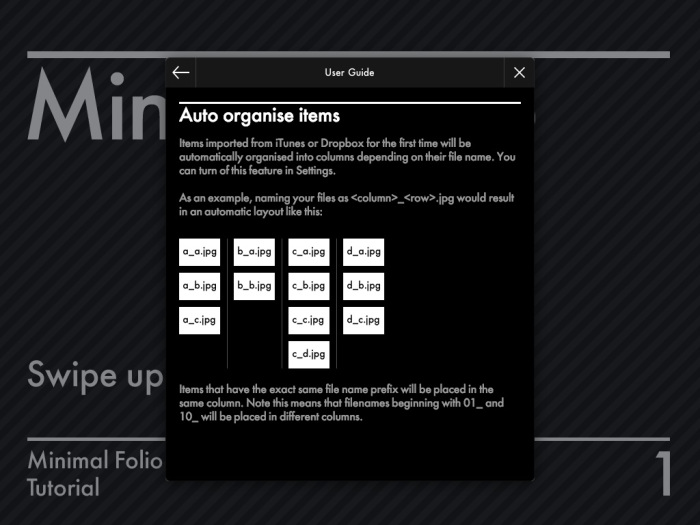
As long as you use a similar naming system as shown in the image below it will auto organize the columns. Making it client ready after a sync with dropbox.

I haven't been on here in a while and I wanted to get back involved in posting so I figured I'd show a recent portfolio I made on the iPad. Let me know what you think.
I used minimal folio
music from http://dig.ccmixter.org/free_music
added the credits in iMovie.
Here is the
http://www.youtube.com/watch?v=bJjyRmNpiHI&feature=share&list=UU9b5107HB0mJ5pw2nquLKeA
I would like to be a part of it.
Can we add Furniture Design?
Thanks
http://www.bbc.co.uk/news/technology-18295884
"Google is to start charging for listing products in its Product Search service. From autumn, only retailers who have paid a fee will appear." - BBC News
Echoing everyone's sentiment. The design is top notch and not your typical presentation either.
Do you use a studio HDRI for this type of render?
Thanks Richard. I have never seen a bad image from you. Inspiring.
I got extraction errors on my mac using the native OS unarchiver and the latest StuffIt expander. So, I booted into Windows 7 and got errors with Windows native extractor and Winrar. I tried 7zip and it extracted no problem.
Anyway got extracted and the model looks great thanks for sharing.
I don't watch a lot of tv, mostly movies or news.
If you get a chance watch Tucker & Dale vs. Evil.
Pretty funny horror/comedy. If you like Shaun of the Dead then you'll like it.
The Walking Dead is a great series, but I'm waning on the pace of the thing.
Beautiful work Allan, Is this in a development or on the water?
Where did you find that street texture or how did you do that?
Just remembered, here is the link to the large size version.