and then sonder shows up and makes me feel inadequate...

very nice work. an inspiration, for me, if / as / when i continue to move from complex frames / construction to more whole house...
 Offline
and then sonder shows up and makes me feel inadequate...
very nice work. an inspiration, for me, if / as / when i continue to move from complex frames / construction to more whole house...
@frv said:
Mike,
I agree the expense that some of these packages are not very inviting. For us here and many others it takes revit out of our options.
Have a look here http://www.visualarq.com/gallery/videos/
I have no experience with VisualARQ but it looks suprisingly good. The expense seems to be in line with something we might invest in.
How does one get that into 2d construction documents?
@frv said:
But our drawings are a mixup of images, lots of text and dimensions and lots of revisions and include lots of references to sitemaps, pdf's with existing doucments in case of remodelings and so on. So far out of reach of Layouts capabilities that its really useless to start up Layout every once in a while.
Not sure, but I bring in PDFs of details (typically from an engineer I work with), images, SketchUp, etc. And I add text, notes, and dimensions as needed. I stay away from hatching, and 2d linework whenever possible.
@frv said:
And then, Layouts slowness referencing to a Sketchup model does not help. I am no longer patient enough to sit behind my system waiting for redraws and updates. I am used to instant feedback while typing and getting projects to my clients. Just slicing a SU model for further use in Vectorworks is very quick as well.
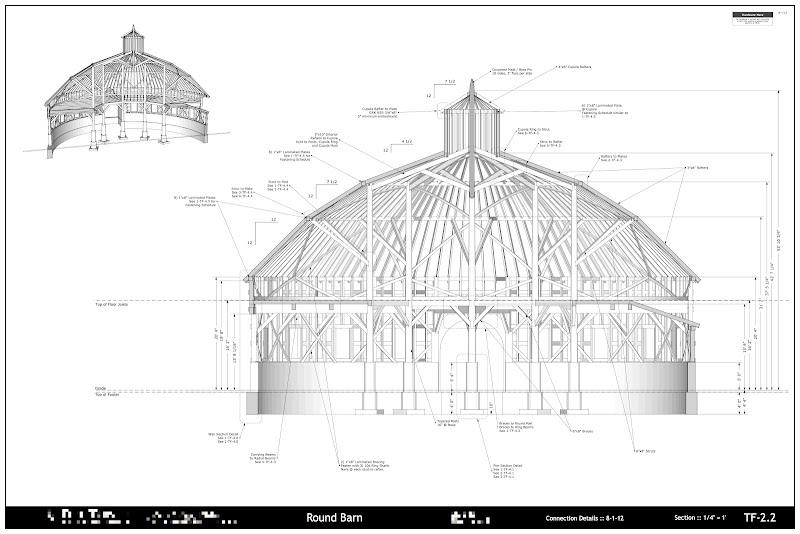
I've been very impressed with the speed improvements in 2013. Huge difference. Night and day. Still slows down just a bit when re-rendering the entire drawings set when running vector and working on a large model (Round Barn) - but way better.
@frv said:
Its no fun seeing a project slow down because the application is not up to speed. Sometimes its easier on the mind to redo something than to consiously and carefully setting up files and references to get a little benifit later on. Much of the benifit is often waisted because projects don't pull through or are changed so much that the original work is better deleted.
Perhaps its just not for you. Lots of options out there. For me, speed in SketchUp, simple presentations to clients, and then maintaining that look into CDs and assembly drawings is what works.
I'd love to try out Rhino, can't seem to get the OSX download page to work on Safari or Chrome. And I'd love to try out other options - but in the end, as much as I do by sharing 3d models, I still need to get 2d work out. I'm not interested in doing this work in AutoCAD. Revit is interesting, but would bankrupt me with licensing and learning curve... so for me, this is where I'm at.
@pants said:
Dave R,
I'd never paid much attention to "entity info" heretofore, but that looks like it's the yes/no indicator of solidity or lack thereof?
x-ray and back edges have nothing to do with whether geometry is solid or not. you cannot use solid specific plugins, or SUs own internal solid editing tools, if geometry (groups and components) are not solid - a definition that essentially means watertight, with no interior (or exterior) lines or faces that disturb the geometry.
x-ray and back edges can help you see where there may be an error, but it won't tell you if something is solid or not. look for the solid solver plugin to help automate correcting bad solids.
FWIW, it looks like you imported that first wheel, rather than creating it directly in sketchup.
@unknownuser said:
... with very little added in Layout.
I think that last bit is key. Even when I used AutoCad with HSB for timber, and AutoCad Architectural desktop for buildings, I did as much as possible in model space, and only used paper space for notation. Even then I was starting to move away from complex and tedious hatching over 2d work and was trying to model things like I would build them.
So sure, my work might be 'simple' (I have a few complete buildings on the boards) - but it is an effective tool. If I were doing more full home or building design I'd develop my approach along the lines of Sonder.
Would SU+LO work for commercial projects? Maybe. Depends on what you are doing. A nice feature of it is that you don't need to be a CAD expert or have to shell out many thousands of dollars to get up and running. And you don't need an IT staff or paid consultant to work through the myriad setup stuff to just draw stuff. Yes, I see the value (and have used) BIM based programs. But they come at a fairly large expense. What I like about SU+LO is that it really feels like an extension of the drafting table, taking back some of the ugly and coldness and lack of spirit that CAD brought us.
Does this Rhino plugin allow one to create 2d PDFs with notation?
I'd really love to see some threads on competing packages.
Note that if you use this on a face you might not see it working.
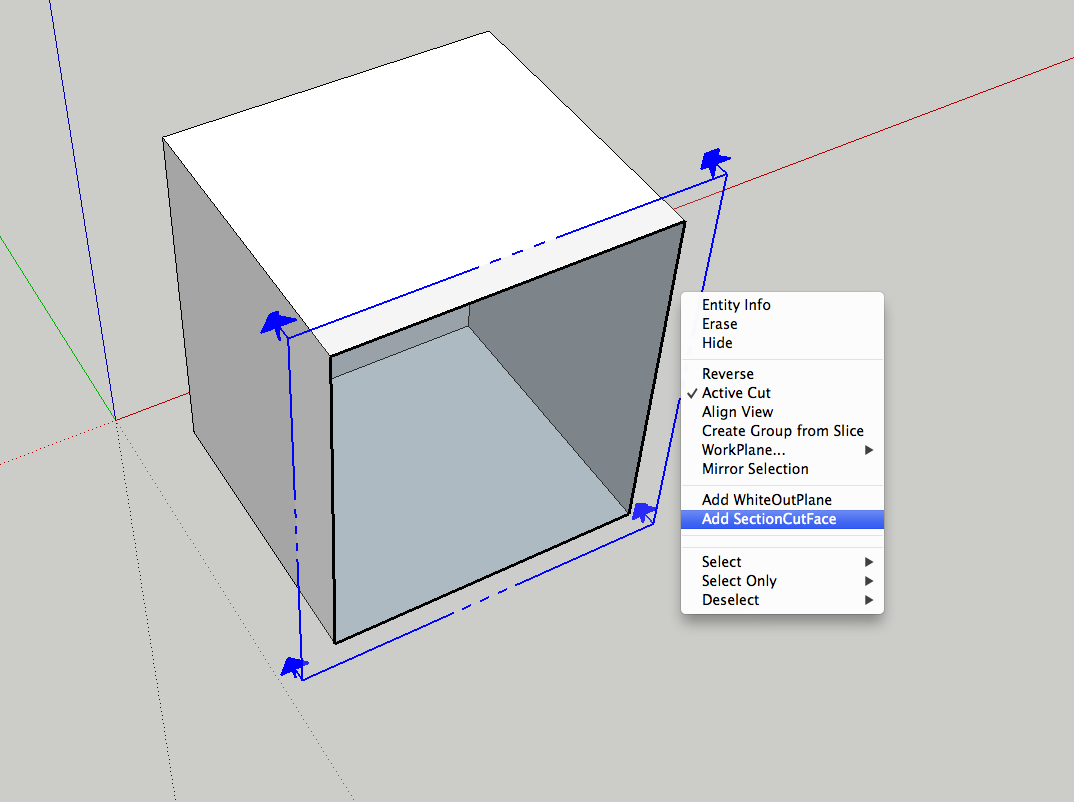
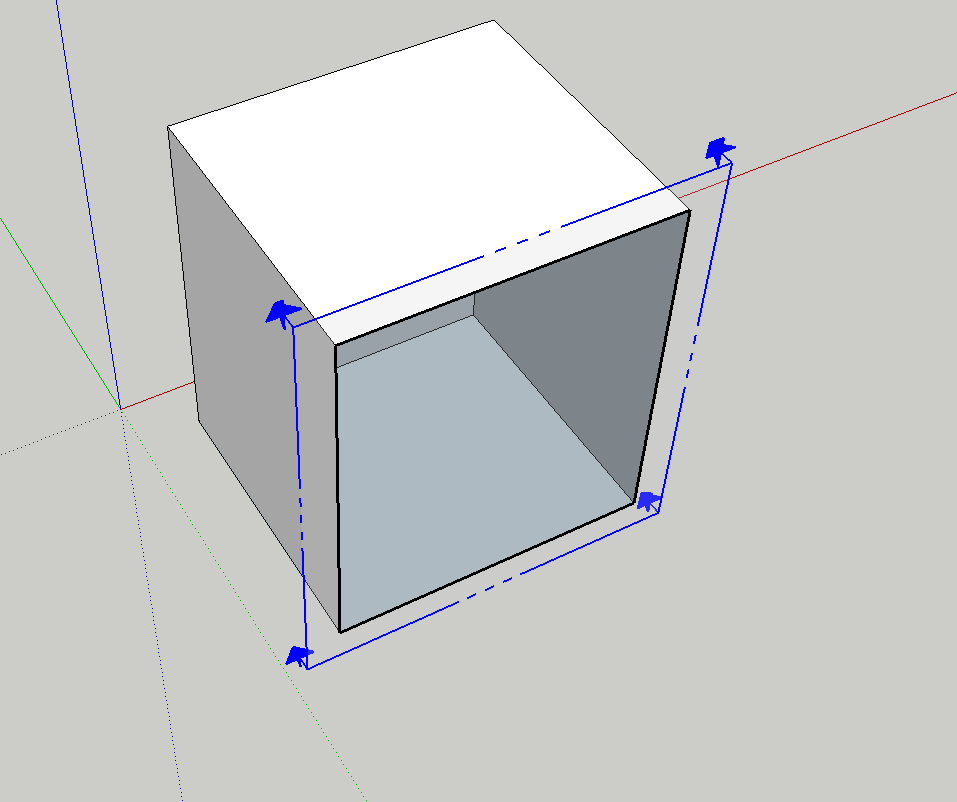
It doesn't show up, even if I check the outliner, it is there, but not visible.
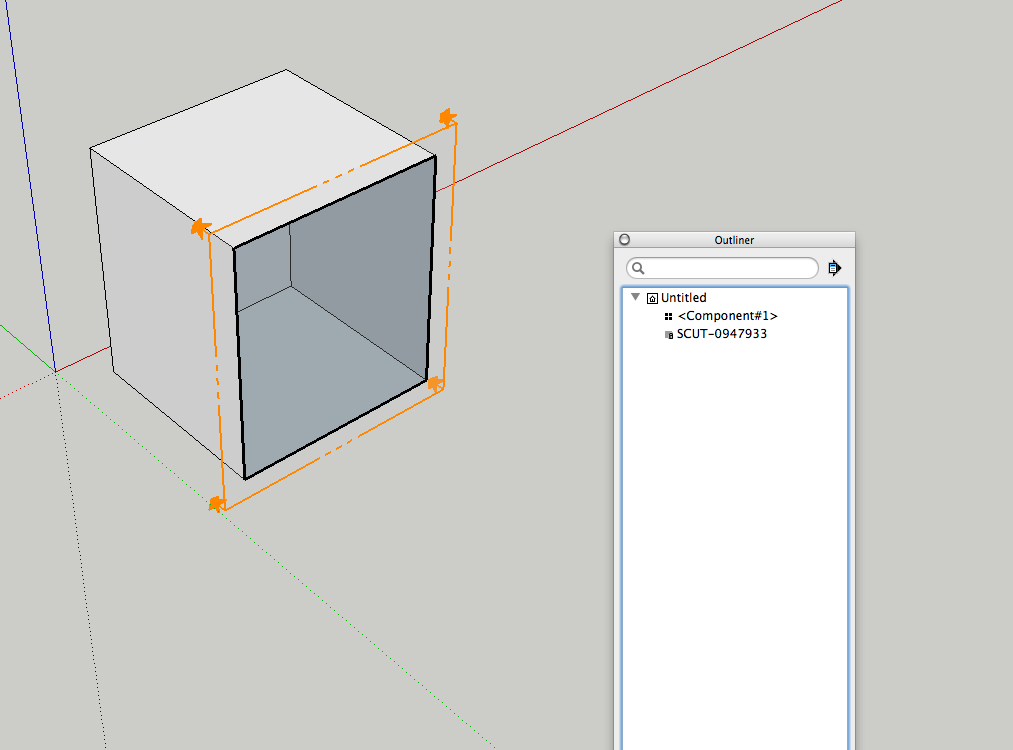
I can move the section cut fore and aft, and even delete everything, but still can't see the cut.
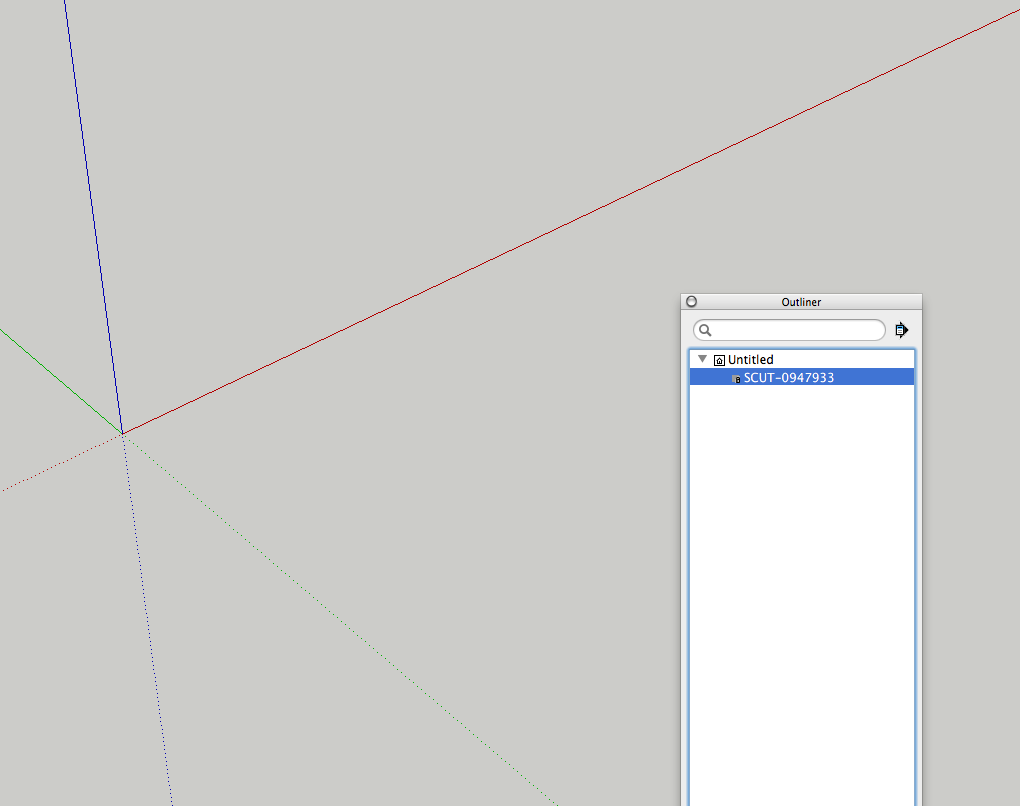
But as soon as I move the section cut and regenerate the cut face, it works.
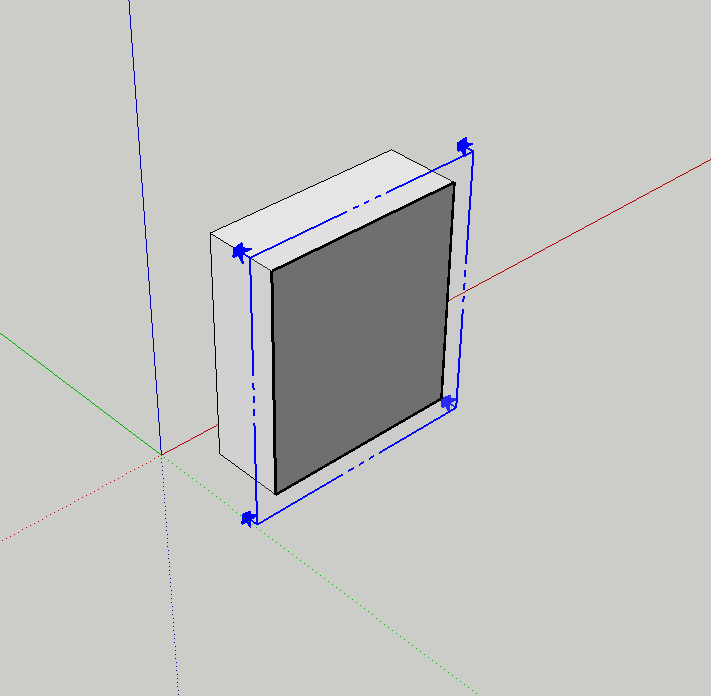
Edited to clear up my intention, see below.
@tig said:
This is because when it's on a face it makes a visible 'section' BUT the cut itself intersects nothing - because the plane doesn't actually intersect with the object ! It's as if you drew a large grouped rectangle over the face then edited the contents and selected the face and used 'Intersect with model' - it has NO intersection as the two faces are 'coincident'.
I can fix this by nudging the cut say 0.2mm into the section, then it will should intersect and face...
I am about to fix another issue so I'll add that...
I get that. I never use this on faces, so for me this was an example of why someone might not see it working.
I should have been more clear.
All good on my end.
Nice, figured it out with some testing.
Clever.
Might have to do something similar with timber sizing... hmmm.
-Mike
@dave r said:
@unknownuser said:
...and beautiful (IMHO) ...[/url]
And yours, Mike. And yours.
I'll repeat myself. Anyone who claims LayOut is unusable just flat out hasn't bothered to learn how to use it.
Thanks DaveR, taken with much respect from you!
There are others doing very very nice work...
@krisidious said:
if you notice the symbol above the windows and doors, that is inside the component. It hides inside the wall in 3D and then I have another one on the floor level in the doorway.
Would love to learn more on how this works...
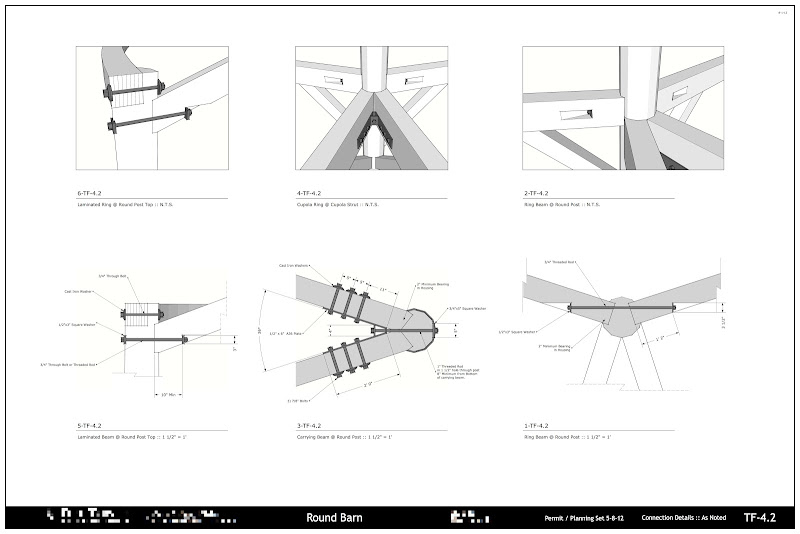
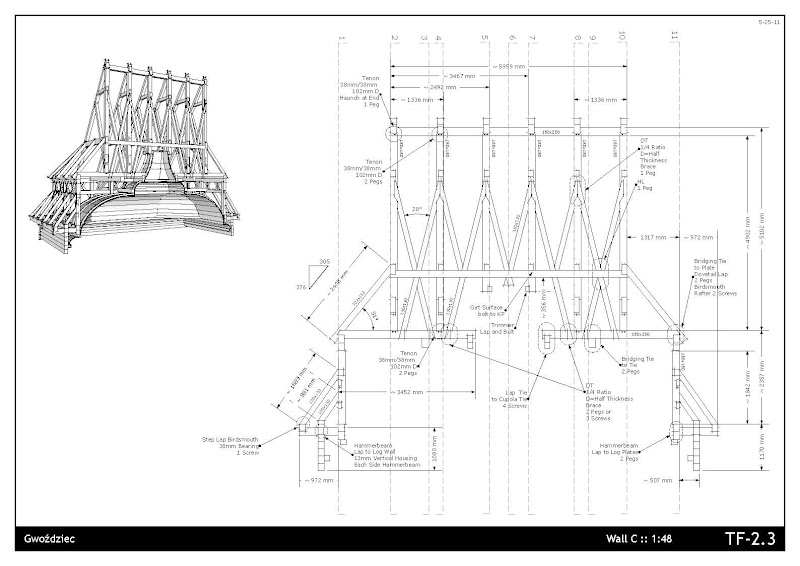
lots already said... but detailed drawings can be quick, and beautiful (IMHO) - like Sonder's work... and others.
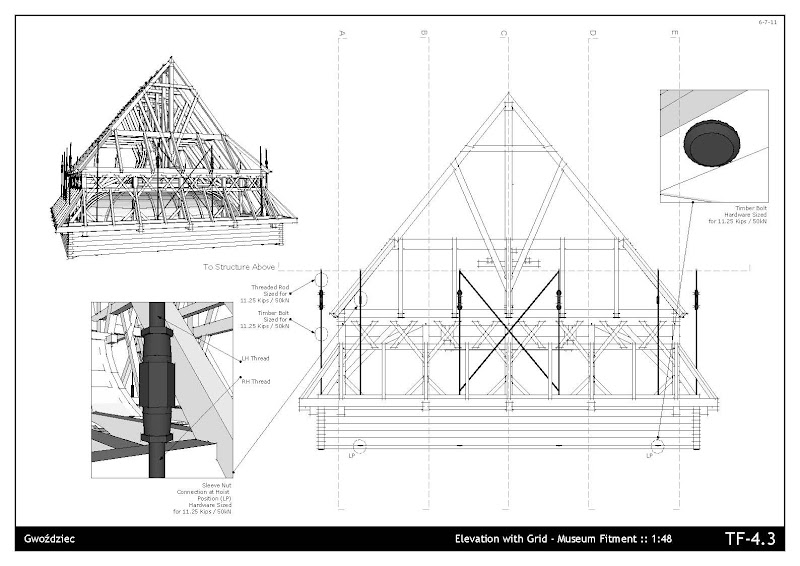
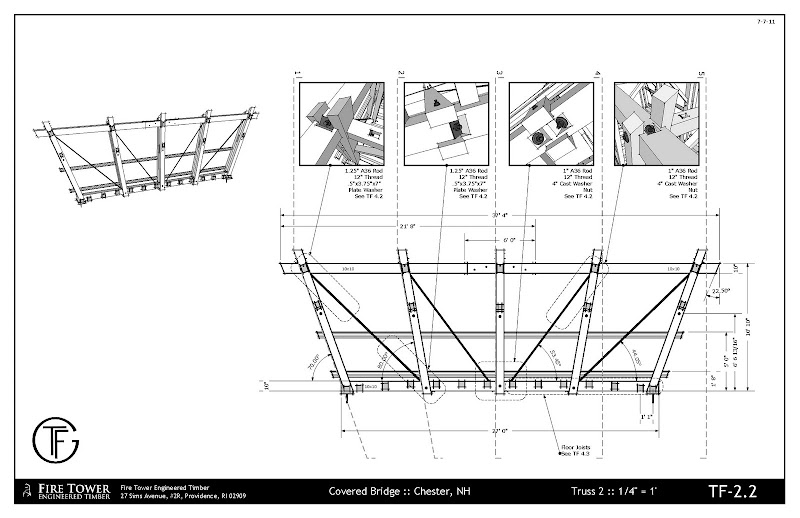
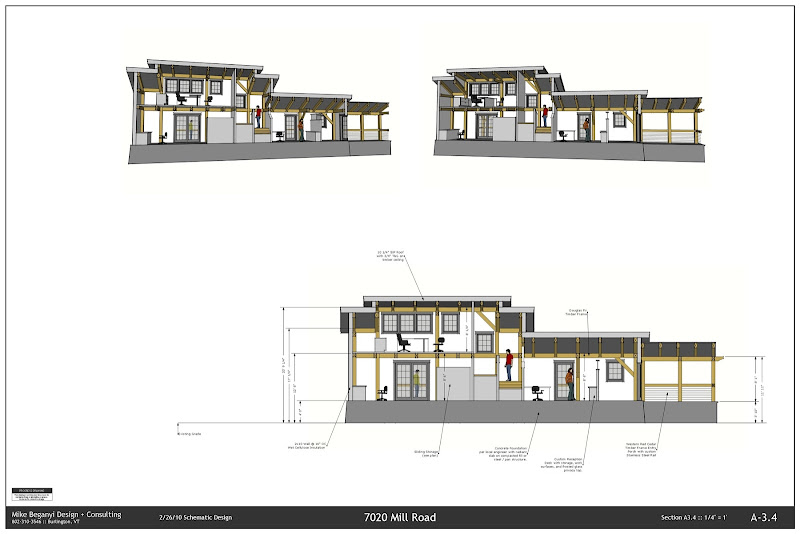
TIG,
On demand working great, on my Mac. No go on the auto update, which is OK, as I usually have 10-20 cuts per model, and don't mind refreshing them to keep things running smoothly.
-Mike
@tig said:
If you read the notes Lock = No only works if Glue = No
If you set Glue Yes Lock is always set = Yes whatever you want to do.I am perplexed how you don't seem to get the cuts updating properly - many others do...
Perhaps it's a MAC issue ?
I'll be issuing a new version shortly, try that and report back...
Sorry, I misinterpreted the Lock / Unlock, but it makes sense.
I will try again, and when I see an update, I'll test.
Odd, for sure.
I'm not getting that behavior, I installed directly from the SU Plugin store, let it overwrite my old version. Lock toggle seems broken, and I don't get anything to update.
YouTube (I'm on a Mac, up to date OS, SKPro2013):
-Mike
this looks great TIG. i'll have to try it - but i've been using a slightly modified version of your original and hate to part with it. (mainly defaults, etc...)
-mike
well damn. LO2013 has really been improved in the speed department.
pleasantly surprised.
first project i'm using 2013 on... and so far, so good.
only gripe and bitchin is that we still don't have components in LO, and that the pick order / UI is drastically different than SU.
please, make them the same. i hate mistakenly dragging stuff around my LO screen while I work...
@pbacot said:
@bmike said:
w will try and get some demo software running soon.
what do you mean, Mike? and where are you teaching?
Will try out rhino if I ever get the download page to open, and also formZ.
Teaching at Heartwood school in the the Berkshires end of this week. Will be teaching at the Timber Framers Guild conference in August. Have potential for 2 small, invite only style classes in VT / MA area mid summer.
well, i bought the damned update, mainly because i'm teaching 2 sessions this year - 1 specifically dealing with LayOut... and I'll need to have the update ready and loaded because I know someone out there will have it...
looked at rhino. can't donwload the OSX demo. page takes forever to load, in safari and chrome, and i can't get to the download link.
form z looks promising, but the 2d part isn't happening yet, from what i can tell.
so, another year of SU/LO - at least my workflow is stable.
LO does seem faster on some large / complicated buildings that i loaded up for a quick test drive.
that might be worth the 95 right there.
had to hand load some plugins that i tweaked the code on.
have the SU store loaded up too.
anyway... onward. will try and get some demo software running soon.
@unknownuser said:
@arail1 said:
Just starting w/ Rhino. What can SU Layout do that Rhino Layout can't? (I'm a real newbie at Rhino - haven't even set up a title block yet so my question is sincere.)
fwiw, i'm the wrong person to ask.. i build all the stuff i design so i don't generally have a need for 2D drawings with details etc.. i'm from the mindset of 'draw it in 3D to begin with.. how much more detailed can you get ?
"
i used to use layout to try to communicate with engineers but it was always so boring to me instead of the 'fun' i get from 3D modeling.. and i like trying to keep things fun and interesting-- otherwise, i start to feel like i'm working
just this morning, i sent some .3dm files to a new (to me) engineering firm and told them i'm only going to be distributing 3D files and if they need to translate to 2D, go ahead and do it..
(but they seem to be pretty cool with the idea of "look.. let me do my thing and you do your thing and we'll get along great")anyway- i guess that's going off topic but i don't have much of a clue regarding layout vs rhino.. i do know that in rhino, it would be as if layout&sketchup were one app instead of two.. that alone gets a
from me.
i get to do that with a few builders i work with... i just send off 3d files and they take it from there.
unfortunately some folks want PE stamped shop drawings for permits, etc... and some folks don't bring a laptop to the shop or the site.
i really need to do stuff like this:

i don't doubt that there are better modelers out there... just need a good presentation tool too.
rhino can?
formz - maybe in time?
one issue i have now is that sketchup doesn't produce true solids, so when i work with folks that CNC, i can't get them easy to use autocad 3d solids. unless i'm missing something... i've tried some hack conversion techniques, but things get just screwy enough that they always rebuild things.
@unknownuser said:
@frederik said:
@pbacot said:
...I think the Mac HAS been all but ignored by SU if you look at the UI...
I'm getting more and more confused, cause if you look at "darling's" profile, you'll notice that the OS is set to... drum roll ... MAC...
i don't think they have anyone onboard that actually uses the app in the way it's supposedly designed to be used.. because if they did, they'd definitely be ironing out all the pesky little UI pitfalls that become apparent when working in a production environment.
(but hey, chris f. has joined the team and i know he used sketchup in a working environment.. hopefully he'll be able to have some say in this stuff)
**(and yes, this is a back-handed stab.. the suTeam probably does have a lot of people that know the app).. i don't really know so i'm just making stuff up now
**
yeah, hopefully trimble will keep the mac version going, and maybe even make it look and work like most other OSX apps.
starting to peak at rhino and formz (used it along time ago in grad school... on a powerbook 1400cs! - man has it changed!)
i do need layout solution though, might have to download some trials and play around.


