sketchucation logo sketchucation
    • Login
    1. Home
    2. agamemnus
    3. Posts
    Oops, your profile's looking a bit empty! To help us tailor your experience, please fill in key details like your SketchUp version, skill level, operating system, and more. Update and save your info on your profile page today!
    ⚠️ Important | Libfredo 15.8b introduces important bugfixes for Fredo's Extensions Update
    A
    Offline
    • Profile
    • Following 0
    • Followers 0
    • Topics 39
    • Posts 228
    • Groups 1

    Posts

    Recent Best Controversial
    • RE: Plugin search help -- combining lines

      A problem with that script is that it does not seem to always dig inside groups/components correctly and misses some lines. πŸ˜•

      Edit: tried this.... doesn't work. I have a feeling I am missing something.

      Edit 2: Used "if (e.class != Sketchup::Face)" instead of
      "if (e.class == Sketchup::Group)"... why does one work and not the other? (the == group one doesn't seem to hit?) Also... any better solutions here? This is the best I could cobble up..

      
      require 'sketchup.rb'
      # (c) Carlo Roosen 2004
      
      def repair_broken_lines (eparent)
        total = 0
        trunk = Array.new
        ss = eparent.entities
        #search all edges in selection set
        for e in ss
          if (e.kind_of?(Sketchup;;Edge))
            p=e.parent
            #take both vertices 
            for v in e.vertices 
              #take all edges connected to v (including e)
              es=v.edges
              #when two edges are connected
              if (es.length==2)
                vec1 = es[0].line[1]
                vec2 = es[1].line[1]
                #and both are in the same direction
                if (vec1.parallel?(vec2))
                  #then the two lines can be repaired
                  #this is done by generating a new line from the vertex to a random point
                  l = p.entities.add_line (v.position, Geom;;Point3d.new(3.45,6.78,9.12))
                  #and put that line in a trunk
                  trunk.push(l)
                end
              end
            end
      	else
      	 if (e.class != Sketchup;;Face)
      	  total += repair_broken_lines (e) 
      	 end
      	end
        end
      
        #erase all lines in trunk
        total += trunk.length
        for l in trunk
          l.erase!
        end
        return total
      end
      
      def repair_broken_lines_recurse
      
       total = 0;
       m = Sketchup.active_model;
       
       # Define everything as one undo operation.
       m.start_operation "Repair Broken Lines"
       total = repair_broken_lines (m)
       UI.messagebox ("#{total} lines repaired")
       m.commit_operation
      end
      
      
      selection=Sketchup.active_model.selection
      if( not file_loaded?("repair_broken_lines.rb") )
          UI.add_context_menu_handler do |context_menu| 
              if selection.count>1
                 context_menu.add_item("Repair Broken Lines") { repair_broken_lines_recurse }
              end
          end
      end
      
      UI.menu("Plugins").add_item("Repair Broken Lines") { repair_broken_lines_recurse }
      
      file_loaded ("repair_broken_lines.rb")
      
      
      posted in Newbie Forum
      A
      agamemnus
    • RE: Island Queen

      Nice interior, bridge, and antenna work.

      Unless you're modeling from the real thing, I would make the ceiling lights brighter, possibly reduce the amount of window lights by half, and reduce the window lights' intensity somewhat, too. There's just too much light there... you don't want the glare of that lamplight when you are sitting there, looking at the ocean or coastline.

      posted in WIP
      A
      agamemnus
    • RE: Plugin search help -- combining lines

      Thanks Builder Boy. That hit the spot. πŸ’š

      posted in Newbie Forum
      A
      agamemnus
    • RE: Plugin search help -- combining lines

      Hmm, that works, but I have to specifically select those edges (can't just select basic polys/edges in whole group, either) and then use "colinear from start to end"... (it also repositions the texture in some fashion.) Won't help with split edges that I didn't know existed.

      posted in Newbie Forum
      A
      agamemnus
    • RE: Plugin search help -- combining lines

      I think it's "weld", but I just can't find the thread for it. I found one weld thread here: http://forums.sketchucation.com/viewtopic.php?t=8784, but that welds lines that aren't combined, so I'm not sure that's it.

      posted in Newbie Forum
      A
      agamemnus
    • Plugin search help -- combining lines

      There was a plugin a few months ago that combined lines going in the same direction into one line. I forgot the name. Can anyone help me? ❓

      posted in Newbie Forum sketchup
      A
      agamemnus
    • RE: [Plugin] OBJexporter v3.0 20130131

      Thanks, TIG.

      posted in Plugins
      A
      agamemnus
    • RE: Texture alignment plugins ?

      Guess go by the user's view angle to find the top left? I dunno.

      @rocorona said:

      Absolutely correct, TT.
      Anyway, it is also true that texture placement is mostly done in a inaccurate way. Is there a chance to have some numeric input, for scaling/skewing/rotating textures?

      Yup, would be nice. Something like an entity box, with automatic application. (without having to press <enter>)

      posted in Plugins
      A
      agamemnus
    • RE: Plugin request: set default color to back faces.

      Thanks. πŸ˜„

      posted in Plugins
      A
      agamemnus
    • RE: Plugin request: set default color to back faces.

      Hmm, that does work but it doesn't work for anything that is nested in groups...

      posted in Plugins
      A
      agamemnus
    • RE: Paint bucket - texture with scaling / rotation

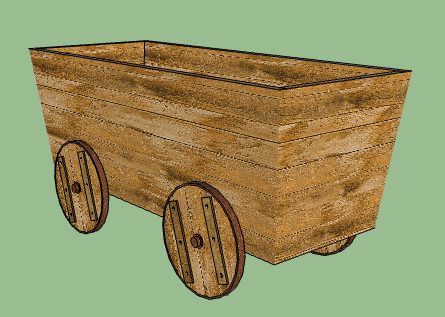
      Well, it was fine until I exported to obj. I got like 10 textures of the same original wood texture, and that don't fly. Trying to redo every side with manual repositioning... it's all a huge mess.

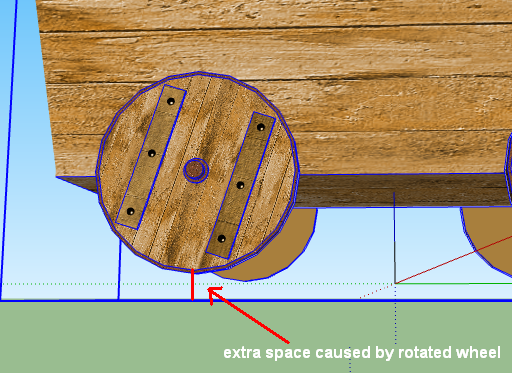
      Edit: Ok, I redid every side manually.. alt-copying didn't even work properly for IDENTICAL polygons! EG: The back-side of the wheels. I just cut out the wheel front and pasted it in in the back. Exported ok now: only 4 materials as I wanted.


      ahh4.png

      posted in Newbie Forum
      A
      agamemnus
    • RE: Paint bucket - texture with scaling / rotation

      ALT doesn't seem to work on this texture correctly. I dunno why... maybe because the shapes aren't rectangles.

      I tried "UV Coordinates" copy/paste along with manual re-fitting.

      posted in Newbie Forum
      A
      agamemnus
    • RE: [Plugin] Draw Boundingbox

      I noticed that if I rotate some objects and use this plugin, the bounding box will use the rotated boxes of these other objects... any way to perhaps get the real limits of the object set instead of using their (inaccurate) bounding box without having to explode everything?


      ahh3.png

      posted in Plugins
      A
      agamemnus
    • Paint bucket - texture with scaling / rotation

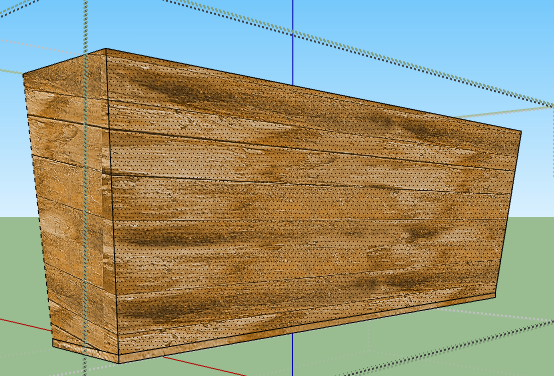
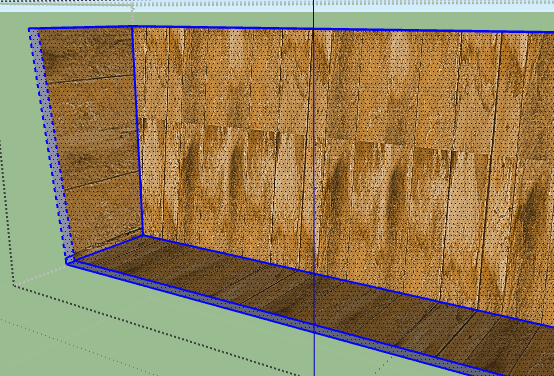
      Could anyone tell me how I can copy a texture along with the texture's scaling and rotation? Trying various things but just can't do it.

      I tried the ALT key, nothing. Maybe I need another key. I dunno.


      ahh1.png


      ahh2.png

      posted in Newbie Forum sketchup
      A
      agamemnus
    • RE: [Plugin] OBJexporter v3.0 20130131

      Sent you a pm.

      It is a bit of effort to rename " " parts of the file to "_", especially if I want to keep the source filename without spaces.

      Another very good thing to add (which the Google one doesn't have) would be a way to specify the source directory. Sometimes I need the source directory to be the same for a set of models (because they use the same texture), and manually editing the material files after every model edit is a chore.

      posted in Plugins
      A
      agamemnus
    • RE: Plugin request: set default color to back faces.

      No, but from the description it doesn't seem to be what I need. Both the front and back have a color and everything is correctly oriented. I need the back color removed.

      posted in Plugins
      A
      agamemnus
    • Plugin request: set default color to back faces.

      I have a very specific need where I need to set only 2 parts of my model to have both a front and a back face color. A lot of my polygons have both a front and back face color where only one was actually intended, but for one reason or another the back face got colored.

      No idea how common this need is... probably not very.

      So.... my request is a plugin that removes the back-face color in a model and replaces it with the default.

      posted in Plugins
      A
      agamemnus
    • RE: [Plugin] OBJexporter v3.0 20130131

      Your object exporter is better than Google's.

      My ship model, with completely exploded pieces and 8 materials: Sketchup exports 35 groups making 35 materials in my program. Yours works correctly and exports 8 groups making 8 materials.

      Just 3 (edit:4) items:

      • No dialog to set the name/directory or progress bar when it does so makes it a bit involved when I need the name to be different from the sketchup file name.
      • Your exporter rotates the object 90 degrees on the .. Y axis, I think.
      • I think for proper usage anything with a " " in the filename needs to be converted to "_".
      • Wellllllllllll ok, some things may not export properly. I'll pm you a link for a model that does not.
      posted in Plugins
      A
      agamemnus
    • RE: Texture alignment plugins ?

      I guess thomthom's works for the first one...

      posted in Plugins
      A
      agamemnus
    • RE: Ancient Roman trade ship -- need sails help

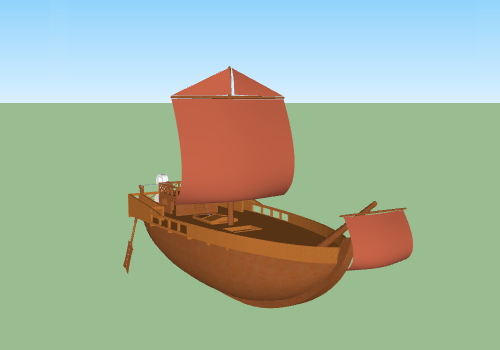
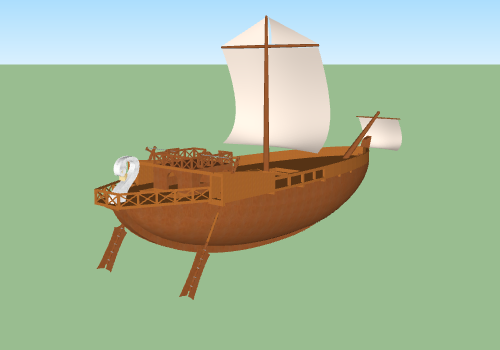
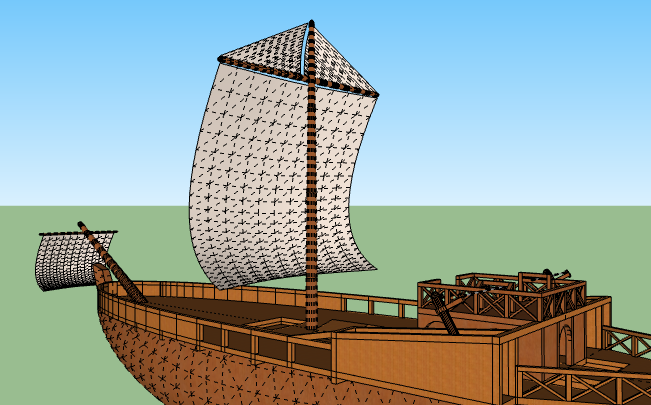
      Sails and masts more or less done (used curviloft for sails, very informative icons and easy to use!). Took some shortcuts... I duplicated and resized the main sail and beam to create the front sail and beam. No rope, either... it was tiring enough to make the sails, masts, and beams... 😞

      Now I need to convert 17429 faces into perhaps 1700 faces at most. πŸ‘Š

      Edit: with the bigger sails, complete fantasy has (probably taken over). At current measurements, the main sail is 12.8m high and 16m long. The main mast is 20m high and starts at a width of .76m, ending (at the mast "cap") at .34m. The ship itself is 47.5m long. (not counting the front sail and masts)


      ship overview.png


      ship overview back.png


      ship from angle with lines.png

      posted in WIP
      A
      agamemnus
    • 1
    • 2
    • 3
    • 4
    • 5
    • 6
    • 7
    • 11
    • 12
    • 5 / 12