sketchucation logo sketchucation
    • Login
    1. Home
    2. agamemnus
    3. Posts
    Oops, your profile's looking a bit empty! To help us tailor your experience, please fill in key details like your SketchUp version, skill level, operating system, and more. Update and save your info on your profile page today!
    ⚠️ Important | Libfredo 15.8b introduces important bugfixes for Fredo's Extensions Update
    A
    Offline
    • Profile
    • Following 0
    • Followers 0
    • Topics 39
    • Posts 228
    • Groups 1

    Posts

    Recent Best Controversial
    • Mine cart -- correct?

      I made a mine cart for an little graphic I wanted to make. It's not fancy or textured (as yet?). I'm somewhat concerned/interested in whether it's actually physically correctly done or whether it'll just fall apart/break/etc...

      I did leave out some details that I know should be there -- I'm thinking the axle should probably have wedges (like a screw) in order for the lug nuts and wheels to be replaced in and out.

      I'm especially concerned about the bottom part of it. I saw some other models and they seemed to have too few beams/support, but I dunno.

      I suppose it needs some handles, but I'm not entirely sure as to where to put them.

      Possibly the wheels are a bit too small in relation to the rest of it.

      Here it is:

      http://sketchup.google.com/3dwarehouse/details?mid=cafad6bff2ed1a7b5acfb13a3a7aa1b&prevstart=0

      posted in WIP
      A
      agamemnus
    • [request/idea] Specific parent component view

      I was fiddling around in Sketchup lately. As I kept adding to my model, a common (to me) difficulty emerged: it was getting harder and harder to see what I was working with.

      When the model is small, my "Hide the rest of the model" in View>Component Edit is unchecked -- it's easier to compare and align this way. When the model gets bigger, seeing the rest of the model makes it very difficult to view and edit the component.

      I had a thought. Perhaps if there was a way to automatically view only a subset of the model -- for instance, the group an object is in and all its children (edit: while editing the object, that is), then I could get sort of the best of both worlds: I'd be able to compare/align parts of my group/component with relevant parts of the rest of the model (since relevant parts are typically grouped!) and at the same time it wouldn't be unwieldy since the entire model wouldn't be visible.

      Probably not possible with a plugin, but just throwing the idea out there.

      TL;DR: We need more Component Edit view options!

      posted in Plugins
      A
      agamemnus
    • RE: Island Queen

      Very nice... liking the vegetation/rock accents.

      posted in WIP
      A
      agamemnus
    • RE: My Render

      Nice. With such opulence, you'd think they could afford a bigger tub than the standard size, though. πŸ˜›

      posted in Gallery
      A
      agamemnus
    • RE: Wall series

      Well, it does remind me of gritty squalor places in various RPGs, in fact... shot up, worn out, and generally ramshackle spots... like that starting city in Fallout 3.

      posted in Gallery
      A
      agamemnus
    • RE: Wall series

      Er.. abstract. Btw, you double-posted. I think you can delete your own posts...

      posted in Gallery
      A
      agamemnus
    • RE: My buildings. Starting with: Bank of Agaland

      @leedeetee said:

      An interesting shape, that for sure.

      Doesn't much look like a building, although it would make an ace jelly mould. Have you thought about adding some textures to your facades?

      Yes, but I can't think of a good texture.

      Thanks for the great jelly mould idea. I'll find a Chinese jelly-mould manufacturer to make it! πŸ˜›

      posted in Gallery
      A
      agamemnus
    • RE: Dead Space - Inside the USG Kellion

      Amazing. That's frighteningly detailed.

      posted in Gallery
      A
      agamemnus
    • My buildings. Starting with: Bank of Agaland

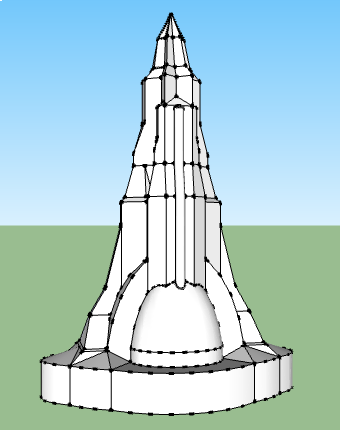
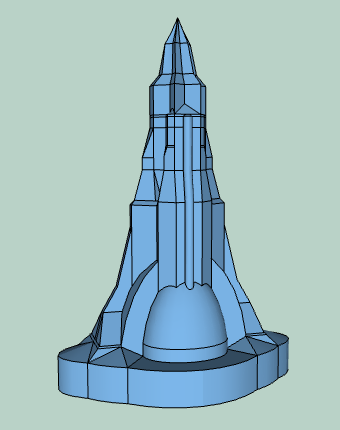
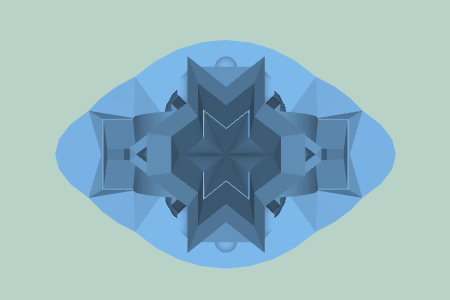
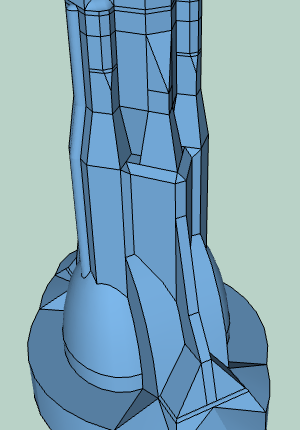
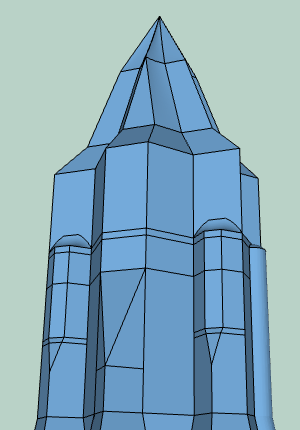
      I thought I'd start a thread showcasing some buildings I've made over the years, and new ones I make. I made them and put some of them on 3D warehouse; my buildings have not received a lot of eyeballs compared to what I think they should have received! This is an attempt to rectify that injustice, as well.

      The first building I'll post here is Bank of Agaland. (I modified it slightly today...):
      http://sketchup.google.com/3dwarehouse/details?mid=fc9d396a71e943d7bc96b70d50d39da4

      The building is based off of a sketch I made ages ago. I did this model entirely with the basic Sketchup modeling tools.

      PS: If anyone has a few hundred million dollars lying around, I'd be glad to license this building design for your next skyscraper project! πŸ˜‰


      bank_of_agaland_1.png


      bank_of_agaland_2.png


      bank_of_agaland_3.png


      bank_of_agaland_4.png


      bank_of_agaland_5.png

      posted in Gallery
      A
      agamemnus
    • RE: Sketchup and GoSimulate

      Cool video.

      posted in Plugins
      A
      agamemnus
    • RE: Plugin search help -- combining lines

      Bump!

      I'm going to forget that TIG's code/solution existed in 2 months and re-post my question... ❗

      posted in Newbie Forum
      A
      agamemnus
    • RE: Island Queen

      Nice water. Needs a different font though.

      Font needs more spacing between letters and wider&thicker letters. That better matches the real ship and would look better I think.

      posted in WIP
      A
      agamemnus
    • RE: Center Model?

      Use the boundingbox plugin, and add an X on the bottom of the box. Group everything and then reposition the center point of the X on the origin (it's a clickable point).

      posted in Newbie Forum
      A
      agamemnus
    • RE: [Plugin] Memory Copy (xformclone.rb)

      πŸ‘

      posted in Plugins
      A
      agamemnus
    • RE: Plugin search help -- combining lines

      @tig said:

      I expect that's because the 'parallel?' test for vectors returns true but Sketchup itself still won't join the lines as they are not co-linear...
      We could replace the test with something else as the two vectors are clearly not equal - perhaps comparing them as arrays - so v1.to_a==v2.to_a returns false [correctly] even when v1.parallel?(v2) returns true !!

      I see... so it's really a Sketchup bug. "parallel" is built-in, (right?), but it doesn't have the same precision as the main program, which is a decently-sized oversight.

      In terms of comparing them as arrays: that's probably slower, but it might have the same comparison as the main program. (I don't know)

      I'm not entirely sure how Sketchup does precision anyhow... floats (32 or sometimes64 bit numbers with decimal points)? Really big integers masquerading as floats? Some weird combination? There's a big difference... two string representations of a float will often look different but actually have the same float value. I suspect something like that is happening here.

      posted in Newbie Forum
      A
      agamemnus
    • RE: Plugin search help -- combining lines

      @tig said:

      The edges in the 'line' are not co-linear, the first two edges' vectors differ noticeably and the rest diverge even more... Vector3d(0.0104132, 0.999946, 0) and Vector3d(0.0101495, 0.999948, 0)... so they won't be joined by Sketchup into one edge no matter how hard you try - but you could of course 'weld' them into a 'curve'......

      Yeah, I see...but.... the plugin says they are... or thinks they are...

      posted in Newbie Forum
      A
      agamemnus
    • RE: Plugin search help -- combining lines

      @tig said:

      You are right about setting the variable to 'class' using @@ rather than 'global' with $ - it's much safer - I was churning that out rather too quickly... πŸ˜’
      The 'trick' to force broken edges into one only works on plain edges.
      With an edge that's part of a curve it can't... for you next step why not see if you can find all edges that are co-linear [it already does that and if one is part of a curve then remember all of the curves edges in an array and then explode the curve, immediately remake the curve leaving out the one edge you want to heal. Then it will heal back into its co-linear mate... It just needs a test in the iterated loops... πŸ€“
      When 'we' get it 'perfect' then 'we' could issue a joint 3-way update... πŸ˜‰

      Ummm, maybe later. 😲 Doesn't need to be perfect...

      Anywayz ... here is another problem: a set of connected lines were 2 of them are said to be repaired, but never are. I attached the model. I think the tolerance is too low perhaps?


      aline.skp

      posted in Newbie Forum
      A
      agamemnus
    • RE: Any way to get rid of z/x/y line locking yet?

      Yup, I believe that works I guess...

      posted in SketchUp Feature Requests
      A
      agamemnus
    • RE: [Plugin] Proper Animation V1.08 Beta(Updated 14/11/10)

      Can the fruit of this plugin perchance be somehow exported to an animated model format, like md3? (edit: maybe not yet, but one can dream...)

      posted in Plugins
      A
      agamemnus
    • RE: Plugin search help -- combining lines

      Thanks. Looks like you made total_repair_broken_lines a global. That makes more sense than to create a useless stack as I did. I didn't want to create a stack either but I didn't want to create a global, and I am not 100% familiar with Ruby/am a bit forgetful. I did some searching now though and I see that @@ is class scope, so how about @@ instead of $?

      If the code stays here people won't be able to find it very easily. How about re-releasing this plugin, as well as that "default face" snippet you made earlier for me, in the plugins forum?

      Also: another problem I noticed is that it tries to repair lines that aren't repairable, like curve endings and single lines. (attached)

      
          ### Original idea (c) Carlo Roosen 2004
          ### Modified (c) TIG 2011
          ### Now also repairs edges inside groups/instances in selection...
          ###
          require 'sketchup.rb'
          ###
          class Repair_broken_lines
          def initialize(ents=nil)
            model=Sketchup.active_model
            lines_to_go=[]
            if not ents
              @@total_repair_broken_lines=0
              ss=model.selection.to_a
              begin
                model.start_operation("Repair Broken Lines",true)
              rescue
                model.start_operation("Repair Broken Lines")
              end
            else
              ss=ents
            end#if
            #check all edges in selection set OR entities passed as argument
            ss.each{ |e|
              if e.kind_of?(Sketchup;;Edge) #take both vertices
                e.vertices.each{ |v| #take all edges connected to v (including e)
                  es=v.edges #when two edges are connected
                  if es.length==2
                    vec1=es[0].line[1]
                    vec2=es[1].line[1] #and both are in the same direction
                    if vec1.parallel?(vec2) #then the two lines can be repaired
                      #make a new line from that vertex to a random point
                      pt=Geom;;Point3d.new(1+rand, 1+rand, 1+rand)
                      nline=e.parent.entities.add_line(v.position, pt)
                      lines_to_go << nline if nline and nline.valid?
                    end#if
                  end#if
                }#end v
              elsif e.kind_of?(Sketchup;;Group)
                Repair_broken_lines.new(e.entities.to_a)
              elsif e.kind_of?(Sketchup;;ComponentInstance)
                Repair_broken_lines.new(e.definition.entities.to_a)
              end#if
            }#end e
            if not @@total_repair_broken_lines
              @@total_repair_broken_lines=lines_to_go.length
            else
              @@total_repair_broken_lines=@@total_repair_broken_lines + lines_to_go.length
            end#if
            lines_to_go.each{ |e| e.erase! if e.valid? }#erase all lines_to_go
            if not ents
              model.commit_operation
              UI.messagebox("#{@@total_repair_broken_lines} Lines Repaired.")
            end#if
          end#def initialize
          end#class
          ###
          if not file_loaded?(File.basename(__FILE__))
            if $submenu4 # TIG menus
              $submenu4.add_item("Repair Broken Lines [Selection]"){ Repair_broken_lines.new() }
            else
              UI.menu("Plugins").add_item("Repair Broken Lines [Selection]"){ Repair_broken_lines.new() }
            end
          end
          file_loaded(File.basename(__FILE__))
          ###


      circle.skp

      posted in Newbie Forum
      A
      agamemnus
    • 1 / 1