sketchucation logo sketchucation
    • 登入
    Oops, your profile's looking a bit empty! To help us tailor your experience, please fill in key details like your SketchUp version, skill level, operating system, and more. Update and save your info on your profile page today!
    🔌 Smart Spline | Fluid way to handle splines for furniture design and complex structures. Download

    [Plugin] Skin.rb

    已排程 已置頂 已鎖定 已移動 Plugins
    237 貼文 66 Posters 166.8k 瀏覽 66 Watching
    正在載入更多貼文
    • 從舊到新
    • 從新到舊
    • 最多點贊
    回覆
    • 在新貼文中回覆
    登入後回覆
    此主題已被刪除。只有擁有主題管理權限的使用者可以查看。
    • A 離線
      architectboy
      最後由 編輯

      Yea, that worked for me to, just unsubscribe, resubscribe, tell them I'm leaving, And Unsubscribe! 😄 . And as for the script, here's version 1.8 with connecting faces mostly working now. And tell me if the upload didn't go well.


      skin.rb

      1 條回覆 最後回覆 回覆 引用 0
      • A 離線
        architectboy
        最後由 編輯

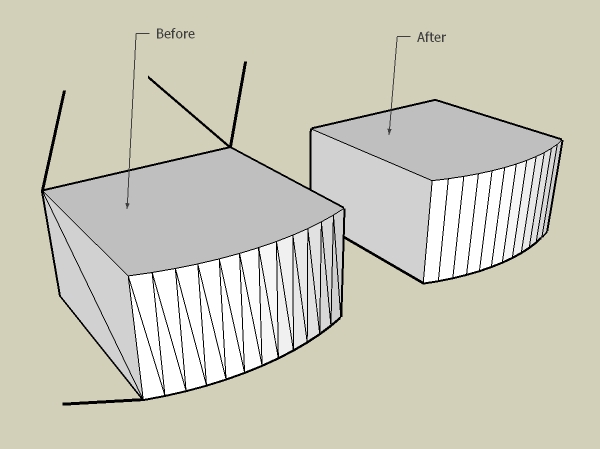
        Could someone who is good at graphic design make some icons for a tool bar for this script? I need 2 icons, one for the connect sides command, and another for a "clean selection" command (it's another one or those remove coplanar edges tools, but it removes faceless edges to), thanks for any help!

        1 條回覆 最後回覆 回覆 引用 0
        • bazB 離線
          baz
          最後由 編輯

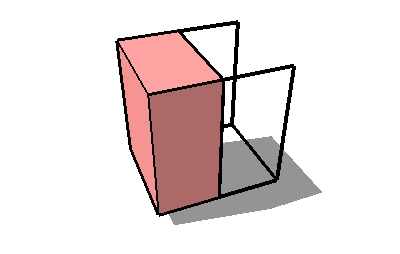
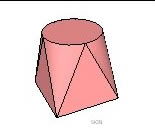
          heres a couple of quickie icons for discussion, Im not clear what the 'selecton' tool does tho.
          baz

          Untitled.jpg


          Untitled2.jpg

          1 條回覆 最後回覆 回覆 引用 0
          • A 離線
            architectboy
            最後由 編輯

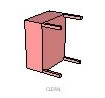
            Yes, I like the one for the connecting sides, thank you! And as for the clean selection tool it's hard to explain, put a picture is worth a thousand words, right? The reason that I included this tool is that I call it from inside the script.
            Attachment:
            CleanSelectionDemonstrate.jpg

            Script Update: I think that I have just figured out why it wont successfully do lines 😒 (without the code to catch it) but since it is bed time I will go to bed and fix that tomorrow.

            1 條回覆 最後回覆 回覆 引用 0
            • KrisidiousK 離線
              Krisidious
              最後由 編輯

              yes I've been digging the clean selection... it's awesome...

              By: Kristoff Rand
              Home DesignerUnique House Plans

              1 條回覆 最後回覆 回覆 引用 0
              • bazB 離線
                baz
                最後由 編輯

                how about these?
                baz


                skin icons_select.jpg


                skin icons_extrude.jpg

                1 條回覆 最後回覆 回覆 引用 0
                • bazB 離線
                  baz
                  最後由 編輯

                  here they are again at about the right size


                  skin icons_sm_1.png


                  skin icons_sm_2.png

                  1 條回覆 最後回覆 回覆 引用 0
                  • A 離線
                    architectboy
                    最後由 編輯

                    They are very nice and clear, I like them, thank you again. And if you can, would you make them the same colors as the standard ones to make them look more official (I don't think you would leave them pink). As, for the script, I didn't do much work on it today because it's my brothers birthday

                    1 條回覆 最後回覆 回覆 引用 0
                    • bazB 離線
                      baz
                      最後由 編輯

                      Happy to change the colour, not sure what you mean by 'standard' lotsa colours on the toolbars, (including pink 😄
                      you choose, I think you need a bright colour tho.
                      baz.

                      ps: I love the way the spell checker thinks Im spelling 'colour' wrong! Ok color. happy now?

                      1 條回覆 最後回覆 回覆 引用 0
                      • A 離線
                        architectboy
                        最後由 編輯

                        Oh, well if you've seen pink ones that's fine with me, but I've only seen brownish ones so that's what I would be more comfortable with. And a bright color would probably make it easier to see, good idea. And should I put "Baz" in the credits or something else ❓

                        ps: color is only spelled colour by the British (see http://www.dictionary.com)

                        1 條回覆 最後回覆 回覆 引用 0
                        • bazB 離線
                          baz
                          最後由 編輯

                          its your call on the colour.
                          I dont need a credit, glad to help you ruby wizards for a change.
                          baz

                          1 條回覆 最後回覆 回覆 引用 0
                          • P 離線
                            PeterCharles
                            最後由 編輯

                            May I say how much I appreciate the skin.rb script. 😄

                            I can use SketchUp to create both ends of sheet metal 'square to rounds', 'skin.rb' will join the points, 'jf_unfoldtool.rb' will unfold a flat pattern which I can export full size as a DXF profile and feed to a laser profiler.

                            Magic 😆

                            1 條回覆 最後回覆 回覆 引用 0
                            • A 離線
                              architectboy
                              最後由 編輯

                              As for the color, I would like it brown like the ones that come with sketchup, just a little bit lighter though 😄 . Now I don't know why I must disagree so much with someone I'm grateful to for helping me, but if I don't put your name in the credits and say that I did it all by myself I would be lying, and I was just wondering if "Baz" would be good enough or if you would like you real name in there (or if "Baz" is your real name). And if you cant get the background to be transparent, just send it to me withought any antialiasing and I will erase the background then antialias it.

                              1 條回覆 最後回覆 回覆 引用 0
                              • EdsonE 離線
                                Edson
                                最後由 編輯

                                i look forward to getting skinned.

                                cheers.

                                edson

                                edson mahfuz, architect| porto alegre • brasil
                                http://www.mahfuz.arq.br

                                1 條回覆 最後回覆 回覆 引用 0
                                • A 離線
                                  architectboy
                                  最後由 編輯

                                  Baz, I just took the large pictures of the icons, colorized them to my liking, and made them fit for being buttons. So the work load is now off of you but if you already have them just put them up and we'll see which ones are better. And thank you, Thank you, Thank You! for the icons 😄 😄 😄

                                  The script is coming along nicely and here is a in-between version with non-branching lines working, and it has the icons too. Just unzip everything into the Plugins folder.


                                  Skin.zip

                                  1 條回覆 最後回覆 回覆 引用 0
                                  • D 離線
                                    Daniel S
                                    最後由 編輯

                                    Thank you!!!
                                    It works with lines too!! A great script and very very usefull.
                                    Thank you!!!
                                    Daniel S

                                    1 條回覆 最後回覆 回覆 引用 0
                                    • A 離線
                                      architectboy
                                      最後由 編輯

                                      Warning: the in-between versions are Very buggy ❗

                                      1 條回覆 最後回覆 回覆 引用 0
                                      • A 離線
                                        architectboy
                                        最後由 編輯

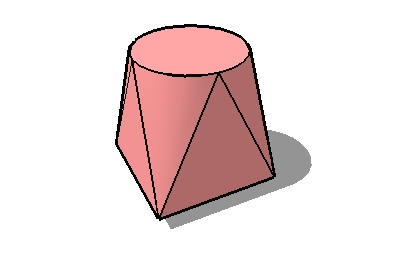
                                        So, since I was getting slightly tired of programing I decided to take a break and show you guys just what the plans for future versions are. Each picture shows what that version will do in one operation. The current version is 1.8, working on 1.9.

                                        version1[1].9.jpg
                                        version1[1].8.jpg
                                        Versions1-1[1].7.jpg

                                        1 條回覆 最後回覆 回覆 引用 0
                                        • A 離線
                                          architectboy
                                          最後由 編輯

                                          Here are the rest. And all the versions in-between 1.0 and 1.7 had slightly different ways of doing the same thing, until 1.7 finally allowed enough expansion.
                                          version2[1].0.jpg
                                          version1[1].10.jpg

                                          1 條回覆 最後回覆 回覆 引用 0
                                          • bazB 離線
                                            baz
                                            最後由 編輯

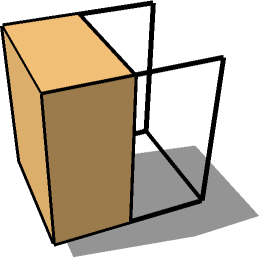
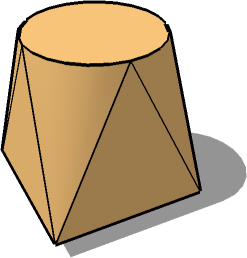
                                            ok ab here they are again with the colour change, exported without aa.

                                            baz

                                            edit: just saw yours, they look fine.

                                            skin lge.png


                                            select lge.png

                                            1 條回覆 最後回覆 回覆 引用 0
                                            • 1
                                            • 2
                                            • 3
                                            • 4
                                            • 5
                                            • 11
                                            • 12
                                            • 2 / 12
                                            • 第一個貼文
                                              最後的貼文
                                            Buy SketchPlus
                                            Buy SUbD
                                            Buy WrapR
                                            Buy eBook
                                            Buy Modelur
                                            Buy Vertex Tools
                                            Buy SketchCuisine
                                            Buy FormFonts

                                            Advertisement