[Plugin] HouseBuilder metric 1.2
-
In need of some help. I have got the housebuilder plugin installed on desktop and laptop. Trying to run the metric version. It loads fine on the laptop (I have only installed the metric version) but on the desktop (I had the original imperial version installed previously) I end up with mixed parameters ie imperial and metric in the same dialogue box. Have tried deleting from the plugins folder and reinstalling but always the same result. Driving me nuts.
any help appreciated.
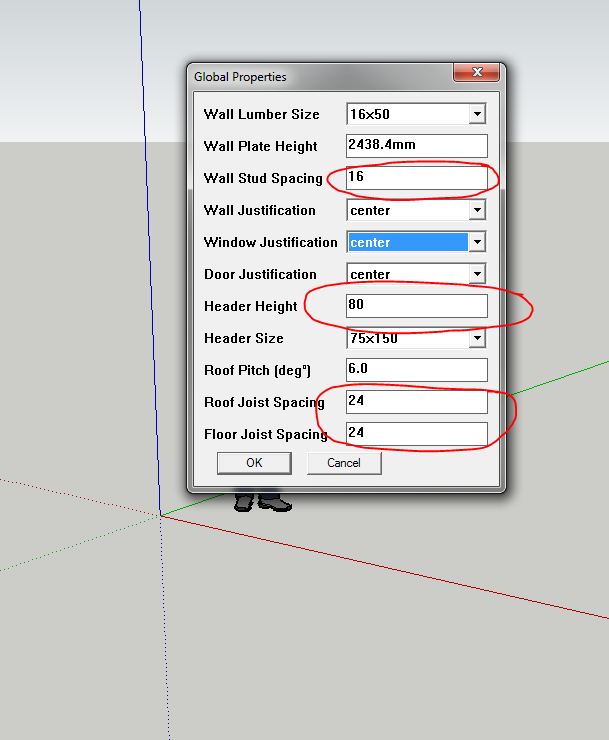
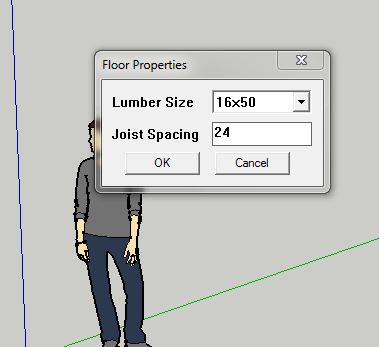
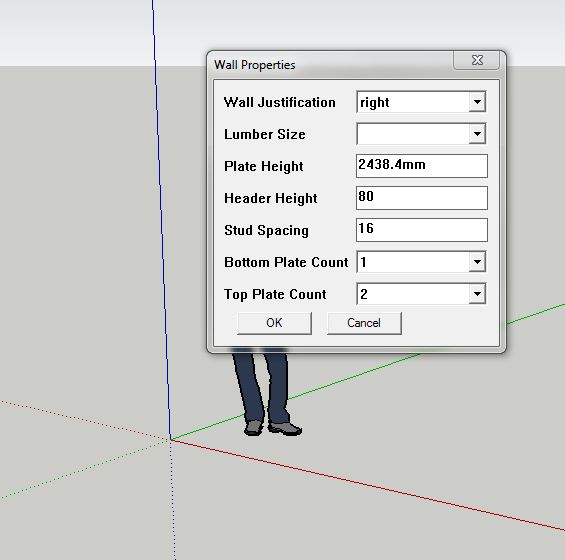
-
did you delete to imperial housebuilder folder? (or change it's name?), plus remove any housebuilder references in the plugins folder, then clean install the metric version. also ensure the units for the drawing are set to metric.
-
@gullfo said:
did you delete to imperial housebuilder folder? (or change it's name?), plus remove any housebuilder references in the plugins folder, then clean install the metric version. also ensure the units for the drawing are set to metric.
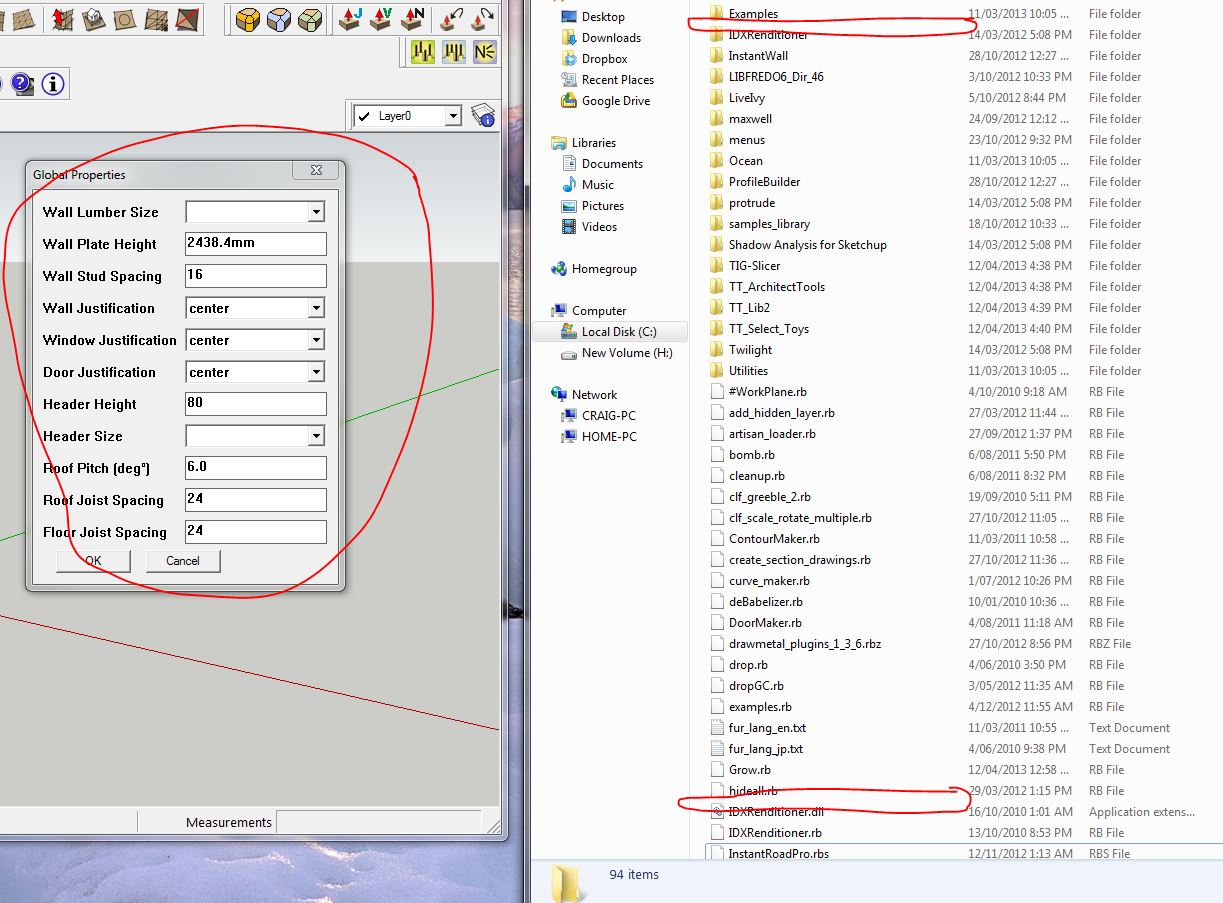
I have tried to delete all housebuilder folders (there is only 1) and the Housebuider.rb file from the plugins folder and then re open sketchup8 pro to find the plugin still available. Checked the plugins folder (C drive, programs etc etc) and the folder and .rb files are gone. Have tried to re-install and overwrite existing. Still no joy. I don't understand why I have half and half (imperial/metric) in the same dialogue box. Also lost as to why the plugin is still available when I have deleted it from the plugins folder.
I suspect that help with removing it successfully will help me in clean installing it to get up and running with an uncorrupted version.
-
and you're installing clean from the source zip file? i actually have both versions running by simply renaming the load files and the directories when i need to switch (add or remove ".MET" off the metric loading file and directory, and add or remove ".IMP" on the imperial version) and they both work ok. somehow i'm thinking you must have either mixed these versions up and are restoring from that? or the installation is in another folder (tools? or a secondary plugin folder - like a pre-compiled menu or toolbar plugin)which is causing this effect.
-
@gullfo said:
and you're installing clean from the source zip file? i actually have both versions running by simply renaming the load files and the directories when i need to switch (add or remove ".MET" off the metric loading file and directory, and add or remove ".IMP" on the imperial version) and they both work ok. somehow i'm thinking you must have either mixed these versions up and are restoring from that? or the installation is in another folder (tools? or a secondary plugin folder - like a pre-compiled menu or toolbar plugin)which is causing this effect.
Bingo! I did a search for 'Housebuilder' folders/files on the computer and found it hiding here
(C: Users/Me?AppData/Local/VirtualStore/Program Files (x86)/Google/Google Sketchup8/Plugins)
with the rest of its buddies. Deleted all. Clean install from the metric Zip. Giddyup.
Not quite sure I understand your system for running both. Do you rename ie add/remove the .MET,.IMP from the folders in the plugins folder prior to launching the plugin from within sketchup?
Thanks for your help. It was the prompt 'is in another folder' that set off the lightbulb. Had to navigate to the same location when trying to delete unused Layout templates. Searched for ages before finding the solution on one of SketchUcations threads.
-
The 'VirtualStore' means that you do not have 'full permissions' to write files/folders to the Plugins folder.
If you have a 'Compatibilities Files...' button/link in the Plugins folder's Windows-Explorer window top-bar then that is a sure sign [if you click it you'll get to your 'VirtualStore' subfolder]
It is Windows over zealously protecting you from yourself!
BUT it stupidly doesn't tell you it hasn't installed the files properly, and it can even show them as if it has... but in reality they are in these 'VirtualStore' subfolders... and then later SketchUp can't find them when it is auto-loading from the Plugins folder...Fix it asap...
You'll need to have Admin powers...
Select the Plugins folder icon.
Right-click context-menu > Properties > Security > Edit
Set access permissions to 'FULL' for everyone/anything [obviously including yourself!], that should stop a repeat after you save the changes. If the folder isn't currently owned by 'you' then it might also help to change its ownership in the Advanced > owner section...You might also want to fix the permissions for the SketchUp Components, Materials and Styles folders - because you will also want to add files to those from time to time.
-
yes, i manually rename the extension of the rb file and the extension i attach to the folder to keep them separated. so when i'm not using my dynamic framing components, and use the housebuilder scripts, i choose the appropriate one for the project i'm working on.
+1 on TIG's recommendation to set your permission on the sketchup folder - i'd do the entire folder so you can readily manipulate the materials, styles, plugins, components, and templates.
-
Thanks to you both for your help and advice. Correct on the 'compatability' issue. Do I need to manually change the security settings for every folder where this shows up? It looks like it will take me till Christmas given the quick look I had and the number of folders where the 'compatability' button is present.
Once again, appreciative of your time/help.
-
@craigcampbell66 said:
Thanks to you both for your help and advice. Correct on the 'compatibility' issue. Do I need to manually change the security settings for every folder where this shows up? It looks like it will take me till Christmas given the quick look I had and the number of folders where the 'compatibility' button is present.
Once again, appreciative of your time/help.
If you correct it for a folder the 'compatibility files...' link will show if there are still virtual store items mis-installed...
BUT because the changes should 'trickle down' to reset any included files and subfolders in that changed-folder you can try resetting the permissions on a all enclosing folder [like 'Program Files'] and after some time processing the lot all of the subfolders should be reset - BUT do you really want to affect everything ??? I recommend you do it for every VirtualStore entry where you know that you have/had insufficient permissions... -
is the new icons for material list only avaible in the metric version ??
Claude
-
Seems that in SU2014 it is not working. Any plan to repair it/maintain anymore? Thanks.
-
@bsusala said:
Seems that in SU2014 it is not working. Any plan to repair it/maintain anymore? Thanks.
Hi, I've made HB-metric 1.2 work with SU-2014 under Windows7.
It tries to find the file with timber sizes using old plugins location, it's just not there in SU2014.
All you need to workaround this and make the thing work is to put the "housebuilder_sections.txt" to old SU8-like plugins path.
So:
Step 1.
create the "Plugins\HouseBuilder" folder structure where you have your SU2014 installed.Right like it was in SU8. No it's not there in SU2014. Plugins are now stored in "C:\Users\YourUserName\AppData\Roaming\SketchUp\SketchUp 2014\SketchUp\Plugins", AKA
"%APP_DATA%\SketchUp\SketchUp 2014\SketchUp\Plugins"Step 2.
Copy the file "C:\Users\YourUserName\AppData\Roaming\SketchUp\SketchUp 2014\SketchUp\Plugins\HouseBuilder\housebuilder_sections.txt" to your freshly created Plugins/HouseBuilder folder under your SU2014 path.Step 3. If you are using some custom flawor of HB 1.2, with non-latin characters in it (I am using the Russian-language version from Forumhouse.ru) - then you will also need to convert the housebuilder_sections.txt encoding to UTF8 (notepad++ or any other good text editor will do)
WBR,
AVAmonster -
There's a 'properly fixed' version for v2014 - in another parallel thread, which discussed metric/imperial versions at length...
http://sketchucation.com/forums/viewtopic.php?p=519210#p519210 -
Hello! Windows 7х64 metric system starts up but with an error , and the buttons do not perform any action therefore.
Ошибка при загрузке файла HouseBuilder_extension.rb Error; #<NameError; undefined local variable or method `exec_on_autoload' for main;Object> C;/Users/CruBiY/AppData/Roaming/SketchUp/SketchUp 2015/SketchUp/Plugins/HouseBuilder_extension.rb;197;in `<top (required)>' -
Did you install the latest updated version, as linked ?
http://sketchucation.com/forums/viewtopic.php?p=519210#p519210NOTE:
Download the RBZ archive, then Install it using SketchUp's
Preferences > Extensions > Install Extension...button.
Do NOT rely on your own efforts in extracting/installing files manually from the ZIP - it's a common cause of problems...
If you have v2013 or older you need to have FULL permissions to the Plugins folder within the ../Program Files/.. folder-path tree, since v2014 this is moved to your own../AppData/Roaming/.. folder-tree and automatically has FULL permissions.Your member's profile says v2013, but the error-message refers to v2015, so I assume you have upgraded.
Please correct your profile.
AND do NOT copy Plugins from older versions - always install the latest versions afresh.
There were major changes to SketchUp's Ruby with the introduction of v2014 - so many Plugins have been rewritten to remain compatible, so get the latest copies of all of your Plugins to avoid these error messages... -
how can i download house builder tool bar try so many things and nothing pops up in sketch up tool bar
-
Did you try this one?
http://sketchucation.com/forums/viewtopic.php?p=519210#p519210
-
@tlevelconstruction said:
try so many things and nothing pops up in sketch up tool bar
What version of SketchUp are you really using? Your profile says 2021 Free/Make but there is no such version.
-
There are a pair of definitive downloads available for both the metric and imperial versions.
I prepared these almost 7 years ago.
https://sketchucation.com/forums/viewtopic.php?p=564448#p564448
Try getting and testing one of those...
Remember all of this code is very old... and newer/better tools have been developed and are readily available if you search for them...









Advertisement