sketchucation logo sketchucation
    • Login
    Oops, your profile's looking a bit empty! To help us tailor your experience, please fill in key details like your SketchUp version, skill level, operating system, and more. Update and save your info on your profile page today!
    Mac User? | Join the Rayscaper Beta for Mac Learn More

    Modlumi - Easy 3D modelling


    Scheduled Pinned Locked Moved Corner Bar
    272 Posts 9 Posters 23.7k Views 7 Watching
    Loading More Posts
    • Oldest to Newest
    • Newest to Oldest
    • Most Votes
    Reply
    • Reply as topic
    Log in to reply
    This topic has been deleted. Only users with topic management privileges can see it.
    • pixelcruncherP
      pixelcruncher Extension Creator
      last edited by

      Modlumi 0.3 is now live at https://modlumi.com/app/, with a ton of fixes and improvements, many of them based on your feedback in this thread. Thanks for all the reports and suggestions!

      Full release notes: https://modlumi.com/docs/release-notes/

      If you run into anything, use Report a Bug or Send Feedback in the app or reply here.

      I'm the developer of Rayscaper: https://rayscaper.com/ - Fast and easy rendering for SketchUp.

      ntxdaveN 1 Reply Last reply
      Reply Quote 0
      • ntxdaveN
        ntxdave @pilou
        last edited by

        @pilou said:

        We can't name a curve ? If I make a group it can't be selected for make a sweep! (?)

        So the best solution is put the path out of the future structure for an easy selection! ๐Ÿ™‚

        effacer.jpg

        e0a52f68-247a-422b-a885-f7ddf55a5539.jpg

        c68bc845-f0fd-4b48-94c7-c09fb52448d6.jpg
        Couple of questions:

        • How did you draw this model?

        • How did you render this model?

        I do not see the ability render with the type of materials in your model. As an example, how did you make something look like it is metalic. The only thing I am seeing in the materials is colors and no ability to add any shin or roughtness.

        Press F1...thank me later

        1 Reply Last reply
        Reply Quote 0
        • ntxdaveN
          ntxdave @pixelcruncher
          last edited by ntxdave

          @pixelcruncher said:
          IN the release notes, I saw this:
          See a readable release number in the browserโ€™s menu bar. Makes it easier to check whether the latest release is loaded. Original forum report

          When I look in the upper right part of the browser's menu bar, I keep am seeing 0.4 ๐Ÿ™‚

          Press F1...thank me later

          1 Reply Last reply
          Reply Quote 0
          • pixelcruncherP
            pixelcruncher Extension Creator
            last edited by

            @ntxdave Life's fast on the bleeding edge, I just released a new version ๐Ÿ˜‰

            I'm the developer of Rayscaper: https://rayscaper.com/ - Fast and easy rendering for SketchUp.

            ntxdaveN 1 Reply Last reply
            Reply Quote 0
            • ntxdaveN
              ntxdave @pixelcruncher
              last edited by

              @pixelcruncher said:

              @ntxdave Life's fast on the bleeding edge, I just released a new version ๐Ÿ˜‰

              But I thought it was 0.3, not 0.4!

              Pilou has been showing some really neat stuff in his posts but I do not understand how it is accomplishing some of it. In particular, how is he applying the textures he has been showing?

              Press F1...thank me later

              1 Reply Last reply
              Reply Quote 0
              • pixelcruncherP
                pixelcruncher Extension Creator
                last edited by

                @ntxdave Those renders were not made by modlumi. He created the model in modlumi, and then used other software to render it.

                I'm the developer of Rayscaper: https://rayscaper.com/ - Fast and easy rendering for SketchUp.

                1 Reply Last reply
                Reply Quote 0
                • pixelcruncherP
                  pixelcruncher Extension Creator
                  last edited by

                  Just released a new version (v0.6). This one has fillet/chamfer/bevel support. This feature is still experimental and may change. Feedback welcome!
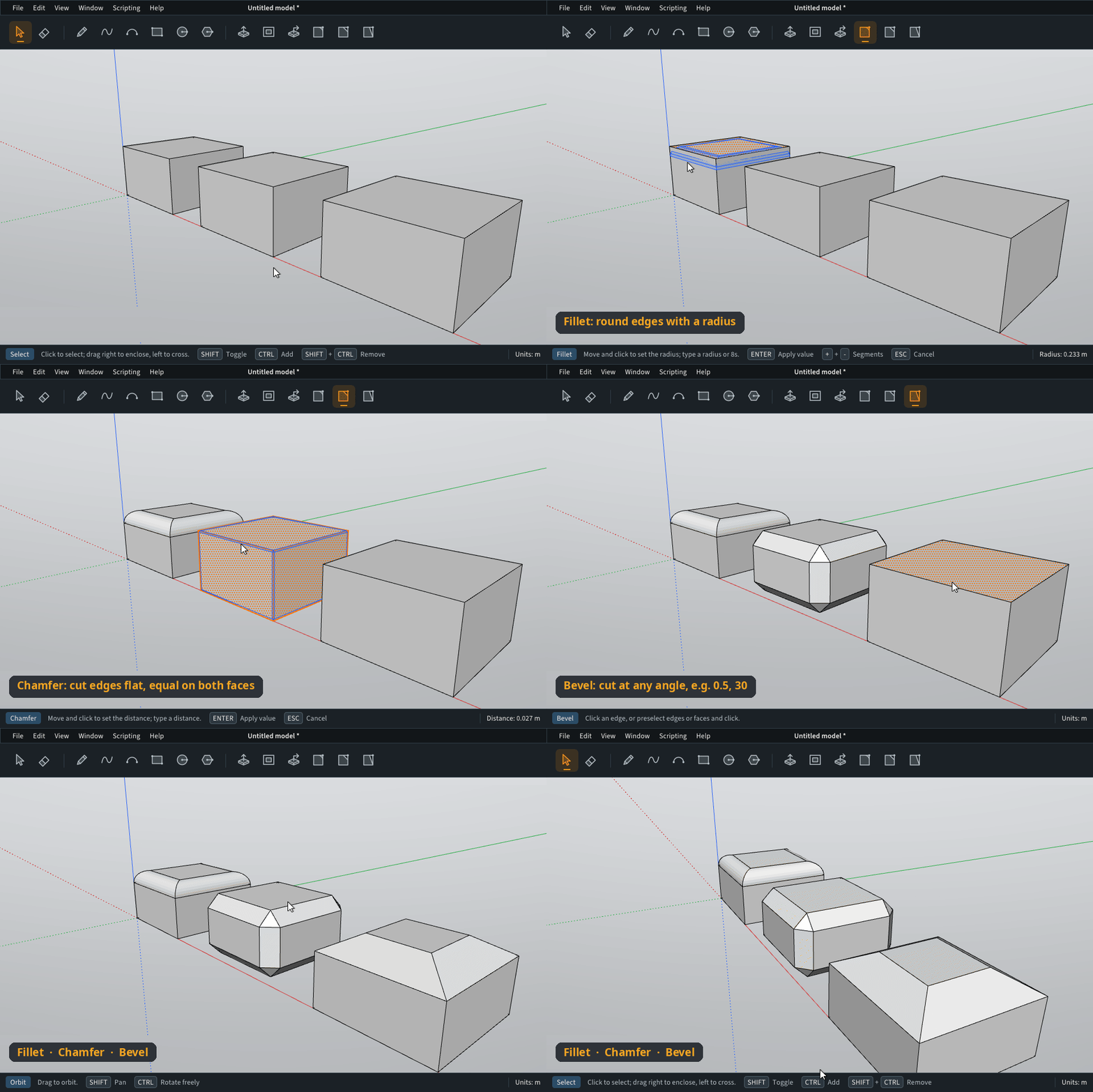
                  modlumi-fillet-chamfer-bevel.gif

                  I'm the developer of Rayscaper: https://rayscaper.com/ - Fast and easy rendering for SketchUp.

                  1 Reply Last reply
                  Reply Quote 1
                  • ntxdaveN
                    ntxdave
                    last edited by ntxdave

                    OK,

                    1. How do I update to the latest version or is it automatic when you run the app?
                    2. How do you control/enter the infor for the bevel options?

                    Never mind, you can delete this message. I just went back to the app and now see that it updated automatically.

                    Press F1...thank me later

                    1 Reply Last reply
                    Reply Quote 0
                    • pilouP
                      pilou
                      last edited by pilou

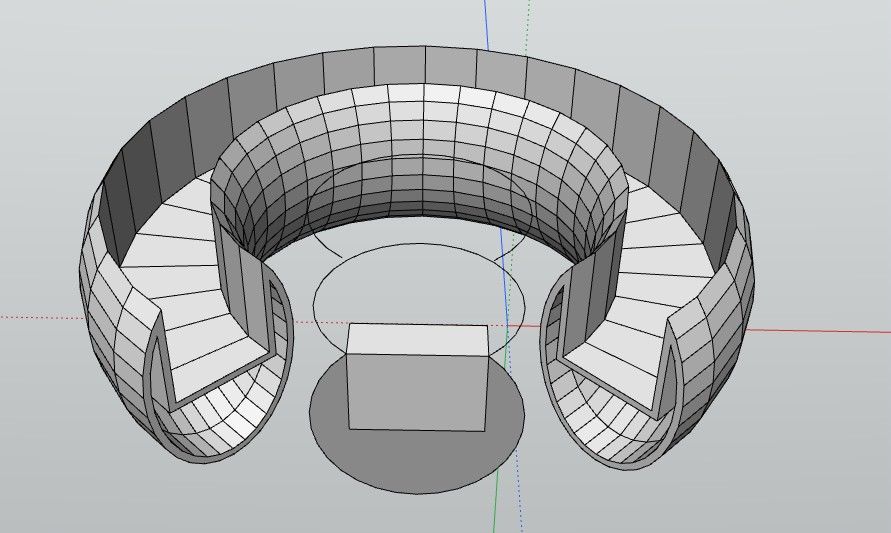
                      @ntxdave How did you draw this model?
                      Draw any closed section
                      Draw an Arc CIrcle
                      Use the Sweep Section
                      (put the arc circle out of the Structure resultant like this you can reuse it for following!
                      Draw an internal Offset on one of face extremity
                      Use again the Sweep Function with this Offset!
                      (same the furniture above)

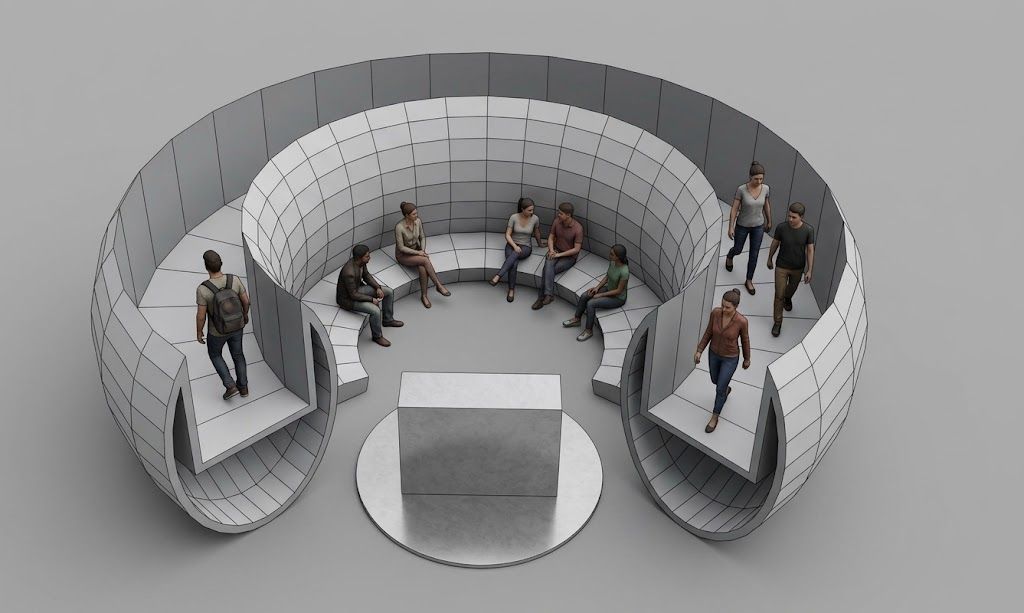
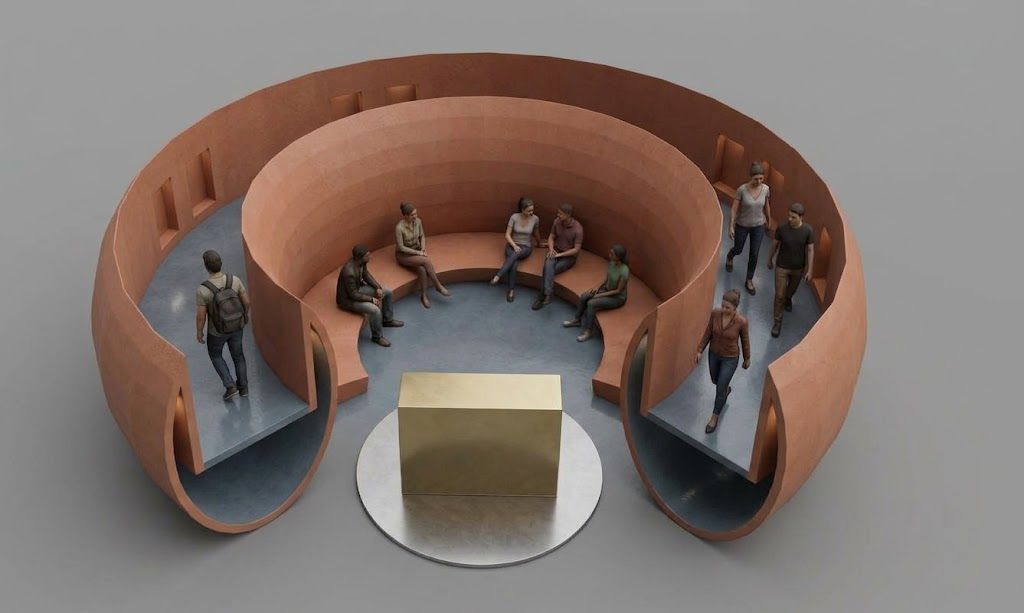
                      ""How did you render this model?"
                      I make a screen Snapshot (but you can use the Save Image Function of ModLumi ! ;ยฐ
                      Then send it to free Gemini where you can make any thing you want! https://gemini.google.com/app
                      Very simple prompts! (en franรงais ! ๐Ÿ˜‰

                      • effacer les axes, et mettre des personnages dans ces couloirs
                      • mettre de la couleurs sur la structure .

                      So In English! ๐Ÿ™‚ the 2 Prompts were..

                      • erase the axes and place figures in these corridors
                      • add color to the structure
                        What do want more simple ? ๐Ÿ™‚

                      If you have some problem I can make another gif animation! ๐Ÿ˜‰

                      In fact modeling is quasi the same than inside SKetchUp !

                      Frenchy Pilou
                      Is beautiful that please without concept!
                      My Little site :)

                      E 1 Reply Last reply โ™ฅ
                      Reply Quote 0
                      • pilouP
                        pilou
                        last edited by pilou

                        @pixelcruncher
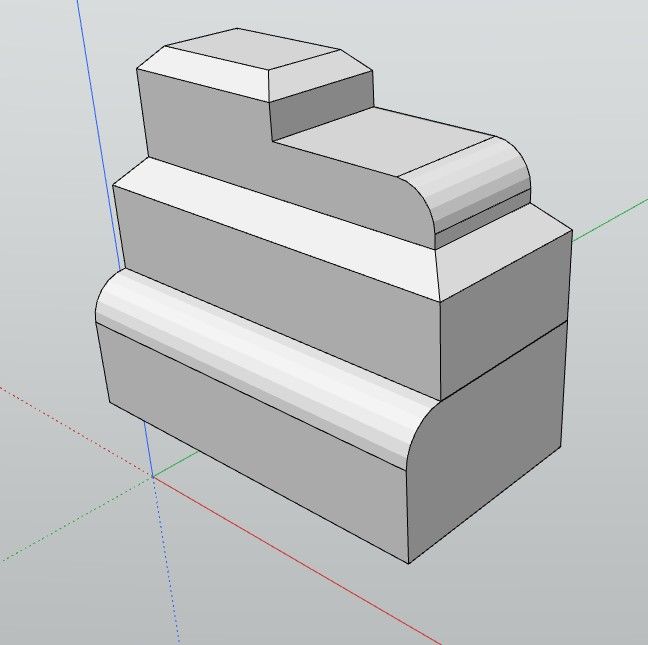
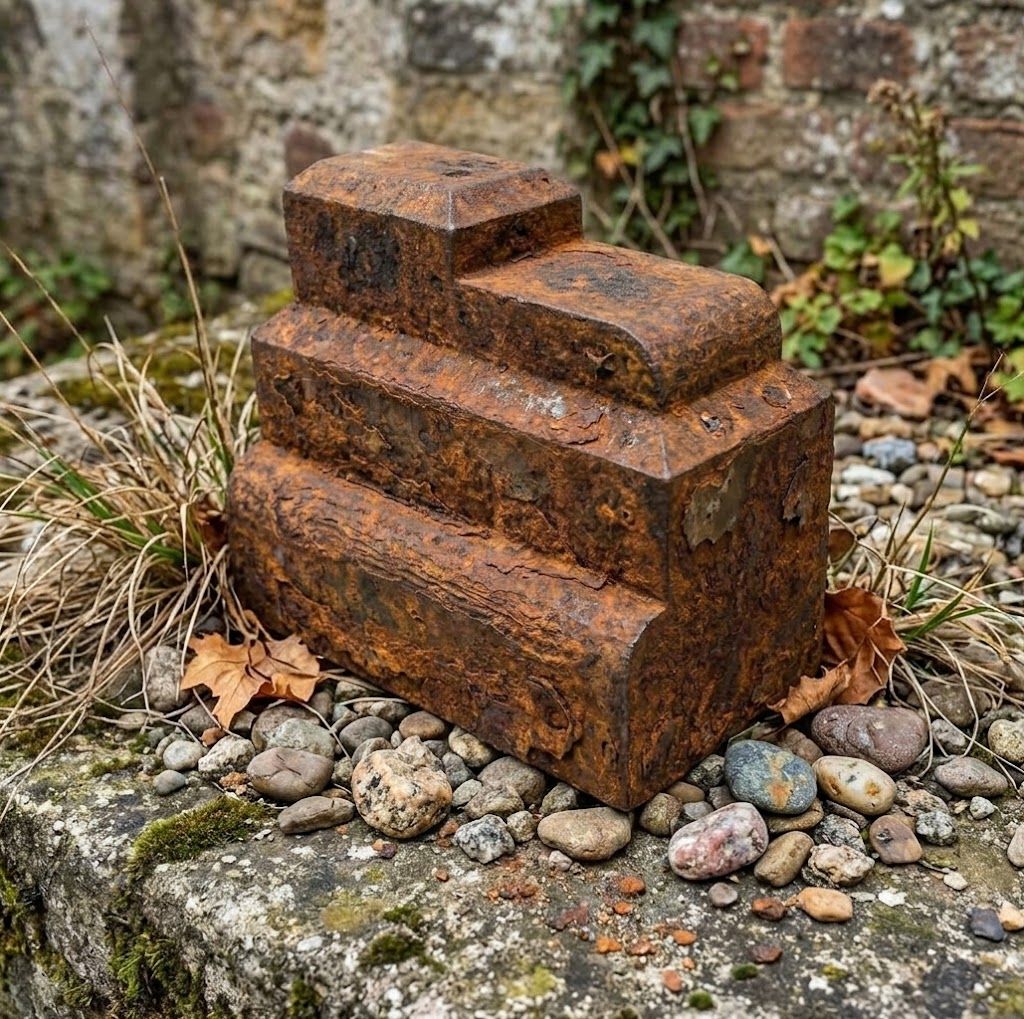
                        Excellent seems you have resolved the Bug of 3D Snap Arc Circle ! Bravo!
                        Your Bevel, Fillet, Chamfer functions are a killer one!
                        Working from the first time! ๐Ÿ™‚
                        presse.jpg

                        340df209-eed5-4856-93d0-1182eeed06a7.jpg

                        Frenchy Pilou
                        Is beautiful that please without concept!
                        My Little site :)

                        1 Reply Last reply
                        Reply Quote 1
                        • pilouP
                          pilou
                          last edited by

                          Searching defaults ๐Ÿ™‚
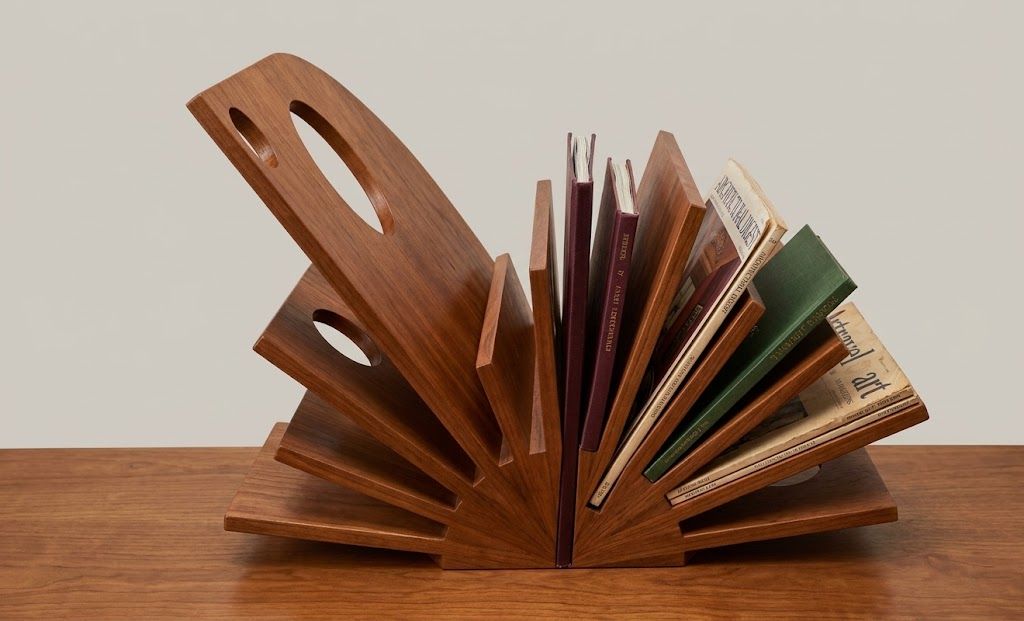
                          prรฉsentoir.jpg

                          4f8f109d-9501-4128-83c1-b588c2c497a1.jpg

                          Frenchy Pilou
                          Is beautiful that please without concept!
                          My Little site :)

                          1 Reply Last reply
                          Reply Quote 2
                          • pilouP
                            pilou
                            last edited by pilou

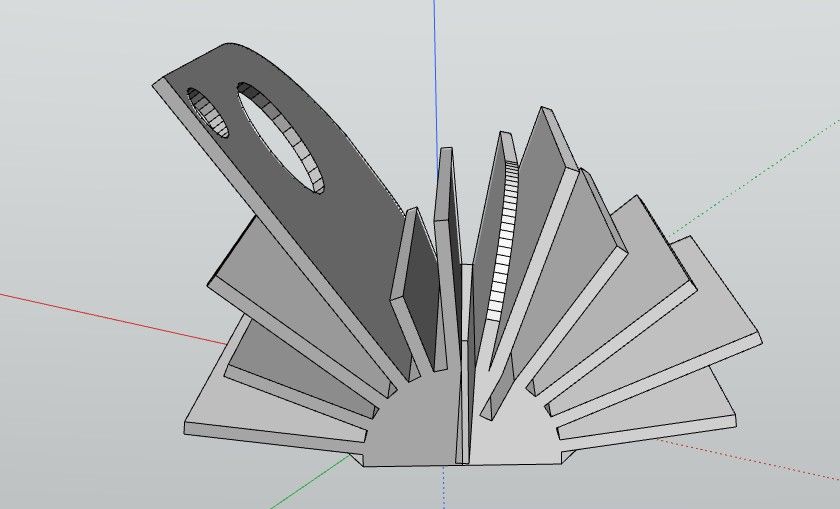
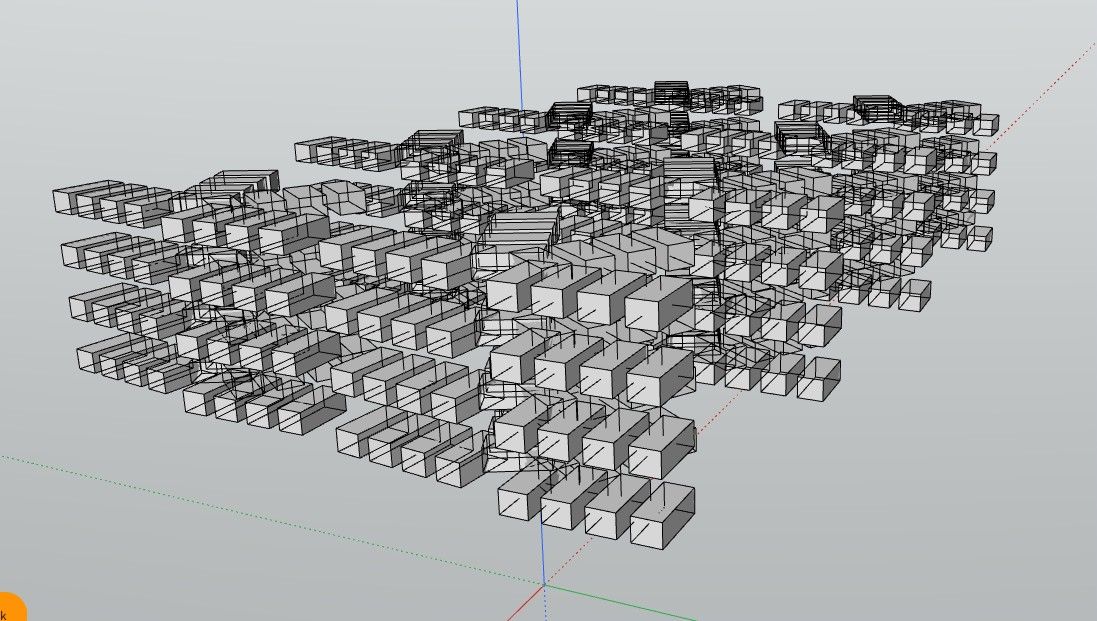
                            Seems when there are numerous elements, display changes ?
                            Can we have a special display ? Here seems semi transparent!

                            After an move or rotate element, (M) + Ctrl we can write * 3 or 3* ๐Ÿ™‚
                            futuristic.jpg
                            ce2ccf21-2502-47f5-a9b3-1fea30f1903b.jpg

                            Frenchy Pilou
                            Is beautiful that please without concept!
                            My Little site :)

                            pixelcruncherP 1 Reply Last reply
                            Reply Quote 1
                            • pixelcruncherP
                              pixelcruncher Extension Creator @pilou
                              last edited by pixelcruncher

                              @pilou said:

                              Seems when there are numerous elements, display changes ?
                              Can we have a special display ? Here seems semi transparent!

                              After an move or rotate element, (M) + Ctrl we can write * 3 or 3* ๐Ÿ™‚

                              futuristic.jpg
                              ce2ccf21-2502-47f5-a9b3-1fea30f1903b.jpg

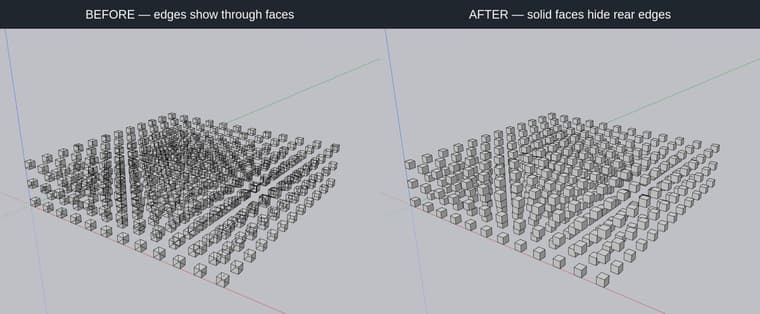
                              Viewport is fixed in v7. Tracking the other one as a suggestion, it's more work.

                              before-after.jpeg

                              Cheers!
                              Thomas

                              I'm the developer of Rayscaper: https://rayscaper.com/ - Fast and easy rendering for SketchUp.

                              1 Reply Last reply
                              Reply Quote 0
                              • pilouP
                                pilou
                                last edited by

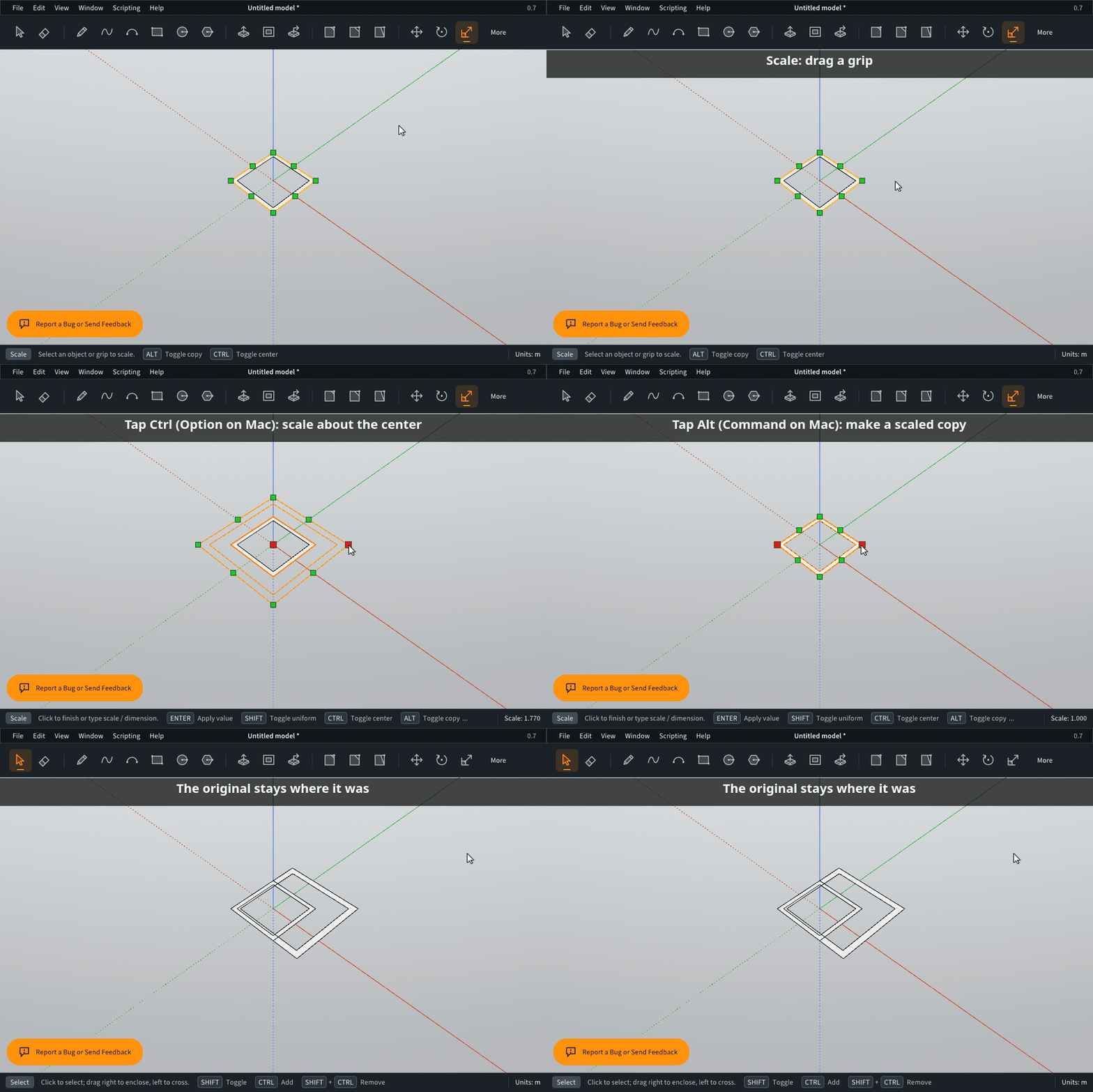
                                Bug or not ?
                                When Scale with CTRL ... no Copy of the original!

                                Frenchy Pilou
                                Is beautiful that please without concept!
                                My Little site :)

                                pixelcruncherP 1 Reply Last reply
                                Reply Quote 0
                                • ntxdaveN
                                  ntxdave
                                  last edited by

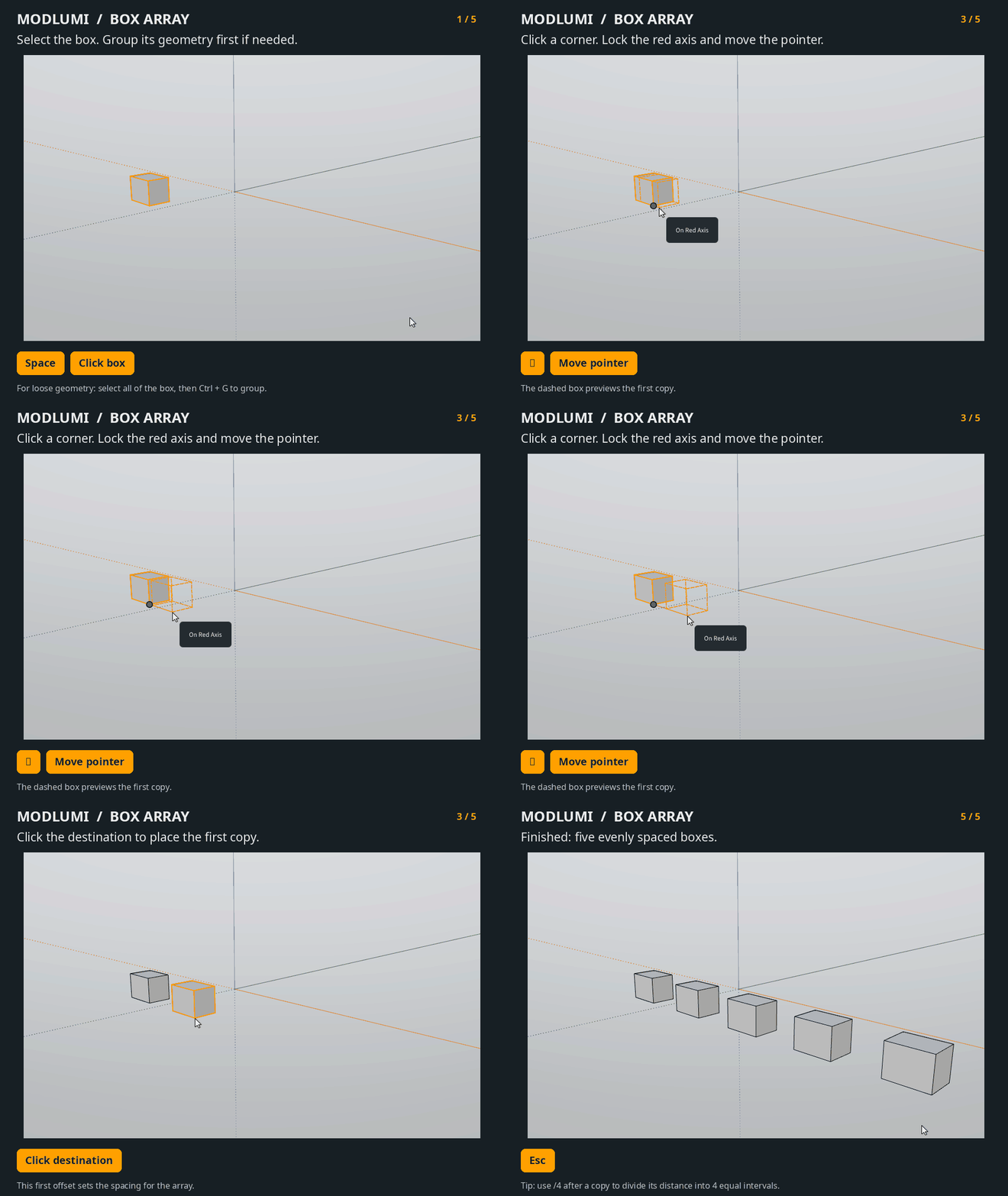
                                  How do you create an array in Modlumi?

                                  Press F1...thank me later

                                  pixelcruncherP 1 Reply Last reply
                                  Reply Quote 0
                                  • pixelcruncherP
                                    pixelcruncher Extension Creator @ntxdave
                                    last edited by

                                    @ntxdave

                                    modlumi-box-array.gif

                                    I'm the developer of Rayscaper: https://rayscaper.com/ - Fast and easy rendering for SketchUp.

                                    1 Reply Last reply
                                    Reply Quote 1
                                    • ntxdaveN
                                      ntxdave
                                      last edited by

                                      Thanks for the quick response. I think there must be a bunch of stuff like this that I am not understanding how to do in Modlumi.

                                      As an example, If I want to create a polygon with 8 sides instead of 6 (which is the default), how do I do it? I also sent you some other silly questions.

                                      Press F1...thank me later

                                      1 Reply Last reply
                                      Reply Quote 0
                                      • pixelcruncherP
                                        pixelcruncher Extension Creator @pilou
                                        last edited by

                                        @pilou This is by design, ctrl scales about the center. Alt makes the copy.
                                        explain-scale-modifiers.gif

                                        I'm the developer of Rayscaper: https://rayscaper.com/ - Fast and easy rendering for SketchUp.

                                        1 Reply Last reply
                                        Reply Quote 1
                                        • ntxdaveN
                                          ntxdave
                                          last edited by

                                          @pixelcruncher I think these issues are pointing to a need for a user manual or someplace where users/potential users can learn how to use the basics of the software.

                                          Press F1...thank me later

                                          1 Reply Last reply
                                          Reply Quote 0
                                          • pilouP
                                            pilou
                                            last edited by pilou

                                            @ntxdave
                                            All of your "silly" questions are generally answered on the left Bottom line! ๐Ÿ˜‰
                                            For your number sides'Polygon for example! ;
                                            Just Press + or - ๐Ÿ˜‰

                                            And in general, MOdLumi is quasi the same than the old SU functions!

                                            PLus.jpg

                                            Frenchy Pilou
                                            Is beautiful that please without concept!
                                            My Little site :)

                                            1 Reply Last reply
                                            Reply Quote 2

                                            Hello! It looks like you're interested in this conversation, but you don't have an account yet.

                                            Getting fed up of having to scroll through the same posts each visit? When you register for an account, you'll always come back to exactly where you were before, and choose to be notified of new replies (either via email, or push notification). You'll also be able to save bookmarks and upvote posts to show your appreciation to other community members.

                                            With your input, this post could be even better ๐Ÿ’—

                                            Register Login
                                            • 1
                                            • 2
                                            • 8
                                            • 9
                                            • 10
                                            • 11
                                            • 12
                                            • 13
                                            • 14
                                            • 10 / 14
                                            • First post
                                              Last post
                                            Buy SketchPlus
                                            Buy SUbD
                                            Buy WrapR
                                            Buy eBook
                                            Buy Modelur
                                            Buy Vertex Tools
                                            Buy SketchCuisine
                                            Buy FormFonts

                                            Advertisement