Modlumi - Easy 3D modelling



-
@ntxdave
On the first post it's Modlumi but i write ModLumi because it's more easy to remember it!
And better visual impact!About the Paid product https://community.sketchucation.com/post/1622917
-
@ntxdave Sorry the update keeps giving you trouble. On my end the update link serves
modlumi-0.20-Setup-x64.execorrectly. My guess is that the browser holds the file back because the installer isn't code-signed yet, and in that state it can show up as an unnamed or "Unconfirmed" download instead of an .exe.Could you post a screenshot of the browser's download list (Ctrl+J) right after downloading, and tell me which browser you use? If you see a "Keep" or "…" option there, try Keep → Keep anyway. Does that give you the .exe?
Meanwhile you can always get the installer straight from https://modlumi.com/download/latest/windows. Thanks for sticking with it!
I have been getting things updated OK. On my laptop, sometimes Norton makes me OK things several times but I am not running version 0.20 on both my laptop and the browser (I am using the MS Edge browser).
Thanks for the post though. Since I can no longer afford SketchUp, I am looking at ModLumi a lot and trying to learn how to use the various options. I hope I am not bugging you with all of the posts I have been sending you.
Press F1...thank me later
-
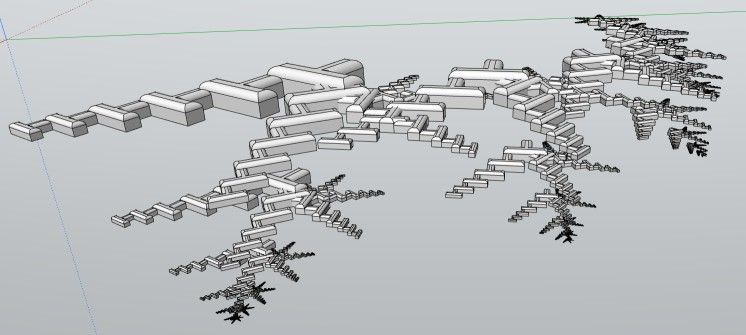
Prompts were:
Erase axes and make a futurist city
At the beach
At the snow mountain


-
@ntxdave That's what we're here for, to figure it all out together.
-
Modlumi for Mac is out

Hi all,
Modlumi now runs on the Mac too. You can get it from the download button on modlumi.com, or directly here: modlumi.com/download/latest/macos. It's free.
It's the same desktop app as on Windows: save models straight to disk, File → Save to Image…, plugins and scripting with the script console and editor, and all the built-in plugins.
Getting started
- Unzip the download and move Modlumi to your Applications folder.
- The app is signed and notarized by Apple, so it opens without security warnings.
- Shortcuts use Cmd where Windows uses Ctrl, so Cmd+N, Cmd+A and so on.
What you need
A Mac with Apple silicon (M1 or newer) running macOS 15 Sequoia or later. Intel Macs aren't supported yet.
This is the first Mac build, so expect a few rough edges. If something looks or feels off, please use Help → Report a Bug or Send Feedback… or post it here as usual.
Cheers,
Thomas -
It has same function than the last 0.20 windows ? I can't test, i am not a mac fellow!
Frenchy Pilou
Is beautiful that please without concept!
My Little site :) -
@pilou yes, it has the same features.
I'm the developer of Rayscaper: https://rayscaper.com/ - Fast and easy rendering for SketchUp.
-
I am having a problem trying to copy/move an object to create an array of the objects. I thought someone had posted something about that before but I could not find it.
-
@pixelcruncher I am having a problem trying to create an array. I want to copy/move an object and add multiple copies. I thought there was something in this thread before about how to do this but I cannot find il Can someone help me.
-
I am trying to create an array of objects. I thought there was a post in this thread about how to do this but I cannot find it; Can someone give me the instructions about how to do it.
-
ntxdave said:
I am trying to create an array of objects. I thought there was a post in this thread about how to do this but I cannot find it; Can someone give me the instructions about how to do it.
OK, I looked at the documentation and figured it out.
-
Maybe it's me but seems there is a bug here ?
We need a perpendicular snap 3D ! (for pick the external oposite side!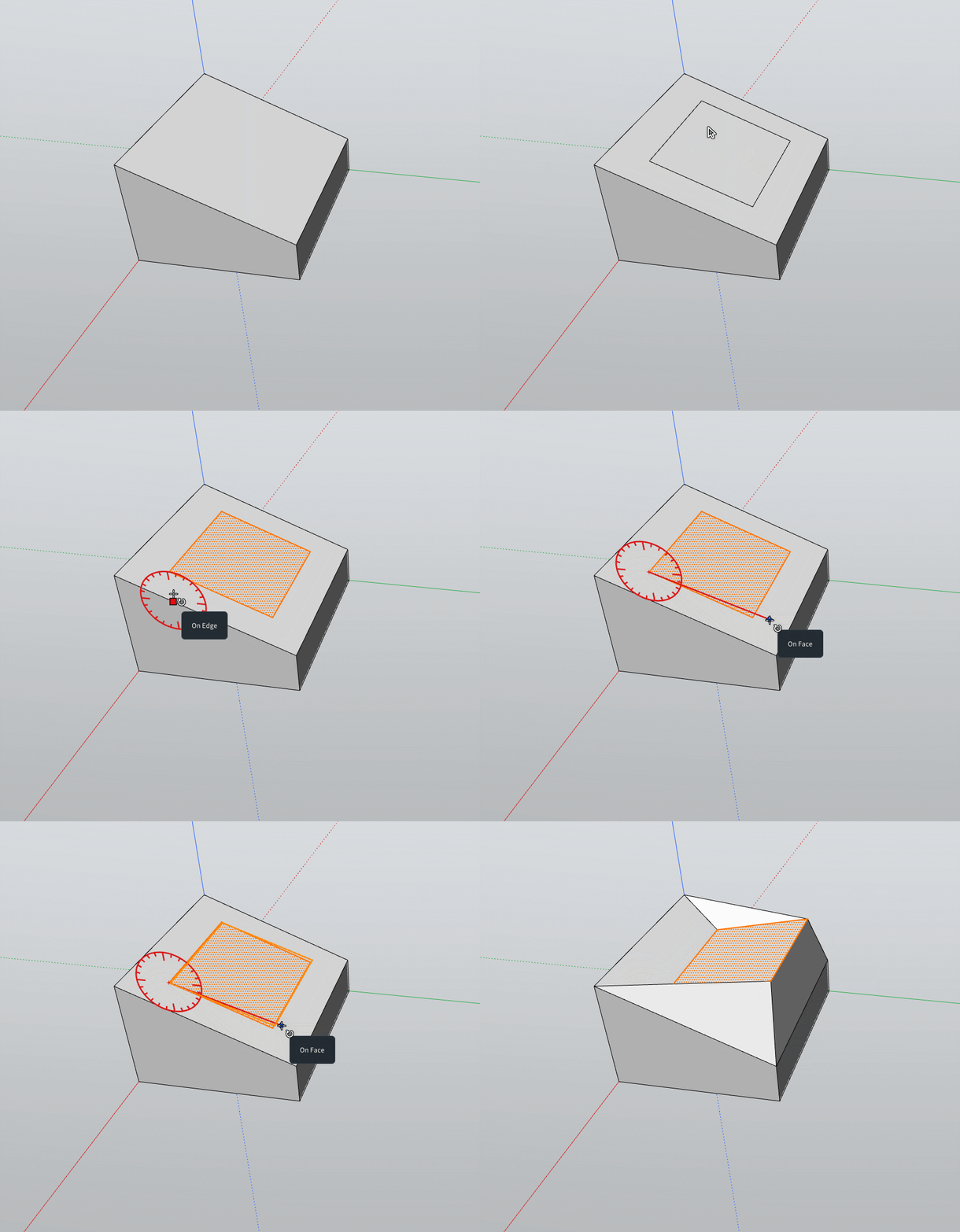



Hello! It looks like you're interested in this conversation, but you don't have an account yet.
Getting fed up of having to scroll through the same posts each visit? When you register for an account, you'll always come back to exactly where you were before, and choose to be notified of new replies (either via email, or push notification). You'll also be able to save bookmarks and upvote posts to show your appreciation to other community members.
With your input, this post could be even better 💗
Register Login


Advertisement