Modlumi - Easy 3D modelling



-
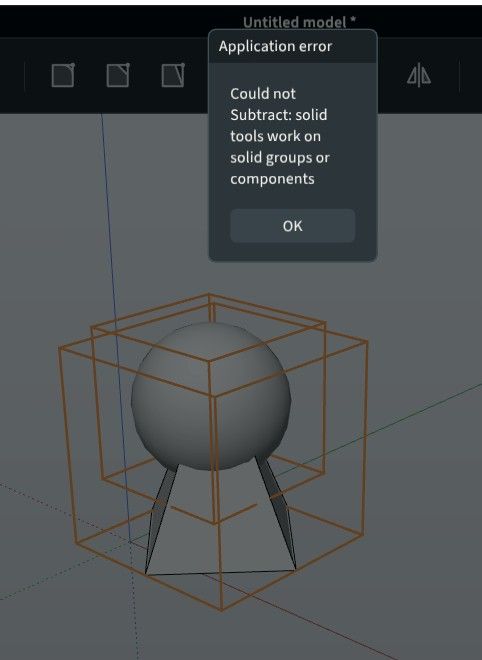
BUG!
 File linked! Of course each are solids or components!
Boolean don't work with these Shapes! -
@Krass could you check whether the edge artifacts from your Mercedes videos still show up in Modlumi 0.20? I tried your C63 model with both 0.13 and 0.20 on my machine and can't reproduce them, so it may depend on the graphics card. If you still see them, could you tell me which GPU and driver version you have? Task Manager › Performance › GPU shows both. Thanks!
I'm the developer of Rayscaper: https://rayscaper.com/ - Fast and easy rendering for SketchUp.
-
@pilou It's there! While scaling, tap Ctrl (Option on Mac) to switch to scaling about the center. Then a side's middle grip moves both sides symmetrically. Tap Ctrl again to go back to the opposite grip. You can tap it before you grab a grip or in the middle of the drag, and the status bar shows "✓ Center" while it's on. A typed value like
2+ Enter keeps it centered.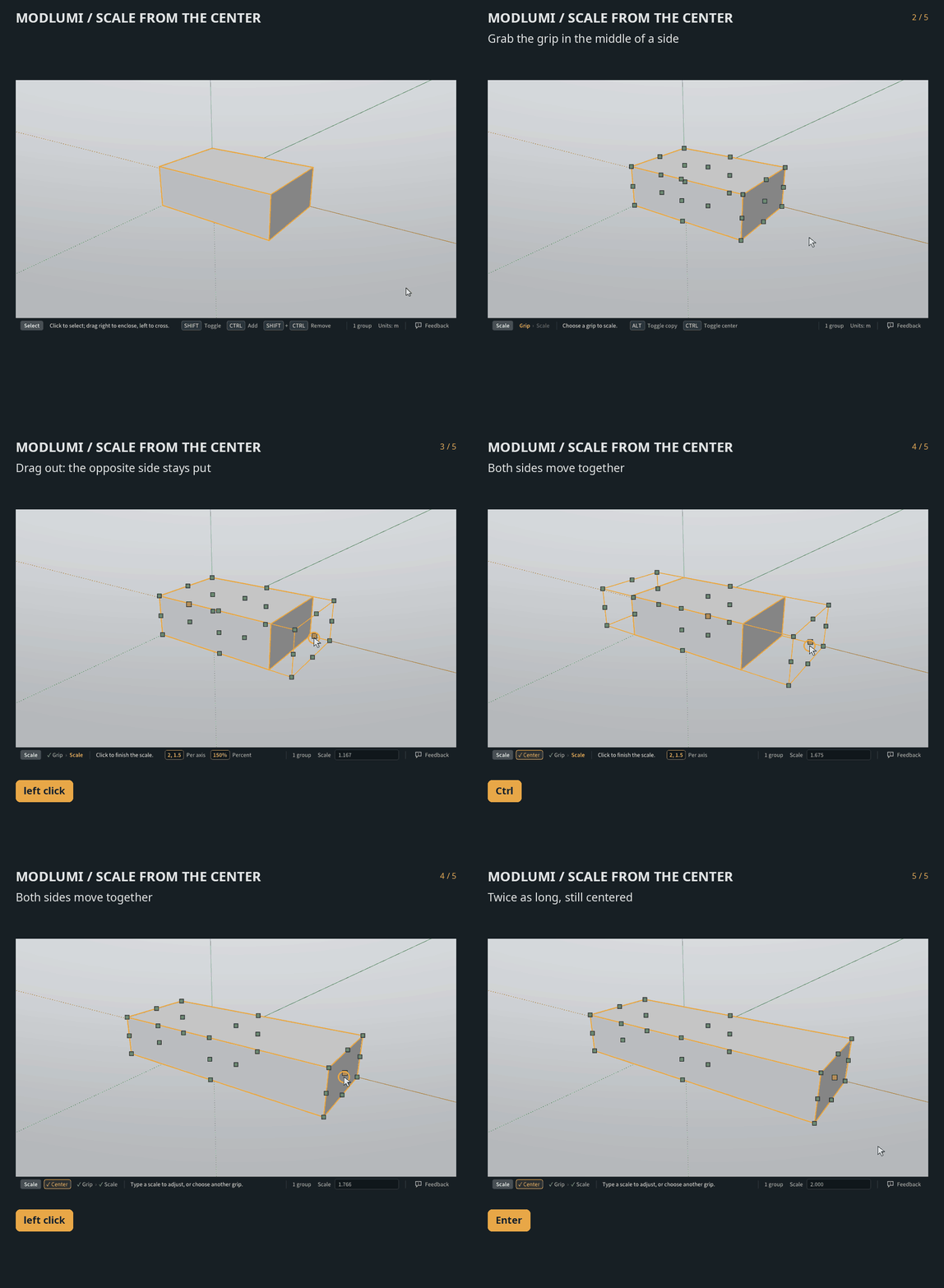
More in the docs: https://modlumi.com/docs/user-guide/transforming/
-
@ntxdave Sorry the update keeps giving you trouble. On my end the update link serves
modlumi-0.20-Setup-x64.execorrectly. My guess is that the browser holds the file back because the installer isn't code-signed yet, and in that state it can show up as an unnamed or "Unconfirmed" download instead of an .exe.Could you post a screenshot of the browser's download list (Ctrl+J) right after downloading, and tell me which browser you use? If you see a "Keep" or "…" option there, try Keep → Keep anyway. Does that give you the .exe?
Meanwhile you can always get the installer straight from https://modlumi.com/download/latest/windows. Thanks for sticking with it!
I'm the developer of Rayscaper: https://rayscaper.com/ - Fast and easy rendering for SketchUp.
-
@pixelcruncher
About Scale : yep that was that ; very cool the number as multiply length!In general we have properties say a box WIdth, Depth,height
Not yet possibilitie to edit numericaly something ? -
This post is deleted! -
@pixelcruncher Is there any way that we could use these items in ModLum:
-
SketchUp materials with the ability to adjust the roughness, shin, and other settings to make more realistic materials.
-
Fonts installed on our Windows or Mac computer
I am sure that others will come up with other ideas like this, but I think ModLumi is coming along fine. I am trying to learn how to use various features and thing you are making good progress. At some point, it also be neat if there was a way to use the Rayscaper features with ModLumi.
One last question: As some point, do you expect to make ModLumi a "paid" product?
OK, one more dumb question: Is it ModLUmi or Modlumi?
-
-
@ntxdave
On the first post it's Modlumi but i write ModLumi because it's more easy to remember it!
And better visual impact!About the Paid product https://community.sketchucation.com/post/1622917
-
@ntxdave Sorry the update keeps giving you trouble. On my end the update link serves
modlumi-0.20-Setup-x64.execorrectly. My guess is that the browser holds the file back because the installer isn't code-signed yet, and in that state it can show up as an unnamed or "Unconfirmed" download instead of an .exe.Could you post a screenshot of the browser's download list (Ctrl+J) right after downloading, and tell me which browser you use? If you see a "Keep" or "…" option there, try Keep → Keep anyway. Does that give you the .exe?
Meanwhile you can always get the installer straight from https://modlumi.com/download/latest/windows. Thanks for sticking with it!
I have been getting things updated OK. On my laptop, sometimes Norton makes me OK things several times but I am not running version 0.20 on both my laptop and the browser (I am using the MS Edge browser).
Thanks for the post though. Since I can no longer afford SketchUp, I am looking at ModLumi a lot and trying to learn how to use the various options. I hope I am not bugging you with all of the posts I have been sending you.
-
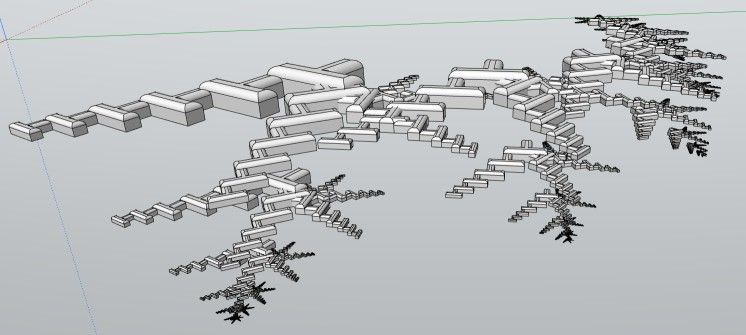
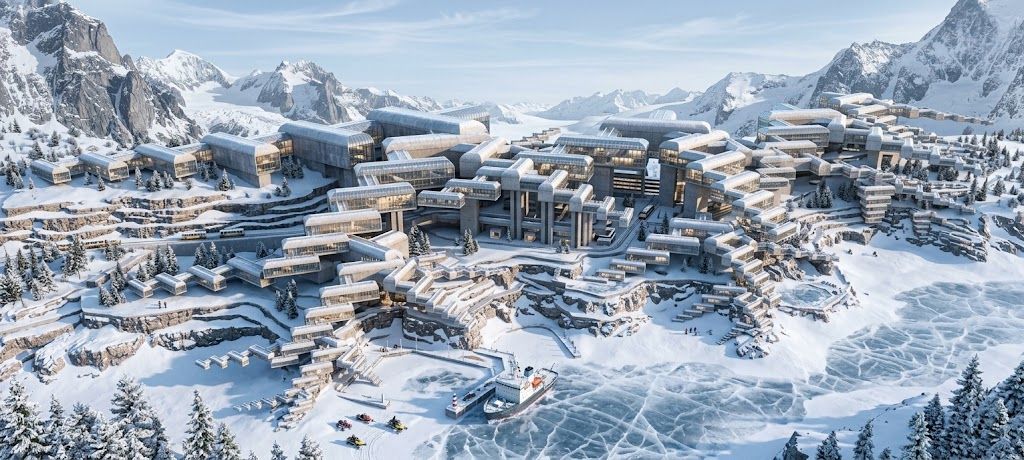
Prompts were:
Erase axes and make a futurist city
At the beach
At the snow mountain




Hello! It looks like you're interested in this conversation, but you don't have an account yet.
Getting fed up of having to scroll through the same posts each visit? When you register for an account, you'll always come back to exactly where you were before, and choose to be notified of new replies (either via email, or push notification). You'll also be able to save bookmarks and upvote posts to show your appreciation to other community members.
With your input, this post could be even better 💗
Register Login


Advertisement