sketchucation logo sketchucation
    • Login
    Oops, your profile's looking a bit empty! To help us tailor your experience, please fill in key details like your SketchUp version, skill level, operating system, and more. Update and save your info on your profile page today!
    ⚠️ Update | Sketchucation Tools 5.0.8 released with licensing improvements and bugfixes Download

    Edge Loop Insert – Insert loops like Maya/Blender

    Scheduled Pinned Locked Moved Extensions & Applications Discussions
    23 Posts 5 Posters 963 Views 6 Watching
    Loading More Posts
    • Oldest to Newest
    • Newest to Oldest
    • Most Votes
    Reply
    • Reply as topic
    Log in to reply
    This topic has been deleted. Only users with topic management privileges can see it.
    • J Offline
      Jianming Mo Newcomers
      last edited by Rich O Brien

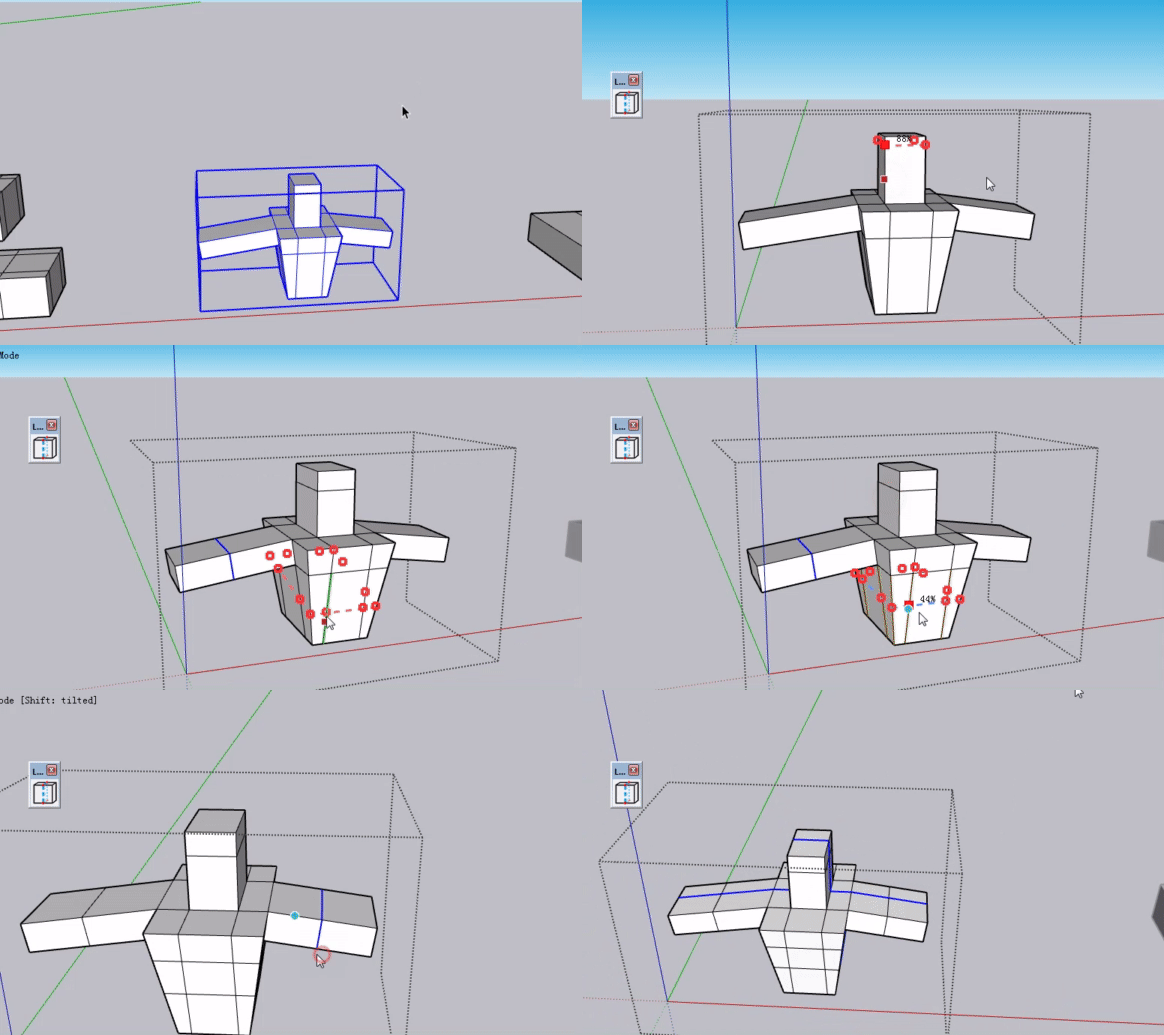
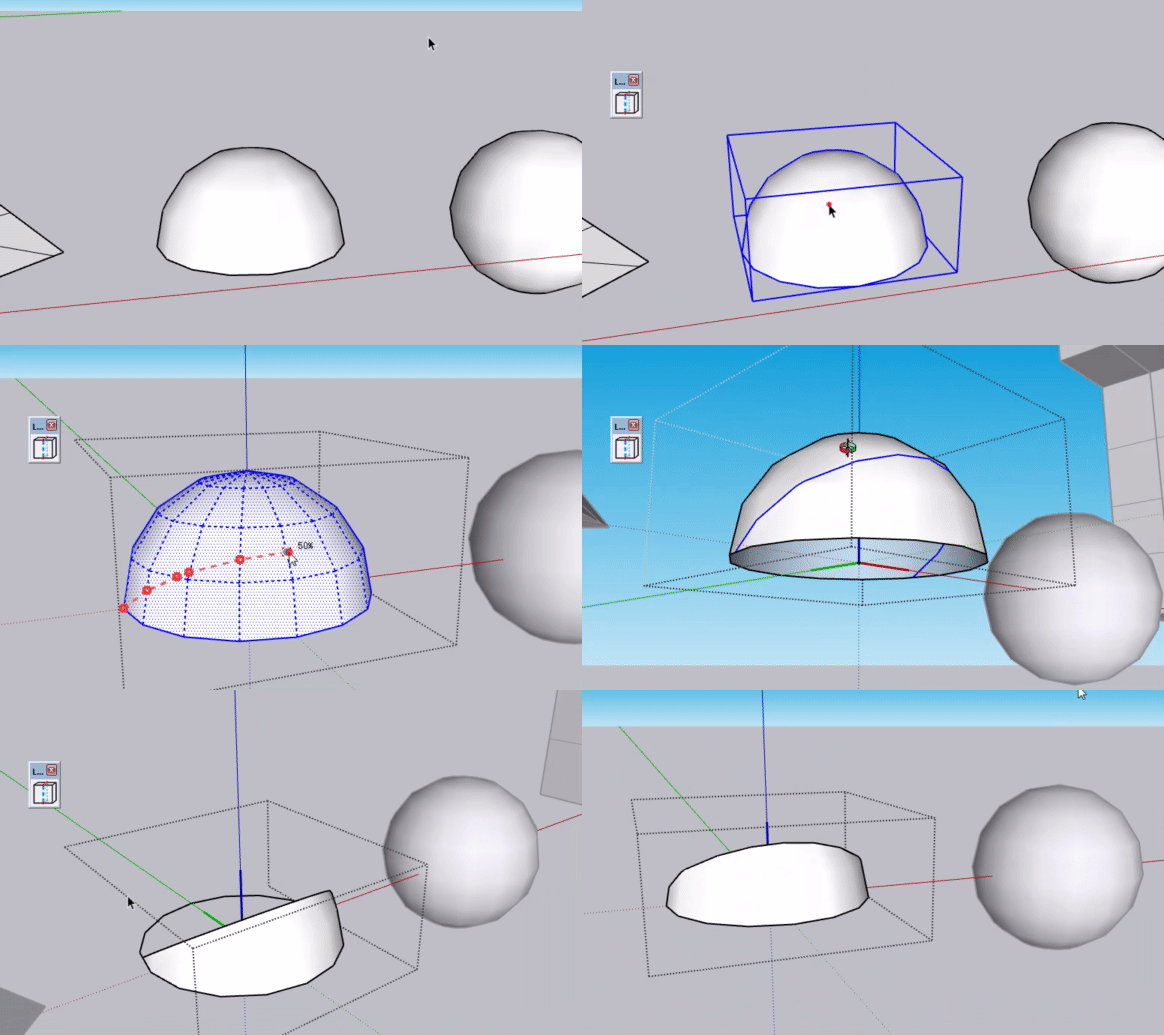
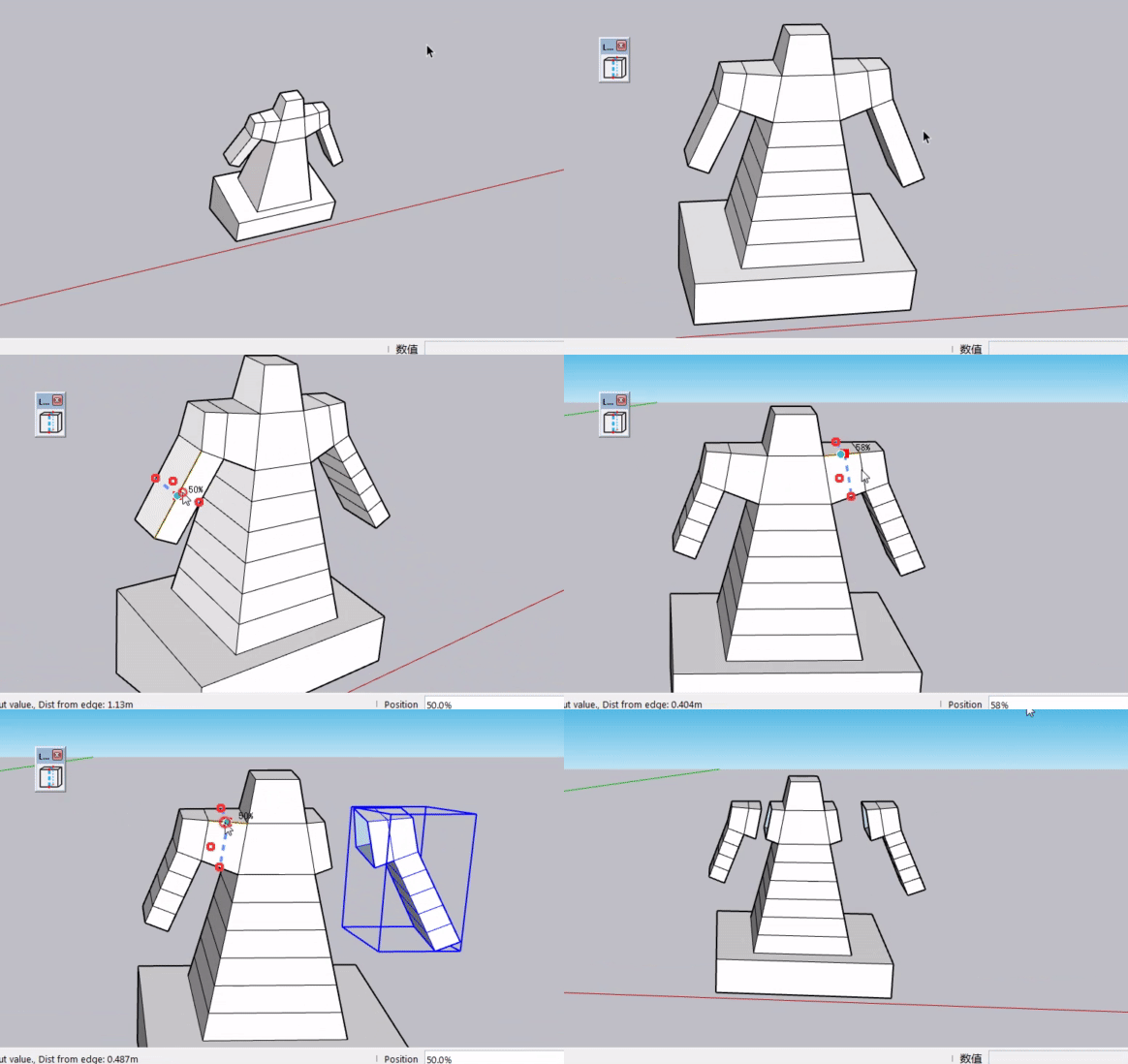
      bandicam 2026-08-17 11-46-55-961.gif
      bandicam 2026-08-17 11-47-28-605.gif
      bandicam 2026-08-17 11-48-07-468.gif
      bandicam 2026-08-17 11-49-02-018.gif
      bandicam 2026-08-17 11-49-25-058.gif

      1 Reply Last reply Reply Quote 2
      • J Offline
        Jianming Mo Newcomers
        last edited by

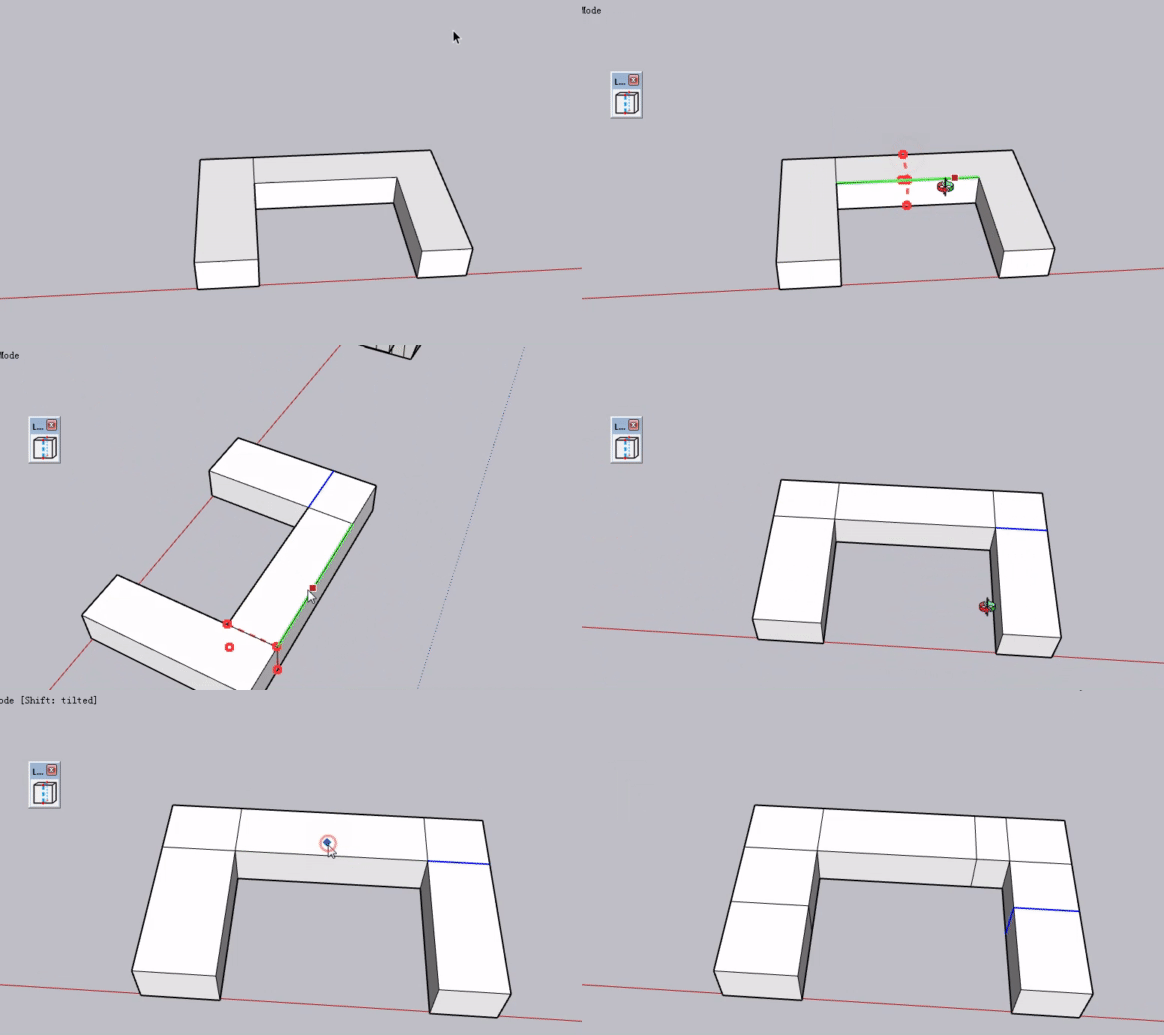
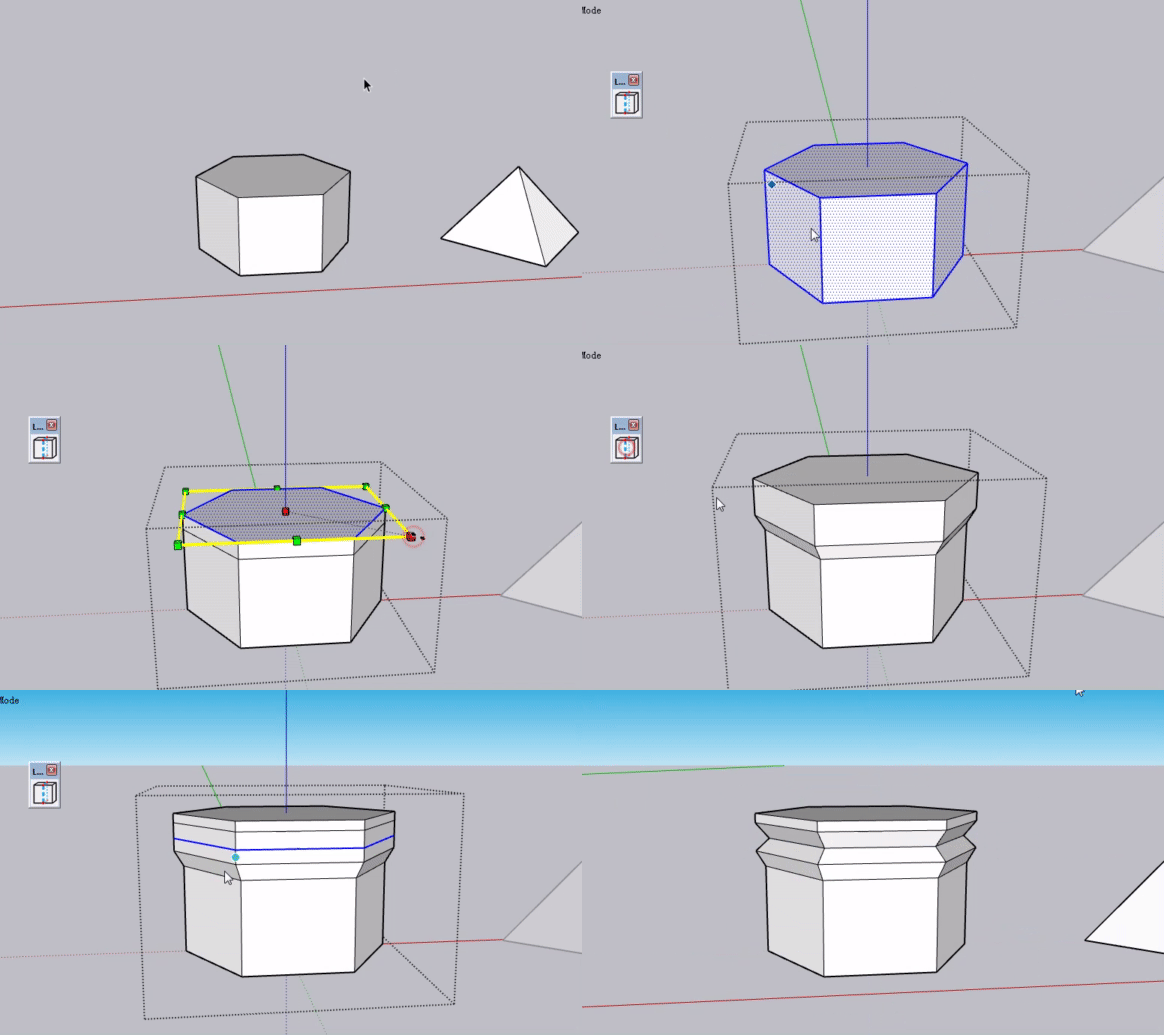
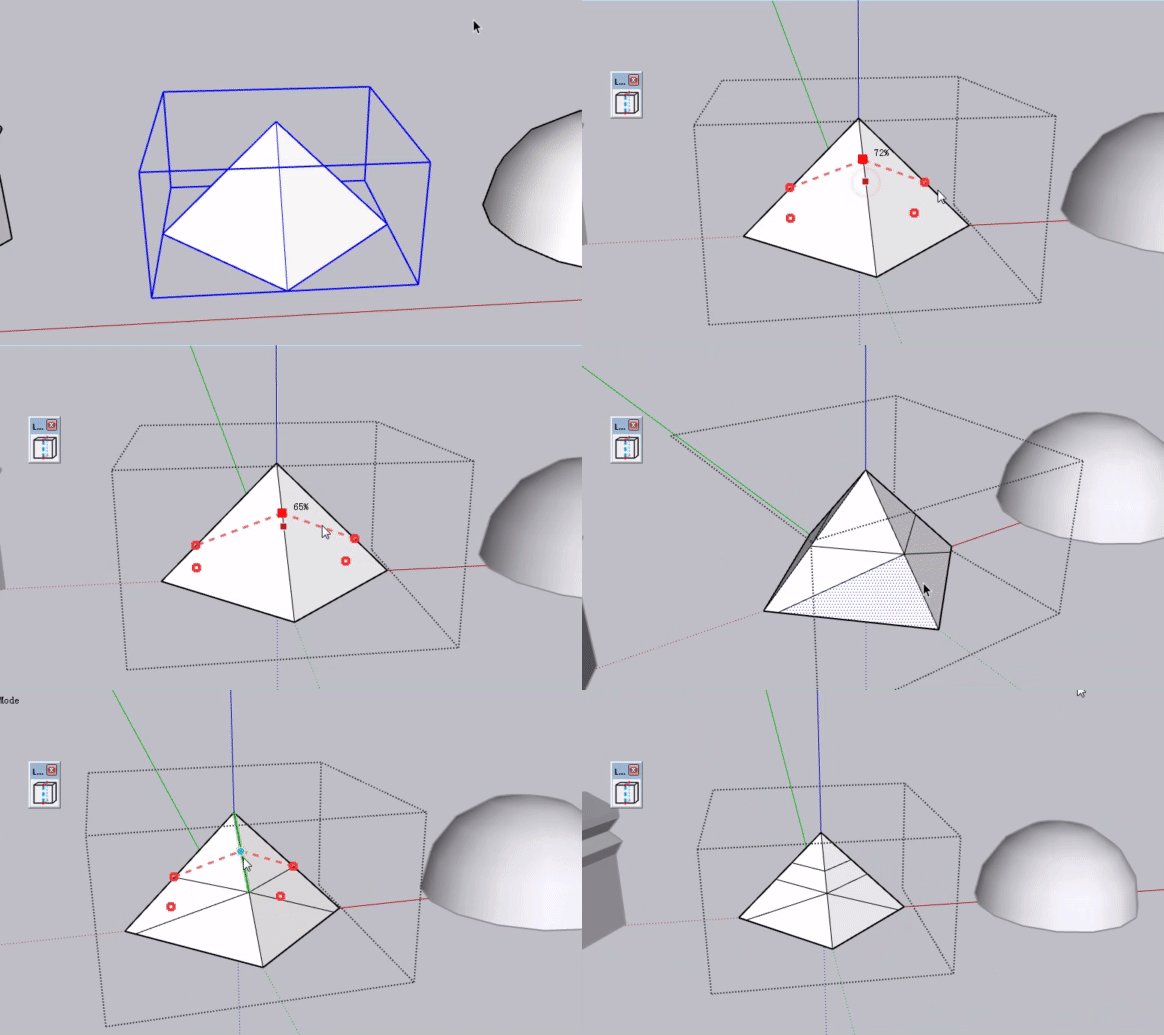
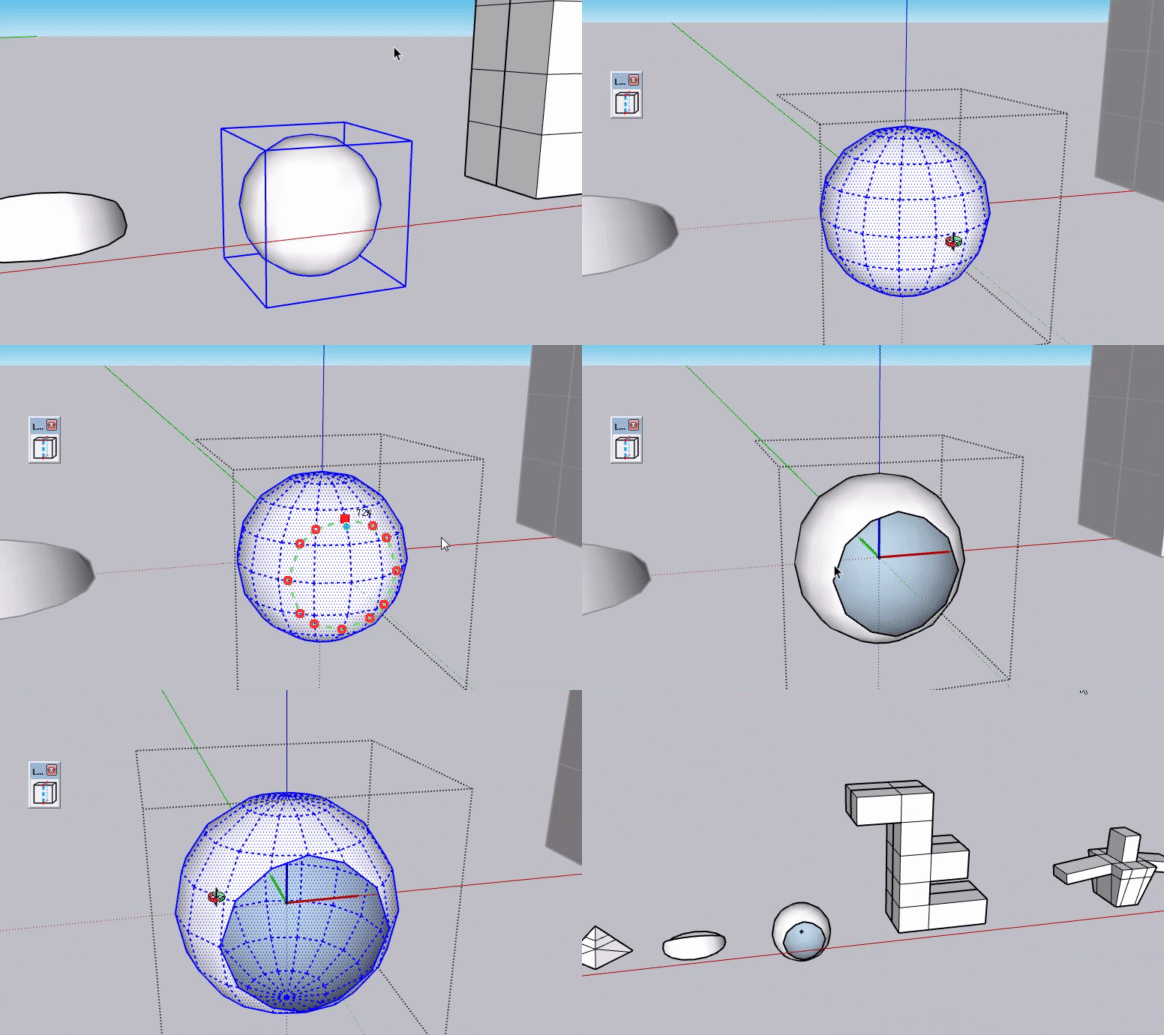
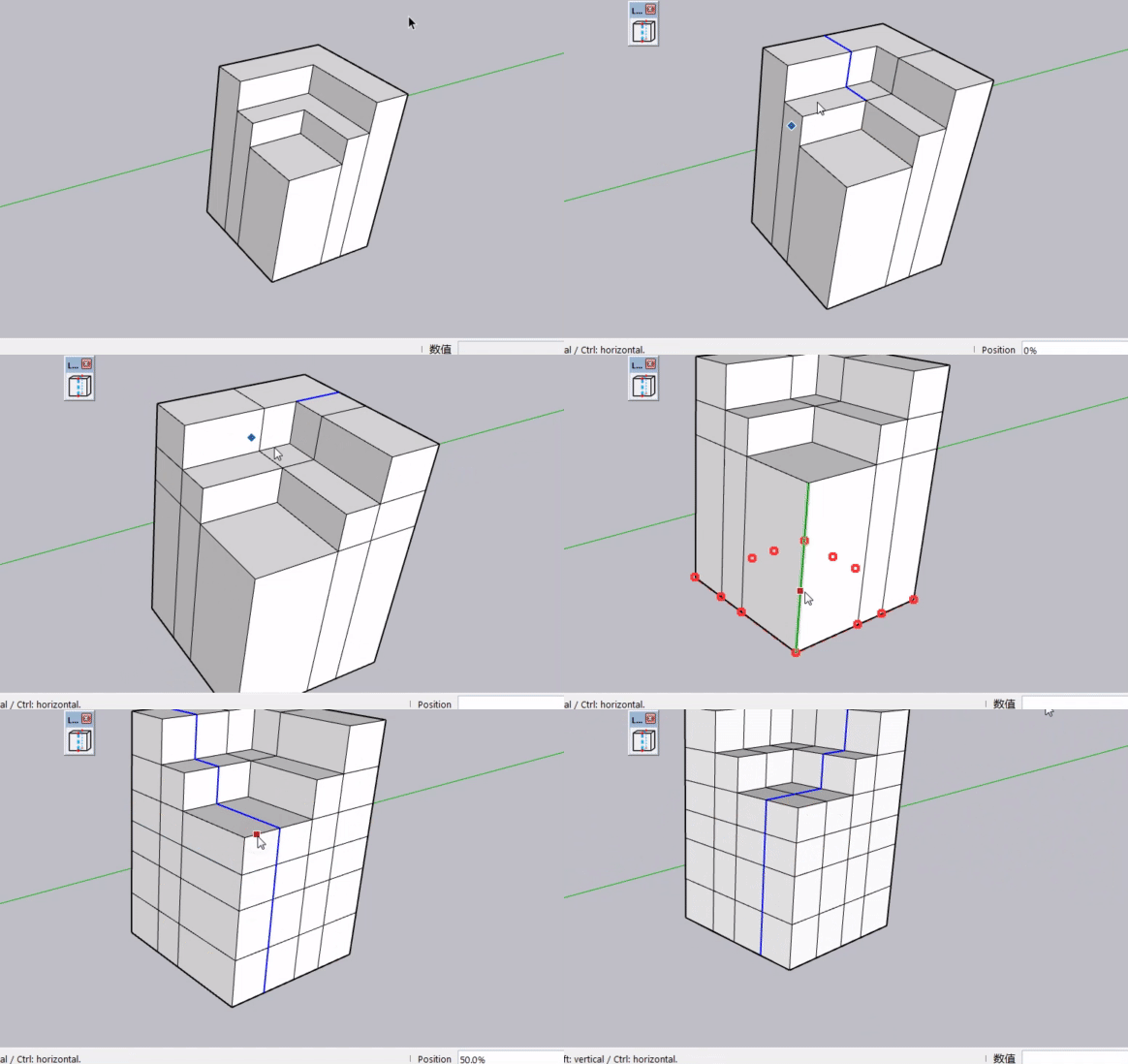
        bandicam 2026-08-17 11-42-17-748.gif bandicam 2026-08-17 11-44-25-243.gif bandicam 2026-08-17 11-44-56-147.gif bandicam 2026-08-17 11-45-37-531.gif bandicam 2026-08-17 11-45-57-382.gif

        1 Reply Last reply 👍 Reply Quote 2
        • T Offline
          turbodizayn
          last edited by

          Wow! It is cool!

          1 Reply Last reply Reply Quote 0
          • I Offline
            immaxy @Jianming Mo
            last edited by

            @Jianming-Mo Interesting idea. I like that you’ve separated the topology-based and general geometry workflows instead of trying to make one mode handle everything.

            For architectural users, I can see the geometry mode being especially useful when working with imported or imperfect models. I’d be interested to see how it handles heavier geometry and undo/recovery when a loop can’t be completed cleanly.

            J 1 Reply Last reply Reply Quote 0
            • G Offline
              Glenn at home
              last edited by

              Very cool. Very similar to the Reshape tools in FormZ. Good job

              SketchUp Pro 2025/2026 Dell XPS 8950 i9-12900K 64GB Ram RTX 3080

              J 1 Reply Last reply Reply Quote 0
              • J Offline
                Jianming Mo Newcomers @immaxy
                last edited by

                @immaxy The plugin is still in the testing phase. I’ve tested it on simple and common models, and it works fine. For native SketchUp files, most models are not that heavy. I also think the geometry mode is quite practical. It can split non‑quad faces into standard quad faces. Thanks for your positive feedback. I will test its performance on complex geometry as well. Once the official release is ready, I hope more people can try it out and give me suggestions

                1 Reply Last reply Reply Quote 1
                • J Offline
                  Jianming Mo Newcomers @Glenn at home
                  last edited by

                  @Glenn-at-home Thank you for your recognition. I will keep working on it.

                  1 Reply Last reply Reply Quote 1
                  • Rich O BrienR Offline
                    Rich O Brien Moderator
                    last edited by

                    Looks really nice. Does it respect Quadface quad convention?

                    Download the free D'oh Book for SketchUp 📖

                    J 1 Reply Last reply Reply Quote 0
                    • J Offline
                      Jianming Mo Newcomers @Rich O Brien
                      last edited by

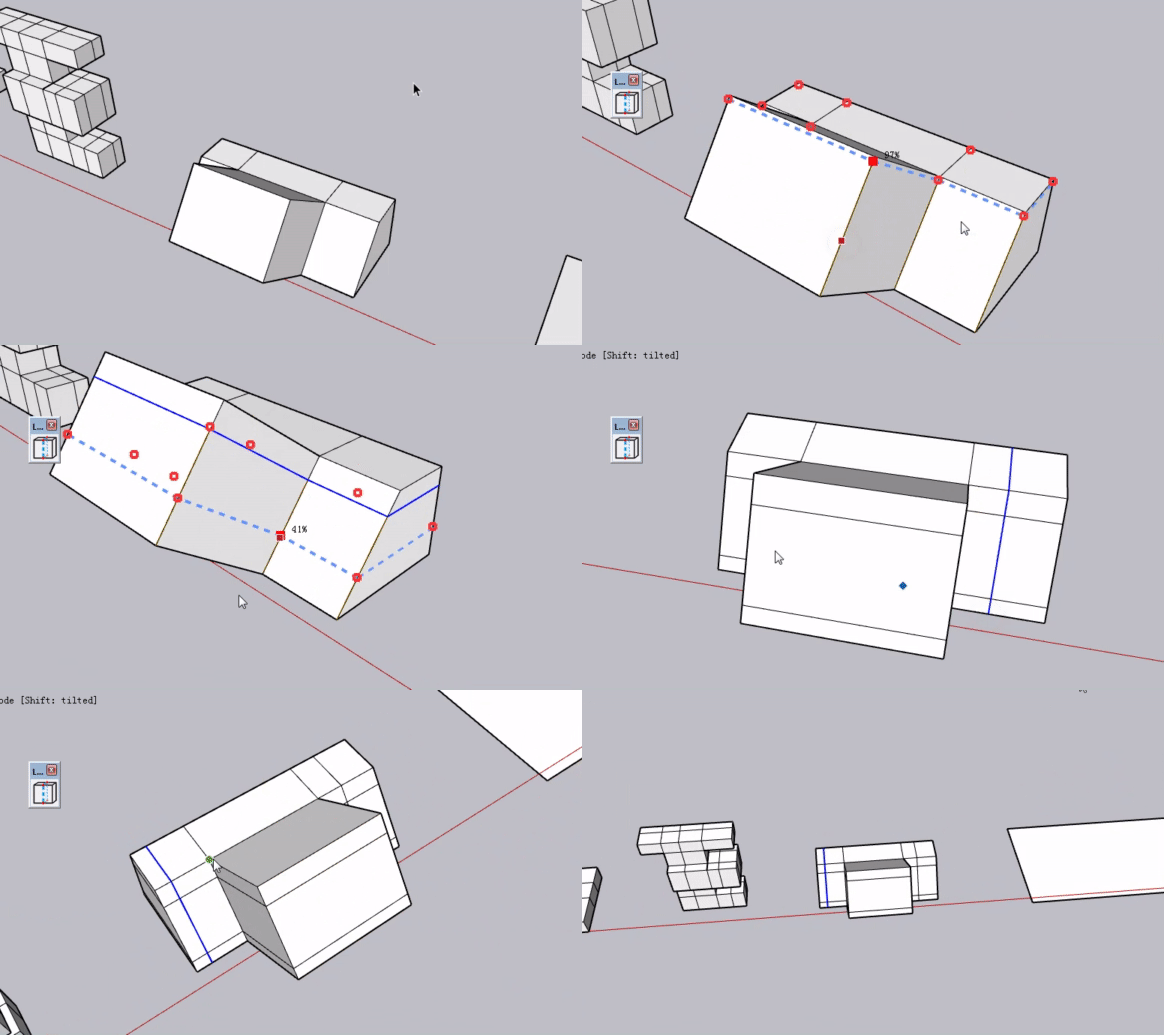
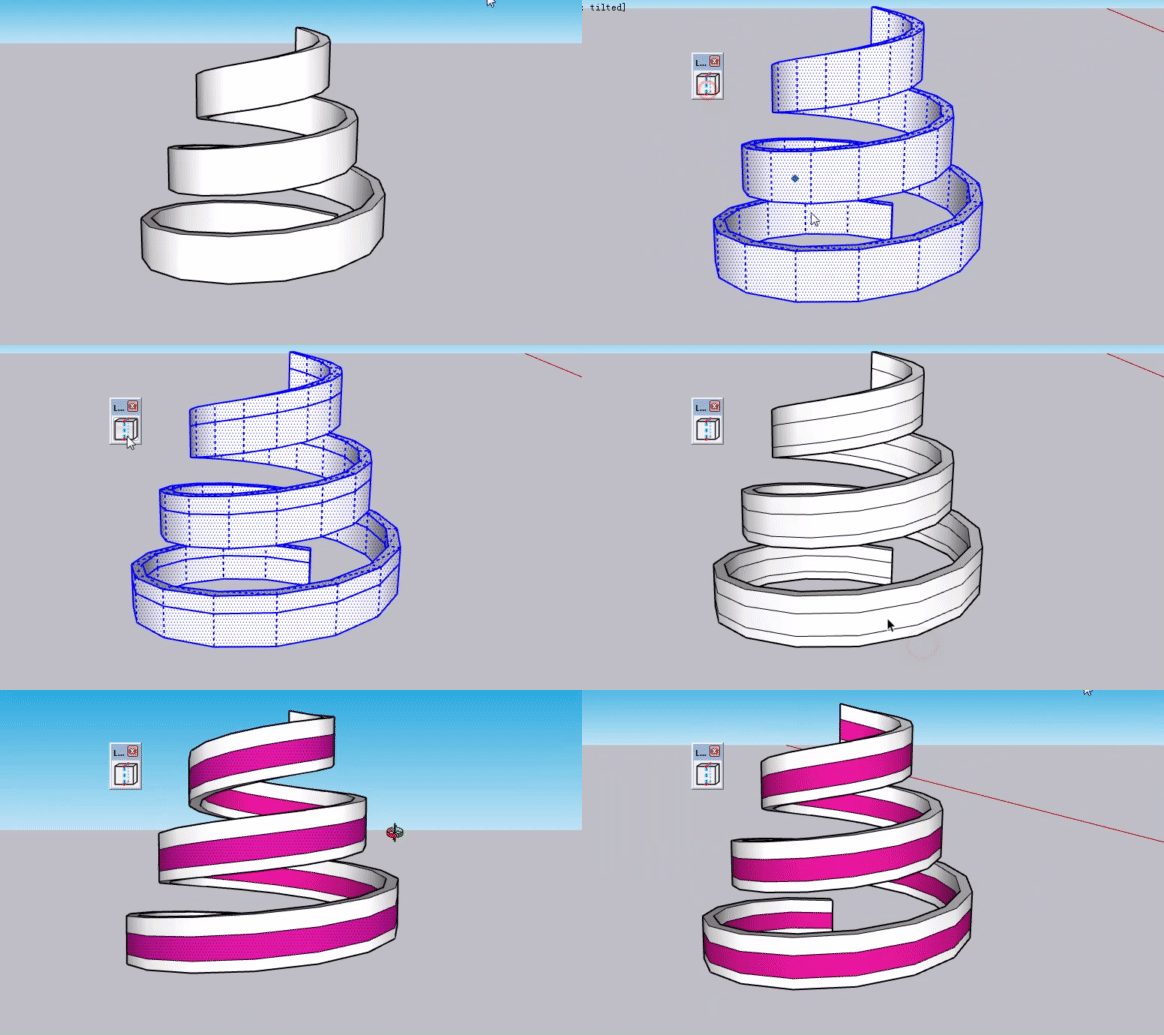
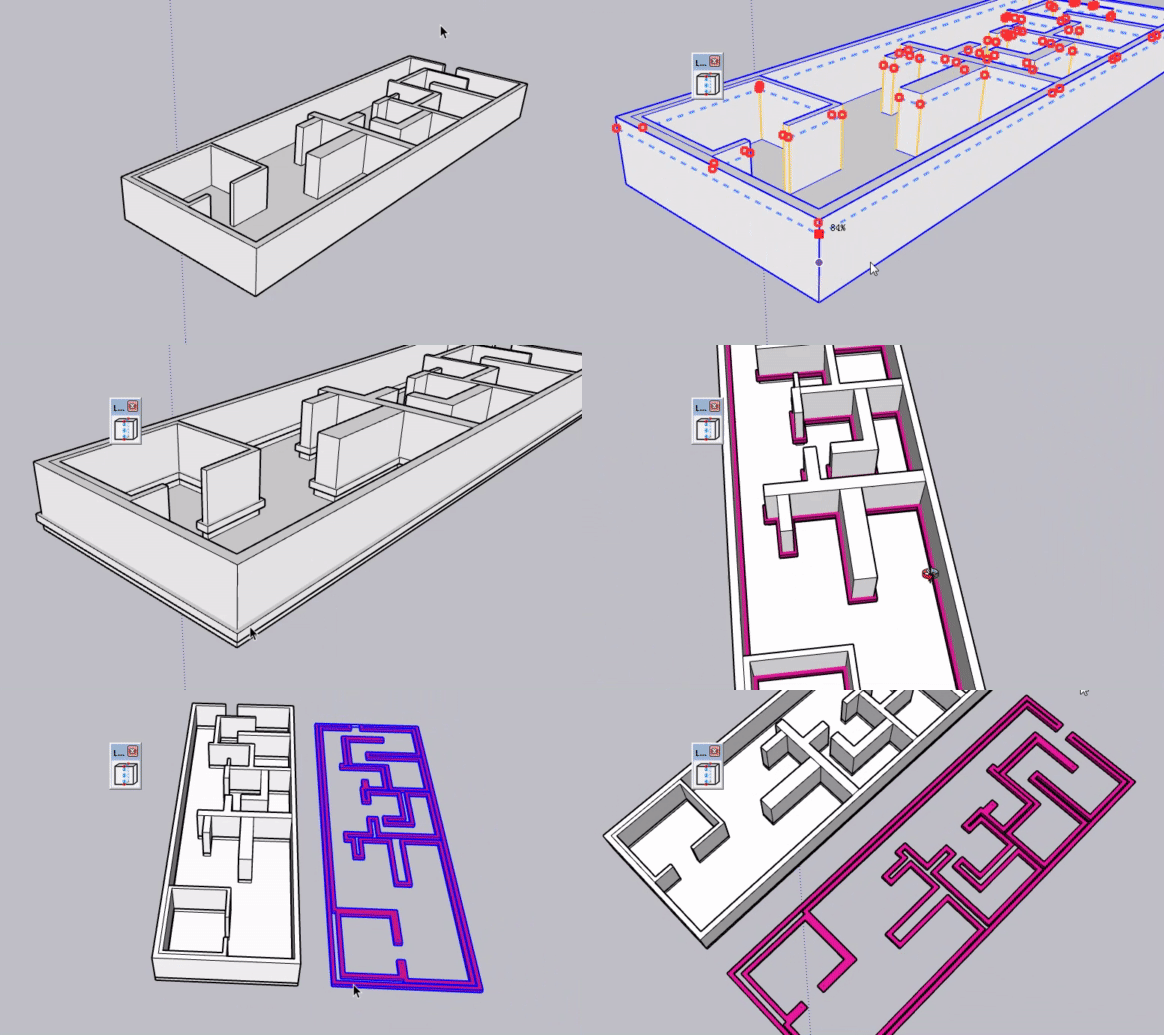
                      @Rich-O-Brien bandicam 2026-08-18 23-28-30-466.gif bandicam 2026-08-18 23-32-17-759.gif
                      Is this quad‑face based? Is this considered complex geometry?

                      1 Reply Last reply Reply Quote 1
                      • Rich O BrienR Offline
                        Rich O Brien Moderator
                        last edited by

                        Can you share the rbz so I can test it? richob@sketchucation.com

                        Download the free D'oh Book for SketchUp 📖

                        J 2 Replies Last reply Reply Quote 0
                        • J Offline
                          Jianming Mo Newcomers @Rich O Brien
                          last edited by

                          @Rich-O-Brien In a few days I'll publish the plugin on Sketchucation. I'm currently adding a point positioning function to LoopCut, allowing users to input VCB values to set exact positions for loop cuts, which I consider essential.

                          1 Reply Last reply Reply Quote 2
                          • J Offline
                            Jianming Mo Newcomers
                            last edited by

                            I’m back! After days of development, LoopCut’s VCB value input is finished. Let me show you how it works:
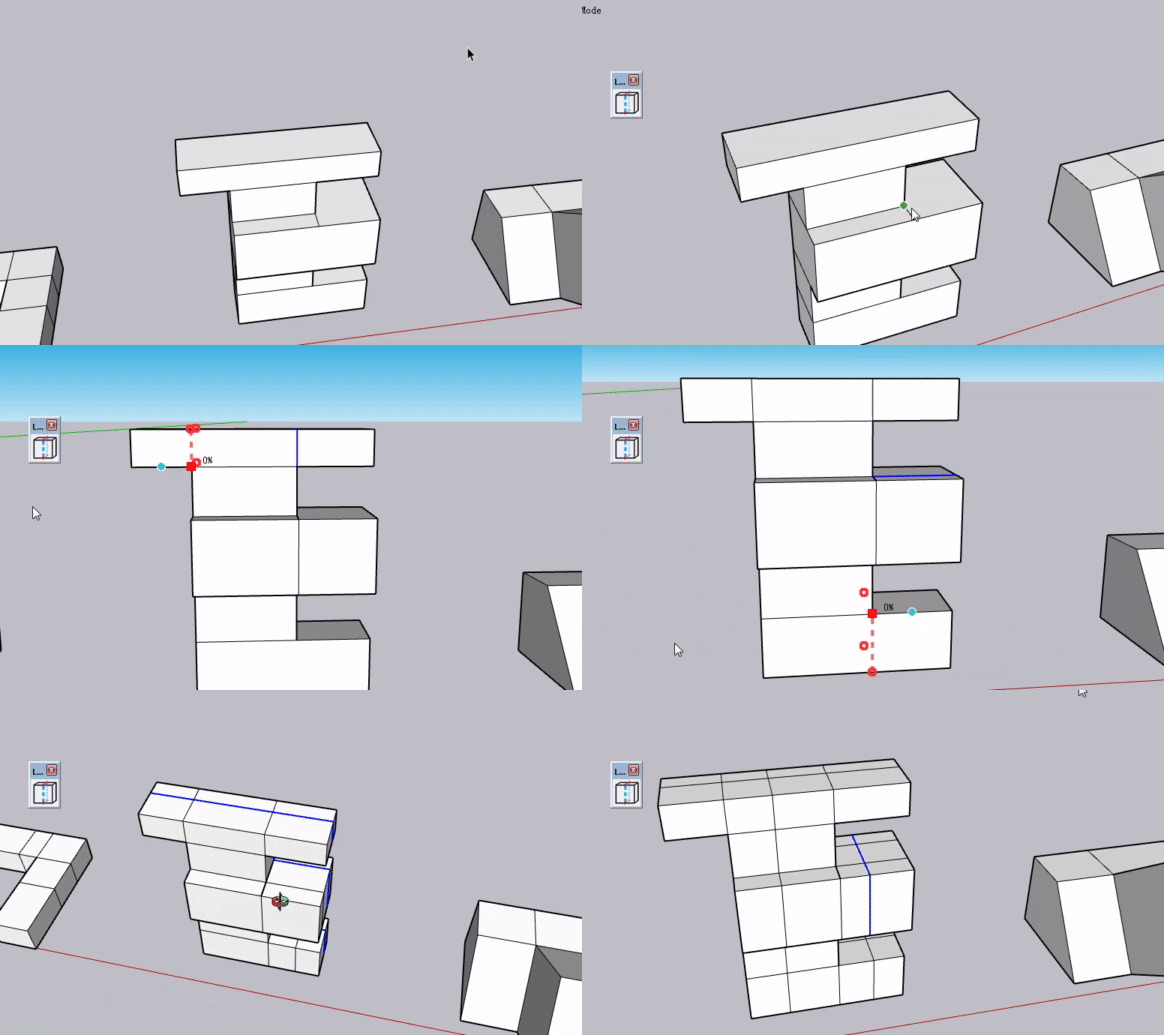
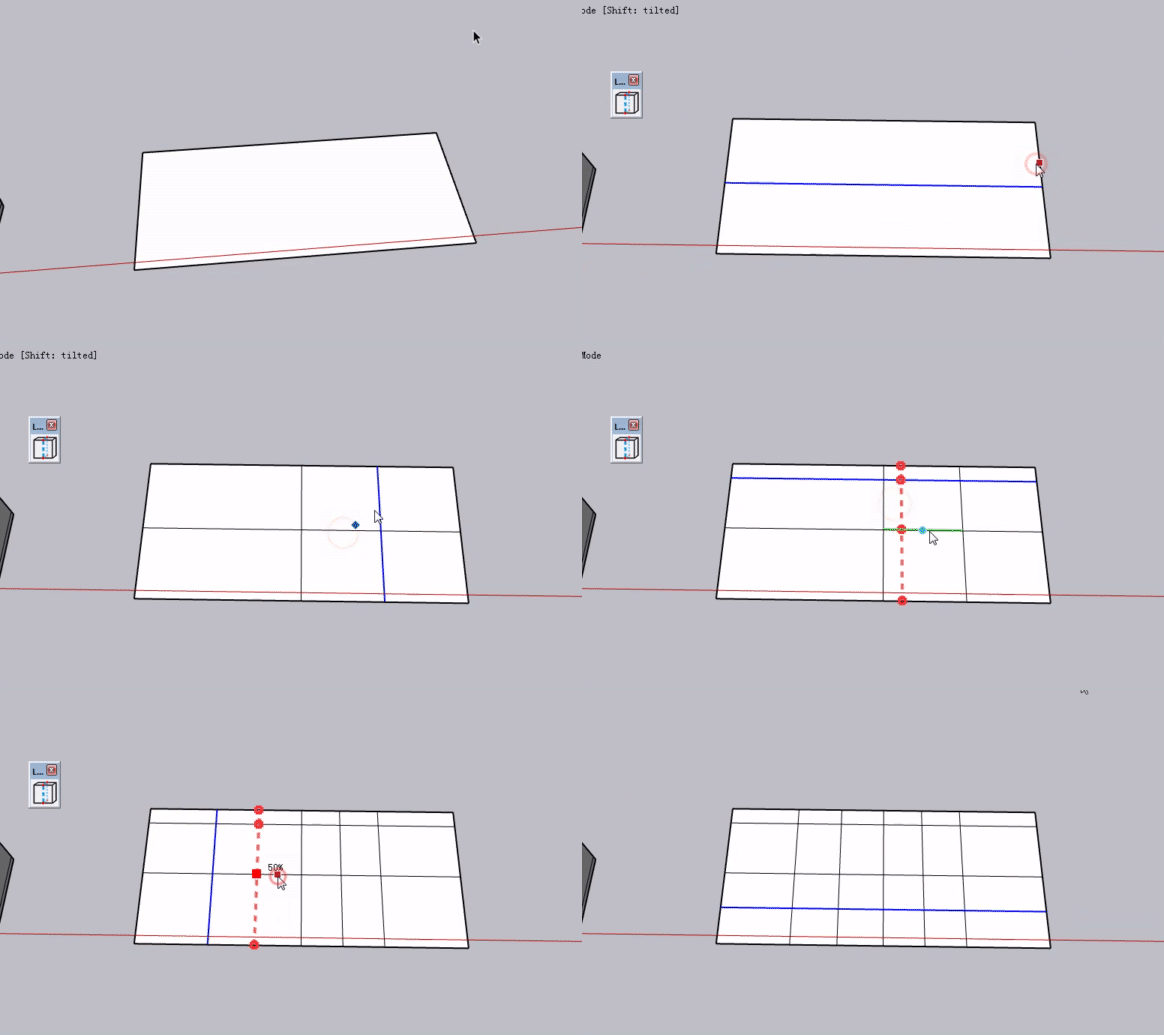
                            Basic function: cut non-quad faces into clean quad faces with value input support. Double-click any spot on an edge to add a center cut line.bandicam 2026-08-23 12-10-01-375.gif
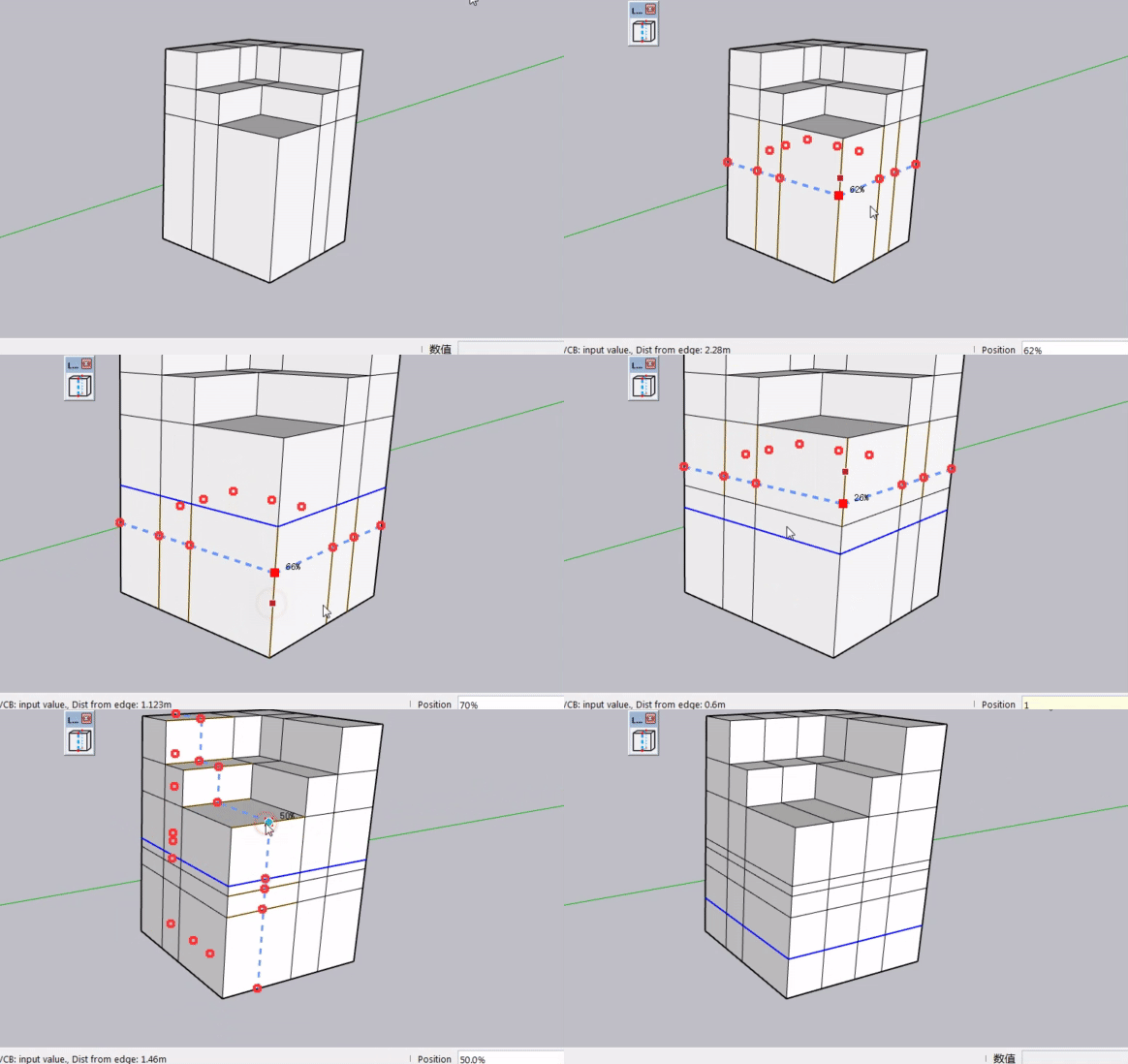
                            Use percentages for positioning – enter 20, 30, 70 for 20%, 30%, 70% of the edge length (50 = center). Mouse dragging is also supported for visual positioning.bandicam 2026-08-23 12-11-35-622.gif
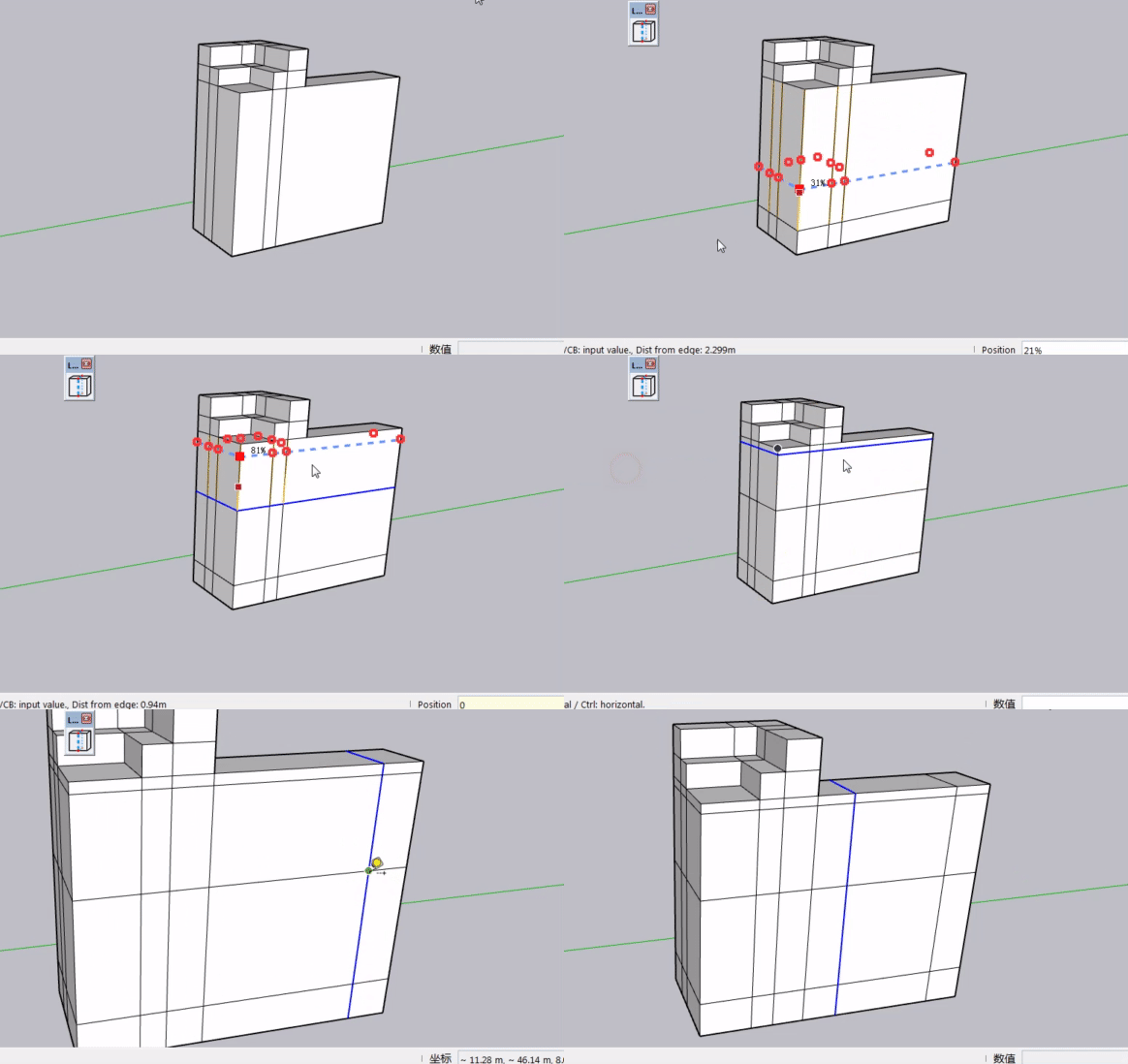
                            For exact measurements, type values with units in the VCB. The edge under your mouse becomes the starting point: 0–49 references one end, 51–100 the other. Hover to pick your start edge, then type 1m or 200mm to get a precise cut.bandicam 2026-08-23 12-15-32-252.gif
                            How do you like this VCB implementation?

                            1 Reply Last reply Reply Quote 0
                            • J Offline
                              Jianming Mo Newcomers @Rich O Brien
                              last edited by

                              @Rich-O-Brien I have emailed the file to you. Please kindly check your inbox. Thank you for helping with the testing.

                              1 Reply Last reply Reply Quote 0
                              • J Offline
                                Jianming Mo Newcomers
                                last edited by

                                [SHANA]bandicam 2026-08-28 23-41-25-934.gif SketchUp terrain meshes are now supported. For unknown reasons, lines generated when selecting different mesh points are sometimes incomplete. Anyone know the cause?

                                1 Reply Last reply Reply Quote 0
                                • J Offline
                                  Jianming Mo Newcomers
                                  last edited by

                                  bandicam 2026-09-09 21-42-51-777.gif

                                  Long time no see!

                                  LOOPCUT development update:
                                  QuadFace meshes are not supported at this time. I plan to look into adding support in a future release.

                                  Two new features have been added:

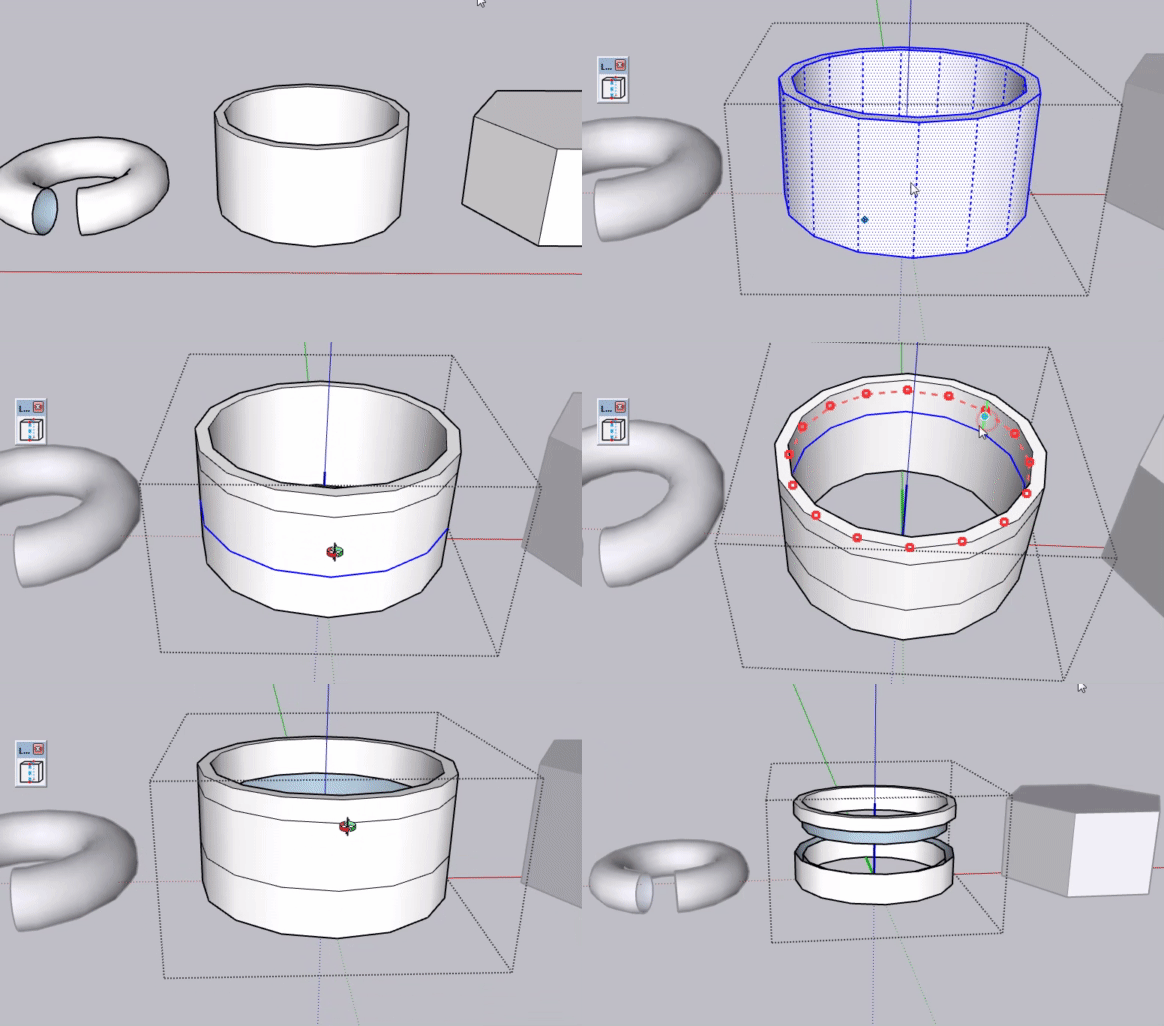
                                  1. Bulk insert loop edges: Use X + number shortcut
                                  2. Cut and Separate: Hold the ALT key while operating
                                  1 Reply Last reply 👍 Reply Quote 1

                                  Hello! It looks like you're interested in this conversation, but you don't have an account yet.

                                  Getting fed up of having to scroll through the same posts each visit? When you register for an account, you'll always come back to exactly where you were before, and choose to be notified of new replies (either via email, or push notification). You'll also be able to save bookmarks and upvote posts to show your appreciation to other community members.

                                  With your input, this post could be even better 💗

                                  Register Login
                                  • 1
                                  • 2
                                  • 1 / 2
                                  • First post
                                    Last post
                                  Buy SketchPlus
                                  Buy SUbD
                                  Buy WrapR
                                  Buy eBook
                                  Buy Modelur
                                  Buy Vertex Tools
                                  Buy SketchCuisine
                                  Buy FormFonts

                                  Advertisement