sketchucation logo sketchucation
    • Login
    Oops, your profile's looking a bit empty! To help us tailor your experience, please fill in key details like your SketchUp version, skill level, operating system, and more. Update and save your info on your profile page today!
    FredoBend | Powerful new bending tool for SketchUp Download

    Been a while.

    Scheduled Pinned Locked Moved WIP
    38 Posts 4 Posters 1.1k Views 4 Watching
    Loading More Posts
    • Oldest to Newest
    • Newest to Oldest
    • Most Votes
    Reply
    • Reply as topic
    Log in to reply
    This topic has been deleted. Only users with topic management privileges can see it.
    • P Offline
      pixelcruncher Extension Creator
      last edited by

      Thatโ€™s definitely also a bug with software. Iโ€™m away this week so the next release will come a bit later, but it I will try to fix this there.

      I'm the developer of Rayscaper: https://rayscaper.com/ - Fast and easy rendering for SketchUp.

      1 Reply Last reply Reply Quote 0
      • Mike AmosM Offline
        Mike Amos
        last edited by

        You are getting there, no worries. Hoping you have a decent break mate.

        Absentia mortis praesentiam vitae probat, vita autem est argumentum constantiae.

        1 Reply Last reply Reply Quote 0
        • Mike AmosM Offline
          Mike Amos
          last edited by

          OK, I understand the plague that is removing Rayscaper lights.
          "Cleanup", is removing the Rayscaper lights.
          Frustrating but at least I got something out of today.

          Absentia mortis praesentiam vitae probat, vita autem est argumentum constantiae.

          1 Reply Last reply Reply Quote 0
          • Mike AmosM Offline
            Mike Amos
            last edited by

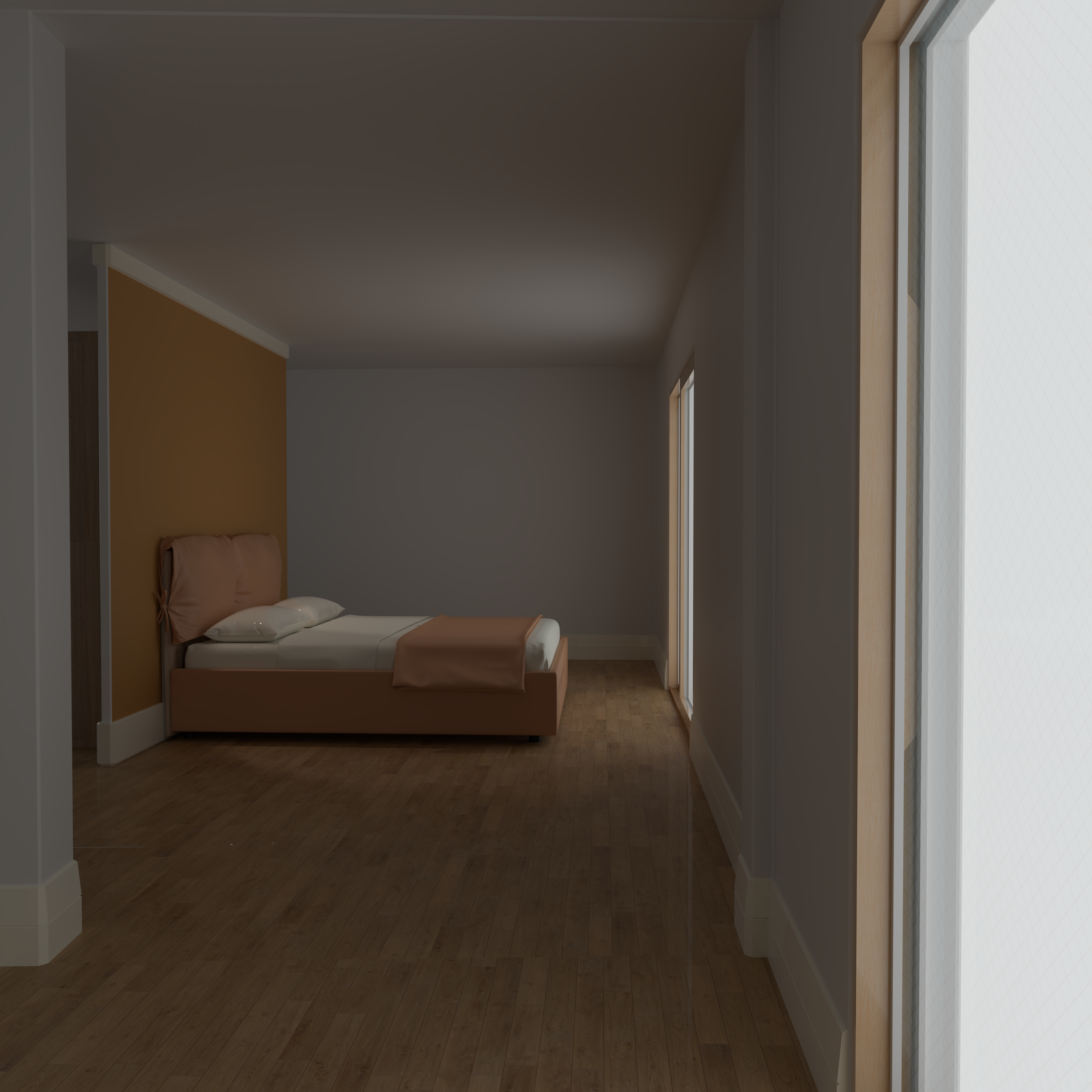
            Post artificial light death, I have this.
            7 2500s 2015 x 1202 1444735 tri 9m 25s GPU  env 0.80 Backplate.png

            Absentia mortis praesentiam vitae probat, vita autem est argumentum constantiae.

            1 Reply Last reply Reply Quote 0
            • Mike AmosM Offline
              Mike Amos
              last edited by

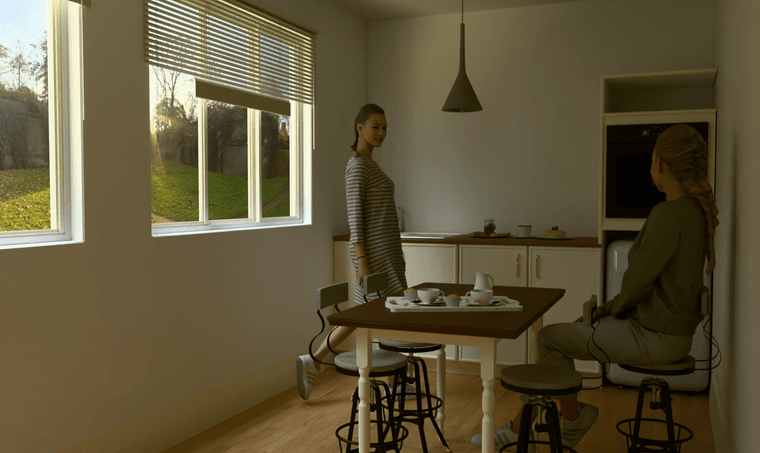
              OK, auto exposure OFF (It will get there) and set at 7.5. I also fixed the blind which was rather abused. I have confirmed to my own satisfaction that when items and finishes/colours go missing, a restart of Rayscaper will fix the problem. Also, do not use cleanup for the whole model, elements in turn. Otherwise you will have your Rayscaper lights deleted.

              10 2500s 2015 x 1202 1412211 tri 8m 13s GPU  env 0.80 Backplate Auto Exposure off Exposure 7.5.png

              Absentia mortis praesentiam vitae probat, vita autem est argumentum constantiae.

              1 Reply Last reply Reply Quote 0
              • Rich O BrienR Offline
                Rich O Brien Moderator
                last edited by

                Your glass is not right. You can see the distortion due to IOR.

                Can you screenshot your glass material setup in the Rayscaper dialog?

                Download the free D'oh Book for SketchUp ๐Ÿ“–

                1 Reply Last reply Reply Quote 0
                • Rich O BrienR Offline
                  Rich O Brien Moderator
                  last edited by

                  Look here how the refraction distorts with Thin unchecked.
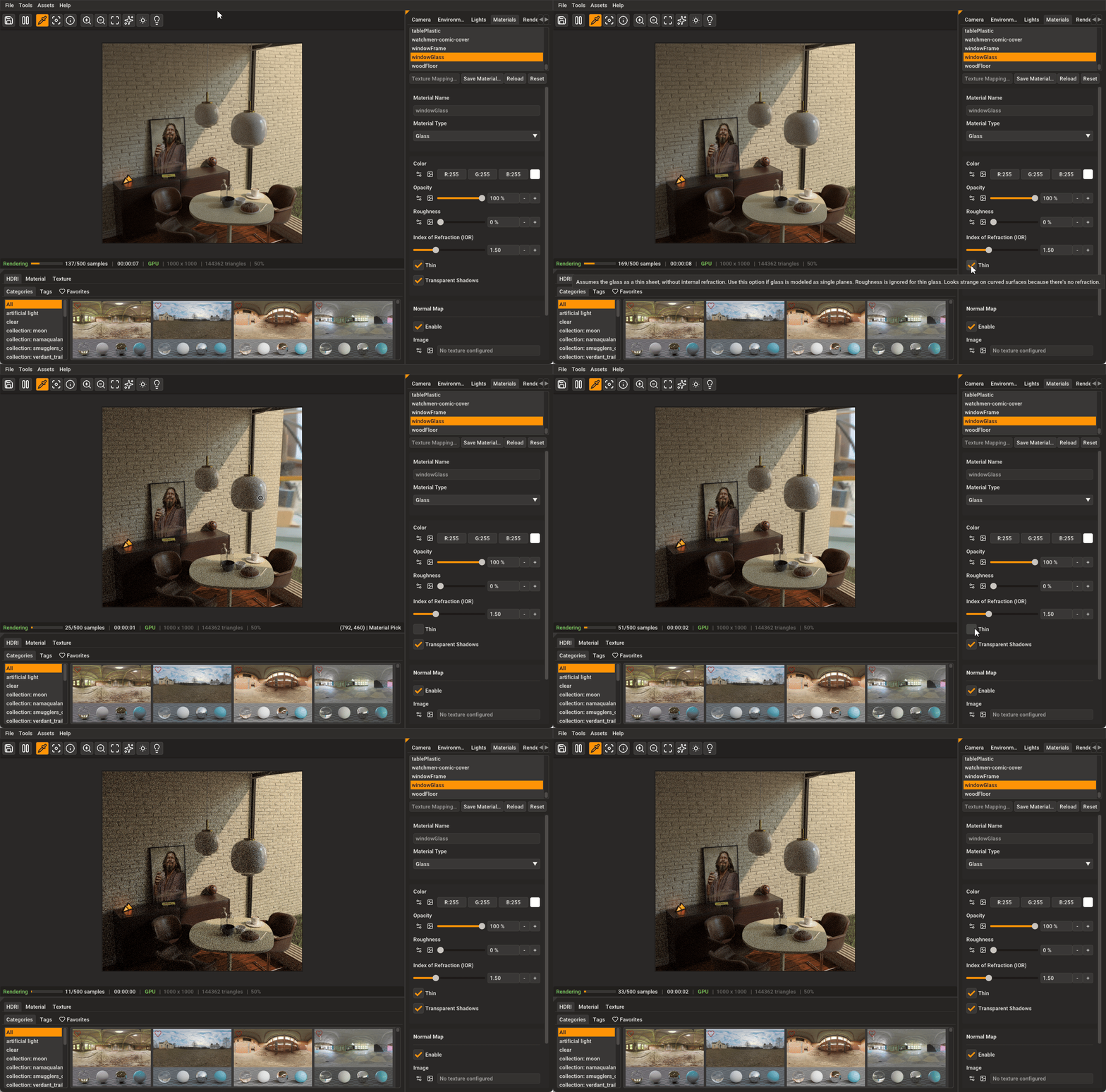
                  Rayscaper Thin Glass Setting

                  Download the free D'oh Book for SketchUp ๐Ÿ“–

                  1 Reply Last reply Reply Quote 0
                  • Mike AmosM Offline
                    Mike Amos
                    last edited by

                    I cannot do so but it was definitely selected as 'thin' AFIK. Normal habit is to do so.

                    No render proceeding ATM due to this report.....
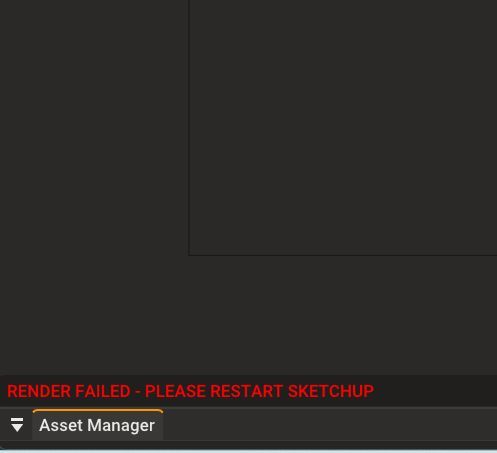
                    Clipboard_04-08-2026_01.jpg

                    Absentia mortis praesentiam vitae probat, vita autem est argumentum constantiae.

                    1 Reply Last reply Reply Quote 0
                    • Mike AmosM Offline
                      Mike Amos
                      last edited by

                      Repeated more than half a dozen times, same subject render.

                      Absentia mortis praesentiam vitae probat, vita autem est argumentum constantiae.

                      1 Reply Last reply Reply Quote 0
                      • Mike AmosM Offline
                        Mike Amos
                        last edited by

                        Rayscaper has reverted to cpu rendering method again.

                        Absentia mortis praesentiam vitae probat, vita autem est argumentum constantiae.

                        1 Reply Last reply Reply Quote 0
                        • Mike AmosM Offline
                          Mike Amos
                          last edited by

                          Stuff is expected with a beta release program, not the end of the world in any way.

                          I have Maxwell render running the scene so the model is not at fault.

                          I have had some time to finesse the layout and make sure stuff just 'fits' and is doable.
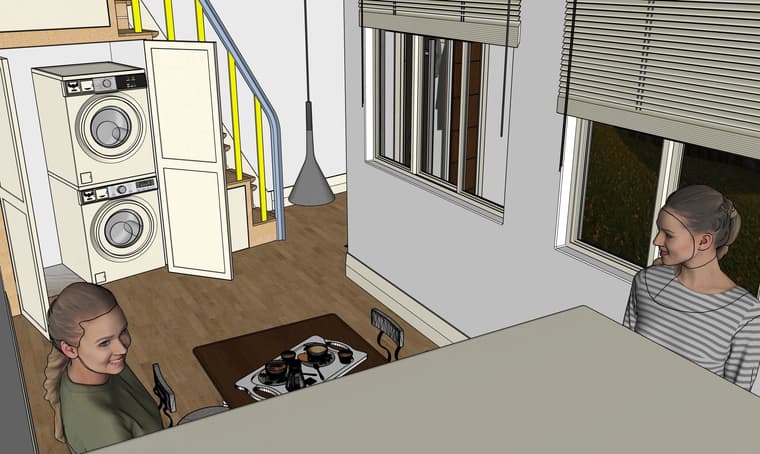
                          Student Studio Output Ground Floor.jpg

                          Absentia mortis praesentiam vitae probat, vita autem est argumentum constantiae.

                          1 Reply Last reply Reply Quote 0
                          • P Offline
                            pixelcruncher Extension Creator
                            last edited by

                            Hey Mike,

                            I'm sorry to hear you're running into these issues with Rayscaper. Would you mind sending me this scene so I can have a look?

                            Summarizing your woes:

                            • Auto-exposure is behaving strangely. Mike, I'm still not sure what you mean by this.
                            • Geometry does not appear in the renders.
                            • Viewport shows CPU, while you have enabled GPU rendering.
                            • Rendering fails.

                            I think it's easier if you send me the scene and, preferably, the logs when such a render failure occurs (https://www.rayscaper.com/getting-help/report-a-bug/#1-export-the-log-files), so I can try to reproduce/fix these problems.

                            Thanks,
                            Thomas

                            I'm the developer of Rayscaper: https://rayscaper.com/ - Fast and easy rendering for SketchUp.

                            Mike AmosM 1 Reply Last reply Reply Quote 0
                            • Mike AmosM Offline
                              Mike Amos @pixelcruncher
                              last edited by

                              @pixelcruncher said:

                              Hey Mike,

                              I'm sorry to hear you're running into these issues with Rayscaper. Would you mind sending me this scene so I can have a look?

                              Summarizing your woes:

                              • Auto-exposure is behaving strangely. Mike, I'm still not sure what you mean by this.

                              ************Auto exposure doing funky things is a fraction where the interior and exterior are mismatched.

                              The exterior tends towards overexposure when the interior is properly or slightly underexposed**********.**

                              • Geometry does not appear in the renders.

                              Sometimes geometry just fails to export to Rayscaper, that or it is deleted. Restart can fix this sometimes.

                              • Viewport shows CPU, while you have enabled GPU rendering.

                              Simples, Sometimes the render window shows CPU rendering with my selecting it.

                              • Rendering fails.

                              Mostly when the CPU method is self appointed, nothing in the render window at all.

                              I think it's easier if you send me the scene and, preferably, the logs when such a render failure occurs (https://www.rayscaper.com/getting-help/report-a-bug/#1-export-the-log-files), so I can try to reproduce/fix these problems.

                              Thanks,
                              Thomas

                              Absentia mortis praesentiam vitae probat, vita autem est argumentum constantiae.

                              1 Reply Last reply Reply Quote 0

                              Hello! It looks like you're interested in this conversation, but you don't have an account yet.

                              Getting fed up of having to scroll through the same posts each visit? When you register for an account, you'll always come back to exactly where you were before, and choose to be notified of new replies (either via email, or push notification). You'll also be able to save bookmarks and upvote posts to show your appreciation to other community members.

                              With your input, this post could be even better ๐Ÿ’—

                              Register Login
                              • 1
                              • 2
                              • 2 / 2
                              • First post
                                Last post
                              Buy SketchPlus
                              Buy SUbD
                              Buy WrapR
                              Buy eBook
                              Buy Modelur
                              Buy Vertex Tools
                              Buy SketchCuisine
                              Buy FormFonts

                              Advertisement

