Sketchup and Miniature Modelling STLs
-
Hi All
New here, but long time sketchup user.
Using Sketchup 2017 because its free.I am hoping ya'll can help me, I am using sketchup to edit some STLs files for 3D printable miniatures (WH40K to be specific). Now i know sketchup probably isnt the best software for this and that it inherently can handle very small geometry, but i am wondering if you may be able to suggest some workarounds for my specific issue.
When i import STLs into sketchup, it takes a very long time to process as it is drawing all the polygon lines onto the model. It also struggles to fill in curved areas some as corners, domed rivets and other curved edges. I have tried the daves method of upscaling the model, but this seems to have little effect.
Is there some plugins or other tricks you can reccomend to help a brother out.
-
Did you try using Skimp?
-
@Rich-O-Brien No, I am not familiar with that.
-
If you set the import units to meters the model will import as if millimeters are meters. and you'll be less likely to have issues with holes in surfaces. Rich's suggestion to use Skimp is a good one for simplifying the geometry after you have the .stl imported.
Set model units to meters and leave the model at the larger size. When you export the .stl again it should be in meters but will open in the slicer in millimeters. Look at existing threads in this category to see some other examples I've shown.
Etaoin Shrdlu
%
(THERE'S NO PLACE LIKE)
G28 X0.0 Y0.0 Z0.0
M30
%
-
Ok, so i have got the 5 day trial version of Skimp, much faster importing STLs and no geomertry issues, just the 5 day limit is annoying.
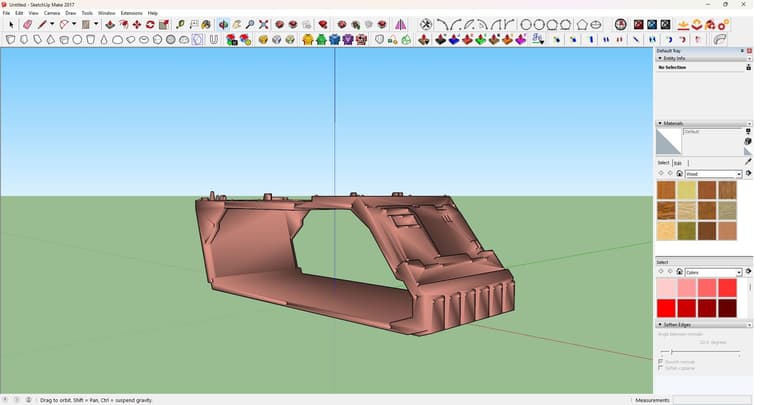
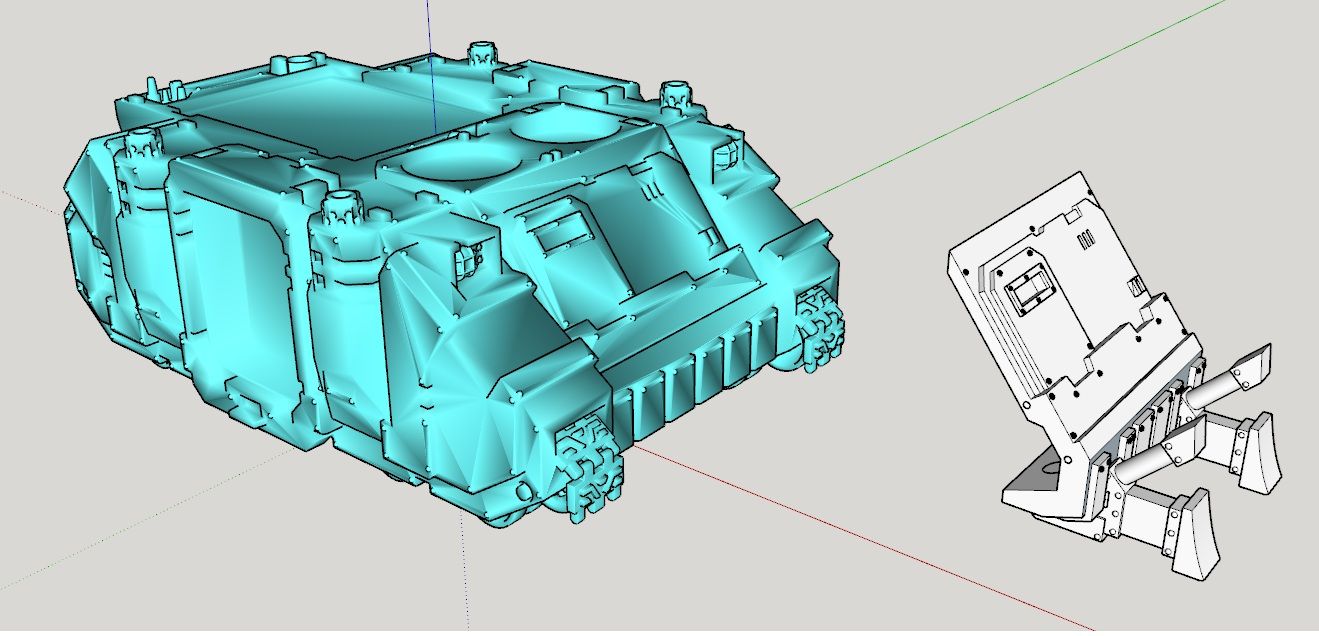
For some reason, when importing the STL via SKIMP, it comes out like this (see image). I cant figure why i cant find which settings to turn of to bring it back to normal.Tried the "set the import units to meters the model will import as if millimeters are meters.". Problem is, it doesnt give me an option to set the import unit when doing so. I just click File-Import-Select File-Import. I never get the option to set import units. Is this a limit of Sketchup 2017?
-
@Grizzly256 said in Sketchup and Miniature Modelling STLs:
just the 5 day limit is annoying.
It's not a free extension. If you need it and it saves you time, it's worth paying for. The alternative is to do what it does manually.
@Grizzly256 said in Sketchup and Miniature Modelling STLs:
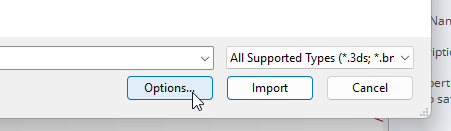
it doesnt give me an option to set the import unit when doing so. I just click File-Import-Select File-Import. I never get the option to set import units.
You can get the option to set the import units. After selecting the .stl and before clicking Import, click on the Options button.
@Grizzly256 said in Sketchup and Miniature Modelling STLs:
I cant figure why i cant find which settings to turn of to bring it back to normal.
What's normal? Looks like you just need to adjust edge softening. Share the .skp file so we can see exactly what you are working with.
Etaoin Shrdlu
%
(THERE'S NO PLACE LIKE)
G28 X0.0 Y0.0 Z0.0
M30
%
-
@Dave-R Yeah, found the options not long after posting that reply, so bit of a face palm there.
Skimp is bloody expensive though, for what it does, $299usd for a lifetime. Bit steep
Will upload the .skp file here
-
-
You have the Softening/Smoothing set ridiculouslu high for what you're modeling.
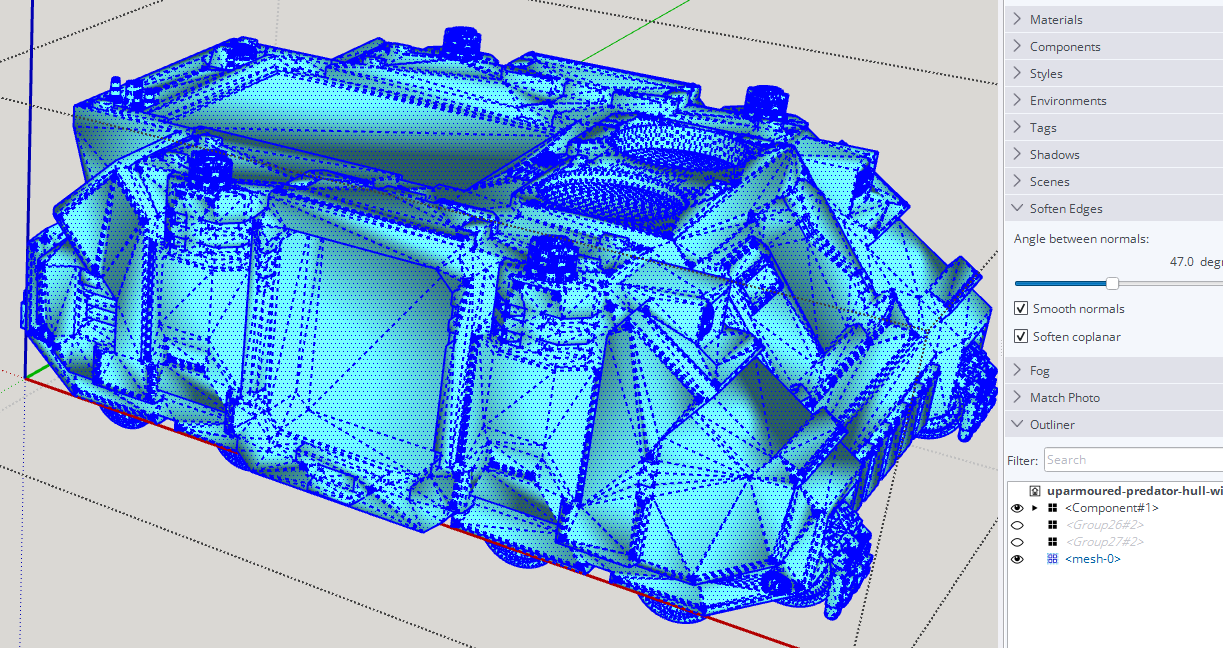
Select all of the edges and set the angle to 20°.
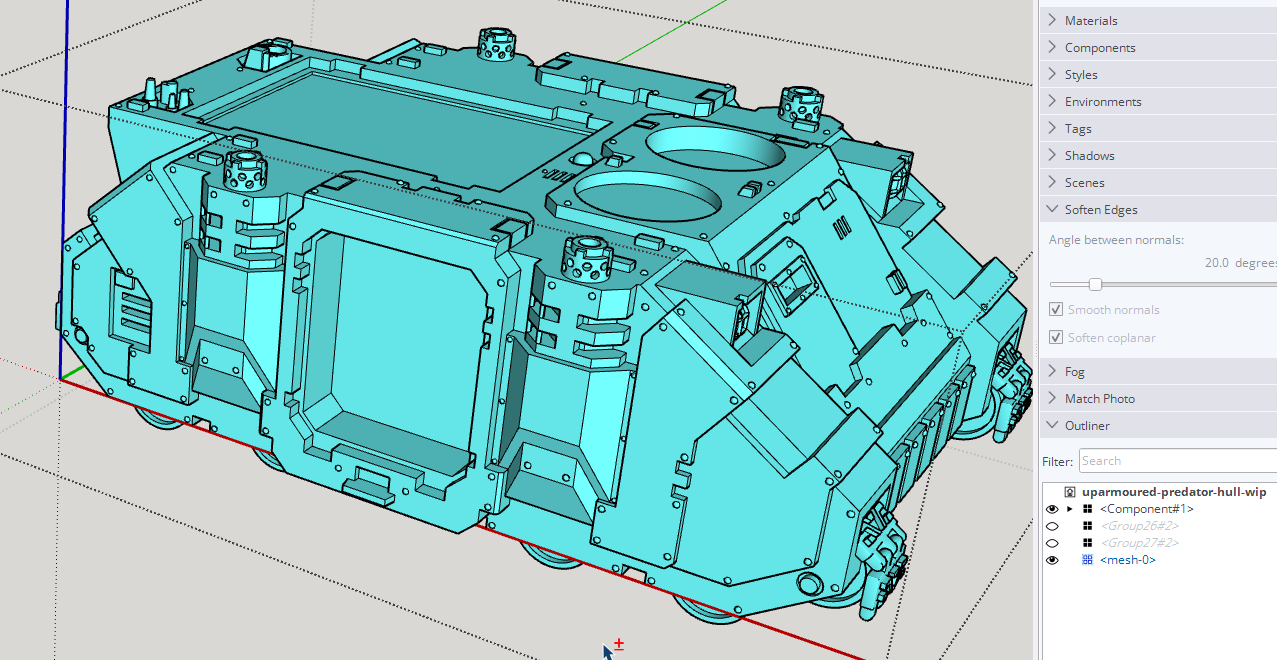
There's a lot of unneeded triangulation in the model due to the face it starts from a .stl file. That's what .stl files are.BTW, if you plan to 3D print the other thing in your model you'll need to correct the face orientation. There should be no exposed back faces (shown in blue). The back faces are all to point at the print media. White front faces are toward air.
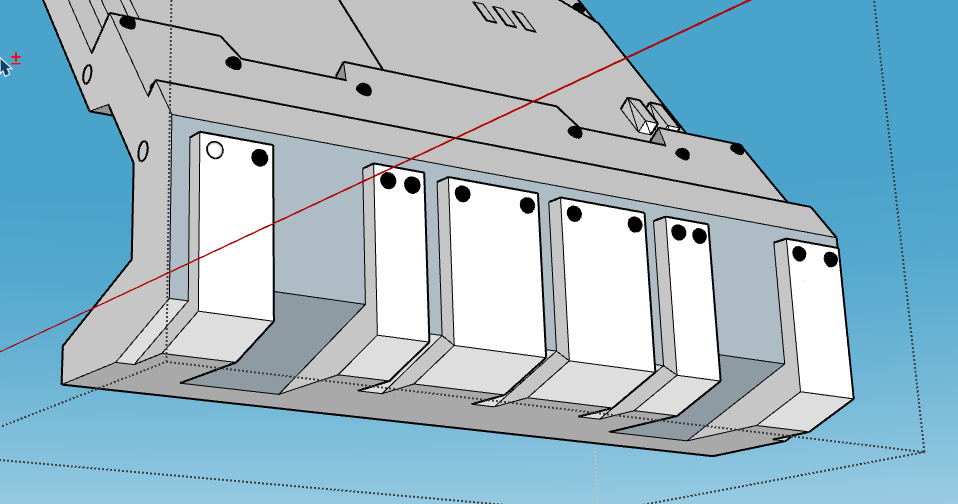
You also have some other issues to repair before it is 3D printable.
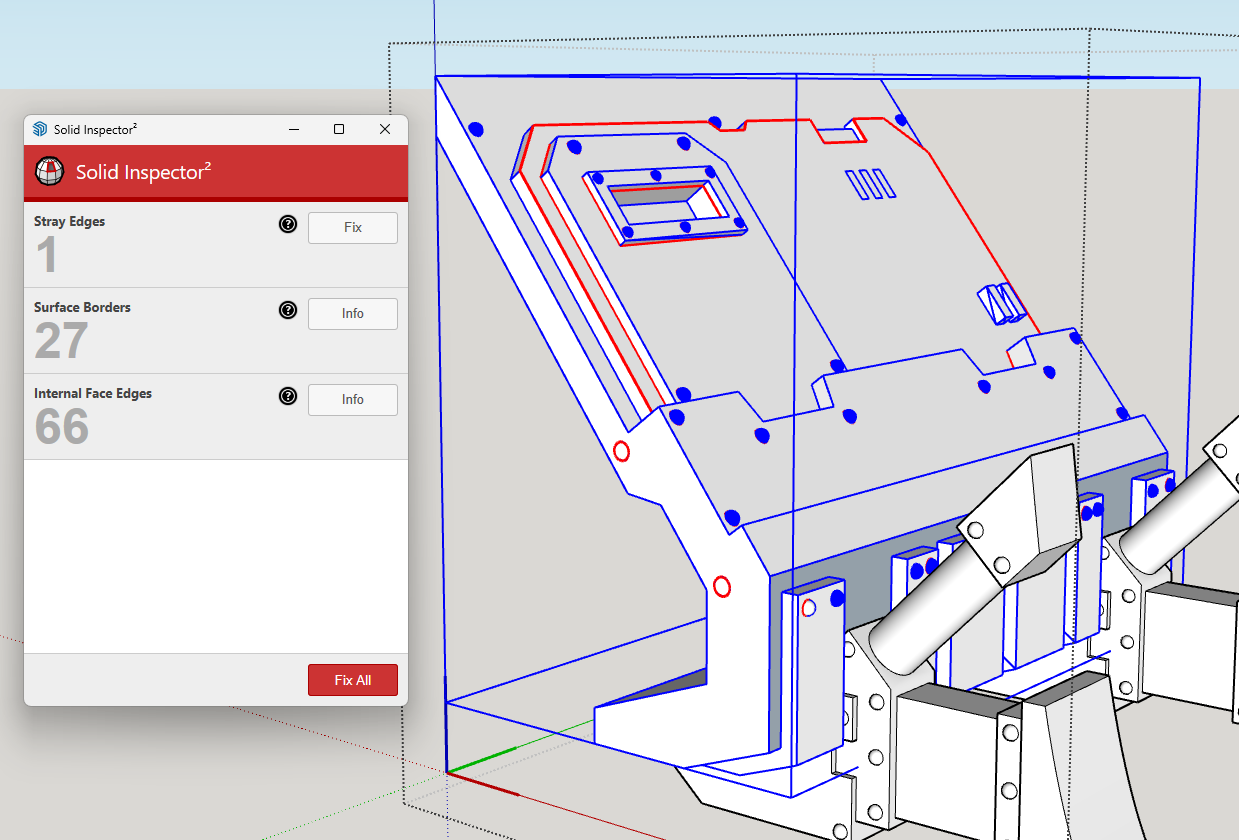
-
@Dave-R Thanks for that. For some reason the edge softening option is greyed out, so probably why i hadnt try to adjust it before.
-
So, the importing of a STL in meters definetly helped the editing process, however i have found that when i exported the new model as a STL in stayed in its new scaled up version.
I tried this with chitubox, importing the newly created STL and the object was enormous.
-
@Grizzly256 did you change the SketchUp model units to meters before exporting the .stl file?
-
@Dave-R No, i kept them to millimeters. I will try that now.
-
@Grizzly256 said in Sketchup and Miniature Modelling STLs:
No, i kept them to millimeters.
I did include that information a couple of days ago.
@dave-r said in Sketchup and Miniature Modelling STLs:
Set model units to meters and leave the model at the larger size.
What happened when you export after setting the model units to Meters?
-
@Dave-R said in Sketchup and Miniature Modelling STLs:
The alternative is to do what it does manually
Or maybe just use the free Universal Importer, which is perfectly compatible with Sketchup Make 2017 and it also include a robust decimation functionality powered by the MeshLab engine?

Universal Importer | SketchUcation
3D SketchUp Community for Design and Engineering Professionals.
(sketchucation.com)
-
I've been using blender as a catch all for 3d file formats.. a complicated mesh can get cleaned up in blender or simplified and export as a .dae into SU. I do this with OBJ's all the time



Hello! It looks like you're interested in this conversation, but you don't have an account yet.
Getting fed up of having to scroll through the same posts each visit? When you register for an account, you'll always come back to exactly where you were before, and choose to be notified of new replies (either via email, or push notification). You'll also be able to save bookmarks and upvote posts to show your appreciation to other community members.
With your input, this post could be even better 💗
Register Login


Advertisement