EasyOffset / my new plugin #3

-
Hello everyone, just to let you know,
I have just released my third plugin, ‘EasyOffset’.
It is another very simple offset tool that joins the ranks of existing offset tools that I also use all the time.
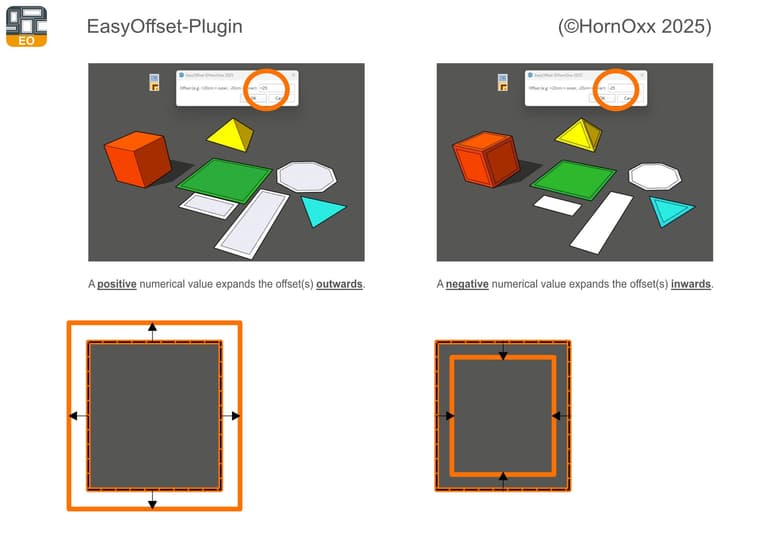
EasyOffset creates offsets for one or more selected faces: outward by entering a positive numerical value or inward by entering a negative numerical value – nothing more, nothing less, robust and fast, no smart features or multiple offsets at the same time. Not necessarily the reinventing the the wheel , but again free and still good enough to share here and for me the first time I had ever created an icon bar.
Like my other plugins, it was developed over the last few months based on my everyday tasks.
SketchUp Plugins | PluginStore | SketchUcation
SketchUp Plugin and Extension Store by SketchUcation provides free downloads of hundreds of SketchUp extensions and plugins
(sketchucation.com)
-
@HornOxx said in EasyOffset / my new plugin #3:
it was developed over the last few months based on my everyday tasks.
The perfect reason to develop a tool.
I'm gonna try a break it

Download the free D'oh Book for SketchUp 📖
-
@Rich-O-Brien said in EasyOffset / my new plugin #3:
I'm gonna try a break it
Did you check your inbox? There's more stuff to break.

-
@panixia said in EasyOffset / my new plugin #3:
Did you check your inbox? There's more stuff to break.
I did indeed. I will break that too. Just like I break spaghetti before I cook it.

Download the free D'oh Book for SketchUp 📖
-
@Rich-O-Brien said in EasyOffset / my new plugin #3:
I break spaghetti before I cook it
[TriggeredItalianModeON/]That should be illegal[TriggeredItalianModeOFF/]
-
Very nice. Any way to change units?
SketchUp Pro 2025/2026 Dell XPS 8950 i9-12900K 64GB Ram RTX 3080
-
Try various offsets on the attached skp that contains a non-convex polygon. A couple of examples:
- edit the leading sign on the offset to get -20cm. A weird shape will be created.
- try just entering -1 (the model is in fractional inches). A self-intersecting set of edges will be created.
A general offset algorithm needs traps for special cases such as these, which add to the complexity. In the past, the built-in Offset Tool would also glitch on shapes such as this. I don't remember exactly which version fixed it (maybe SU 2019 or 2020?).
-
@Glenn-at-home said in EasyOffset / my new plugin #3:
Very nice. Any way to change units?
Hi Glenn-at-home, Thanks!
The plugin should work correctly in your preferred unit format (or doesn´t it?).
(yes, the +/- sample default-text in the input window may be or is a bit confusing though because of the cm and I only realise that now because of your question) -
@slbaumgartner said in EasyOffset / my new plugin #3:
Thank you slbaumgartner for your valid comments on this.
My little tool is anything but ‘smart’. For complex geometries, I actually use more suitable and of course better offset tools.
For complex and also multiple face selection, I really like Tig's Smart Offset, for example... -
@HornOxx Hey and thanks for getting back to me. It's defaulting to the units of my model. Not in 2025 nor 2026.
Thanks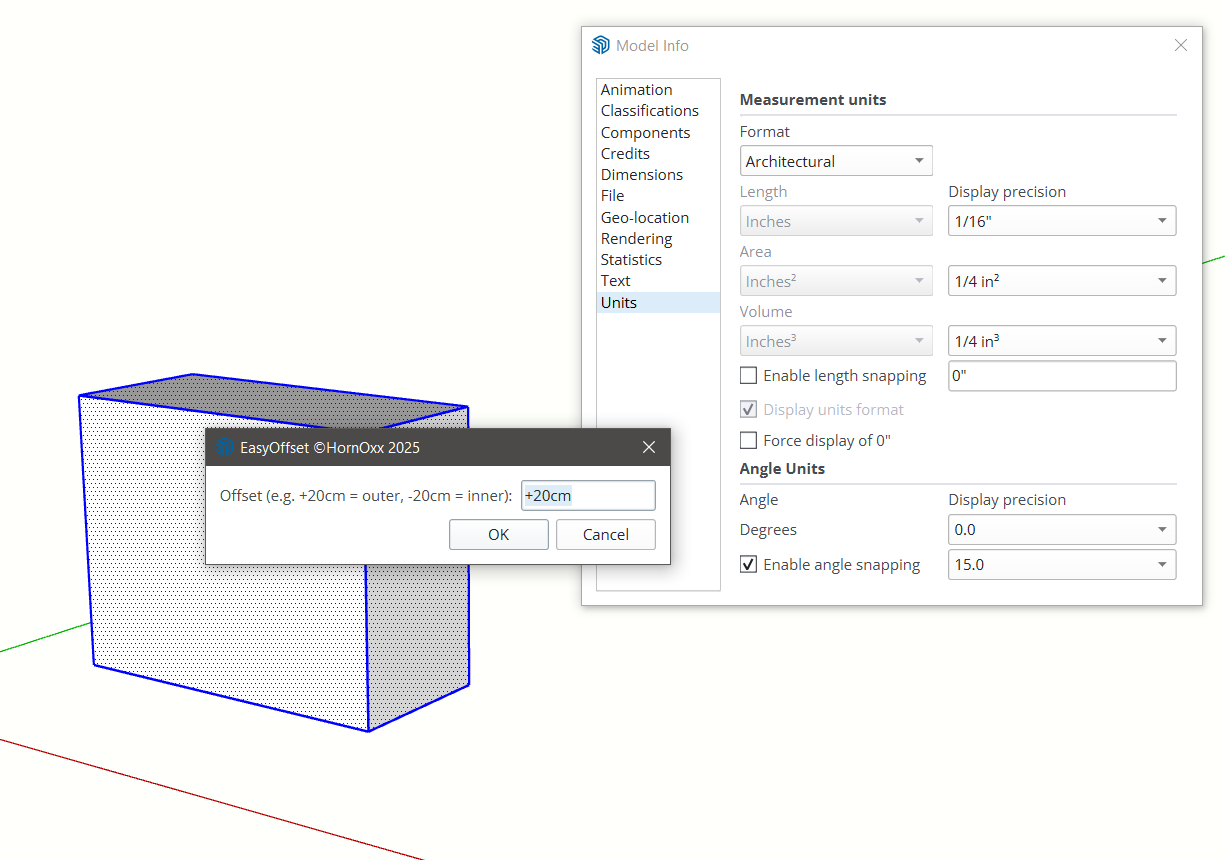
-
Thanks for your feedback Glenn-at-home
Hmm, strange. I used also an inches default Master for testing. For me, entering inches (for example) works without any problems in the SU versions mentioned. Is there perhaps something wrong with my inch measurement entry and doesn´t correspond to practice? For example: for 15 feet inward,would you write " -15 " or " -15' "?
( by the way, this is a pretty complicated system for me to write)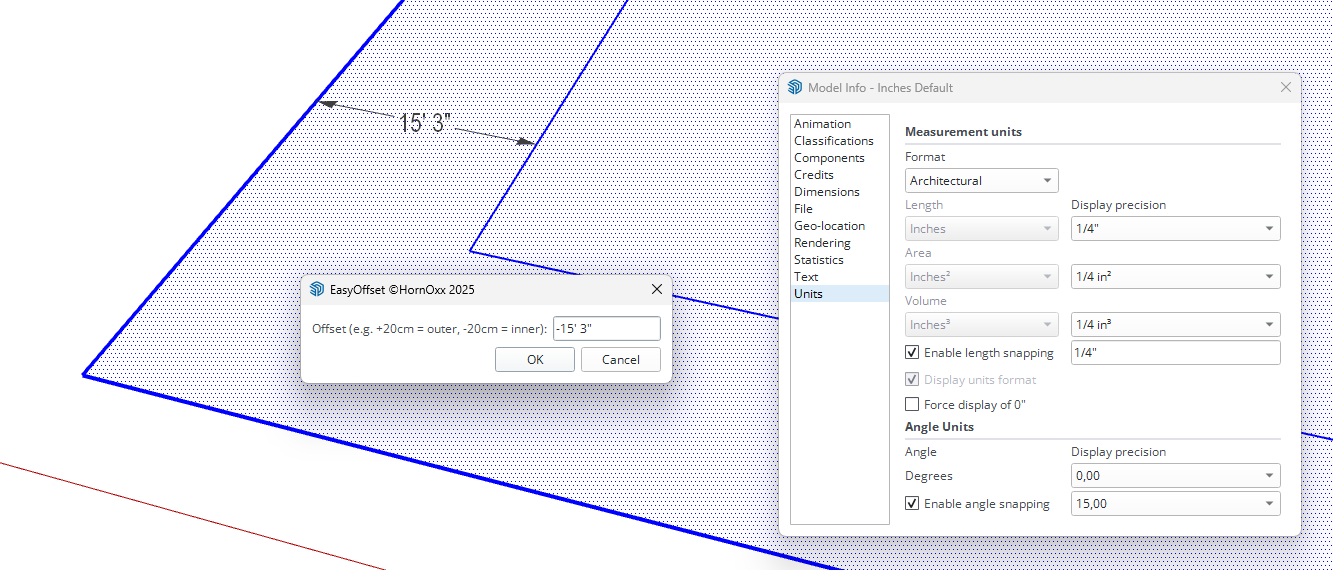




Hello! It looks like you're interested in this conversation, but you don't have an account yet.
Getting fed up of having to scroll through the same posts each visit? When you register for an account, you'll always come back to exactly where you were before, and choose to be notified of new replies (either via email, or push notification). You'll also be able to save bookmarks and upvote posts to show your appreciation to other community members.
With your input, this post could be even better 💗
Register Login


Advertisement