sketchucation logo sketchucation
    • Login
    Oops, your profile's looking a bit empty! To help us tailor your experience, please fill in key details like your SketchUp version, skill level, operating system, and more. Update and save your info on your profile page today!
    ⚠️ Update | Sketchucation Tools 5.0.8 released with licensing improvements and bugfixes Download

    Flowify problems

    Scheduled Pinned Locked Moved Extensions & Applications Discussions
    5 Posts 4 Posters 424 Views 4 Watching
    Loading More Posts
    • Oldest to Newest
    • Newest to Oldest
    • Most Votes
    Reply
    • Reply as topic
    Log in to reply
    This topic has been deleted. Only users with topic management privileges can see it.
    • 1
      1115 Newcomers
      last edited by

      Hi,

      I’m having some trouble getting Flowify to work. I’ve double-checked every group and couldn't find any issues, yet this message keeps popping up. I’m not sure what I’m missing, so I’ve attached my file for you to take a look. Any help would be greatly appreciated元件_19.skp

      I have attached the file.

      1 Reply Last reply
      Reply Quote 0
      • Rich O BrienR
        Rich O Brien Moderator
        last edited by

        For it to work the input needs to be correct.

        The projection plane is either an empty rectangular face or a flat custom made quad grid with the same topology as the target surface.
        The target surface is a rectangular quad grid - rectangular means that the grid needs to have four distinct corners.
        Connection edges (or construction lines in case the lines intersect each other) connect two adjacent corners on the projection plane with two adjacent corners on the target surface.

        There are tons of working examples here: https://community.sketchucation.com/post/1517999

        Download the free D'oh Book for SketchUp 📖

        1 Reply Last reply
        Reply Quote 0
        • 1
          1115 Newcomers
          last edited by

          螢幕擷取畫面 2025-12-29 130707.jpg
          螢幕擷取畫面 2025-12-29 130642.jpg
          I tried the approach shown in the example in the image, but another error message appeared. I'm not quite sure why this is happening. What should I do?

          panixiaP 1 Reply Last reply
          Reply Quote 0
          • panixiaP
            panixia @1115
            last edited by panixia

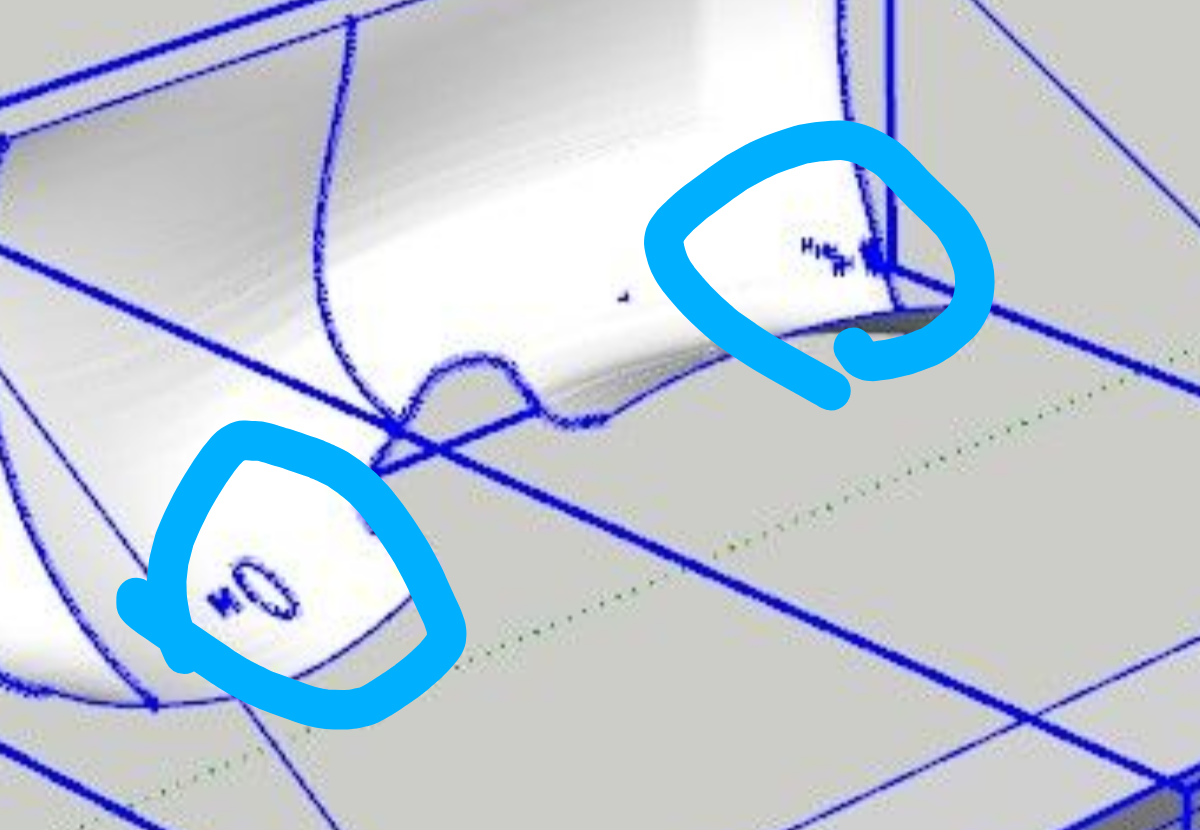
            @1115 I'm not on my PC, so I can't check your attachment right now, but.. what are those pieces on geometry on your target grid?
            I'm 99% sure that's the problem here.
            Screenshot_20251231-104024.Chrome.png

            1 Reply Last reply
            Reply Quote 0
            • K
              kenancakir
              last edited by

              That is not a four edge geometry..

              1 Reply Last reply
              Reply Quote 0

              Hello! It looks like you're interested in this conversation, but you don't have an account yet.

              Getting fed up of having to scroll through the same posts each visit? When you register for an account, you'll always come back to exactly where you were before, and choose to be notified of new replies (either via email, or push notification). You'll also be able to save bookmarks and upvote posts to show your appreciation to other community members.

              With your input, this post could be even better 💗

              Register Login
              • 1 / 1
              • First post
                Last post
              Buy SketchPlus
              Buy SUbD
              Buy WrapR
              Buy eBook
              Buy Modelur
              Buy Vertex Tools
              Buy SketchCuisine
              Buy FormFonts

              Advertisement

