Flowify problems
-
Hi,
I’m having some trouble getting Flowify to work. I’ve double-checked every group and couldn't find any issues, yet this message keeps popping up. I’m not sure what I’m missing, so I’ve attached my file for you to take a look. Any help would be greatly appreciated
I have attached the file.
-
For it to work the input needs to be correct.
The projection plane is either an empty rectangular face or a flat custom made quad grid with the same topology as the target surface.
The target surface is a rectangular quad grid - rectangular means that the grid needs to have four distinct corners.
Connection edges (or construction lines in case the lines intersect each other) connect two adjacent corners on the projection plane with two adjacent corners on the target surface.There are tons of working examples here: https://community.sketchucation.com/post/1517999
-


I tried the approach shown in the example in the image, but another error message appeared. I'm not quite sure why this is happening. What should I do? -
@1115 I'm not on my PC, so I can't check your attachment right now, but.. what are those pieces on geometry on your target grid?
I'm 99% sure that's the problem here.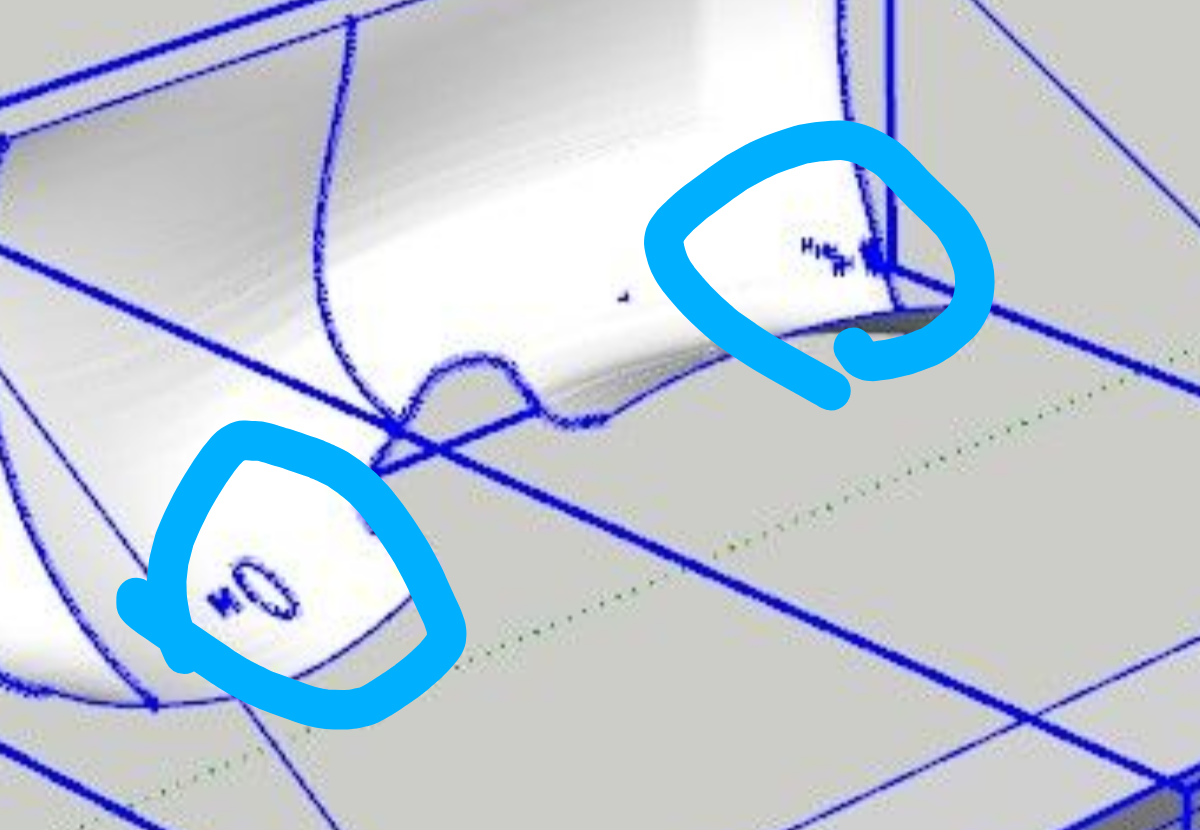
-
That is not a four edge geometry..



Hello! It looks like you're interested in this conversation, but you don't have an account yet.
Getting fed up of having to scroll through the same posts each visit? When you register for an account, you'll always come back to exactly where you were before, and choose to be notified of new replies (either via email, or push notification). You'll also be able to save bookmarks and upvote posts to show your appreciation to other community members.
With your input, this post could be even better 💗
Register Login


Advertisement