sketchucation logo sketchucation
    • Login
    Oops, your profile's looking a bit empty! To help us tailor your experience, please fill in key details like your SketchUp version, skill level, operating system, and more. Update and save your info on your profile page today!
    ⚠️ Important | Libfredo 15.6b introduces important bugfixes for Fredo's Extensions Update

    Rayscaper render.

    Scheduled Pinned Locked Moved WIP
    33 Posts 4 Posters 588 Views 4 Watching
    Loading More Posts
    • Oldest to Newest
    • Newest to Oldest
    • Most Votes
    Reply
    • Reply as topic
    Log in to reply
    This topic has been deleted. Only users with topic management privileges can see it.
    • ntxdaveN Offline
      ntxdave @Rich O Brien
      last edited by

      @Rich-O-Brien said in Rayscaper render.:

      @ntxdave said in Rayscaper render.:

      Can you point me to the source or is there a source for "free" materials you would recommend?

      Link Preview Image
      Poly Haven β€’ Poly Haven

      The Public 3D Asset Library

      favicon

      Poly Haven (polyhaven.com)

      Those are already bundled with Rayscaper

      OK, I went there and see one I would like to use, however when I downloaded it, it was a "blend" file. Yes, it is available in Rayscaper but I would also like to use it in SketchUp. Is there a way to do that?

      Rich O BrienR 1 Reply Last reply Reply Quote 0
      • Rich O BrienR Offline
        Rich O Brien Moderator @ntxdave
        last edited by

        @ntxdave said in Rayscaper render.:

        Is there a way to do that?

        In SketchUp you can apply any bitmap based material onto faces to represent whatever you want.

        Then in RS drag any of its materials onto that and it will inherit the UVs.

        Just give it a go. Paint a cube in SketchUp with a Brick material. Then press render and drag one of the bundled materials on to the cube.

        Download the free D'oh Book for SketchUp πŸ“–

        ntxdaveN 1 Reply Last reply Reply Quote 0
        • Rich O BrienR Offline
          Rich O Brien Moderator
          last edited by

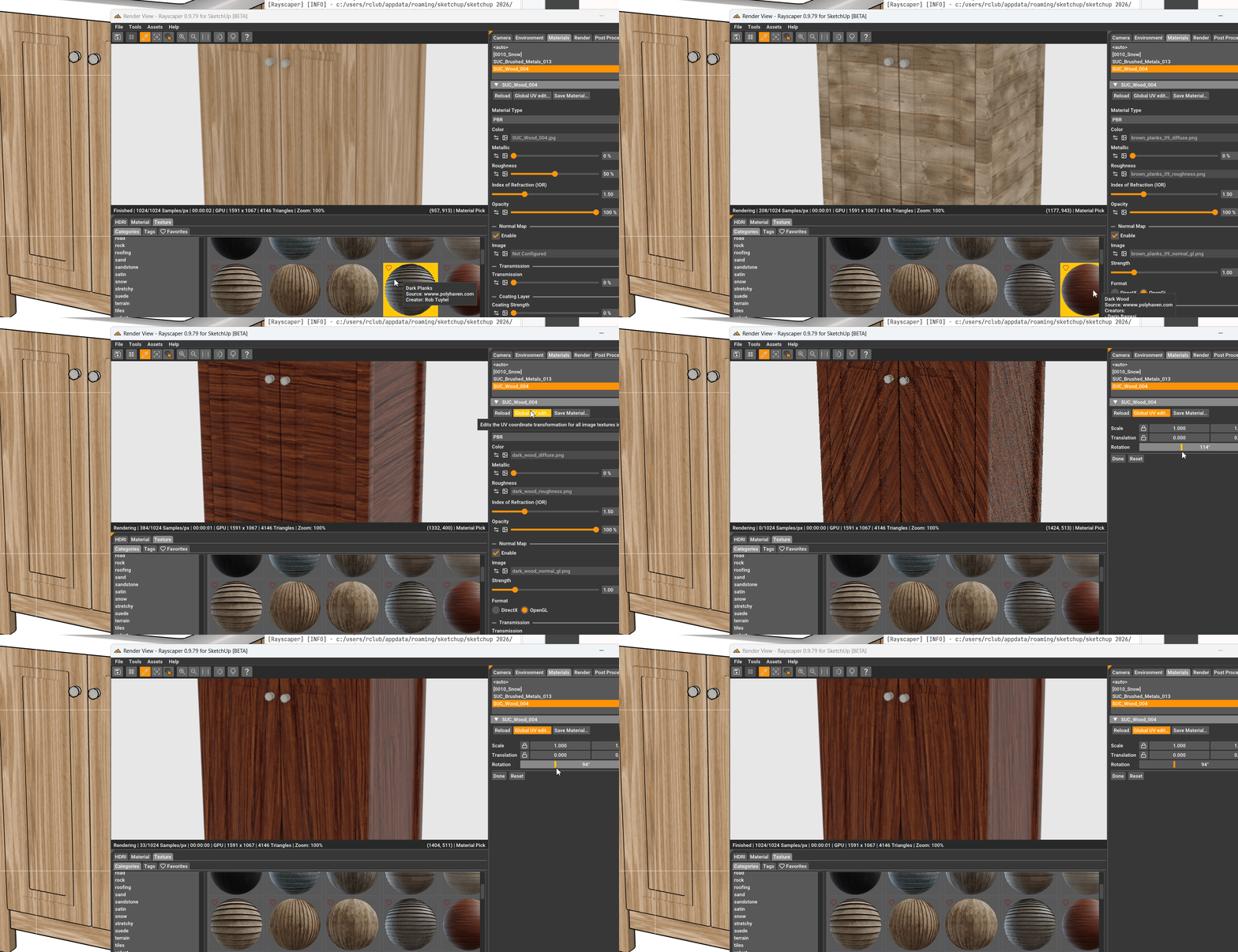
          SketchUp_STlROs4w0R.gif

          Download the free D'oh Book for SketchUp πŸ“–

          1 Reply Last reply Reply Quote 1
          • ntxdaveN Offline
            ntxdave @Rich O Brien
            last edited by

            @Rich-O-Brien yes, I know how to do that. πŸ˜€ However, for my animation I wanted some better looking materials. Currently you cannot render animations in RayScaper (although @pixelcruncher has said that will be in a future release).

            1 Reply Last reply Reply Quote 0
            • Rich O BrienR Offline
              Rich O Brien Moderator
              last edited by

              If you are referring to creating SketchUp materials then in SketchUp you can press F1 at any time to go straight to their help docs and get info on making material libraries.

              If you are referring to getting just the bitmaps off Polyhaven then choose ZIP:
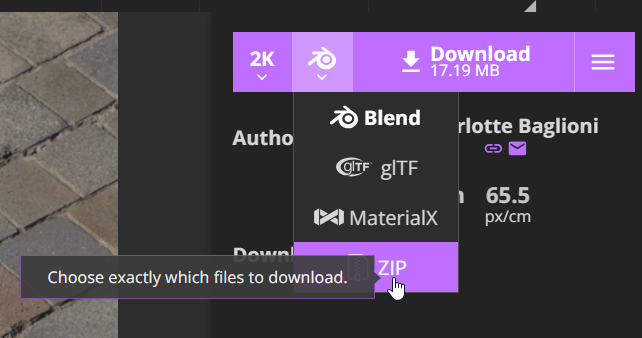
              image.png

              Then you can pick to just grab the bitmaps in whatever format you need.

              Download the free D'oh Book for SketchUp πŸ“–

              ntxdaveN Rich O BrienR 2 Replies Last reply Reply Quote 0
              • P Offline
                pixelcruncher Extension Creator @Mike Amos
                last edited by

                @Mike-Amos Thanks for the heads up, will have a look.

                I'm the developer of Rayscaper: https://rayscaper.com/ - Fast and easy rendering for SketchUp.

                1 Reply Last reply Reply Quote 0
                • ntxdaveN Offline
                  ntxdave @Rich O Brien
                  last edited by ntxdave

                  @Rich-O-Brien said in Rayscaper render.:

                  If you are referring to creating SketchUp materials then in SketchUp you can press F1 at any time to go straight to their help docs and get info on making material libraries.

                  If you are referring to getting just the bitmaps off Polyhaven then choose ZIP:

                  image.png

                  Then you can pick to just grab the bitmaps in whatever format you need.

                  OK, but for SketchUp, which format should I pick/download since SketchUp uses SKM files?

                  1 Reply Last reply Reply Quote 0
                  • Rich O BrienR Offline
                    Rich O Brien Moderator @Rich O Brien
                    last edited by

                    said in Rayscaper render.:

                    If you are referring to creating SketchUp materials then in SketchUp you can press F1 at any time to go straight to their help docs and get info on making material libraries.

                    I already shared how you can learn to create your own materials in SketchUp.

                    F1 is your friend

                    Download the free D'oh Book for SketchUp πŸ“–

                    ntxdaveN 1 Reply Last reply Reply Quote 0
                    • ntxdaveN Offline
                      ntxdave @Rich O Brien
                      last edited by

                      @Rich-O-Brien OK, I am making some progress but not exactly where I want to be yet. Having some silly issues on where things are being saved. 😧

                      Once again, thanks for your feedback and patience.

                      ntxdaveN 1 Reply Last reply Reply Quote 0
                      • ntxdaveN Offline
                        ntxdave @ntxdave
                        last edited by

                        I created a material, but I am having problems adjusting the texture. I created a wood texture that I want to apply to in my model. Had no problems but now I want to adjust the texture. I applied to a group object and that went fine. Now I want to adjust the texture. Seems like no matter what I do, I cannot get the texture moderator to launch. I have tried selecting a single face and the whole object but when I right click on a face I can not get the option to adjust the texture.

                        I tried the same process in a very simple model and as long as I only select a single face I can get it to work. Doesn't work in my model though.

                        Any suggestions?

                        1 Reply Last reply Reply Quote 0
                        • Rich O BrienR Offline
                          Rich O Brien Moderator
                          last edited by

                          If you review what you did you'll see the issue.

                          Painting groups is not the same as painting geometry.

                          You shouldn't paint containers.

                          Download the free D'oh Book for SketchUp πŸ“–

                          1 Reply Last reply Reply Quote 0
                          • ntxdaveN Offline
                            ntxdave
                            last edited by

                            I think I/we have had to many posts in this thread that distract from the Rayscaper render theme. Is thee any way we can move all of the posts about creating and editing materials to another thread?

                            At some point I would like to get back to the thread topic of rendering a (my) model with Rayscaper so that we can be fair to the Rayscaper team.

                            I also would like to have a better thread for discussing how to create materials and textures and saving them to a folder where I can use them in other models. I am making some progress but keep running into some silly problems and again the issues are not related to Rayscaper and this do not want to distract from this thread's theme.

                            1 Reply Last reply Reply Quote 0
                            • Mike AmosM Offline
                              Mike Amos
                              last edited by

                              Speaking personally, everything to do with render has a place in a render thread but I understand your point. There is a render section of this forum but perhaps it needs to develop to be more inclusive of render programs so we can more easily relate to individual AND common topics.

                              Absentia mortis praesentiam vitae probat, vita autem est argumentum constantiae.

                              1 Reply Last reply Reply Quote 0
                              • 1
                              • 2
                              • 2 / 2
                              • First post
                                Last post
                              Buy SketchPlus
                              Buy SUbD
                              Buy WrapR
                              Buy eBook
                              Buy Modelur
                              Buy Vertex Tools
                              Buy SketchCuisine
                              Buy FormFonts

                              Advertisement