Fredo Lord of Toolbars Search issue
-
The search button on Lord of Toolbars is no longer working for me. Can anyone advise on how to reset or fix it?
Thank you.
-
This post is deleted! -
@Salient said in Fredo Lord of Toolbars Search issue:
The search button on Lord of Toolbars is no longer working for me. Can anyone advise on how to reset or fix it? .
What is not working exactly?
-
@fredo6 When I click the hourglass no search box appears. I have looked to see if it may be hiding somewhere but I cannot see it if it is. I have also uninstalled the plugin and reinstalled. Everything else is working properly.
Thank you
-
@Salient
Can you leave the Ruby console open to check for errors. -
@fredo6 Having the same issues. Search doesn't work. And tools are not registering. When I have the ruby console open -- nothing happens when I click on a tool within LOTT
-
Thanks for responding. I opened the ruby console by selecting Extensions>Developer>Ruby Console. The console appears however nothing shows in the console when I click the search button on the toolbar. Did I do what you asked me to do correctly?
-
it doesn't appear as though it can be fixed.
-
I would need a little bit more information.
- Mac or Windows?
- What is the 'hourglass'. The Search icon has a magnifier?
- did you upgrade t the latest version of LibFredo6 (14.2a)?
-
@fredo6 I upgraded to latest version of libfredo. On a Mac. None of the tool buttons are working from the main menu, search doesn't work, no longer able to add to my favorites with more tools.
-
Difficult to tell what is the problem.
Do you get the Master Toolbar Manager dialog (first icon)?
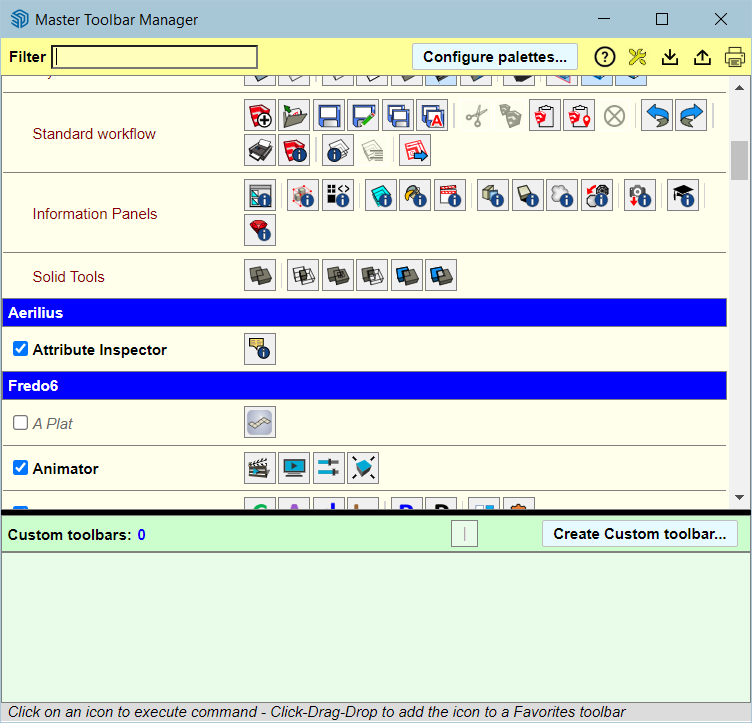
-
Windows
and yes, I apologize, I meant the magnifier
I did have 14.2a but I just upgraded to your newest. -
@Salient
Do you have several monitors?If so, it might be that the dialog is out of screen.
The best is to open the Ruby Console and copy/ paste the following command and type Enter.
Traductor::ChromiumWdlg.dialog_info_reset "LOTT_MiniFindDialog"Then, launch the Serach again. The dialog should be on the main Sketchup screen.
-
Yes, I have 4.
I disconnected three of them to see if the menu was hiding, but if it is, I still cannot see anything when I click the magnifier.
I can see this, but nothing at all when I click the magnifier.
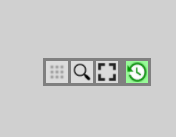
-
@fredo6 said in Fredo Lord of Toolbars Search issue:
Traductor::ChromiumWdlg.dialog_info_reset "LOTT_MiniFindDialog"
Okay, I will try that and report back.
-
-
-
22.0.354
I see all of the other dialogs.
The magnifier was working for me perfectly. I do not know what I did to cause it to stop.
I have licenses for several of your other plugins and they seem to work perfectly.
-
@Salient All appears fixed with the new Sketchup update.

Hello! It looks like you're interested in this conversation, but you don't have an account yet.
Getting fed up of having to scroll through the same posts each visit? When you register for an account, you'll always come back to exactly where you were before, and choose to be notified of new replies (either via email, or push notification). You'll also be able to save bookmarks and upvote posts to show your appreciation to other community members.
With your input, this post could be even better 💗
Register Login


Advertisement