sketchucation logo sketchucation
    • Login
    Oops, your profile's looking a bit empty! To help us tailor your experience, please fill in key details like your SketchUp version, skill level, operating system, and more. Update and save your info on your profile page today!
    Mac User? | Join the Rayscaper Beta for Mac Learn More

    Rayscaper New Releases

    Scheduled Pinned Locked Moved Extensions & Applications Discussions
    rayscaperrender
    663 Posts 14 Posters 296.3k Views 15 Watching
    Loading More Posts
    • Oldest to Newest
    • Newest to Oldest
    • Most Votes
    Reply
    • Reply as topic
    Log in to reply
    This topic has been deleted. Only users with topic management privileges can see it.
    • KrassK
      Krass
      last edited by

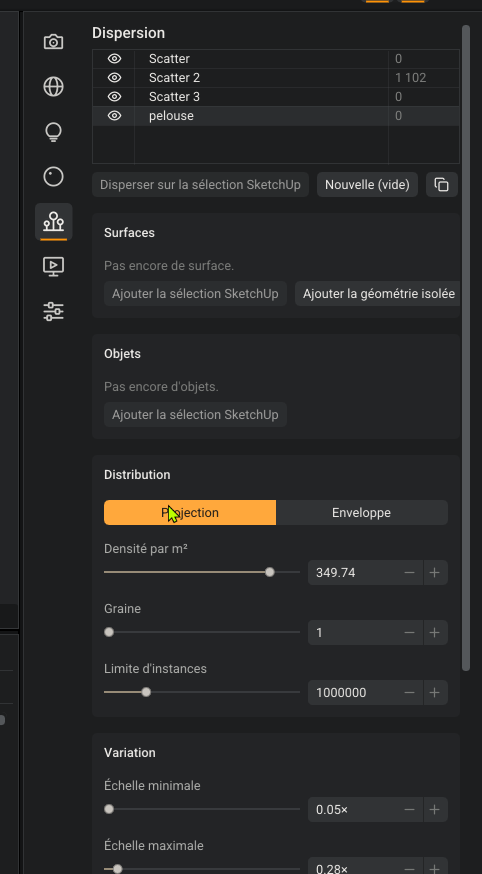
      That looks excellent to me! But I don’t understand how to remove or delete a scatter from the list?
      SketchUp_bDbKEzregO.png

      Krass

      pixelcruncherP 1 Reply Last reply
      Reply Quote 0
      • pixelcruncherP
        pixelcruncher Extension Creator @Krass
        last edited by

        @Krass Ugh, you found a bug. The buttons are falling off the scatter editor. You can make it wider for now to work around it. I will fix it for the next release.
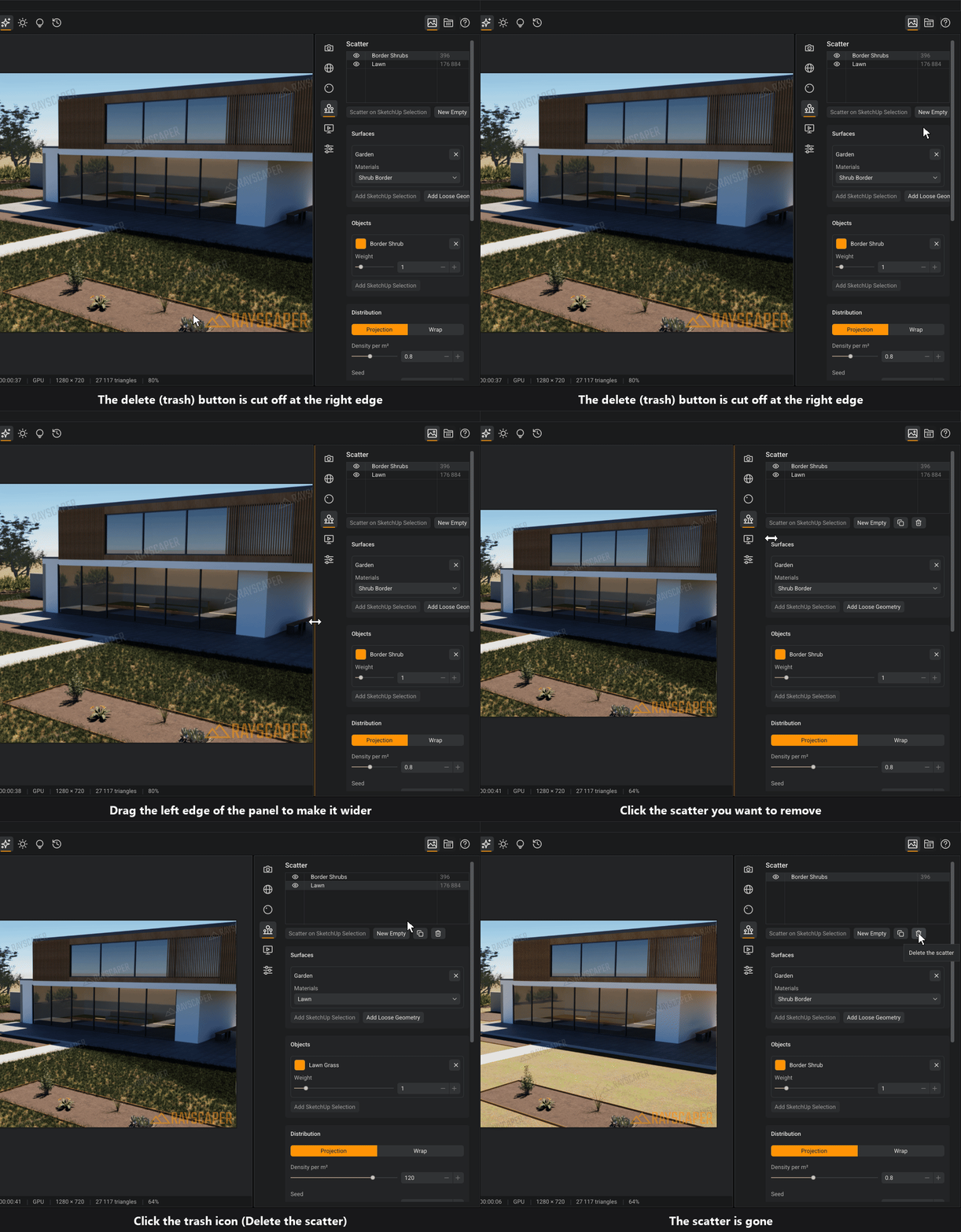
        delete_scatter.gif

        BTW, how are the French translation? It's AI, I kinda spot checked it but I don't know enough French to see if they actually make sense. And I don't use French software so for sure I don't know the specific terms.

        Cheers,
        Thomas

        I'm the developer of Rayscaper: https://rayscaper.com/ - Fast and easy rendering for SketchUp.

        1 Reply Last reply
        Reply Quote 0
        • pixelcruncherP
          pixelcruncher Extension Creator @Alattab
          last edited by

          @Alattab said:

          In the materials name list, how can I select multiple materials at once so that I can apply the same type of settings to them?

          Good suggestion, will add it to the feature list.

          I'm the developer of Rayscaper: https://rayscaper.com/ - Fast and easy rendering for SketchUp.

          1 Reply Last reply
          Reply Quote 0
          • KrassK
            Krass
            last edited by

            Thanks,
            The translation is pretty good. I did consider switching it back to English, as technical terms and software-related language can often lead to misunderstandings, but I’ll leave it in French for now.
            I’ll keep an eye out and let you know if I spot any incorrect or ambiguous translations.
            Your grass material is truly excellent—it’s a significant milestone for this version. And the customizable shortcuts are a big deal for me, so I’m really happy about that. Well done!

            Krass

            KrassK 1 Reply Last reply ♥
            Reply Quote 1
            • KrassK
              Krass @Krass
              last edited by Krass

              Rayscaper

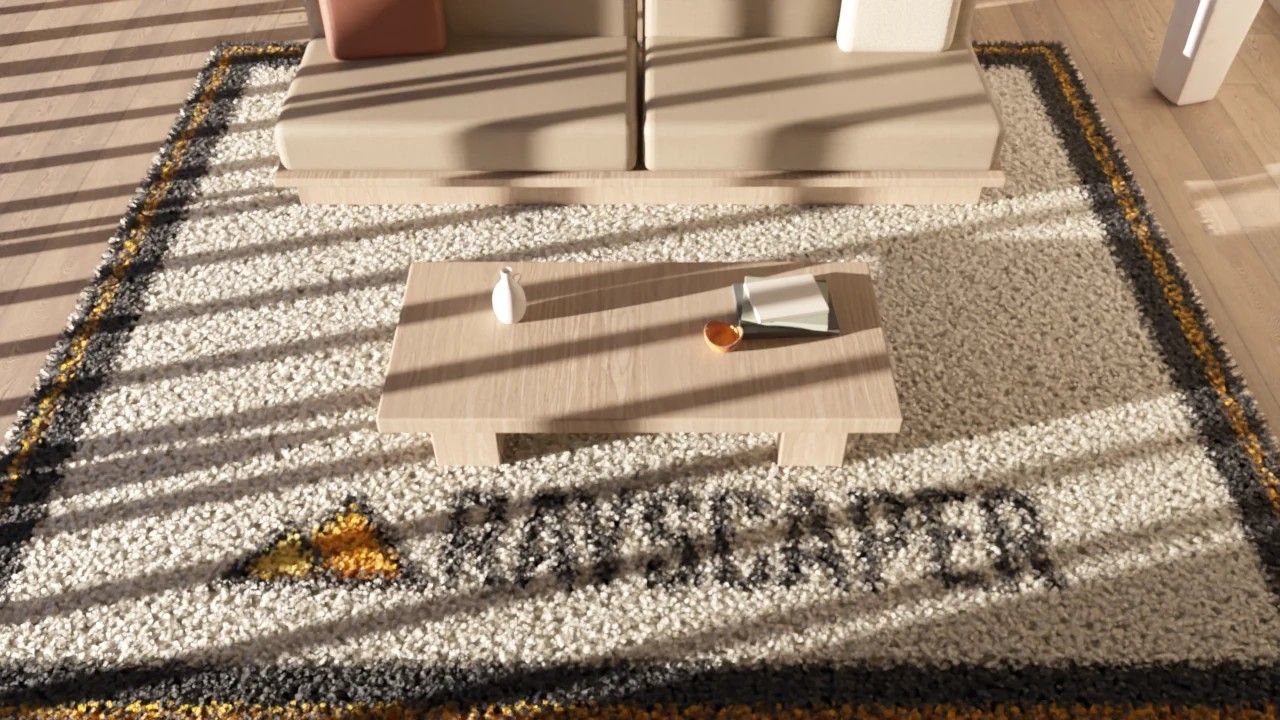
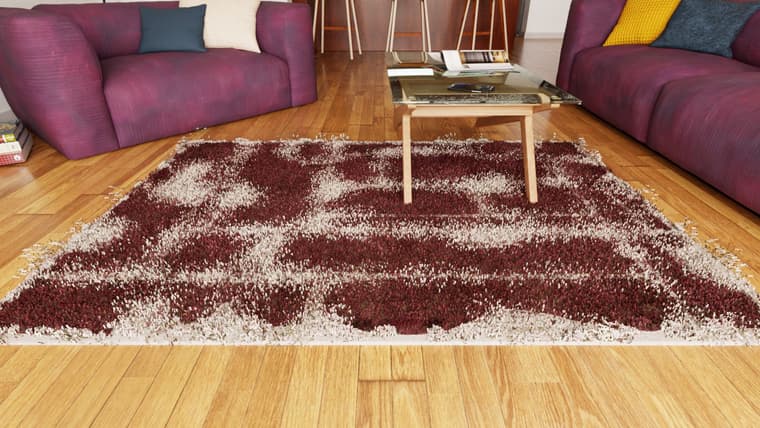
              The grass settings are absolutely perfect. I'm now going to try to repurpose this function to generate carpets. The presets are good; the hue is very natural, whereas in many other programs you get an unrealistic, vivid green.

              Krass

              1 Reply Last reply ♥
              Reply Quote 1
              • KrassK
                Krass
                last edited by

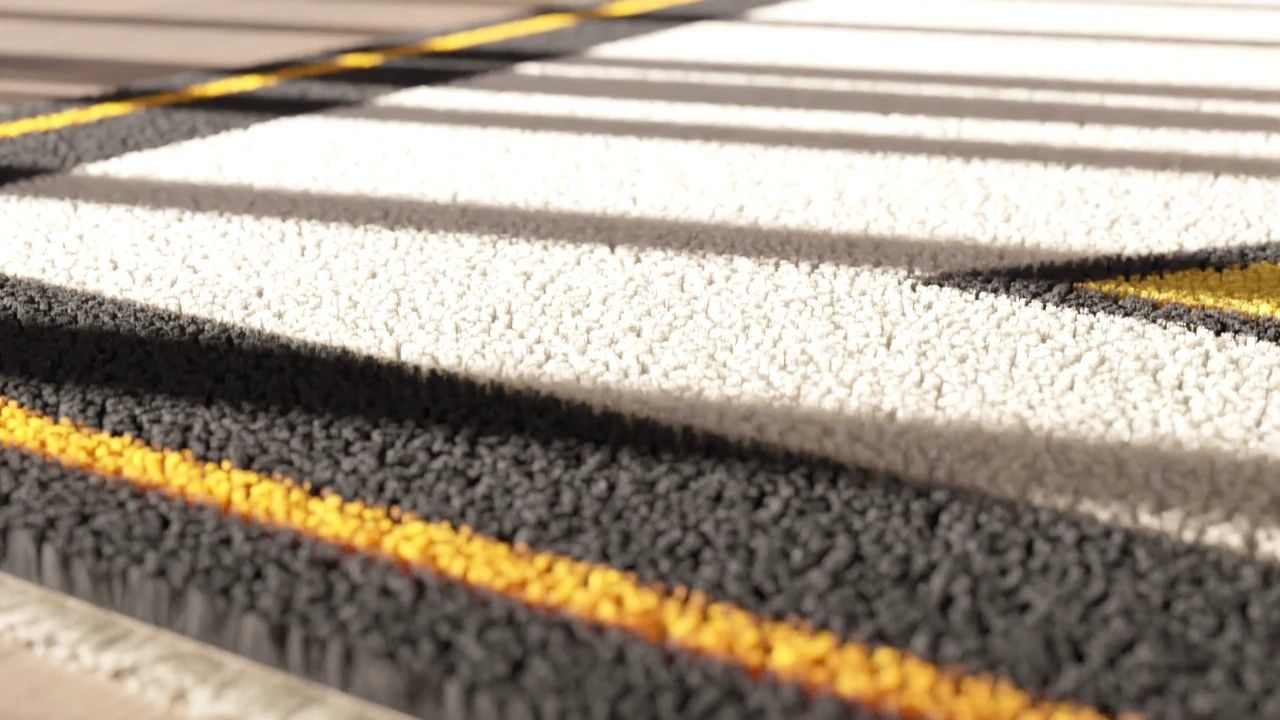
                I’ve just realized that it’s the material color that determines the color of the grass blades—much like in V-Ray—which is a really great feature.
                However, the limit slider for the density parameter currently prevents this "grass material" from being effectively used as "fur." ​​The density in "synthetic grass" mode is the highest (likely due to the shape of the blades).
                Would it be possible to lift this density limit in the future, or perhaps create a "fur" preset that’s better suited for that purpose?
                In any case, well done!
                TAPIS.jpg

                Krass

                1 Reply Last reply
                Reply Quote 1
                • pixelcruncherP
                  pixelcruncher Extension Creator
                  last edited by pixelcruncher

                  @krass - I'm not sure how it works in V-Ray, but in Rayscaper, the grass creates a scatter behind the scenes on the surface and then assigns UVs so your textures also work on the grass surface. We have some hard-coded grass patches in the software. The density limit is there for performance reasons; making it too dense could crash your GPU if it's not beefy enough, so there's a limit.

                  Way back, when I was a developer on the OctaneRender team, we implemented hair and fur using special hair "geometry," which is like tiny strings of geometry next to your normal triangles. I can also look at this method in Rayscaper. It's a bit of work, so I can't really promise this in the 1.0 release (which I wanna get out, because people think Rayscaper is crap because it's still in beta).

                  edit: I'll increase the density limit a bit in the next release anyway, then you are unblocked for creating carpets until we have something better.

                  I'm the developer of Rayscaper: https://rayscaper.com/ - Fast and easy rendering for SketchUp.

                  L 1 Reply Last reply
                  Reply Quote 0
                  • KrassK
                    Krass
                    last edited by

                    Thanks, does it chage anything if I subdivide th rug face?

                    Krass

                    pixelcruncherP 1 Reply Last reply
                    Reply Quote 0
                    • L
                      lightscape Newcomers @pixelcruncher
                      last edited by

                      @pixelcruncher
                      Even in the beta phase, Rayscaper is still excellent, and the designers around me are looking forward to Rayscaper surpassing Thea Render in SketchUp

                      L 1 Reply Last reply
                      Reply Quote 2
                      • L
                        lightscape Newcomers @lightscape
                        last edited by

                        lightscape said:

                        @pixelcruncher
                        Even in the beta phase, Rayscaper is still excellent, and the designers around me are looking forward to Rayscaper surpassing Thea Render in SketchUp

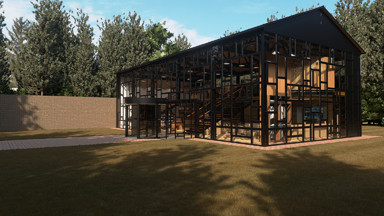
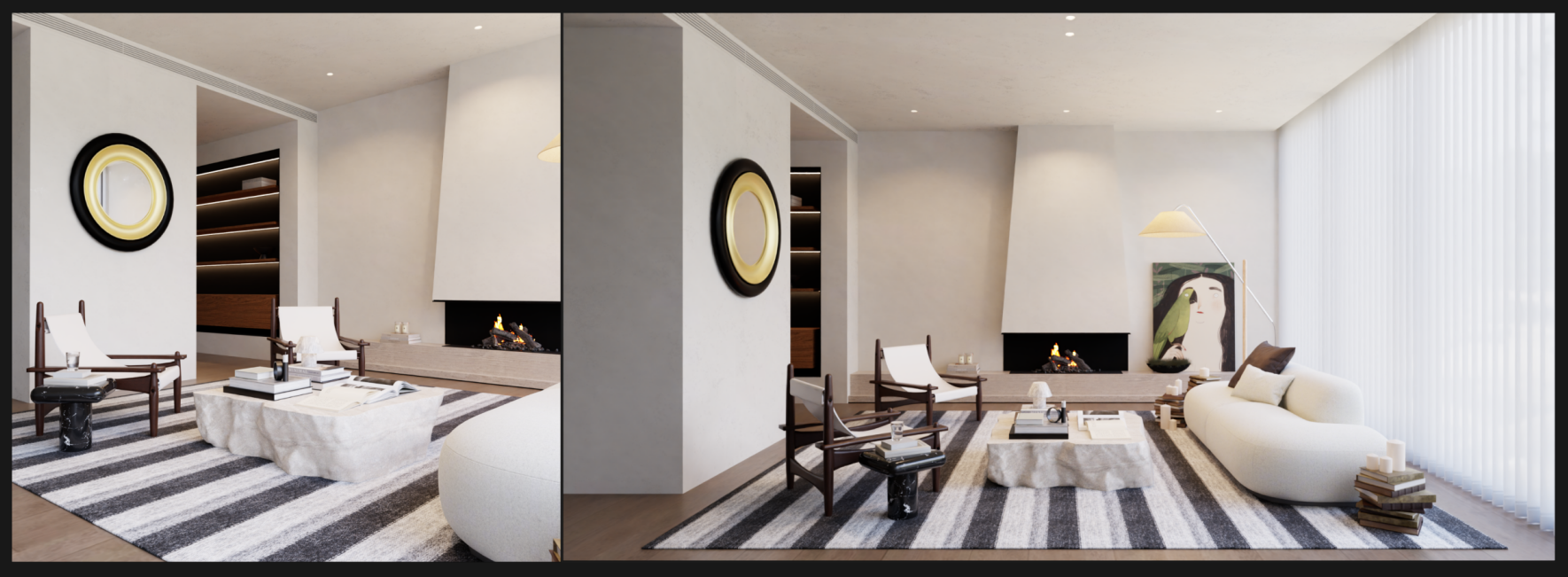
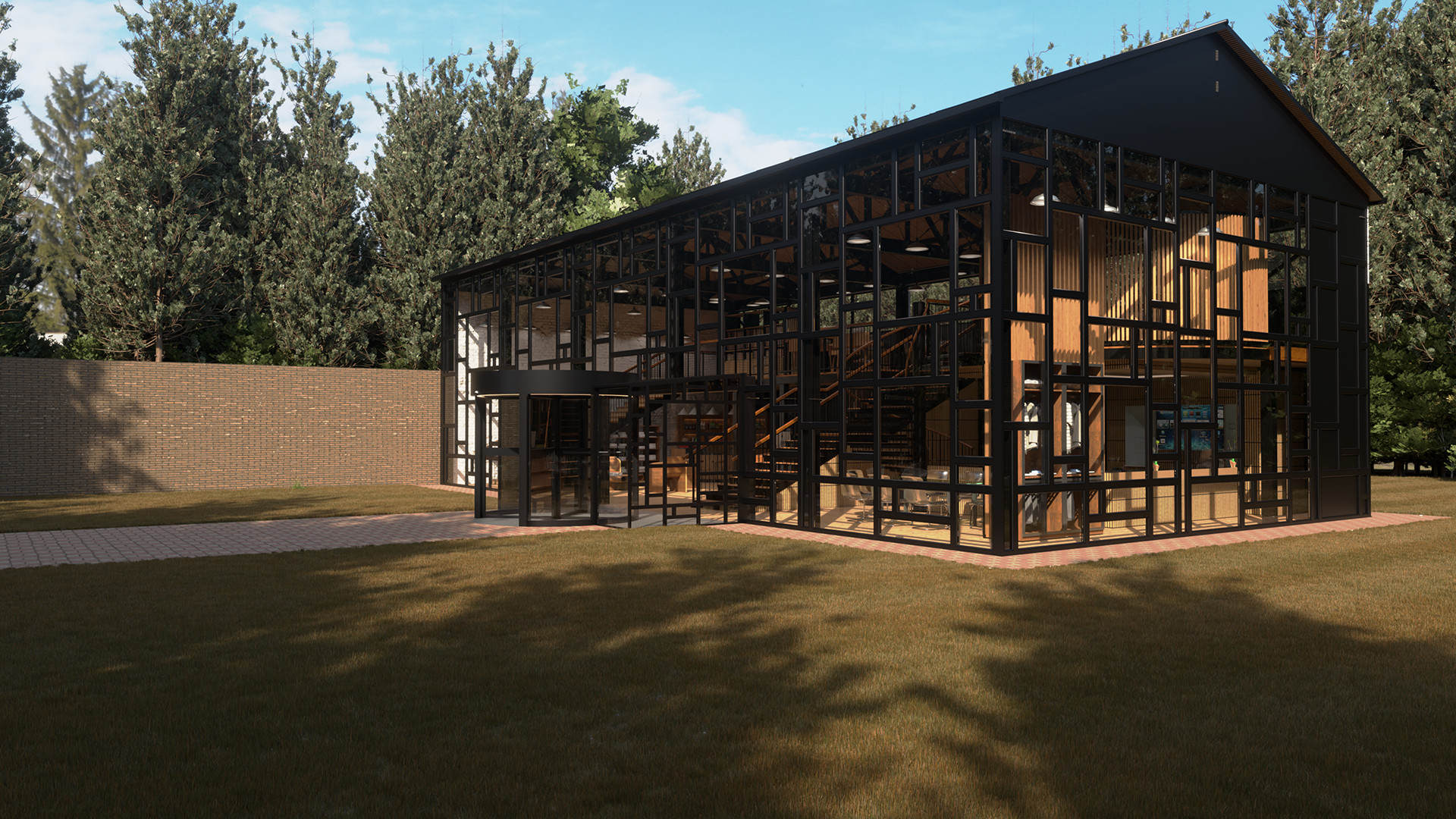
                        I just completed a test scenario with a small resolution, and I used AI to remove the watermark (not for commercial use, just for the sake of visual appeal). Rayscaper's rendering capabilities are currently outstanding72eec337-7b22-4b78-978c-6c1f15f5a54a.png

                        1 Reply Last reply
                        Reply Quote 3
                        • pixelcruncherP
                          pixelcruncher Extension Creator @Krass
                          last edited by

                          @Krass No, it wouldn't really help. Rayscaper scatters the patches with the configured density over the faces. More faces means just more work for the scattering engine.

                          We did some experimenting this afternoon, and might have something better soon(-ish).
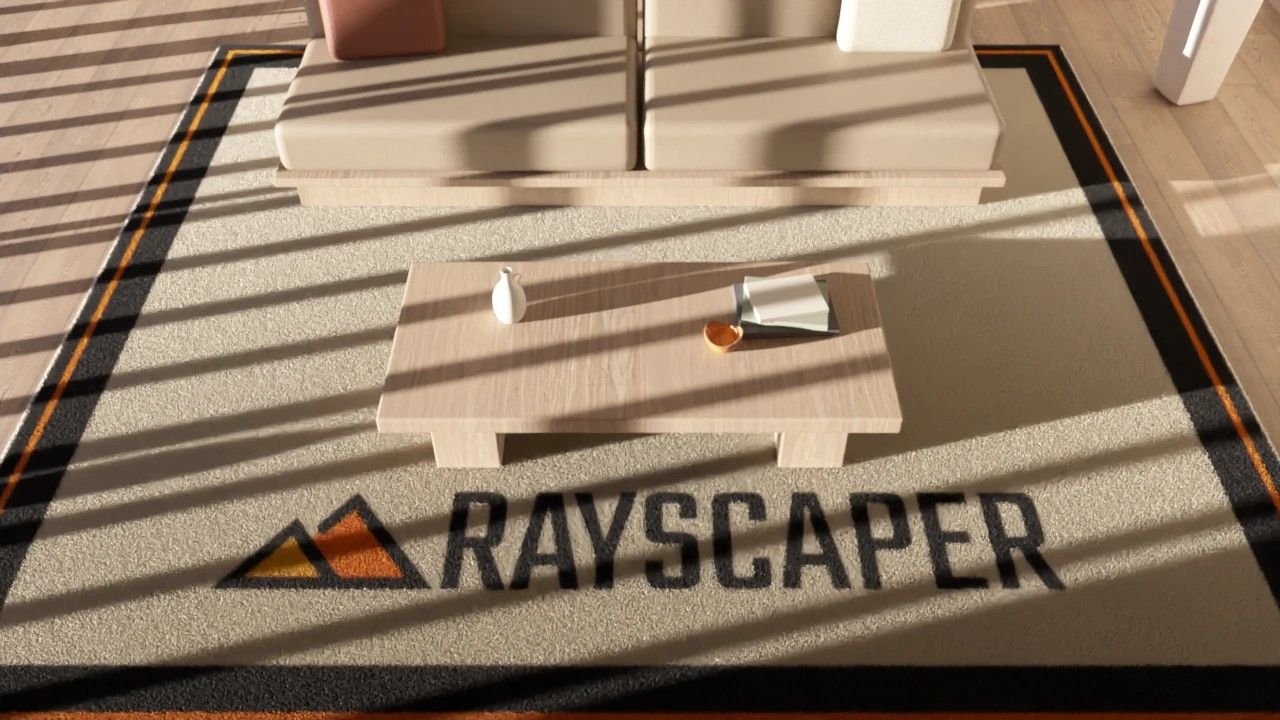
                          image.jpeg

                          image.jpeg

                          image.jpeg

                          Stay tuned!

                          Cheers,
                          Thomas

                          I'm the developer of Rayscaper: https://rayscaper.com/ - Fast and easy rendering for SketchUp.

                          1 Reply Last reply
                          Reply Quote 2
                          • KrassK
                            Krass
                            last edited by Krass

                            it's very good !
                            I believe you used synthetic grass with large blade size...

                            Krass

                            1 Reply Last reply ♥
                            Reply Quote 2
                            • A
                              Alattab
                              last edited by Alattab

                              when grass type changes to meadow there is a bug fix (crush) in sketchup 2025 , in sketchup 2026 is fine work

                              1 Reply Last reply
                              Reply Quote 0
                              • A
                                Alattab
                                last edited by

                                This post is deleted!
                                1 Reply Last reply
                                Reply Quote 0
                                • A
                                  Alattab
                                  last edited by

                                  This post is deleted!
                                  1 Reply Last reply
                                  Reply Quote 0
                                  • A
                                    Alattab
                                    last edited by

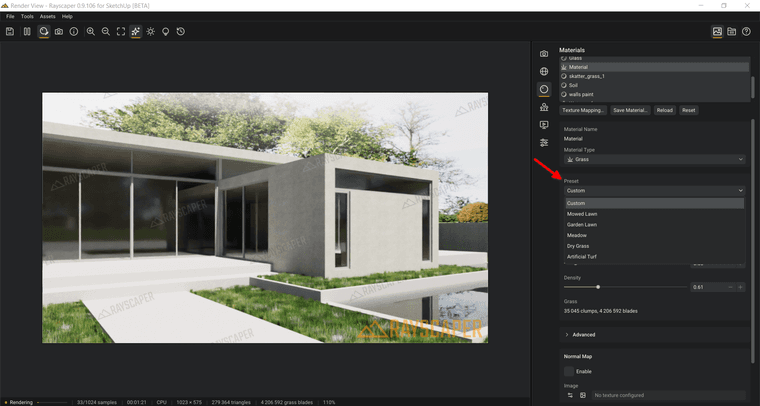
                                    Using a texture as a scattering map—as well as deriving color from that texture—is a fantastic idea. However, I hope the issue regarding the inability to select a preset gets resolved; it’s a bug that causes a fatal error in SketchUp.
                                    ksnip_20261009-131239.png

                                    1 Reply Last reply
                                    Reply Quote 0
                                    • majidM majid referenced this topic

                                    Hello! It looks like you're interested in this conversation, but you don't have an account yet.

                                    Getting fed up of having to scroll through the same posts each visit? When you register for an account, you'll always come back to exactly where you were before, and choose to be notified of new replies (either via email, or push notification). You'll also be able to save bookmarks and upvote posts to show your appreciation to other community members.

                                    With your input, this post could be even better 💗

                                    Register Login
                                    • 1
                                    • 2
                                    • 8
                                    • 9
                                    • 10
                                    • 11
                                    • 12
                                    • 33
                                    • 34
                                    • 10 / 34
                                    • First post
                                      Last post
                                    Buy SketchPlus
                                    Buy SUbD
                                    Buy WrapR
                                    Buy eBook
                                    Buy Modelur
                                    Buy Vertex Tools
                                    Buy SketchCuisine
                                    Buy FormFonts

                                    Advertisement