sketchucation logo sketchucation
    • Login
    Oops, your profile's looking a bit empty! To help us tailor your experience, please fill in key details like your SketchUp version, skill level, operating system, and more. Update and save your info on your profile page today!
    ⚠️ Important | Libfredo 15.6b introduces important bugfixes for Fredo's Extensions Update

    Rayscaper New Releases

    Scheduled Pinned Locked Moved Extensions & Applications Discussions
    rayscaperrender
    362 Posts 10 Posters 23.2k Views 11 Watching
    Loading More Posts
    • Oldest to Newest
    • Newest to Oldest
    • Most Votes
    Reply
    • Reply as topic
    Log in to reply
    This topic has been deleted. Only users with topic management privileges can see it.
    • Mike AmosM Offline
      Mike Amos @Krass
      last edited by Mike Amos

      @Krass

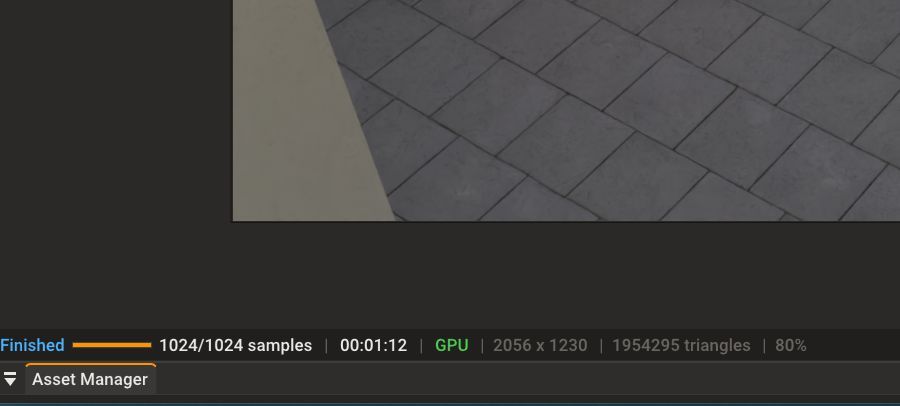
      Not here mate. The render time is a constant.![Render Time Persistent.

      Render Time Persistant.jpg

      Absentia mortis praesentiam vitae probat, vita autem est argumentum constantiae.

      1 Reply Last reply Reply Quote 0
      • KrassK Offline
        Krass
        last edited by

        Hi, I don't quite understand, do you mean the total rendering time is displayed at the bottom here? Also for the animation?
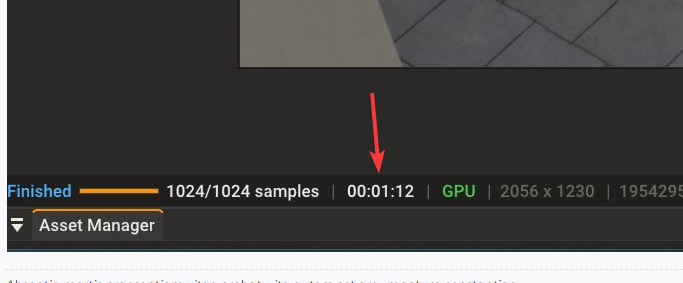
        image.png

        Krass

        1 Reply Last reply Reply Quote 0
        • Mike AmosM Offline
          Mike Amos
          last edited by

          Pardon me, I missed the 'animation' part of your post, just wondering if it was a new behaviour from the app.

          Absentia mortis praesentiam vitae probat, vita autem est argumentum constantiae.

          1 Reply Last reply Reply Quote 0
          • P Offline
            pixelcruncher Extension Creator @Alattab
            last edited by

            @Alattab said in Rayscaper New Releases:
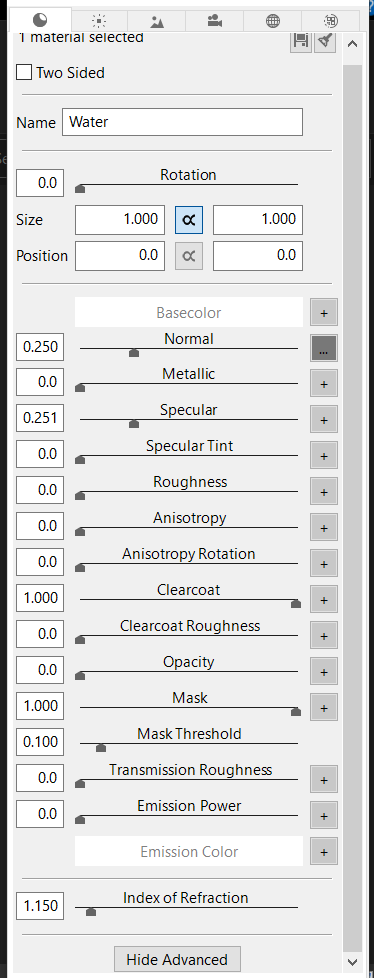
            PBR Parameters.PNG

            Just a suggestion: all PBR parameters should be available, in addition to an AO parameter that allows the user to add all PBR maps. Also, the ability to add FORE GROUND AND BACK GROUND should be added instead of using the environment image, and the ability to resize the environment image should also be included.

            Which application is this?

            AO parameter is on the list, but I haven't gotten around to it yet.

            Also, the ability to add FORE GROUND AND BACK GROUND should be added instead of using the environment image, and

            By background, you mean adding an image to the backplate, for example for compositing? And would you then save this image as part of the render, or not?

            What is foreground? Do you have an example from other render software?

            The ability to resize the environment image should also be included.

            I'm not sure what that means. Do you mean a smaller / bigger resolution, or something else? The environment is wrapped as a "sphere" around your scene, so resizing will only impact the level of detail.

            Thanks for the feedback!

            Regards,
            Thomas

            I'm the developer of Rayscaper: https://rayscaper.com/ - Fast and easy rendering for SketchUp.

            A 1 Reply Last reply Reply Quote 0
            • P Offline
              pixelcruncher Extension Creator @Krass
              last edited by

              @Krass

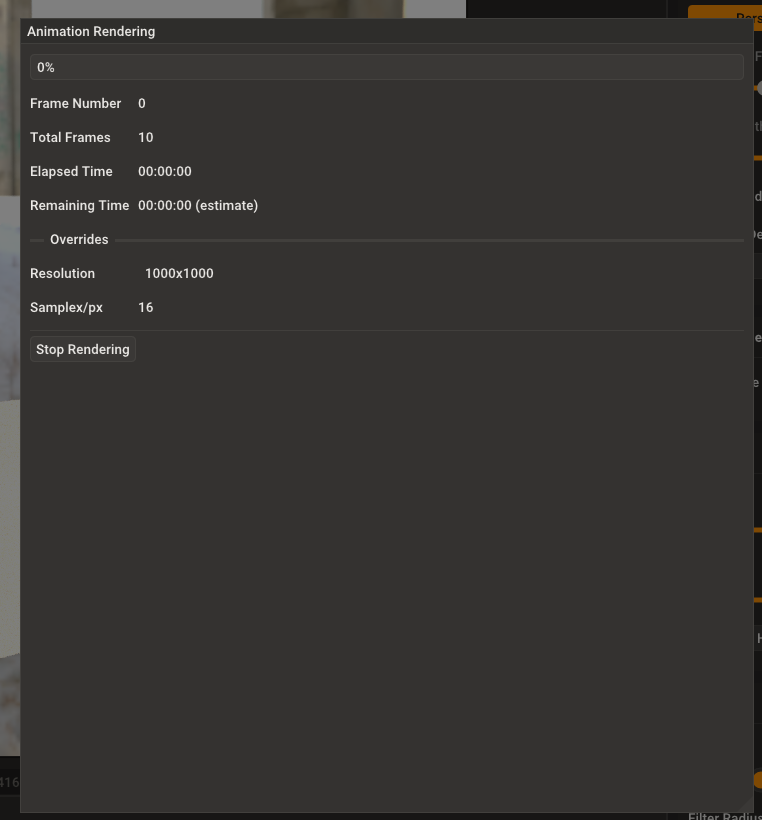
              So you mean keeping this window open until you explicitly close it after rendering?

              6a9ebcc1-9702-4088-b3cd-5ea467253924-image.png

              I'm the developer of Rayscaper: https://rayscaper.com/ - Fast and easy rendering for SketchUp.

              1 Reply Last reply Reply Quote 0
              • A Offline
                Alattab
                last edited by

                I'm still learning, and I hope the program's creator will allow me to provide feedback and suggest improvements. I'm a beginner with SketchUp and have tried many rendering programs that work independently, like Stanalone. I think it's great that it supports Intel OpenImage Denoiser. I'd like contrast control added to the post-processing section, and full PBR properties added, along with additional materials like transparent liquids, bubbled, fizz, and airborne water.
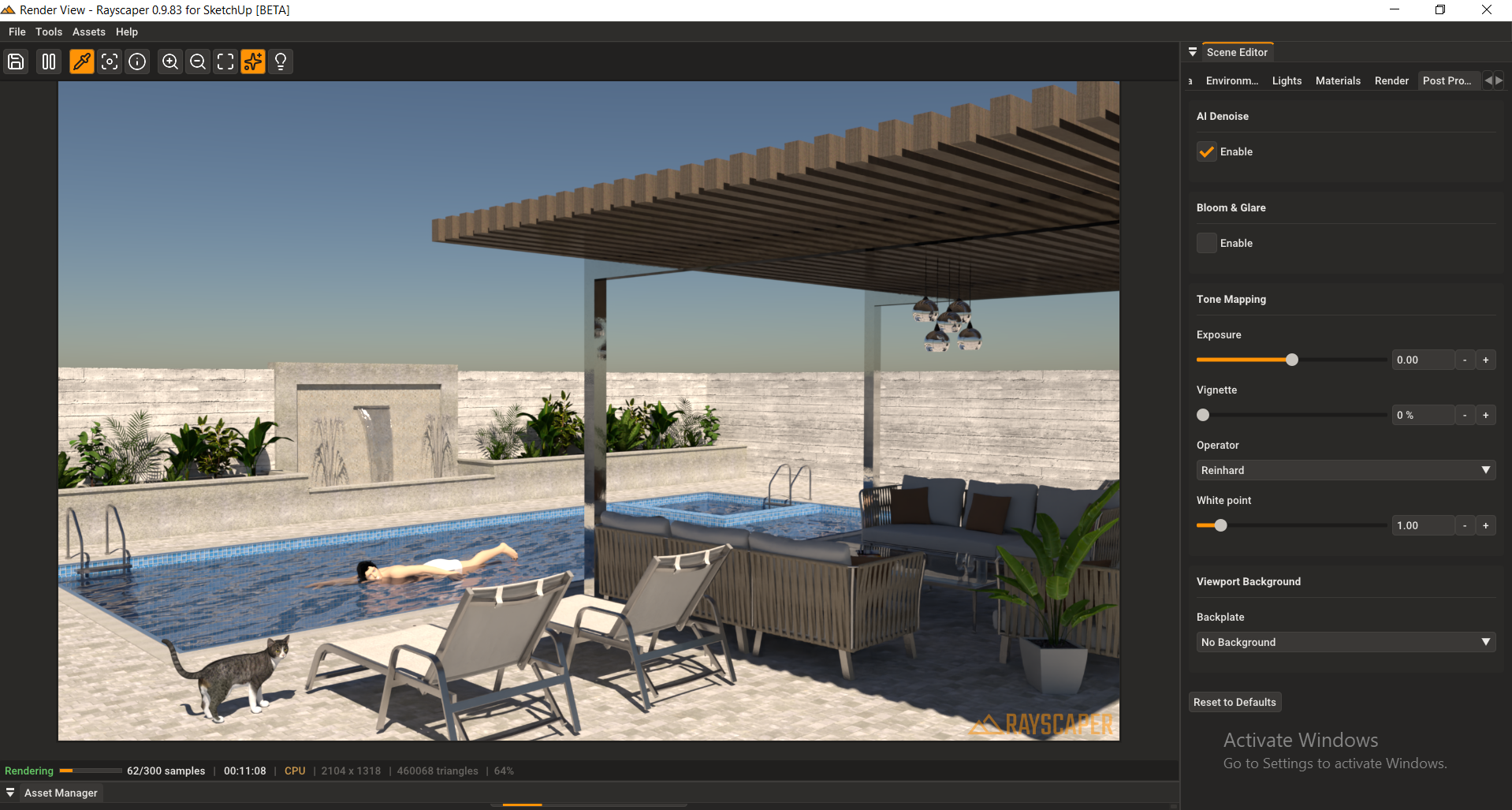
                Test.PNG
                Sketchup.PNG
                01-1.png

                P 1 Reply Last reply Reply Quote 0
                • A Offline
                  Alattab @pixelcruncher
                  last edited by

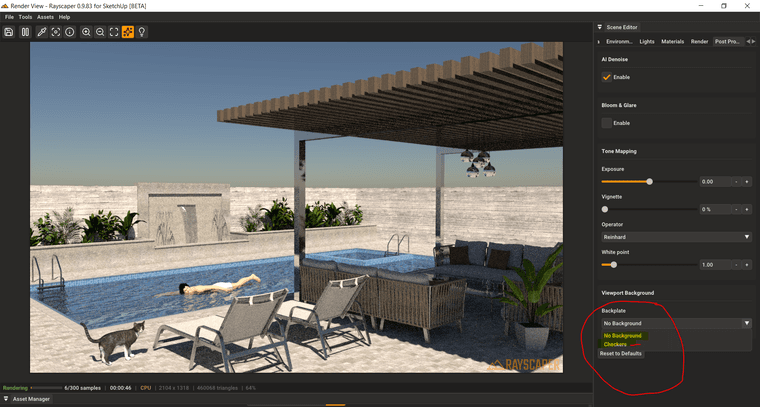
                  @pixelcruncher Back palette (background) and front plate (foreground), like a keyshot render. If you choose a transparent background, you can add other images as a background or in front image as clipart in front of rendered image , some thing like whate happen in sketchup style editting

                  1 Reply Last reply Reply Quote 0
                  • KrassK Offline
                    Krass
                    last edited by

                    Hi, why dont you use sky alpha mask with a photo editor ?

                    Krass

                    1 Reply Last reply Reply Quote 0
                    • KrassK Offline
                      Krass
                      last edited by Krass

                      About hdri scale I think Alattab means a physical dôme, like infinite dôme in vray, that can be stretched and scaled. This is very usefull. It is an hemisphere

                      Krass

                      A 1 Reply Last reply Reply Quote 0
                      • A Offline
                        Alattab
                        last edited by

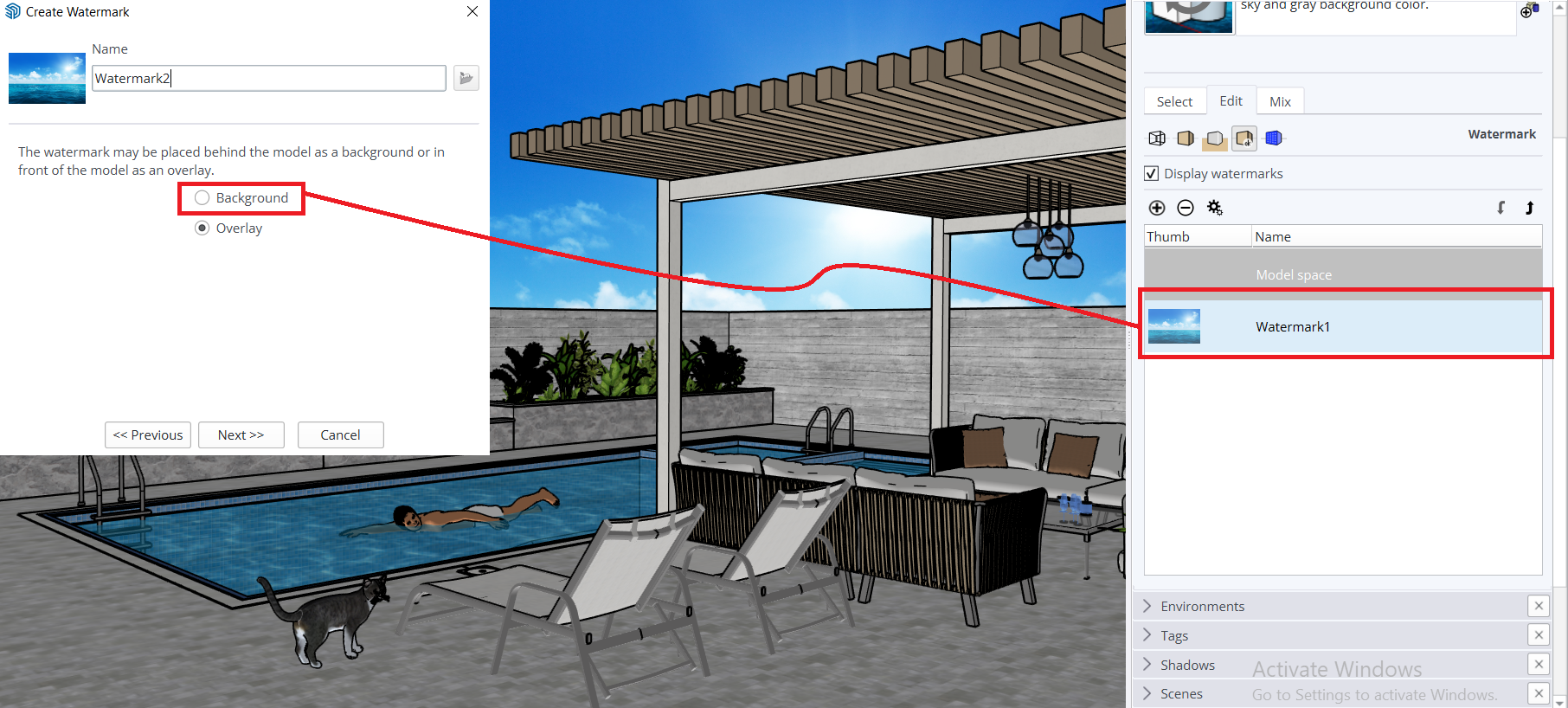
                        To make the program fully functional without relying on external applications, background and overlay options can be added to this list.
                        Sketchup_background-1.PNG
                        Background.png

                        P 1 Reply Last reply Reply Quote 0
                        • A Offline
                          Alattab @Krass
                          last edited by

                          @Krass ، as example simlab composser render engain can scale dome

                          1 Reply Last reply Reply Quote 0
                          • A Offline
                            Alattab
                            last edited by

                            Capture_10.PNG

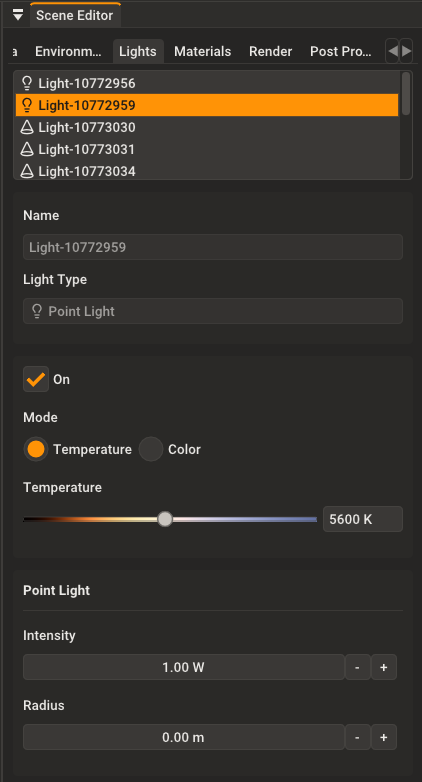
                            It is good thing to copy light properties to each each other

                            P 1 Reply Last reply Reply Quote 1
                            • P Offline
                              pixelcruncher Extension Creator @Alattab
                              last edited by

                              @Alattab For someone still being in the learning phase, I'm already seeing some pretty impressive results 🙂

                              And don't shy away from the feedback, love it! I take all the feedback seriously and try to add those as new features as I go.

                              I'd like contrast control added to the post-processing section

                              Noted.

                              I'd like contrast control added to the post-processing section, and full PBR properties added

                              👍

                              additional materials like transparent liquids, bubbled, fizz, and airborne water.
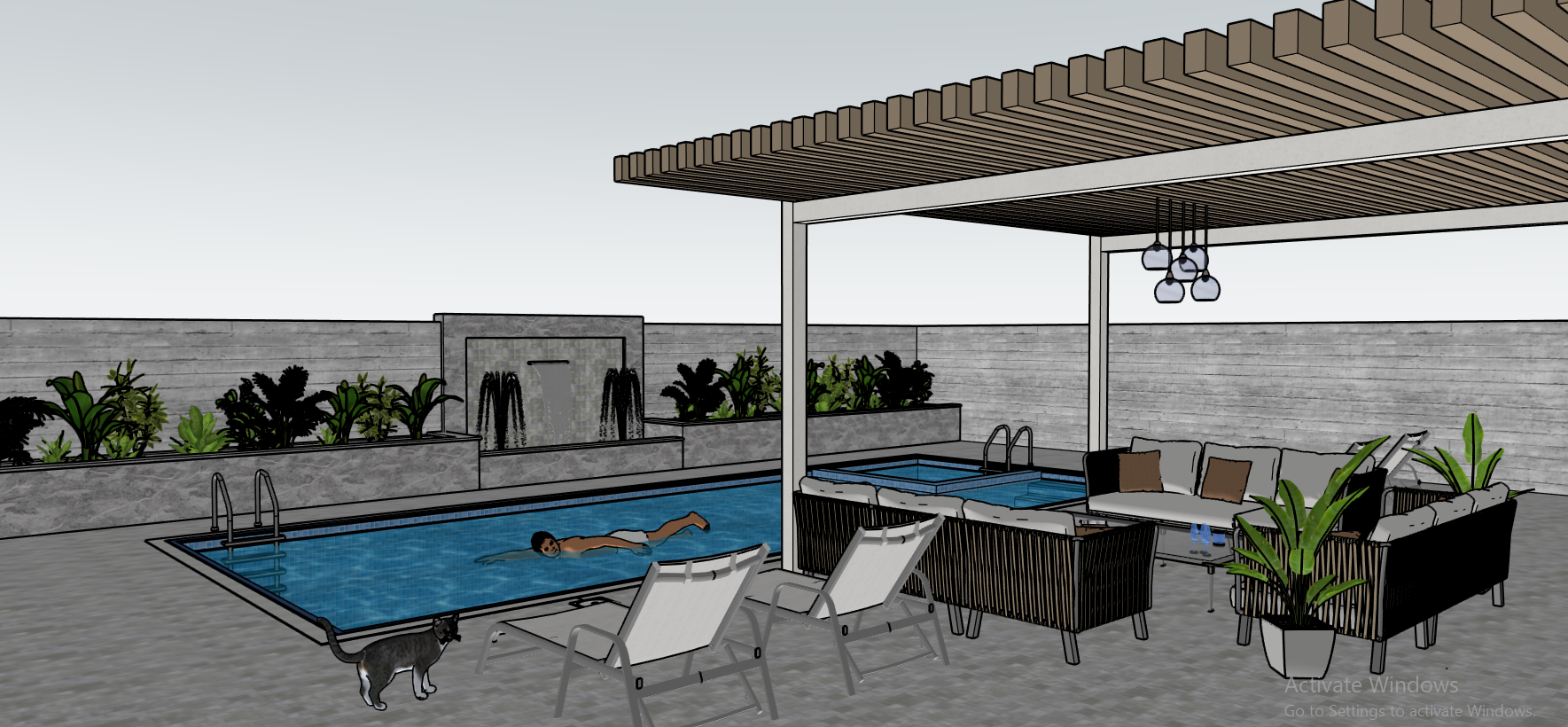
                              A new water material is coming soon. And I will iterate on that to give more options.

                              I'm the developer of Rayscaper: https://rayscaper.com/ - Fast and easy rendering for SketchUp.

                              1 Reply Last reply Reply Quote 0
                              • P Offline
                                pixelcruncher Extension Creator @Alattab
                                last edited by

                                @Alattab Okay, that makes more sense. You want a backplate image to compose on? And the front would be to for example put your own logo and watermark on top of it?

                                I'm the developer of Rayscaper: https://rayscaper.com/ - Fast and easy rendering for SketchUp.

                                A 1 Reply Last reply Reply Quote 0
                                • A Offline
                                  Alattab @pixelcruncher
                                  last edited by

                                  @pixelcruncher Actually, I want to use clip art in the foreground, like grass and other elements, which usually add a sense of depth.

                                  1 Reply Last reply Reply Quote 0
                                  • A Offline
                                    Alattab
                                    last edited by

                                    @pixelcruncher Thank you for your valuable efforts. You are accomplishing something great, and I will share my experience with you regularly.

                                    1 Reply Last reply ♥ Reply Quote 0
                                    • P Offline
                                      pixelcruncher Extension Creator @Alattab
                                      last edited by

                                      @Alattab

                                      e81c71de-604e-40a0-9cd9-6a9187f0b7f3-image.png

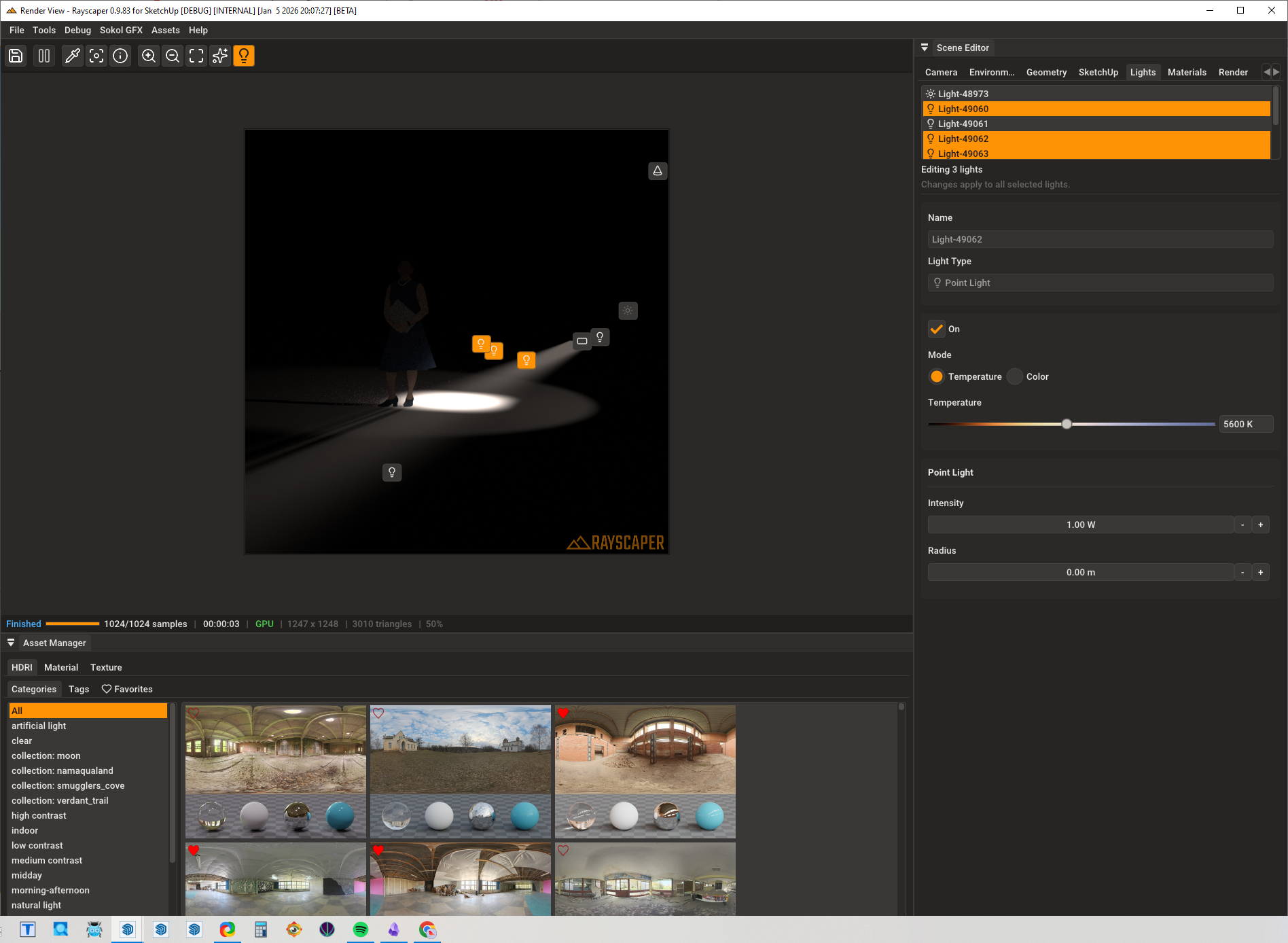
                                      As an aside, to quickly edit multiple lights, you can select multiple ones with CTRL / SHIFT + click and edit their properties at the same time.

                                      Regards,
                                      Thomas

                                      I'm the developer of Rayscaper: https://rayscaper.com/ - Fast and easy rendering for SketchUp.

                                      1 Reply Last reply 👍 Reply Quote 0
                                      • P Offline
                                        pixelcruncher Extension Creator
                                        last edited by

                                        Hey, Rayscaper users!

                                        Rayscaper 0.9.84 Beta is available. You can get it via:

                                        • The SketchUcation store.
                                        • Direct download: Rayscaper_Win_0.9.84_Beta.rbz.

                                        I recommend upgrading to the latest version.

                                        What Changed?

                                        • Add animation completion dialog. When a scene animation finishes rendering, a dialog now displays render statistics including total time, samples rendered, and frames completed.
                                        • Fix crash when minimizing the Rayscaper window via Windows "Show Desktop" (Win+D). The application now handles minimized states gracefully.
                                        • Improve scene archiving by extracting SketchUp embedded textures when external files are not available. This ensures textures are always included in exported archives.

                                        Help Me Build the Community 👍

                                        If you like Rayscaper, please share your renders (final or work-in-progress, it doesn't matter)! This is motivating and helps me showcase its capabilities to new users.

                                        Follow me on X.

                                        Happy Rendering!
                                        Thomas

                                        I'm the developer of Rayscaper: https://rayscaper.com/ - Fast and easy rendering for SketchUp.

                                        1 Reply Last reply 😑 Reply Quote 1
                                        • KrassK Offline
                                          Krass
                                          last edited by

                                          That's great, thank you! It's excellent to be able to see the information at the end of the render. I've started the next part of my animation project. In HD mode.

                                          Krass

                                          P 1 Reply Last reply Reply Quote 1
                                          • P Offline
                                            pixelcruncher Extension Creator @Krass
                                            last edited by

                                            @Krass Make sure to share those stunning result!

                                            I'm the developer of Rayscaper: https://rayscaper.com/ - Fast and easy rendering for SketchUp.

                                            1 Reply Last reply Reply Quote 0
                                            • 1
                                            • 2
                                            • 14
                                            • 15
                                            • 16
                                            • 17
                                            • 18
                                            • 19
                                            • 16 / 19
                                            • First post
                                              Last post
                                            Buy SketchPlus
                                            Buy SUbD
                                            Buy WrapR
                                            Buy eBook
                                            Buy Modelur
                                            Buy Vertex Tools
                                            Buy SketchCuisine
                                            Buy FormFonts

                                            Advertisement