Trying to draw an elliptical cone
-
Follow me on an ellipse will not produce the shape you want.
-
Ok
-
@unknownuser said:
But I thought I'd try an elliptical horn rather than round. I had no idea I was opening a new can of worms
The worm is the native only approach. Since SU is primarily a conceptual design tool and you require some level of accuracy its supported via extensibility.
The core can't do it but it can be done.
-
@frascati said:
"Rich showed you a native way to do it."
"Smoove has a falloff...."
I need to go back and change my "intermediate" level of understanding to "beginner"
"Smoove" is a member here? And a "falloff" is a what? Do the four images he posted suffice as a "tutorial"?
Not sure why you are so rude, nobody is in owe of doing turorials for you.
By the way what Rich said is more than enough, those are the only (pretty self explainatory) tools to attempt a similar shape in vanilla Sketchup.
As already said, is pointless to try to model this kind of shapes using only native tools.
Here's my 15 minutes draft using QFT/VT2/SubD.
-
It was actually a very mild RE-action to being confidently assured that I'd been "shown" the way to do it already.
You considered my response rude? Really? You need to get out of the house more. I absolutely take offense to being called rude when my conduct does not merit it.
You have offered the initial rudeness here. Please refrain from comment in any further topics I submit.
-
ok
-
Besides all the other good solutions above, here is another very quick one:
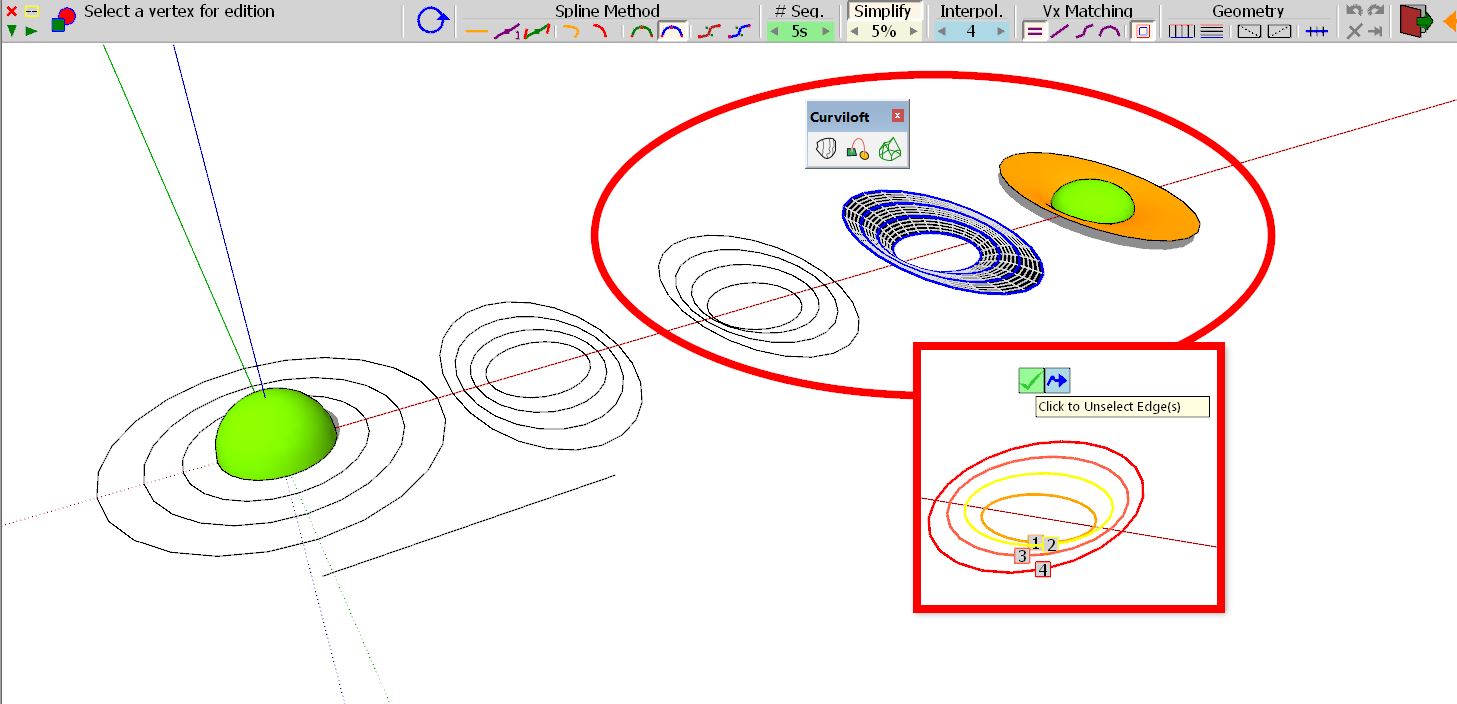
Not native but with the plugin Cruviloft you can also achieve this desired geometry with ease.
With the same tool and with the same simple principle you can get even further than just to the speakers.
In the middle is the circle - around it is a small number of elypses which you move (up) to your desired positions. Then you let the plugin work which generates the desired shape with the preferred segmentations and smoothing by clicking on the circle and elypses plygons in the correct order - Done!
(Above a certain level of complexity it is advisable to consider plugins rather than torturing yourself with the native options - especially if you are dealing with organic shapes)
-
Thank you HornOxx. That looks promising. I'll give it a go.
-


This AI is kinda fun
-
@frascati
I came here to find out how to form an elliptical cone, but didn't see a simple way. So I had to figure it out for myself.Yea, this is an old thread. I'm posting this here in the hope that someone else searching for the solution might find it.
- Draw a circle.
- Make a triangle with one point on the centre of the circle, one point on the edge, and the third point at the height you want the cone.
- Select the edge of the circle.
- Choose "Tools —> Follow Me" and click on the triangle's face. You should now have a circular cone.
- Choose "Tools —> Scale". A yellow box with green handles should appear.
- Click on the centre green handle on the vertical box of the selection that is in the dimension you want to make smaller to create your ellipse.
- Touch the modifier key that causes both sides to scale about the centre. On the Mac, that's the OPTion key.
- Move the cursor inward until you get the size of ellipse you want, or type a scale factor into the "Measurements" box.
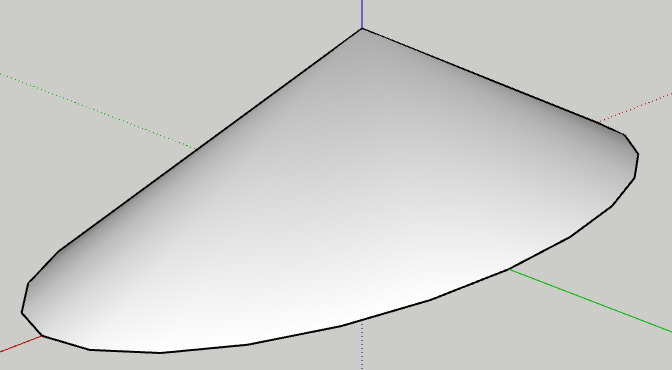
That's how I created the following elliptical cone, with a length-width ratio of 0.5.





Hello! It looks like you're interested in this conversation, but you don't have an account yet.
Getting fed up of having to scroll through the same posts each visit? When you register for an account, you'll always come back to exactly where you were before, and choose to be notified of new replies (either via email, or push notification). You'll also be able to save bookmarks and upvote posts to show your appreciation to other community members.
With your input, this post could be even better 💗
Register Login


Advertisement