How to change shortcuts?
-
Hi, My Shift key on my laptop has broken
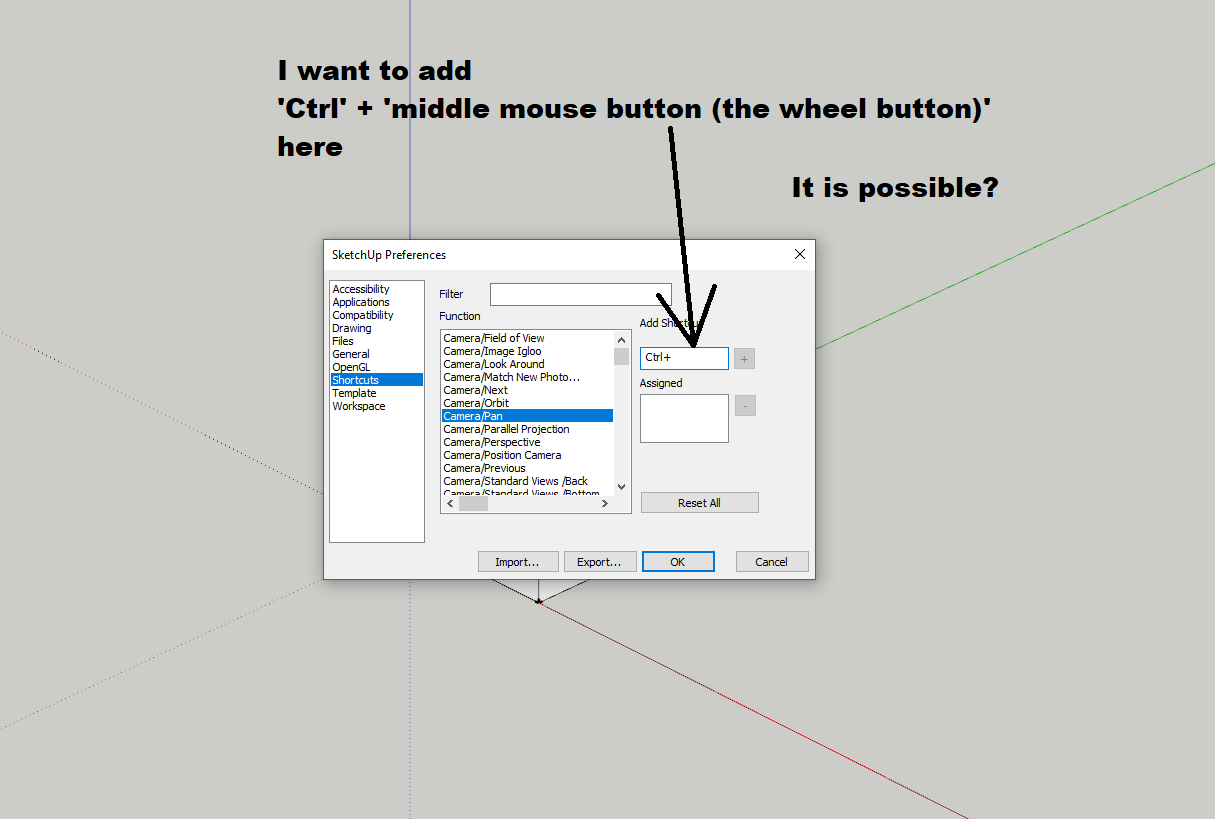
 and I want to change the PAN shortcut. The actual Shift + middle mouse button (the wheel button) shortcut to a new shortcut: Ctrl + mouse wheel button. But in the Windows -> Preferences -> Shortcuts I can not change... If I export the shortcuts to Preferences.dat file, there is no Pan command line in the file.... How can I change the shortcut??? Thank You.
Preferences.dat file:
[Accelerator]
Count=37
0 0 0 Z selectZoomTool:
0 0 1 Z viewZoomExtents:
0 0 0 A selectArcTool:
0 0 0 E selectEraseTool:
0 0 0 B selectPaintTool:
0 0 0 P selectPushPullTool:
0 0 0 R selectRectangleTool:
0 0 0 Space selectSelectionTool:
0 0 0 L selectLineTool:
0 0 0 K View/Edge Style/Back Edges
0 0 0 M selectMoveTool:
0 0 0 T selectMeasureTool:
0 0 0 F selectOffsetTool:
0 0 0 Q selectRotateTool:
0 0 0 S selectScaleTool:
0 0 0 W File/Export/2D Graphic...
0 0 0 U selectDimensionTool:
0 0 0 D Edit/Unhide/All
0 0 0 C Tools/Solid Tools/Trim
0 0 0 H editHide:
0 0 0 G Edit/Make Group
0 0 0 I Edit/Item/Explode
0 0 0 NumPad+ Camera/Parallel Projection
1 0 0 Right Edit/Item/Text Position/Outside End
1 0 0 Left Edit/Item/Text Position/Outside Start
1 0 0 G Extensions/Chris Fullmer Tools/Loose to Groups
0 0 0 J Extensions/Hide All Unselected
0 0 0 V Edit/Item/Slice Model at Section
0 0 0 N Edit/Item/FixIt 101
0 0 0 Y Edit/Item/Reverse
0 0 0 O Edit/Item/Texture/Position
1 0 0 L Extensions/Extrude lines, vector by 2 points [TIG'd]
1 0 0 M Extensions/Mirror Selection
0 0 0 X View/Elevation 45 Shadows/Left
1 0 0 R Edit/Delete Sections
0 0 1 S selectSectionPlaneTool:
0 0 1 X Edit/Item/Convert to xLine -
100 = ctrl
001 = shift
010 = alt
000 = non prefix -
@samodelkin_77 said:
100 = ctrl
001 = shift
010 = alt
000 = non prefixAnd the ''middle mouse button (the wheel button click)'' have any code???
-
not any buttons of mouse i cant to make shortkey in sketchup..
maybe some more programmers now how to code this/// sorry -
The H is the default key press for Pan - so I suspect that you have set a shortcut that overwrote it.
You could redo the shortcut in preferences or assign another using a modifier - it does not need to be 'shift' ?? -
Are both Shift keys broken?
-
@tig said:
The H is the default key press for Pan - so I suspect that you have set a shortcut that overwrote it.
You could redo the shortcut in preferences or assign another using a modifier - it does not need to be 'shift' ??
-
-
You'd need to use say Ctrl+H to run Pan the mouse-button presses are not accessible to Shortcuts.
-
@tig said:
You'd need to use say Ctrl+H to run Pan the mouse-button presses are not accessible to Shortcuts.
Thank you very much. I am grateful for your help.
-
Buy a 5+ button mouse and assign shift to one of a side button


Hello! It looks like you're interested in this conversation, but you don't have an account yet.
Getting fed up of having to scroll through the same posts each visit? When you register for an account, you'll always come back to exactly where you were before, and choose to be notified of new replies (either via email, or push notification). You'll also be able to save bookmarks and upvote posts to show your appreciation to other community members.
With your input, this post could be even better 💗
Register Login


Advertisement