[Plugin] LordOfTheToolbars - v4.0a - 22 Sep 26




-
Hello @fredo6
I am using SU 2026 26.2.243 64-bit on Windows 10 Pro with LOTT 3.0c
I am trying to create a Personal Command for a Menu item, but when I start this process, no choices display in the Menu section of the window. Even when I try to search for a menu item, no choices display. The Menu portion of the window is blank.
Is this a known bug? -
Menus Commands are no longer available on Windows since SU2023. This is due to a change of UI framewrok (Qt) in Sketchup.
-
@fredo6 you have had to repeat this numerous times in this thread but since new responders don't seem to read it, perhaps they would see it if you put it in the first few lines of the original post?

-
FOLLOWING PROBLEM IS NOW SOLVED
▼ ▼ ▼
Hello @fredo6,
I'm using your plugin for several months and It is useful tool. Thank you.Unfortunately, there seems to be a problem as of today. It doesn't load as it used to.
There is no Vignette Stripe and instead I have this:
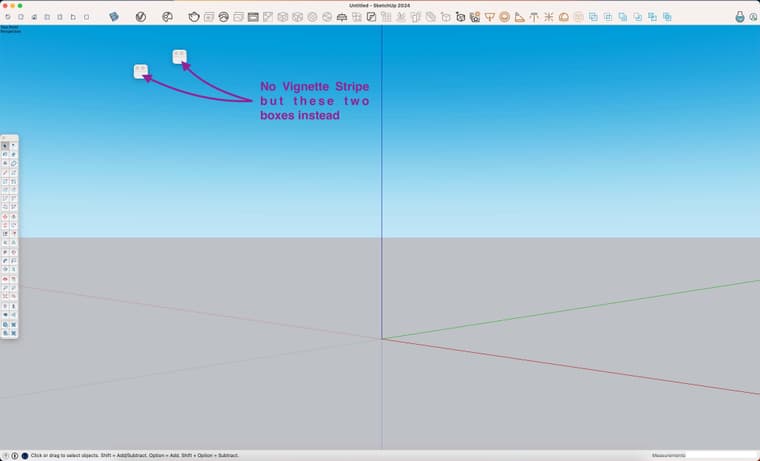
According to the Extension Manager, it seems good:
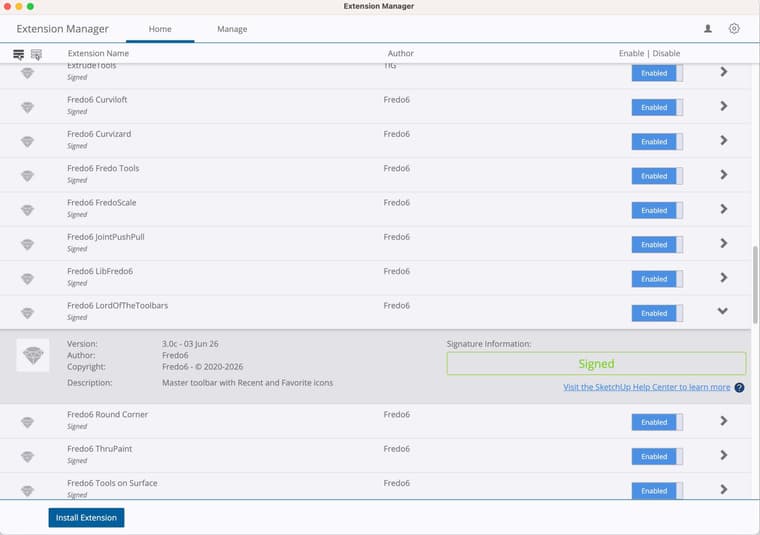
But there's a new !LordOfTheToolbars_seed that seems to have appeared and appears to have a problem:
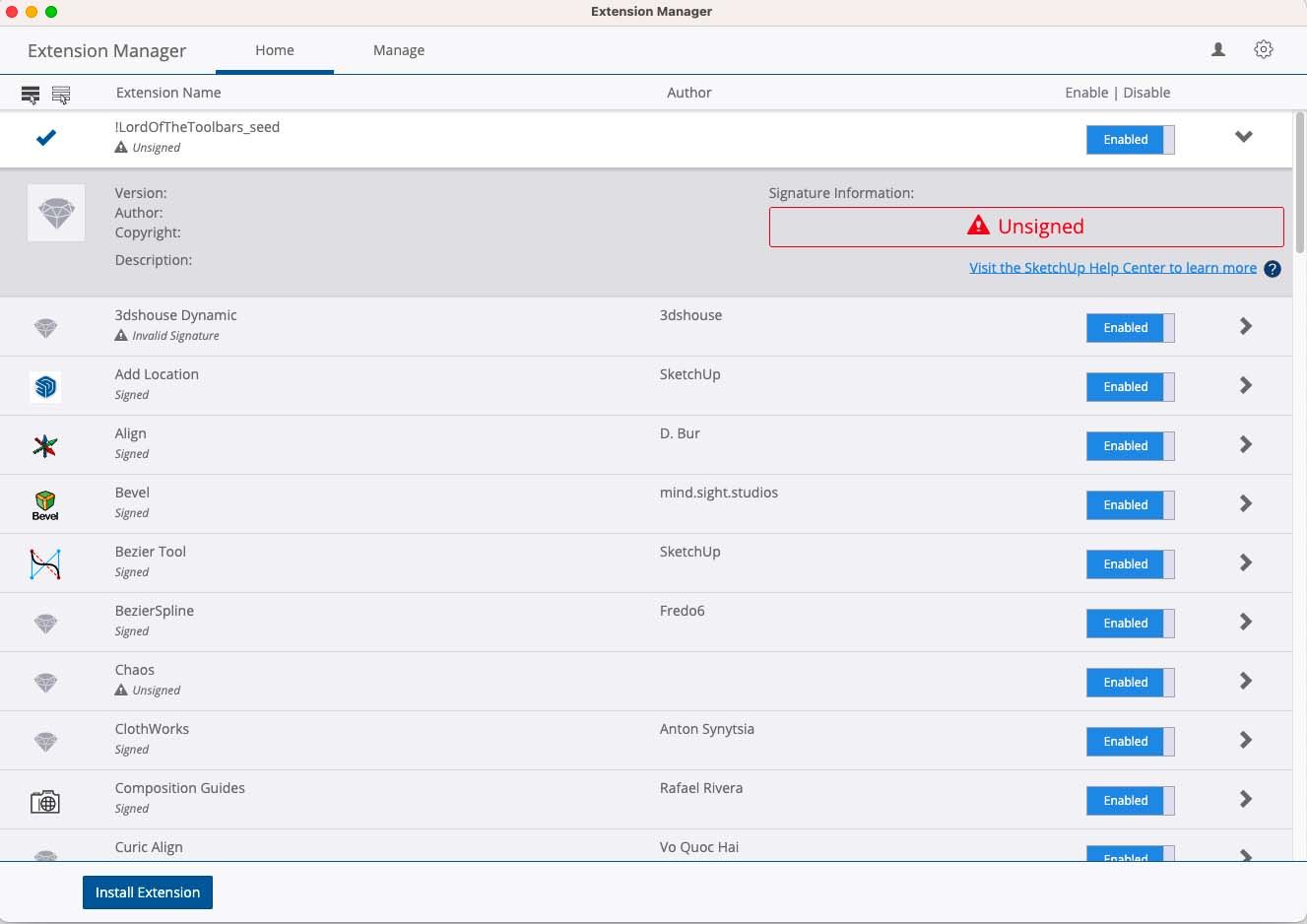
I use Sketchup 2024, with LordOfTheToolbars_v2.9c and LibFredo6_v15.2a.
Since, I tried to fix the problem, uninstalling the plugins and replacing them by the last versions, LordOfTheToolbars_v3.0c and LibFredo6_v16.0b.
And my Loading Policy is set on Unrestricted since forever.
The problem remains.May I ask for your help, please?
EDIT: I installed SketchUp 2026 with all plugins and the problem remains

EDIT #2: I updated LibFredo6 with version: 16.1a. Problem is now solved. Thank you

-
NEW RELEASE: LordOfTheToolbars v4.0a - 22 Sep 26
Requirements
- LibFredo6: v16.2a or above
- Sketchup version: SU2017 and above
LordOfTheToolbars 4.0a is a maintenance release including:
- Compatibility SU2027
- Bug fixing
Home Page of LordOfTheToolbars for information and Download.
-
Hi, I am having an issue with the toolbars not adjusting to the content. When I adjust it, it goes back to missing the last tab. The version before adjusted automatically if you were partially over the last tab. I cannot find any related settings. I did try removing the sticky to sketchup window options. Thanks
-
Hi, thought I had solved the auto adjusting of palettes, but I have re-checked auto adjust on all toolbars and they are not adjusting to show last tab. I am also not able to move palettes even though I have user defined checked in prefs
-
Could you check the effective version of LibFredo6, as there has been some issues on the Sketchucation server side.
Use menu Window > LibFredo6 Settings... > About LibFredo6... You should see v6.2a or 6.2b. -
Hi, the Library is 6.2b. I am not sure about how to use the Ruby Console to check for errors. I tried leaving it on and restarting sketchup. I am using sketchup pro 21. Everything was ok with the previous version of the Toolbar. Thanks
-
@fredo6 Hi, I checked the Fredo library and it is correct. I am not sure about how the Ruby + Console works. I tried leaving it open and there are warnings, but I cannot see any mention of LOTT. See below, for 1st console page which contains links that go to a lot of code in the console
"Add help menu!"
"create new"
"created"
#Sketchup::Menu:0x000001f0e18eddd8
(eval):23: warning: calling URI.open via Kernel#open is deprecated, call URI.open directly or use URI#open
internal:warning:43:inwarn' <internal:warning>:43:inwarn'
…/rubygems/core_ext/kernel_warn.rb:52:incall' …/rubygems/core_ext/kernel_warn.rb:52:inblock in module:Kernel'
…/open-uri.rb:18:inopen' (eval):23:inpull'
(eval):203:in `block in module:Notification' -
@horizon41
The current version is 16.2b - perhaps you made a typo ? You need to restart SketchUp after installing any extension so it is properly synced.
Please post the whole error message - part is not sufficient - in the Ruby Console -Ctrl+A to Select All then Ctrl+V to Paste that into your message here...



Hello! It looks like you're interested in this conversation, but you don't have an account yet.
Getting fed up of having to scroll through the same posts each visit? When you register for an account, you'll always come back to exactly where you were before, and choose to be notified of new replies (either via email, or push notification). You'll also be able to save bookmarks and upvote posts to show your appreciation to other community members.
With your input, this post could be even better 💗
Register Login


Advertisement