sketchucation logo sketchucation
    • 登入
    Oops, your profile's looking a bit empty! To help us tailor your experience, please fill in key details like your SketchUp version, skill level, operating system, and more. Update and save your info on your profile page today!
    🔌 Smart Spline | Fluid way to handle splines for furniture design and complex structures. Download

    [Plugin] Parametric Modeling - v0.0.7 - 03 June 2021

    已排程 已置頂 已鎖定 已移動 Plugins
    86 貼文 31 Posters 116.8k 瀏覽 31 Watching
    正在載入更多貼文
    • 從舊到新
    • 從新到舊
    • 最多點贊
    回覆
    • 在新貼文中回覆
    登入後回覆
    此主題已被刪除。只有擁有主題管理權限的使用者可以查看。
    • samuel_tS 離線
      samuel_t
      最後由 samuel_t 編輯

      With Parametric Modeling, a new free SketchUp plugin:

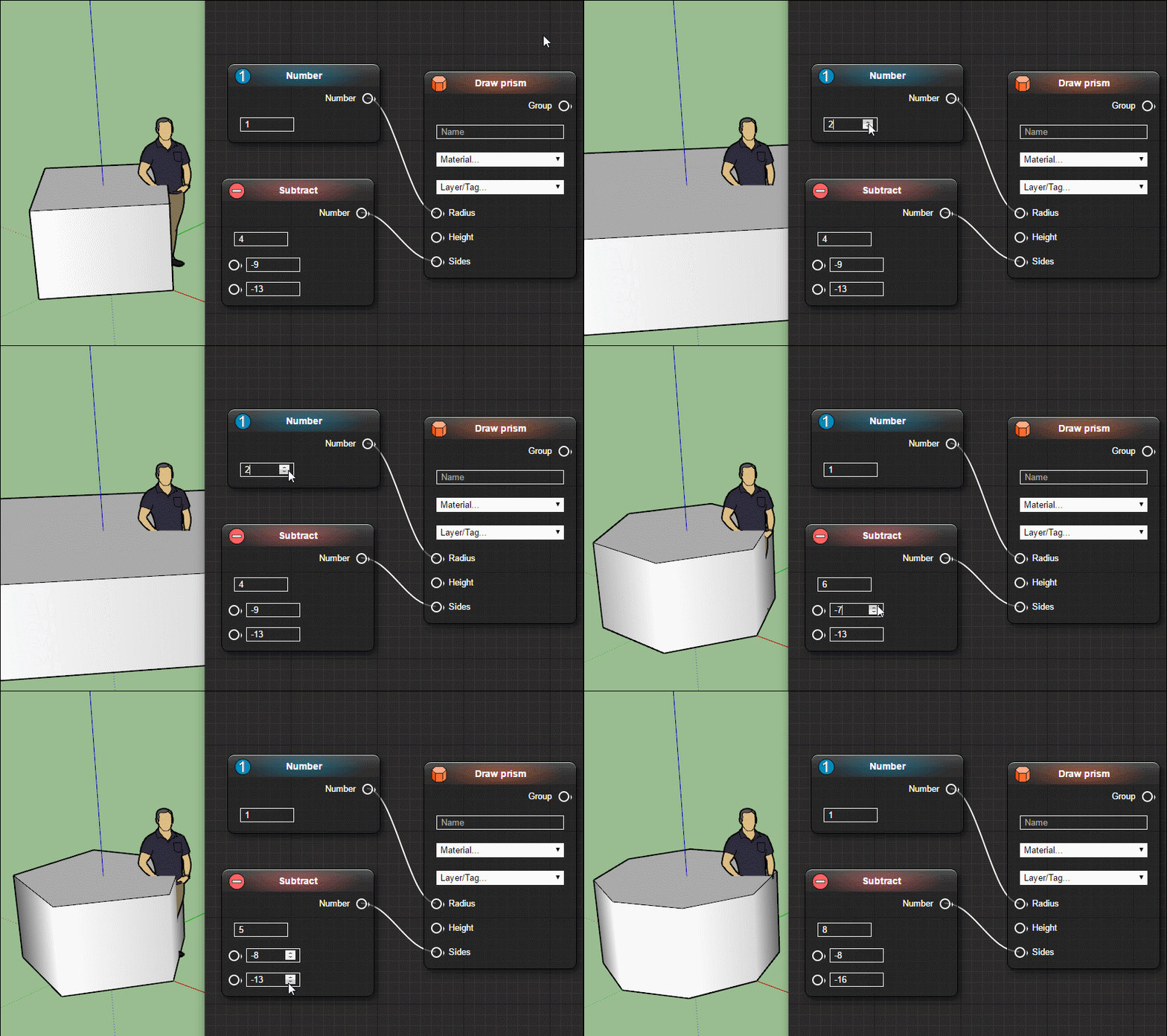
      • Do parametric modeling thanks to a Nodes Editor similar to Unreal Engine's Blueprints.
      • Modify entities parameters at any time and see result instantly.
      • Extract shapes, points and vectors from active model.
      • Import schema from a file. Export schema to a file.

      Demos

      https://i.ibb.co/cJzjSs5/Parametric-Modeling-Sketch-Up-Plugin-Staircase-Demo.gif

      https://i.ibb.co/WVRfFvT/Parametric-Modeling-Sketch-Up-Plugin-Shelf-Demo.gif

      Warning

      This plugin is still in beta. Compatibility between versions is not guaranteed.

      Download

      Get Parametric Modeling plugin from the SketchUcation PluginStore.

      1 條回覆 最後回覆 回覆 引用 0
      • jenujacobJ 離線
        jenujacob
        最後由 編輯

        is this going to be the grasshopper for sketchup in the future??? 😮 👍

        1 條回覆 最後回覆 回覆 引用 0
        • samuel_tS 離線
          samuel_t
          最後由 編輯

          @jenujacob said:

          is this going to be the grasshopper for sketchup in the future??? 😮 👍

          Let's hope 😄

          1 條回覆 最後回覆 回覆 引用 0
          • pilouP 離線
            pilou
            最後由 編輯

            Bravo! ☀

            Works fine! 2017 Make for me! 😄

            https://images2.imgbox.com/de/ed/pw2wldjZ_o.gif

            Frenchy Pilou
            Is beautiful that please without concept!
            My Little site :)

            1 條回覆 最後回覆 回覆 引用 0
            • T 離線
              tenrev
              最後由 編輯

              well done Samuel

              you are the best, I installed and I will do some tests

              tenrev

              biblio3d forum sketchup - artlantis - piranesi
              http://www.biblio3d.com

              1 條回覆 最後回覆 回覆 引用 0
              • jenujacobJ 離線
                jenujacob
                最後由 編輯

                A cool tutorial from tutorials Up!

                1 條回覆 最後回覆 回覆 引用 0
                • K 離線
                  kenancakir
                  最後由 編輯

                  Thank you.. 😍

                  1 條回覆 最後回覆 回覆 引用 0
                  • K 離線
                    Kruegen
                    最後由 編輯

                    This is amazing!!!! Thank you so much for doing this. You have no idea how much time this will save me. Thank you!!!

                    1 條回覆 最後回覆 回覆 引用 0
                    • C 離線
                      cloo
                      最後由 編輯

                      Looks really cool, and a lot of work ahead.
                      Since you GPL it, do you have plans to move development to github or so and let other cool folks contribute to the progress?

                      1 條回覆 最後回覆 回覆 引用 0
                      • samuel_tS 離線
                        samuel_t
                        最後由 編輯

                        @cloo said:

                        Looks really cool, and a lot of work ahead.
                        Since you GPL it, do you have plans to move development to github or so and let other cool folks contribute to the progress?

                        Yes. I will publish to GitHub the source code of this plugin in a near future.

                        1 條回覆 最後回覆 回覆 引用 0
                        • N 離線
                          numerobis
                          最後由 編輯

                          Very cool!
                          It would be great, if this could be made non-destructive / as modifier. But i suppose it's not possible with SketchUp to store the operations in the model/component. Maybe this could change in the future with LiveComponents...

                          1 條回覆 最後回覆 回覆 引用 0
                          • L 離線
                            lelam11234
                            最後由 編輯

                            Good plugin. But I have the suggestions.

                            1. Tab Number: It has an extra cell so we can name it
                            2. Tab Draw *** : It has an extra cell to Hide/Unhide
                              Thanks.
                            1 條回覆 最後回覆 回覆 引用 0
                            • srxS 離線
                              srx
                              最後由 編輯

                              Thank you! 👍

                              www.saurus.rs

                              1 條回覆 最後回覆 回覆 引用 0
                              • samuel_tS 離線
                                samuel_t
                                最後由 編輯

                                @lelam11234 said:

                                Good plugin. But I have the suggestions.

                                1. Tab Number: It has an extra cell so we can name it
                                2. Tab Draw *** : It has an extra cell to Hide/Unhide
                                  Thanks.

                                Thanks for your suggestions.

                                1 條回覆 最後回覆 回覆 引用 0
                                • T 離線
                                  turbodizayn
                                  最後由 編輯

                                  Is there some manual? Sounds GRATE! If it is good I will donate)))

                                  1 條回覆 最後回覆 回覆 引用 0
                                  • samuel_tS 離線
                                    samuel_t
                                    最後由 編輯

                                    @turbodizayn said:

                                    Is there some manual? Sounds GRATE! If it is good I will donate)))

                                    Help will be available from next version.

                                    1 條回覆 最後回覆 回覆 引用 0
                                    • jenujacobJ 離線
                                      jenujacob
                                      最後由 編輯

                                      hi Samuel,
                                      Great plugin! i really hope this grows into something like GH for Rhino.
                                      now, I am no coder, and I have absolutely no idea how this thing works under the hood. But, would be it possible to click in the SU window to enter values for points instead of typing in the x.y.z coordinates?
                                      thanks!

                                      1 條回覆 最後回覆 回覆 引用 0
                                      • P 離線
                                        pinoy
                                        最後由 編輯

                                        This is good! Thank you

                                        1 條回覆 最後回覆 回覆 引用 0
                                        • samuel_tS 離線
                                          samuel_t
                                          最後由 編輯

                                          @jenujacob said:

                                          hi Samuel,
                                          Great plugin! i really hope this grows into something like GH for Rhino.
                                          now, I am no coder, and I have absolutely no idea how this thing works under the hood. But, would be it possible to click in the SU window to enter values for points instead of typing in the x.y.z coordinates?
                                          thanks!

                                          Hi Jacob, Thanks! I'm thinking about a "Parametric Modeling > Extract Point From Construction Point" entry in context menu when a construction point is selected in SketchUp window. This would be a shortcut to add a "Point" node.

                                          1 條回覆 最後回覆 回覆 引用 0
                                          • samuel_tS 離線
                                            samuel_t
                                            最後由 編輯

                                            What's new in 0.0.3 version?

                                            • Node adding process was enhanced: one can place new nodes quicker!
                                            • One can extract vectors and points from active model via context menu.
                                            • In "Calculate" nodes, one can use rand function to get random numbers.
                                            • As soon a material or a layer is added or removed: Nodes Editor reloads.
                                            • A door is available in examples schemas. Thanks Simon Joubert for this.
                                            • Although it's not recommended, one can read/edit .schema files easier.

                                            Download latest Parametric Modeling plugin from the SketchUcation PluginStore.

                                            1 條回覆 最後回覆 回覆 引用 0
                                            • 1
                                            • 2
                                            • 3
                                            • 4
                                            • 5
                                            • 1 / 5
                                            • 第一個貼文
                                              最後的貼文
                                            Buy SketchPlus
                                            Buy SUbD
                                            Buy WrapR
                                            Buy eBook
                                            Buy Modelur
                                            Buy Vertex Tools
                                            Buy SketchCuisine
                                            Buy FormFonts

                                            Advertisement