[Plugin] Parametric Modeling - v0.0.7 - 03 June 2021
-
Hi Samuel,
First thank you for this stunning plugin

Just downloaded and installed v0.0.2 (v0.0.1 was working OK, apart from several Bug Splats) but this time the dialog is blank. Any idea ? (maybe I must uninstall v0.0.1 prior to installing v0.0.2 ?)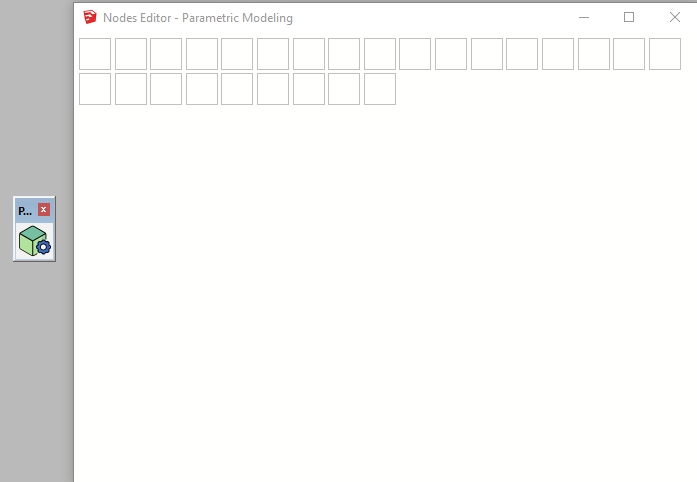
-

 it works now ! Thanks for the tip
 -
@didier bur said:
Just downloaded and installed v0.0.2 (v0.0.1 was working OK, apart from several Bug Splats) but this time the dialog is blank. Any idea ? (maybe I must uninstall v0.0.1 prior to installing v0.0.2 ?)
Hi Didier,
Try to remove it manually then install its 0.0.3 version (released today). Tell me if problem persists.
-
-
Samuel:
I don't understand this plugin, but I've just downloaded it and donated £5 because it looks like an amazing development. I saw your thread on the SketchUp Community Forum - and I spotted the word Eneroth in the description. It has all the hallmarks of Trimble royalty.
A couple of suggestions, if I may. 1) Place plenty of strategic links to the relevant Sketchucation Forum for those of us who struggle with this site's navigation. 2) Provide users with more options to contribute. I find SubscribeStar user friendly and non-intrusive, for example. Getting £5 out of me is like getting blood out of a stone, but it is something I quite like to do, and appreciate it when people overcome their natural shyness of pointing out that free stuff isn't entirely free and give me options.
I'm just some old bloke who talks too much. Apologies for that.
Congratulations and best wishes for the success of your gamechanging plugin.
Robin.
-
@robin morritt said:
Samuel:
I don't understand this plugin, but I've just downloaded it and donated £5 because it looks like an amazing development. I saw your thread on the SketchUp Community Forum - and I spotted the word Eneroth in the description. It has all the hallmarks of Trimble royalty.
A couple of suggestions, if I may. 1) Place plenty of strategic links to the relevant Sketchucation Forum for those of us who struggle with this site's navigation. 2) Provide users with more options to contribute. I find SubscribeStar user friendly and non-intrusive, for example. Getting £5 out of me is like getting blood out of a stone, but it is something I quite like to do, and appreciate it when people overcome their natural shyness of pointing out that free stuff isn't entirely free and give me options.
I'm just some old bloke who talks too much. Apologies for that.
Congratulations and best wishes for the success of your gamechanging plugin.
Robin.
Hello Robin,
Even if I develop this plugin because it's a fun challenge, donations of any amount are always welcome
 So thanks!
 -
Hi Samuel
I have a couple of suggestions.- When we choose a wire, it is brighter to make it easy discriminate from.
- We need a node to Hide/unhide block (such as Box, Cylinder,...).
- We need a node like Number node but it is List style
Thanks
-
I am trying to create a universal nut and bolt modeller using the amazing Parametric Modeling.
I've been trying to "Subtract" threads from a cylinder.
If I route the group "Move" -> "Subtract solids", as screenshot, then the first prism is subtracted.
If I route the group "Move" -> "Make group" -> "Subtract solids", the "XYZ" group is ungrouped.
If I route the group "Move" -> "Select" -> "Subtract solids", then various interesting things happen.I really haven't got the foggiest idea how to use "Select".
Is there somewhere I can get a bit of background on how to use it?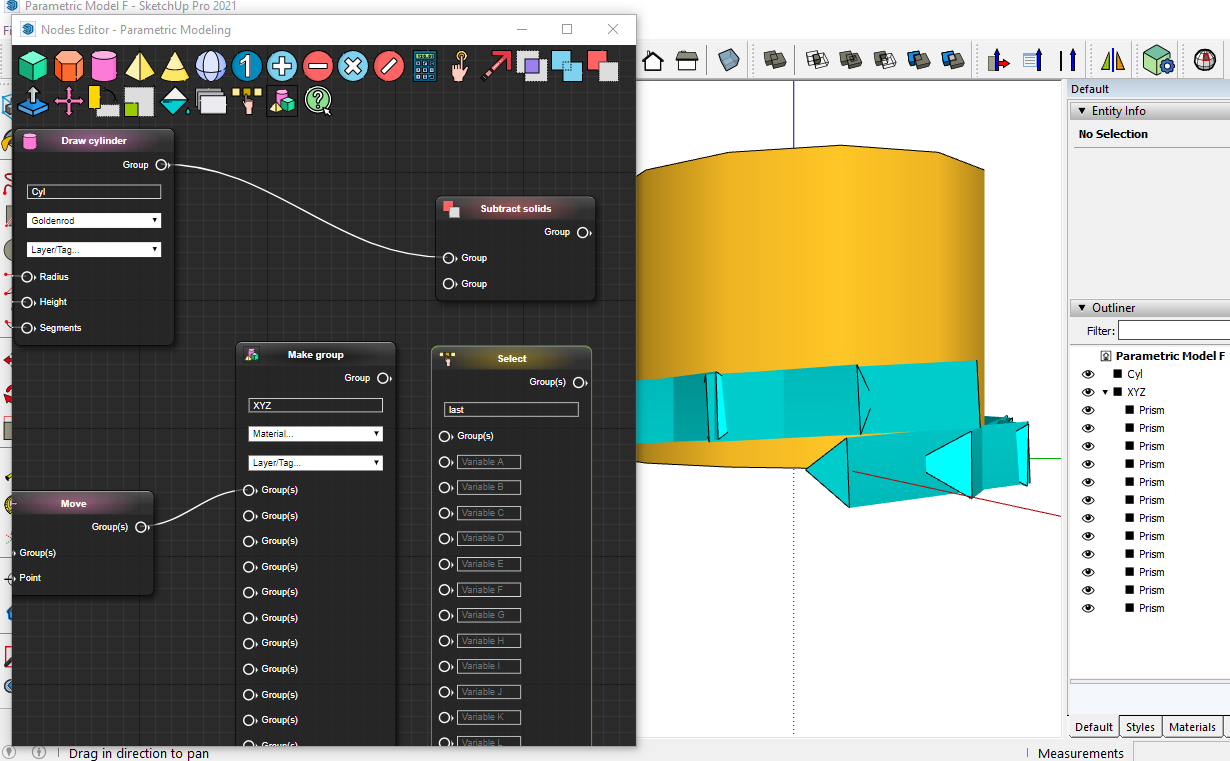
-
@robin morritt said:
I am trying to create a universal nut and bolt modeller using the amazing Parametric Modeling.
I've been trying to "Subtract" threads from a cylinder.
If I route the group "Move" -> "Subtract solids", as screenshot, then the first prism is subtracted.
If I route the group "Move" -> "Make group" -> "Subtract solids", the "XYZ" group is ungrouped.
If I route the group "Move" -> "Select" -> "Subtract solids", then various interesting things happen.I really haven't got the foggiest idea how to use "Select".
Is there somewhere I can get a bit of background on how to use it?[attachment=0:tvug2vb0]<!-- ia0 -->Screenshot 2021-03-30 012046.png<!-- ia0 -->[/attachment:tvug2vb0]
Interesting project
 Only place I know where you can find some infos about "Select" is documentation.
 -
Many thanks for the quick response.
-
Hi Samuel:
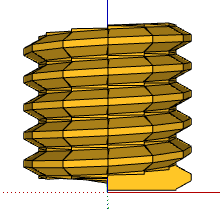
I'm pressing on with my universal metric thread modeller.
Should I report issues using Github Issues?
Or would you prefer us to use this forum?Thanks,
Robin.
-
@robin morritt said:
Hi Samuel:
I'm pressing on with my universal metric thread modeller.
Should I report issues using Github Issues?
Or would you prefer us to use this forum?Thanks,
Robin.Hi Robin
GitHub has my preference.
-
This is a great idea - the tool looks really intuitive ! Keep up the good work
-
Honestly my dear friend, i have no words to describe your amazing work, great tool , that I belive that can do magic with a few additions, a huge RESPECT. Please add some more functions like Flip, mirror, offset, follow me, again BRAVO fro your amazing talent and effort
-
0.0.4 version is available on the SketchUcation PluginStore! I'll publish changelog as soon as possible.
-
V0.0.4 is a great advance.
Looks like I'm going to have to go back to the drawing board with my universal parametric thread modeller.

 The Extract Shape and Concatenate features are major enhancements, and just what I needed.
Brilliant. Thanks!
-
What's new in 0.0.4 version?
- One can create more complex parametric models with less efforts thanks to a new feature: Shape extraction. To do so: right-click on a group or a component in SketchUp window then select "Parametric Modeling > Extract Shape From Group/Component" entry in context menu. See new example schema: "Curved Shelf" created by Jack Tenrev.

- More nodes types are available: "Draw tube", "Tag", "Erase" and "Concatenate". If you combine "Erase", "Concatenate" and "Select" nodes: you can get variations of model. See updated example schema: "Decking On Pedestals".

-
Plugin is more strict with numbers. If you input a decimal number where an integer is expected: an error is thrown and node becomes red. Another change: If you pass only integers to rand function: it will return an integer.
-
One can use random, name, material, tag and layer variables in "Query" input field inside "Select" node.
-
To save a few nodes, "Select" node outputs and "Draw ..." node inputs evolved.
-
Shapes generated with this plugin and shapes generated with SU Shapes plugin are consistent. See issue #1.
-
Ghost groups were eradicated?! "Add" and "Subtract" nodes were fixed again.
Download latest Parametric Modeling plugin from the SketchUcation PluginStore.
-
thanks Samuel
well done for this very interesting plugin and this update
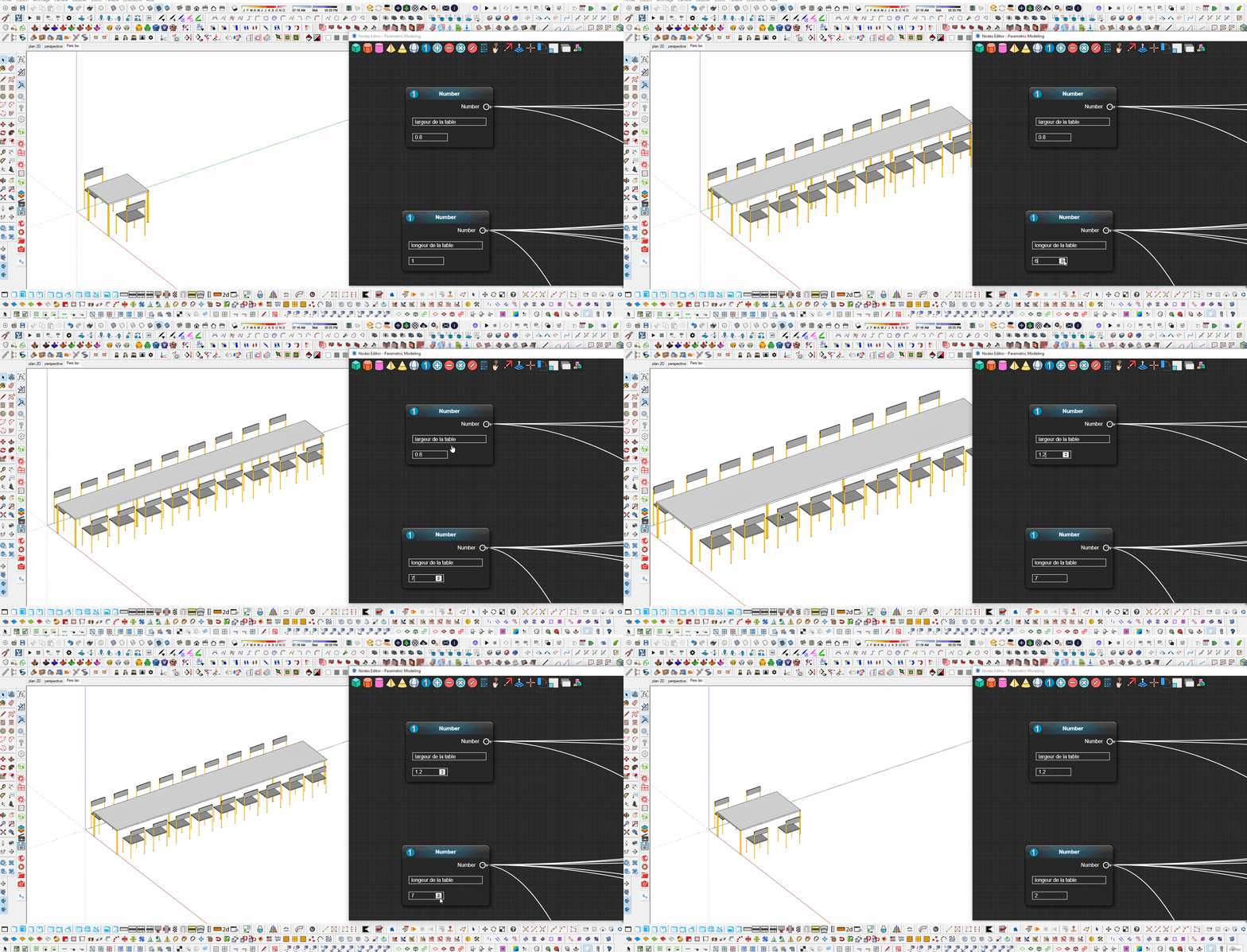
some examples that I realized
table with chairs that are distributed according to the length of the table
double-sided shelf this time
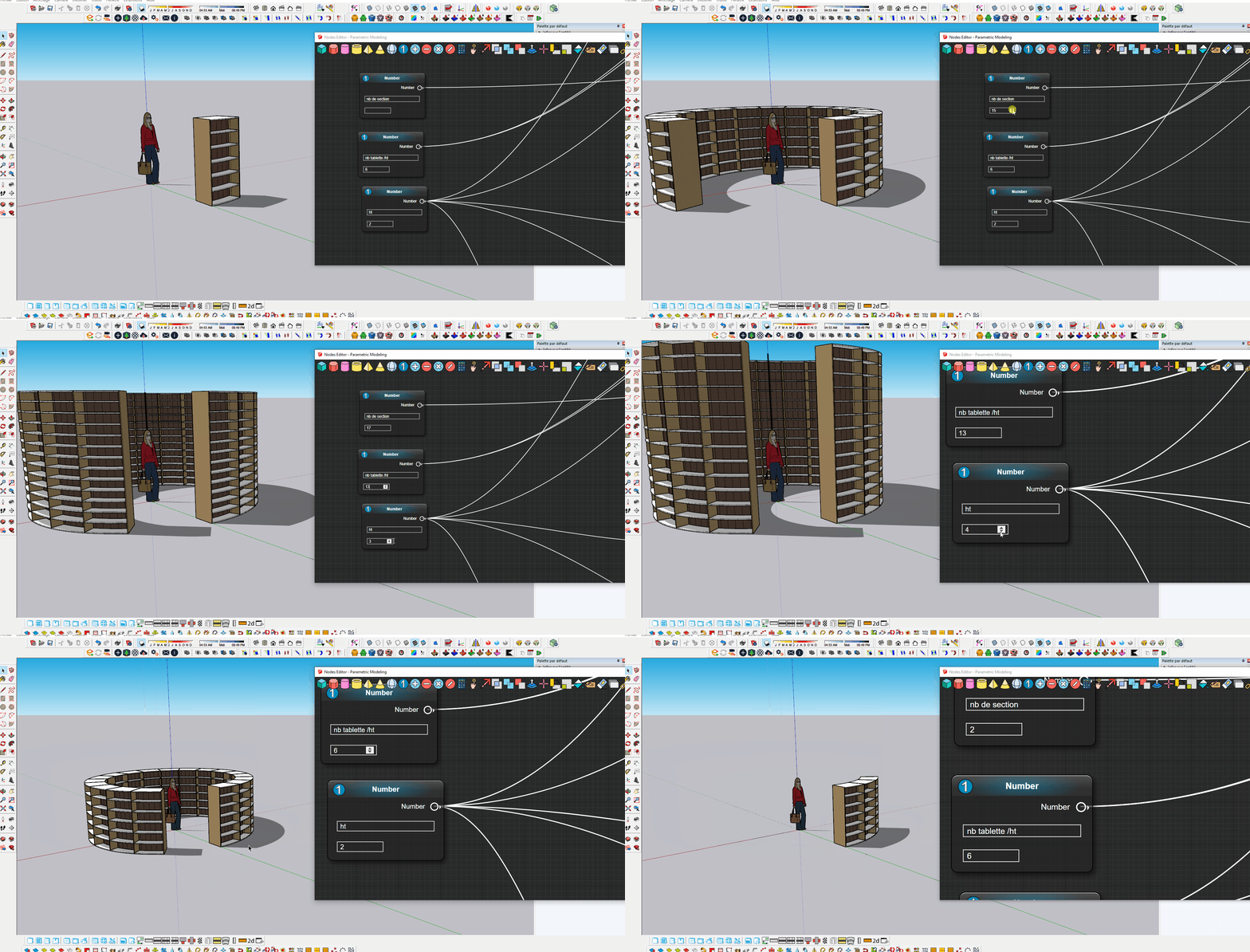
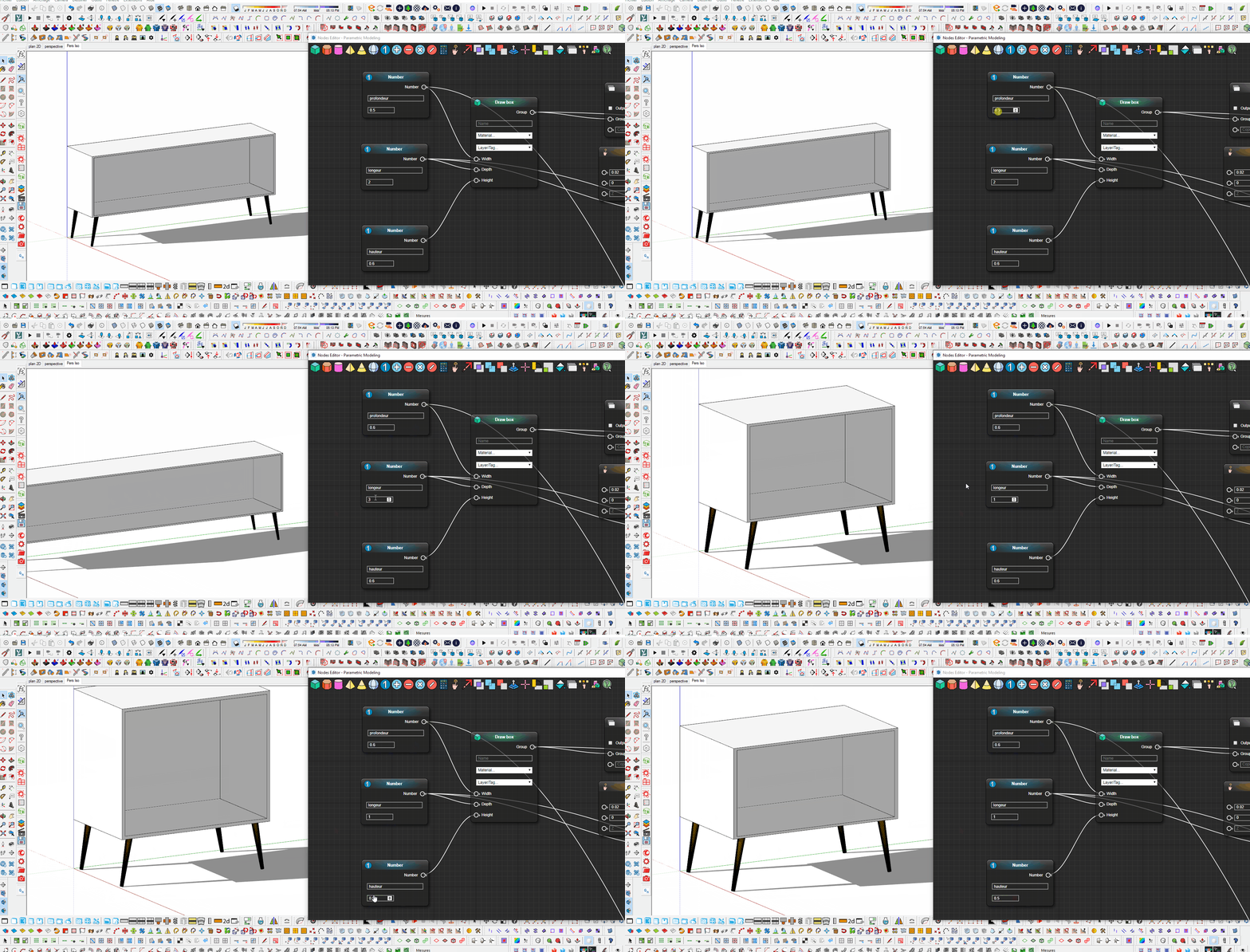
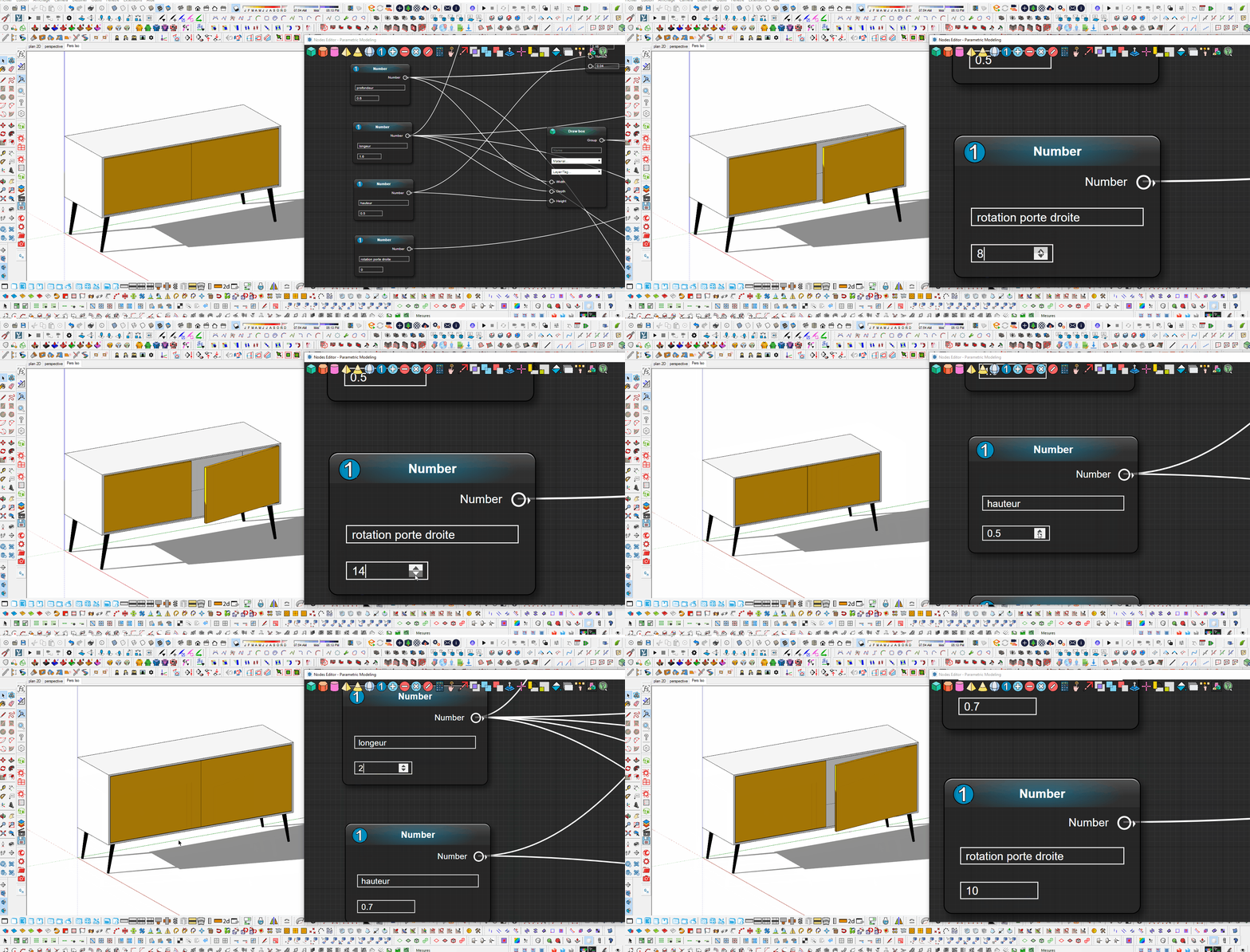
a draft with curves in one direction then with a condition, the curve goes in another direction, interesting for making waves in the shape for shelves or benches for example
.gif)
-
Excellent. I look forward to seeing how I can make use of these new features in my universal thread modeller, which I can't quite get to do what I want yet. So much to do, so little time.
Is there any support for a Sticky Note type Node, I wonder? I think I would find it handy to be able to add comments in the Nodes Editor - yeah, the older I get, the more stuff I forget.
Thanks, Samuel.
-
@robin morritt said:
Is there any support for a Sticky Note type Node, I wonder? I think I would find it handy to be able to add comments in the Nodes Editor [...]
I could add a "Comment" node type with a text area and a "Comment" input socket on every other node type... Then I could try to style "Comment" nodes so they look like classic sticky notes.
@robin morritt said:
I look forward to seeing how I can make use of these new features in my universal thread modeller, which I can't quite get to do what I want yet.
Good luck for this project!




Advertisement