sketchucation logo sketchucation
    • Login
    Oops, your profile's looking a bit empty! To help us tailor your experience, please fill in key details like your SketchUp version, skill level, operating system, and more. Update and save your info on your profile page today!
    ⚠️ Important | Libfredo 15.6b introduces important bugfixes for Fredo's Extensions Update

    SCFLicense: Extension Licensing on Sketchucation

    Scheduled Pinned Locked Moved Plugins
    2.2k Posts 480 Posters 828.6k Views 485 Watching
    Loading More Posts
    • Oldest to Newest
    • Newest to Oldest
    • Most Votes
    Reply
    • Reply as topic
    Log in to reply
    This topic has been deleted. Only users with topic management privileges can see it.
    • Rich O BrienR Offline
      Rich O Brien Moderator
      last edited by

      Ah....SketchUp 2017.

      Please Install this version
      SketchUcationTools_v4.4.1.rbz

      Download the free D'oh Book for SketchUp 📖

      1 Reply Last reply Reply Quote 0
      • K Offline
        Kondybas
        last edited by

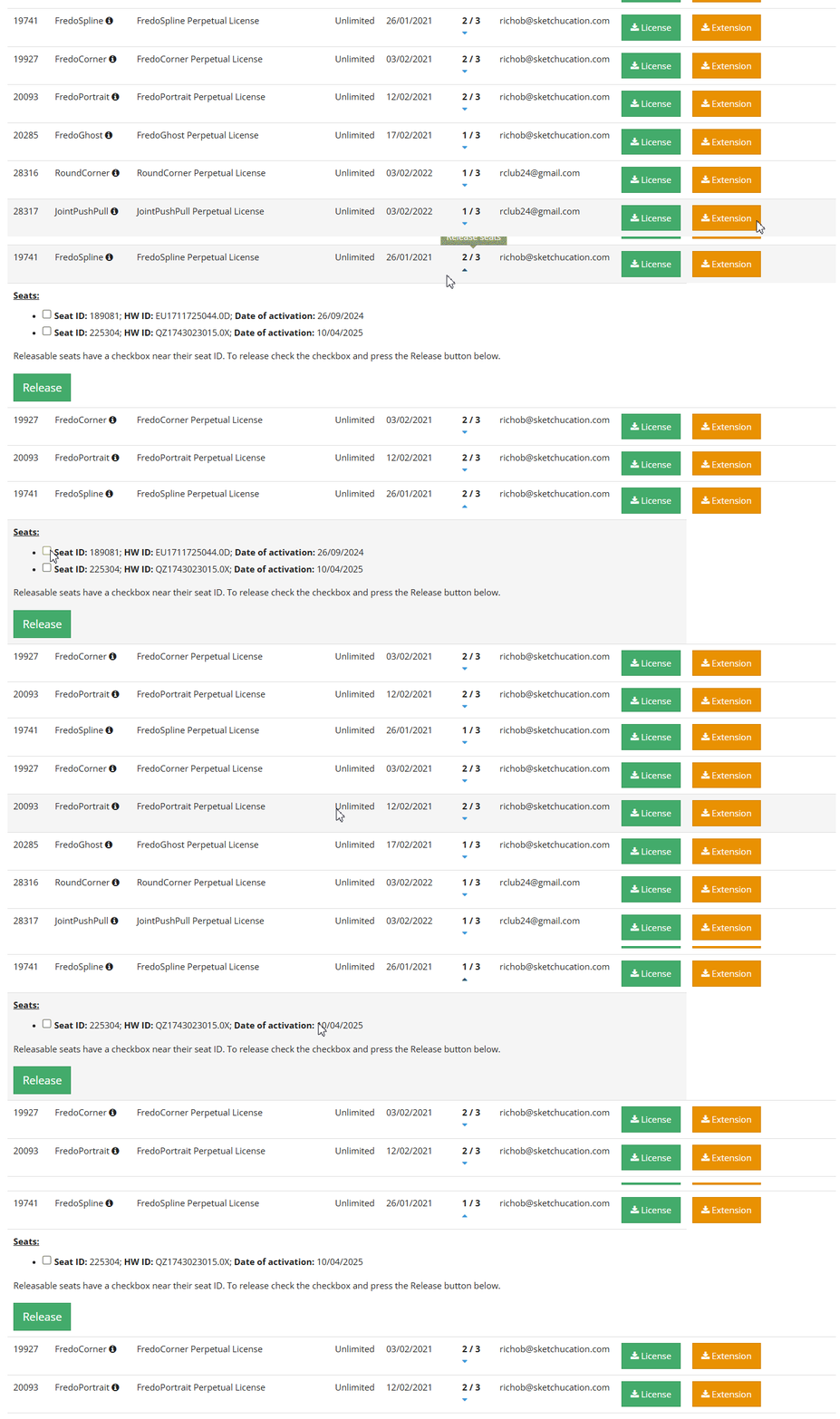
        Have installed 4.4.1 and still no checkboxes for license revokation

        Screenshot 2025-11-18 213929.jpg

        Also there are no button images and bottom buttons in SUTools 4.4.1 (4.3.1 has the same issue for a while)

        Screenshot 2025-11-18 213749.jpg

        1 Reply Last reply Reply Quote 1
        • Rich O BrienR Offline
          Rich O Brien Moderator
          last edited by

          Check https://sketchucation.com/webshop/my-licences.php now

          Download the free D'oh Book for SketchUp 📖

          1 Reply Last reply 😳 Reply Quote 0
          • K Offline
            Kondybas
            last edited by

            WOW!
            I promise I'll be VERY careful with licenses now!

            Am I got it right that SUTools 5.0.3 is not compatible with SU2017?

            Rich O BrienR 1 Reply Last reply Reply Quote 1
            • Rich O BrienR Offline
              Rich O Brien Moderator @Kondybas
              last edited by

              @Kondybas

              Correct, but we'll take a look and see what we can do to make it work.

              Download the free D'oh Book for SketchUp 📖

              1 Reply Last reply 👍 Reply Quote 0
              • K Offline
                Kondybas
                last edited by

                Thank you very much for all the efforts, SketchUp is the only CAD I really love since version 6.

                1 Reply Last reply 👏 Reply Quote 2
                • E Offline
                  ethansatsky Newcomers
                  last edited by

                  Im activating my Toposhaper liscense, but when I select the .scflience liscense, I get a message saying: error in liscense validation. repsonse from sketchucation liscense is not in the database

                  Rich O BrienR 1 Reply Last reply Reply Quote 0
                  • Rich O BrienR Offline
                    Rich O Brien Moderator @ethansatsky
                    last edited by

                    @ethansatsky

                    Yeah, I can confirm there is a hiccup. Give us a few mins to look into it.

                    Download the free D'oh Book for SketchUp 📖

                    1 Reply Last reply Reply Quote 0
                    • Rich O BrienR Offline
                      Rich O Brien Moderator
                      last edited by

                      @ethansatsky

                      Can you try again please?

                      Download the free D'oh Book for SketchUp 📖

                      1 Reply Last reply Reply Quote 0
                      • D Offline
                        dmsone
                        last edited by

                        Hello, I purchased the "round corner" license, installed the latest Fredo6, and Sketchucation. When I press the round corner plugin button, nothing happens. Appreciate any help or advice.

                        A 1 Reply Last reply Reply Quote 0
                        • A Offline
                          Anne O Grady @dmsone
                          last edited by Rich O Brien

                          @dmsone

                          Hi there - when I look at the license it appears that it has been activated. Could you send me a screenshot of this issue to support@sketchucation.com and I can help you from there.
                          Thanks
                          Anne

                          1 Reply Last reply Reply Quote 0
                          • N Offline
                            nebhamzah
                            last edited by

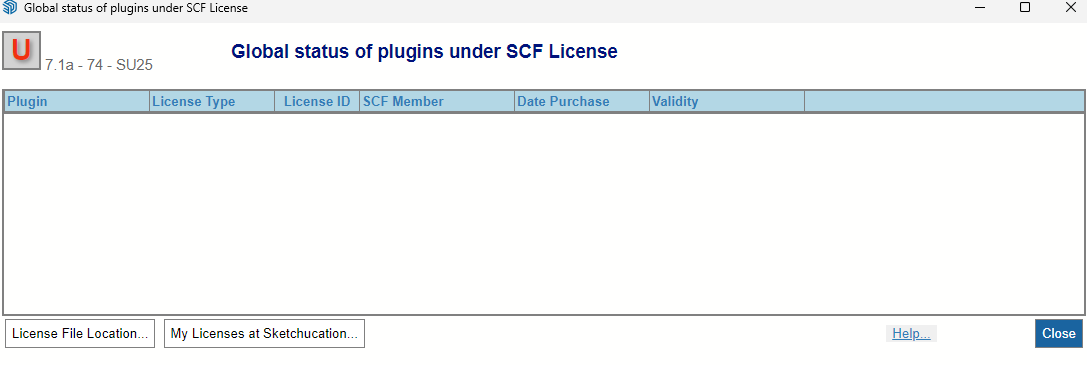
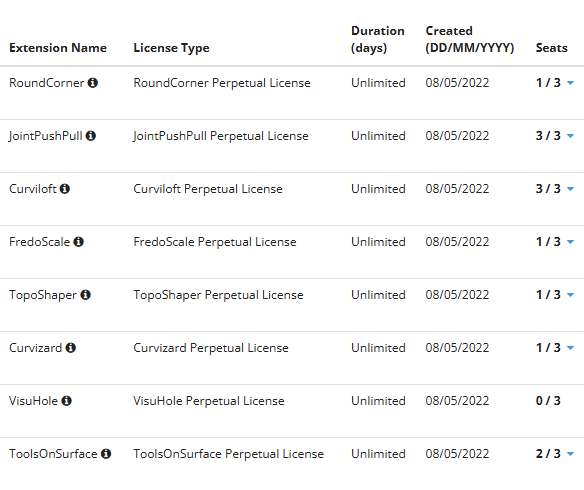
                            Hi can anyone guide me on how to release license seats? I have gone to sketchucation>global license status but nothing come up. but if i checked under my license page i have all the plugins i have purchased with number of seats linked to it. i need to unlink some as im not using that computer anymore.
                            e703a8de-b2b4-4520-afed-dca919825729-image.png

                            f876f273-a06d-475d-96c6-df5697734ee6-image.png

                            1 Reply Last reply Reply Quote 0
                            • TIGT Offline
                              TIG Moderator
                              last edited by

                              With the latest versions of the SketchUcation tools installed you should see the options on our web page or in one of the settings tabs in the ExtensionStore dialog ?
                              If not Rich will probably be able to do something via admin...

                              TIG

                              1 Reply Last reply Reply Quote 0
                              • Rich O BrienR Offline
                                Rich O Brien Moderator
                                last edited by

                                @nebhamzah

                                Releasing seats at My Licenses

                                Download the free D'oh Book for SketchUp 📖

                                1 Reply Last reply Reply Quote 0
                                • C Offline
                                  Christel Chenot
                                  last edited by

                                  Hello,

                                  I'm trying to use Thrupaint2 by Fredo06, which indicates that my trial license expired in 2021. However, I don't recall having used this extension before. Would it be possible to obtain a history or correct this date error? Thank you in advance, have a nice day.


                                  Bonjour,

                                  J'essaye d'utiliser Thrupaint2 de Fredo06 qui indique que ma licence d'essai a expiré en 2021. Or, il ne me semble pas avoir déjà utilisé cette extension précédémment. Serait-ce possible d'obtenir un historique ou de corriger cette erreur de date ? Merci d'avance, belle journée

                                  Rich O BrienR 1 Reply Last reply Reply Quote 1
                                  • Rich O BrienR Offline
                                    Rich O Brien Moderator @Christel Chenot
                                    last edited by

                                    @Christel-Chenot said in SCFLicense: Extension Licensing on Sketchucation:

                                    Would it be possible to obtain a history or correct this date error?

                                    ThruPaint was originally free and got a major update and went commercial.

                                    I believe v1 is still in FredoTools

                                    Download the free D'oh Book for SketchUp 📖

                                    1 Reply Last reply 👍 Reply Quote 0
                                    • C Offline
                                      Christel Chenot
                                      last edited by

                                      Hello @Rich-O-Brien

                                      Thank you for your reply.

                                      Indeed, but Thrupaint 2 has been on the market since 2023, yet my error message indicates that the trial period ended in December 2021.
                                      I've never used Thrupaint 2, and I don't understand why the 30-day trial isn't working.
                                      Is it possible to contact Fredo06? (Perhaps this isn't the right forum section for my question?)
                                      Thank You 🙂


                                      Bonjour Rich O'Brien,
                                      Merci pour cette réponse.
                                      En effet, mais Thrupaint 2 est commercialisé depuis 2023, or mon message d'erreur indique que la période d'essai est terminée depuis Décembre 2021.
                                      Je n'ai jamais utilisé Thrupaint 2, je ne comprends pas pourquoi l'essai de 30 jours ne fonctionne pas.
                                      Est-il possible de contacter @fredo6 ? (peut-être n'est-ce pas le bon endroit du forum pour ma question ? )

                                      Merci 🙂

                                      Rich O BrienR 1 Reply Last reply Reply Quote 1
                                      • Rich O BrienR Offline
                                        Rich O Brien Moderator @Christel Chenot
                                        last edited by

                                        @Christel-Chenot said in SCFLicense: Extension Licensing on Sketchucation:

                                        Is it possible to contact Fredo06?

                                        @fredo6 gets his attention.

                                        Download the free D'oh Book for SketchUp 📖

                                        C 1 Reply Last reply 👍 Reply Quote 0
                                        • fredo6F Offline
                                          fredo6
                                          last edited by

                                          Sorry, there may be a problem.

                                          Could you give more information on your set up. Just invoke the menu Window > LibFredo6 Settings... > Fredo6 Plugin Information for Sketchucation Support, copy/paste the output of the Ruby Console here. Thanks.

                                          C 1 Reply Last reply Reply Quote 0
                                          • C Offline
                                            Christel Chenot @Rich O Brien
                                            last edited by

                                            @Rich-O-Brien Hello, i made it in my french text 😉 Thank You

                                            1 Reply Last reply Reply Quote 0
                                            • 1
                                            • 2
                                            • 105
                                            • 106
                                            • 107
                                            • 108
                                            • 109
                                            • 109 / 109
                                            • First post
                                              Last post
                                            Buy SketchPlus
                                            Buy SUbD
                                            Buy WrapR
                                            Buy eBook
                                            Buy Modelur
                                            Buy Vertex Tools
                                            Buy SketchCuisine
                                            Buy FormFonts

                                            Advertisement