SCFLicense: Extension Licensing on Sketchucation
-
> FredoScale v3.6a > FredoSketch v1.6a- SCFLicense directory present
Signature File: 2025-08-04 12:03:37 +0200
- SCFLicense directory present
-
That's not the full output. Can you provide the full output?
-
Fredo6 Plugins Information on 2025-08-04 12:53:38 +0200
- Platform: x64-mswin64_140 - Ruby: 3.2.2
- Sketchup: 25.0.660
- LibFredo6: v15.4c
- LibFredo6 Binary loaded
- Sketchucation ExtensionStore: 4.4.1
- SCFLicense: v6.4a - 74
- Fredo6 Plugins
FredoScale v3.6a
FredoSketch v1.6a - SCFLicense directory present
Signature File: 2025-08-04 12:03:37 +0200
-
Fredo6 Plugins Information on 2025-08-04 12:53:38 +0200
- Platform: x64-mswin64_140 - Ruby: 3.2.2
- Sketchup: 25.0.660
- LibFredo6: v15.4c
- LibFredo6 Binary loaded
- Sketchucation ExtensionStore: 4.4.1
- SCFLicense: v6.4a - 74
- Fredo6 Plugins
FredoScale v3.6a
FredoSketch v1.6a - SCFLicense directory present
Signature File: 2025-08-04 12:03:37 +0200
-
Thanks a lot
-
Can you share error messages when you use your license file to activate?
Also having 2 accounts is not helping you. I'd suggest you request to delete the unneeded account.
-
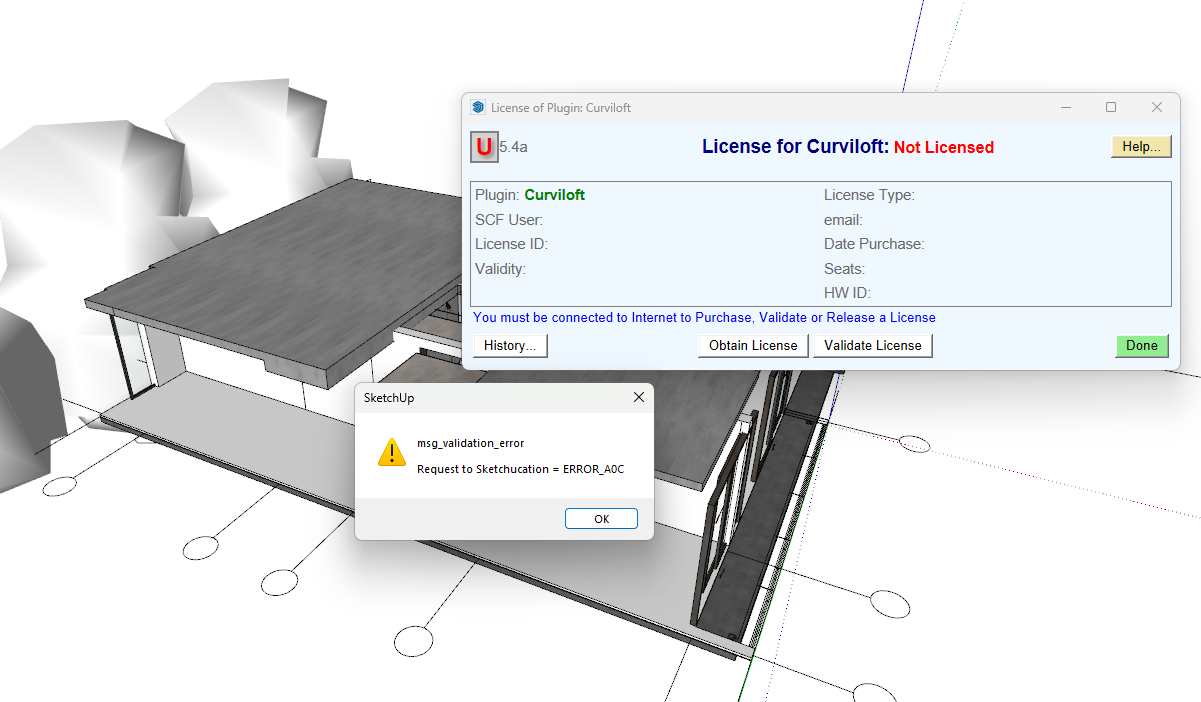
I had bought the lisense and this show up -
@NhaQuynh Please update all extensions.
You are using a very old version of Sketchucation Tools which contains the licensing system.
-
Hi Sketchucation,
I just started using Fredo6 few weeks back. I was using it perfectly fine on my desktop (Windows 10) with a free account. when I try to install it on my new laptop (running Windows 11) it keep showing me it license has been expired.
Then I try to install fredo6 on my old laptop and it works. I believe I did the installation correctly but don't know what went wrong. I'm using FredoScale and FredoCorner.
Please help. Thanks in advance.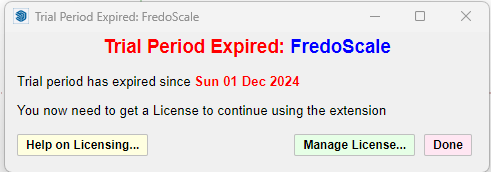
-
Hi,
Please run the Window > Libfredo Settings > Fredo6 Plugins Information for Sketchucation Support menu command in SketchUp on the device with the issue and copy/paste the output into your reply.
-
Fredo6 Plugins Information on 2025-08-08 18:26:44 +0800
- Platform: x64-mswin64_140 - Ruby: 2.7.2
- Sketchup: 22.0.316
- LibFredo6: v15.4c
- LibFredo6 Binary loaded
- Sketchucation ExtensionStore: 4.4.1
- SCFLicense: v6.4a - 74
- Fredo6 Plugins
FredoCorner v2.7a
FredoScale v3.6a - SCFLicense directory present
Signature File: 2025-08-08 02:27:31 +0800
-
If you download your license files from https://sketchucation.com/webshop/my-licences.php and use Tools > Fredo Collection > [Plugin Name] > License... to activate.
Are you getting error messages?
-
I'm using free account. there is nothing in my license page. by the way, I'm installing my sketchup 2022 in drive D:. can that cause the error?
-
If you haven't bought a license then its normal to see Trial Expired.
To buy licenses please visit https://sketchucation.com/plugin-list.php
-
@rendyinterior said in SCFLicense: Extension Licensing on Sketchucation:
I'm installing my sketchup 2022 in drive D:. can that cause the error?
That could cause other errors with running SketchUp.
-
I browse through the shop. the duration show unlimited is it means the licenses don't expire? if I get bundle of 8, I will be receiving 8 licenses and can use it on 3 devices?
-
duration show unlimited is it means the licenses don't expire?
Yes
if I get bundle of 8, I will be receiving 8 licenses and can use it on 3 devices?
Yes
-
Hello, I would like to ask for advice on how to activate the license for the purchased RoundCorner Perpetual License plugin. Unfortunately, I had to reinstall Windows, and when I tried to activate the purchased plugin again, I received the following error message (see screenshot).
Thank you very much for your help.
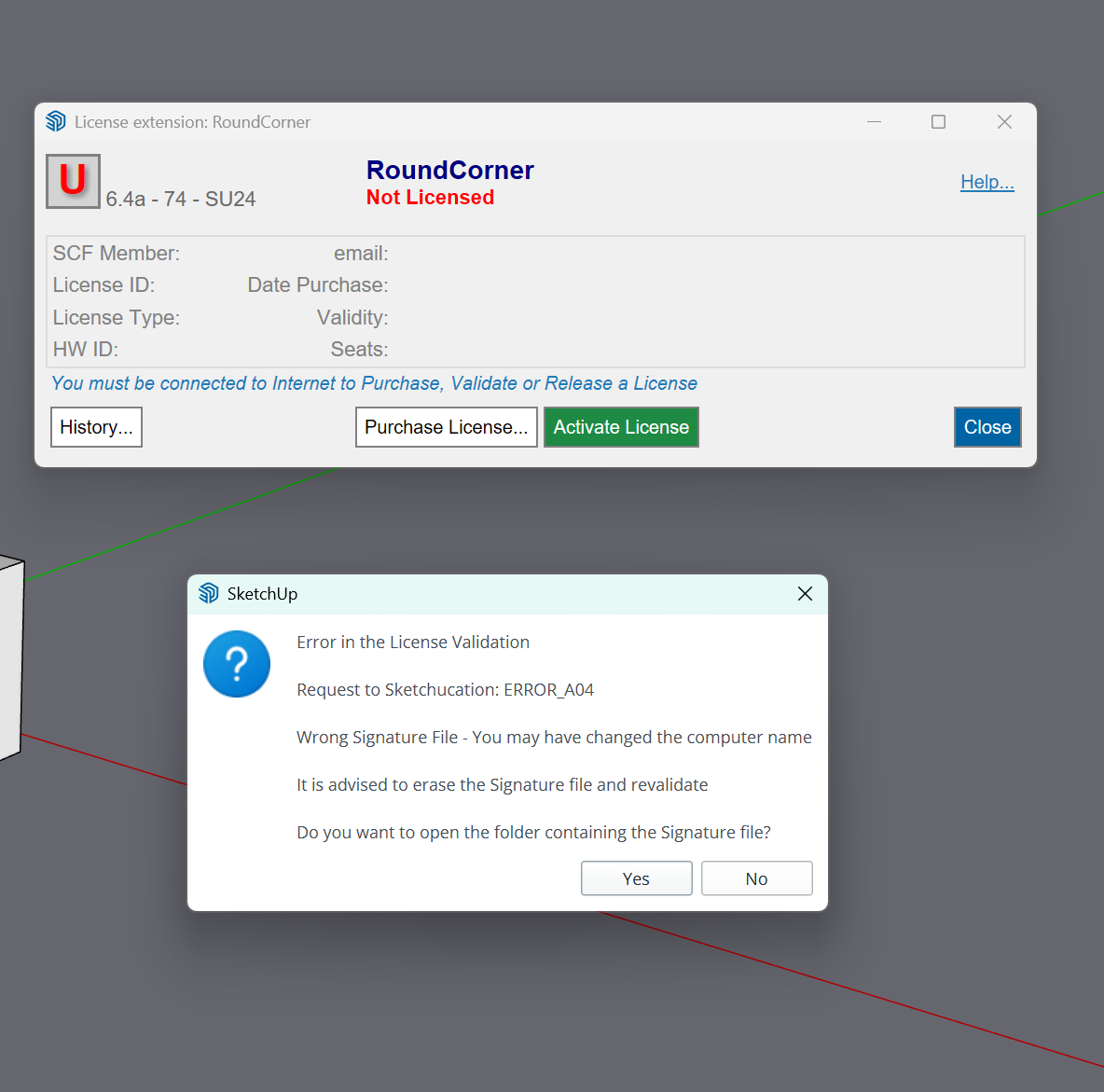
-
Hello, I would like to ask for advice on how to activate the license for the purchased RoundCorner Perpetual License plugin. Unfortunately, I had to reinstall Windows, and when I tried to activate the purchased plugin again, I received the following error message (see screenshot).
Thank you very much for your help.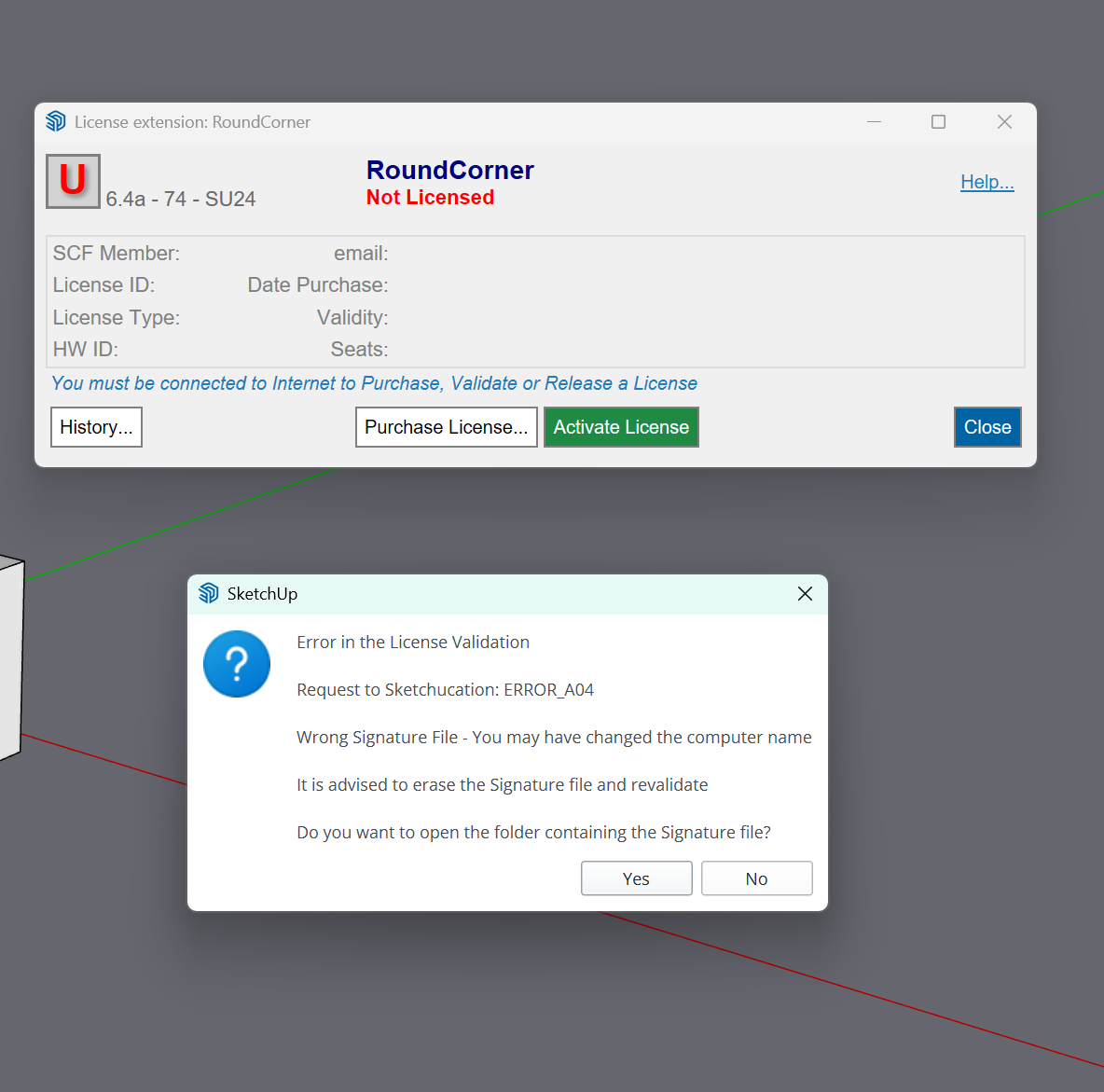
-
Does your device name use non-alphanumeric characters like é áó ú ?
If so rename your device using only alphanumeric characters.
Go to C:\Users\SomeName\AppData\Local\SCF Licenses and delete the signature file
Open SketchUp and activate license.


Hello! It looks like you're interested in this conversation, but you don't have an account yet.
Getting fed up of having to scroll through the same posts each visit? When you register for an account, you'll always come back to exactly where you were before, and choose to be notified of new replies (either via email, or push notification). You'll also be able to save bookmarks and upvote posts to show your appreciation to other community members.
With your input, this post could be even better 💗
Register Login


Advertisement