[Plugin] Universal Importer - v1.2.6 - 30 July 2024
-
@rich o brien said:
Not sure what you installed that you ended up with an icon that points to PayPal?
This tool exists in the File menu if properly installed.
It's true but, in current version, there's also a Donate entry in Plugins menu. To avoid confusion, in next version, I will add an Import entry in Plugins menu too.
-
Is it possible to keep parts separated, as groups or components, when importing formats like obj, fbx of Collada? Right now it imports everything as a single mesh.
-
@sreckom said:
Is it possible to keep parts separated, as groups or components, when importing formats like obj, fbx of Collada? Right now it imports everything as a single mesh.
I think it's doable but I don't know how yet... Your request has been added to my todo list.
-
Hi there, appreciate the effort!
I have been trying to use it on obj and 3ds file, but it keeps showing error
Universal Importer Error: invalid byte sequence in UTF-8
Any idea how to solve this? Thank you
-
@tonytony321 said:
Hi there, appreciate the effort!
I have been trying to use it on obj and 3ds file, but it keeps showing error
Universal Importer Error: invalid byte sequence in UTF-8
Any idea how to solve this? Thank you
Hi,
Does your input model filename or path contain non-ASCII characters?
-
Problem with dxf files
When I try to import a dxf file no error occurs and SU recognises the dxf file as a new component, but there is no content!
I get a prompt to place the import, but then there is nothing there.
Any idea what might be wrong?
Many thanks,
Max
-
@arakon said:
Found an issue with "small" models.
Example: I'm importing a functional model that is 95x46x75.45mm in size. The STL is 75.45 tall, however, in order for it to import semi-properly, I have to use the 46mm as height.
However, the model, when imported, is actually 99.12x47.99x78.72mm in size, so it's actually 104.3261% of the original size in all directions.
If I import it at a factor of 100 (telling it that the STL is 4600mm in height), then downscale it to 0.01 in Sketchup, the size is correct.Sorry for the late reply. Thanks for your report. Universal Importer plugin contains too many hacks (scaling is one of them). This plugin needs a partial or full rewrite, but I can't promise it will happen.
-
@maxicus said:
Problem with dxf files
When I try to import a dxf file no error occurs and SU recognises the dxf file as a new component, but there is no content!
I get a prompt to place the import, but then there is nothing there.
Any idea what might be wrong?
Many thanks,
Max
Can you please send us the DXF file you try to import?
-
Am I missing something? I followed the steps in the video (I think anyway) and all I can get is the mesh. I tried several times with an export from Blender - just mesh. Tried a stock obj file "Lego man" - same thing even when opening the jpg & png files. I tried uninstall the re-install (only wat I could find was Extension manager (just a clue after one of your comment replies).
-
@rbc60hzvolts said:
Am I missing something? I followed the steps in the video (I think anyway) and all I can get is the mesh. I tried several times with an export from Blender - just mesh. Tried a stock obj file "Lego man" - same thing even when opening the jpg & png files. I tried uninstall the re-install (only wat I could find was Extension manager (just a clue after one of your comment replies).
It seems to me glTF import works better. Try to export your model to a .gltf file from Blender then import this .gltf file into SketchUp with Universal Importer plugin.
-
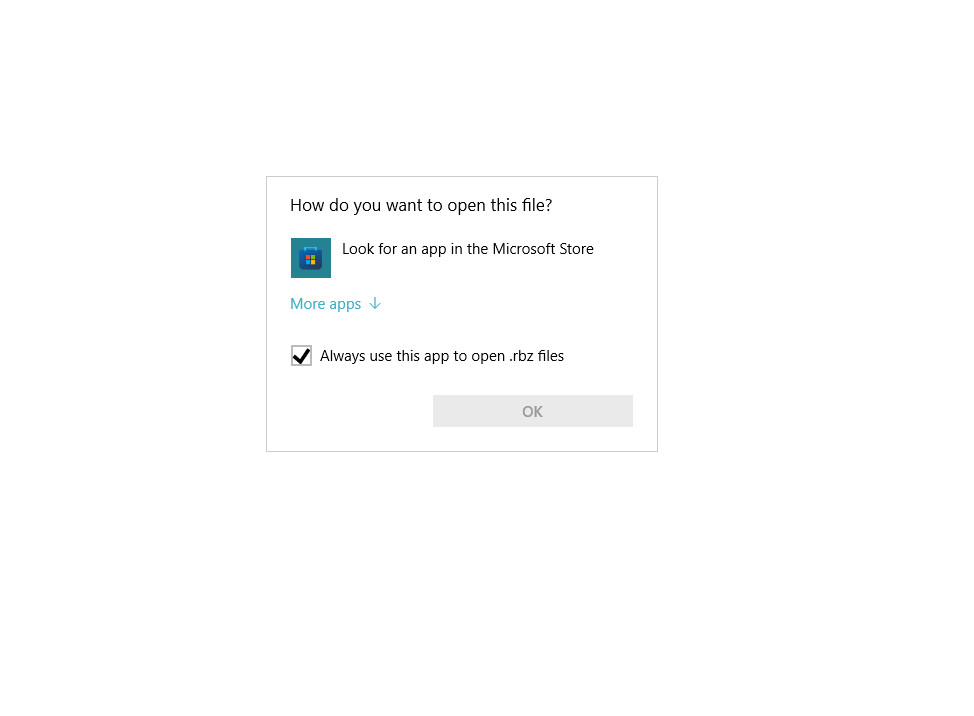
Hello: I downloaded it but when I click on it, the computer asks how I want to open it. What do I do now? I have Windows 11 and SketchUp 2017. Thanks.
-
@sketchgirl1 said:
I downloaded it but when I click on it, the computer asks how I want to open it. What do I do now?
Use SketchUp to install it. You can't open .rbz files
-
You don't 'open' an RBZ file.
You 'save' it onto your computer.
Make sure your web-browser is set up to do this...When you have your RBZ in your Downloads folder you need to 'install' the RBZ's contents.
Open SketchUp and use the Extension Manager - it's menu location depends on the SketchUp version.
In the dialog that opens there's a button 'Install Extension...'
Click that, find the saved RBZ and SketchUp does the rest to it, and extracts its contents into your Plugins folder etc... -
Okay I got it (Universal importer) showing up in extensions but when I click it it sends me to a donation page. I guess that means I must donate a dollar? I just tried free (for 15 days) FluidImporterPro and my SketchUp program crashed when I tried to import an FBX file chair. I have SketchUp 2017. Not sure how I know this one (Universal importer) will work. Maybe I might as well buy SimLab Obj Importer since that is already installed, from my free trial, and I know it works. Thank you.
-
Not sure exactly how to reply to your post in the right order. But anyway I finally imported my FBX chair file with Skimp importer, which worked very well. But it's expensive (a yearly charge of $80 I think - Simlab is that much for permanent license). But free for 5 days. So I guess this Universal Importer is a good option. I would just like to know, is that true that I must donate and then the importer will be accessible (the words "import" will show up when I press Universal extension, under extensions tab?) Thank you.
-
@sketchgirl1 said:
is that true that I must donate
No, the tool resides under the File menu. The donation to Samuel is in the Extensions menu.
Donation are entirely up to the user.
-
@rich o brien said:
@sketchgirl1 said:
is that true that I must donate
No, the tool resides under the File menu. The donation to Samuel is in the Extensions menu.
Donation are entirely up to the user.
Yes now I see. I did watch that video showing you how to import, over on the left at bottom. But first donated a dollar trying to get it to work. No wait.. I made a mistake and requested a dollar first, then donated and cancelled the request. But I tried it on a chair and it worked. It insists that you assign a material though, before it will import. But it's great. Now I am going to try a large complicated HVAC Obj model; we'll see how that goes. Thank you!
-
Thanks for such a helpful plugin!
Whenever I try to import a simple 3mf file, the plugin asks me first for the model height. It shows a default of 1800 or some such. I don't know the height of the items I am importing. I have no way to know. Is there any way I can get it to accept the height of the model that is included in the model, which has a "unit" (almost always) of mm?
-
A new version of Universal Importer plugin is coming... It will be less verbose and smarter about missing textures. Stay tuned!

-
@dougjoseph said:
Thanks for such a helpful plugin!

@dougjoseph said:
Whenever I try to import a simple 3mf file, the plugin asks me first for the model height. It shows a default of 1800 or some such. I don't know the height of the items I am importing. I have no way to know. Is there any way I can get it to accept the height of the model that is included in the model, which has a "unit" (almost always) of mm?
If you are unsure about model height: cancel dialog, import continues. Wrong scale is a known issue







Advertisement