sketchucation logo sketchucation
    • Login
    Oops, your profile's looking a bit empty! To help us tailor your experience, please fill in key details like your SketchUp version, skill level, operating system, and more. Update and save your info on your profile page today!
    โš ๏ธ Important | Libfredo 15.6b introduces important bugfixes for Fredo's Extensions Update

    [Plugin] LookAt

    Scheduled Pinned Locked Moved Plugins
    19 Posts 8 Posters 7.3k Views 8 Watching
    Loading More Posts
    • Oldest to Newest
    • Newest to Oldest
    • Most Votes
    Reply
    • Reply as topic
    Log in to reply
    This topic has been deleted. Only users with topic management privileges can see it.
    • TIGT Offline
      TIG Moderator
      last edited by

      Thanks... ๐Ÿ˜„

      TIG

      1 Reply Last reply Reply Quote 0
      • HornOxxH Offline
        HornOxx
        last edited by

        ๐Ÿ‘ ๐Ÿ˜„ prima Pixero & thank You !

        never trust a skinny cook

        1 Reply Last reply Reply Quote 0
        • tuna1957T Offline
          tuna1957
          last edited by

          Way cool Thank you ๐Ÿ‘

          1 Reply Last reply Reply Quote 0
          • bazB Offline
            baz
            last edited by

            This looks like it could be very useful for setting up lights in Twilight Render. It can be a pain re-pointing lights when looking for a better lighting angle. Thanks.

            1 Reply Last reply Reply Quote 0
            • PixeroP Offline
              Pixero
              last edited by

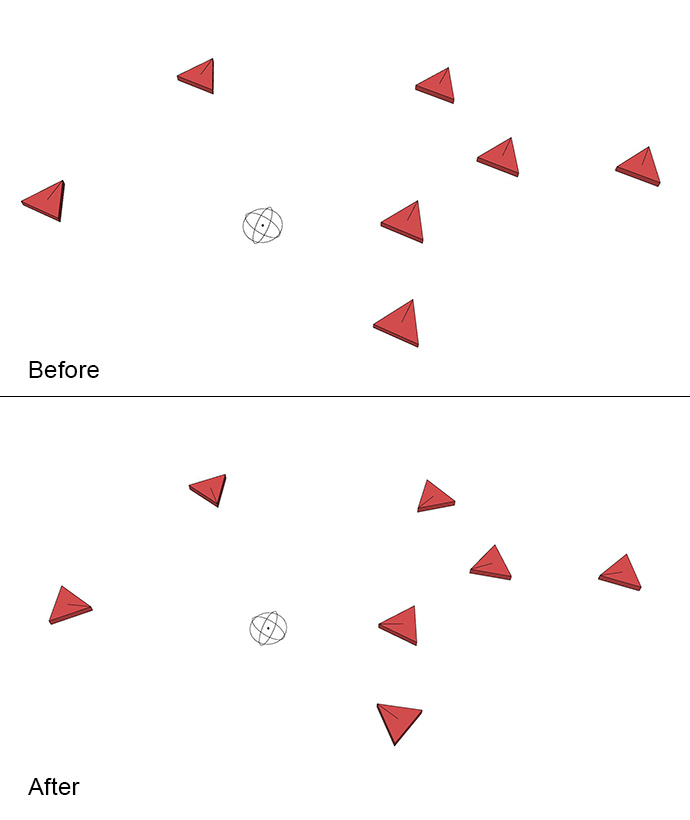
              Remember that it only works in x and y as it rotates around z axis.

              1 Reply Last reply Reply Quote 0
              • cmeedC Offline
                cmeed
                last edited by

                Hi All,
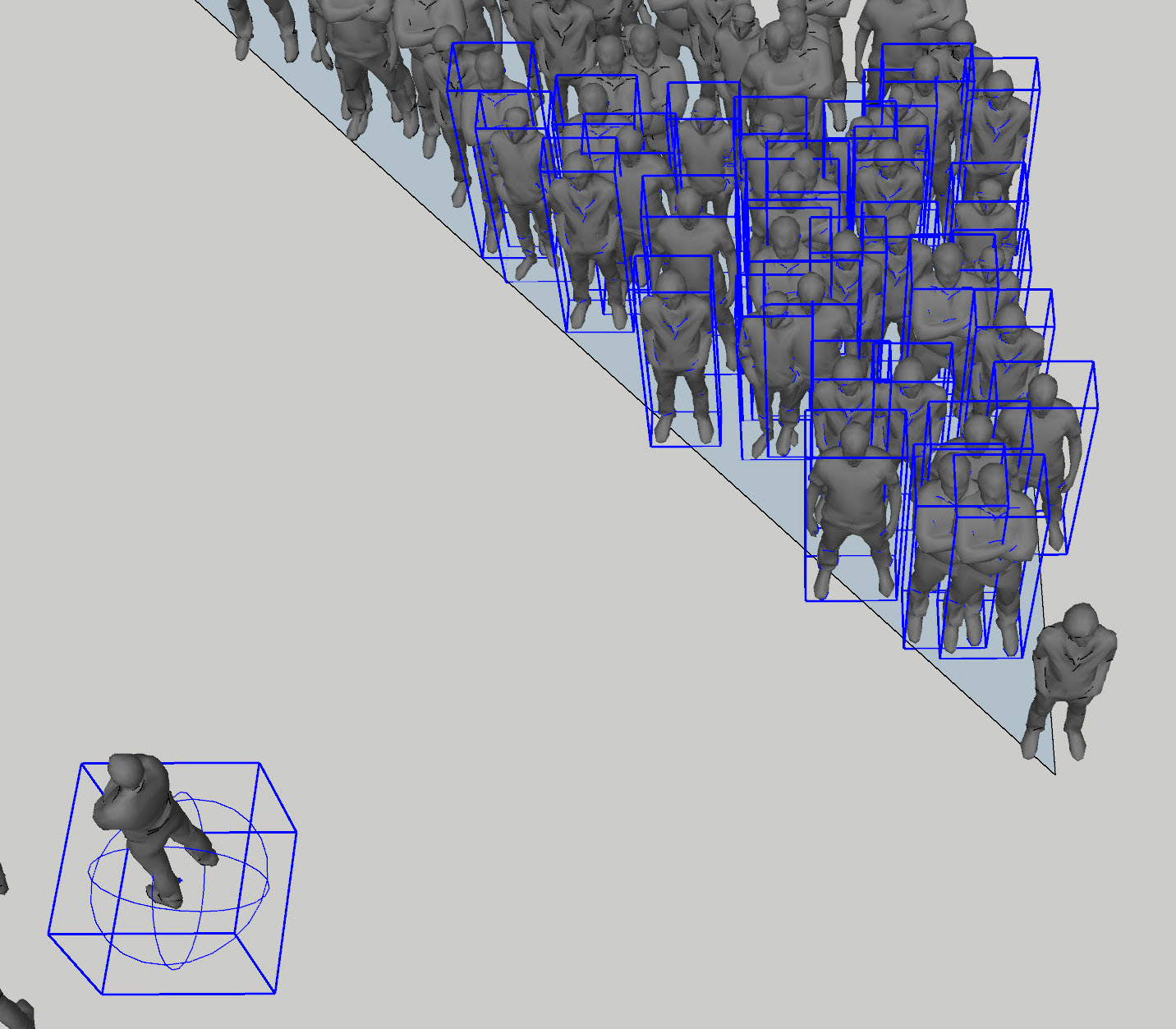
                I thought this would be very useful for making crowds look where I wanted them too. Unfortunately, I can't make this plugin work.

                my process - I create and move an Attractor - place it were I want it , Select my Attractor and My audience, click extensions - Look At and a window pops up asking AXIS Y, clicking ok - nothing happens. Tried all the other settings X -X -Y

                is there any reason or process I'm missing? looks so straightforward..

                Cheers In advance

                Chris

                1 Reply Last reply Reply Quote 0
                • Didier BurD Offline
                  Didier Bur
                  last edited by

                  @cmeed: is your crowd made of billboards (FaceMe components) ?

                  DB

                  1 Reply Last reply Reply Quote 0
                  • cmeedC Offline
                    cmeed
                    last edited by

                    Hi Didier,
                    They are 3d people.
                    C


                    2019-08-08_21-18-42.jpg

                    1 Reply Last reply Reply Quote 0
                    • cmeedC Offline
                      cmeed
                      last edited by

                      @baz said:

                      This looks like it could be very useful for setting up lights in Twilight Render. It can be a pain re-pointing lights when looking for a better lighting angle. Thanks.

                      Hi BAZ,
                      Have you seen this - https://sketchucation.com/plugin/787-freerotate
                      I use it alot to point lights

                      1 Reply Last reply Reply Quote 0
                      • PixeroP Offline
                        Pixero
                        last edited by

                        @cmeed
                        Could you upload the scene so I can see why it isnโ€™t working for you.

                        1 Reply Last reply Reply Quote 0
                        • cmeedC Offline
                          cmeed
                          last edited by

                          Will do.

                          1 Reply Last reply Reply Quote 0
                          • cmeedC Offline
                            cmeed
                            last edited by

                            @pixero said:

                            @cmeed
                            Could you upload the scene so I can see why it isnโ€™t working for you.

                            here you go ..... The file had to be watered down as it was a bit too large for sketchucation, LOOK At it still doesn't work for me

                            Thanks for taking a look!
                            c


                            190809_pixero_01.skp

                            1 Reply Last reply Reply Quote 0
                            • PixeroP Offline
                              Pixero
                              last edited by

                              Now the script is updated to v1.1.
                              I hope it works for you now.

                              1 Reply Last reply Reply Quote 0
                              • PixeroP Offline
                                Pixero
                                last edited by

                                I fixed the bug but haven't uploaded it yet as I also found another bug that I need some advice on how to solve. If you desperately need the quick fix let me know and i could PM it to you.

                                1 Reply Last reply Reply Quote 0
                                • cmeedC Offline
                                  cmeed
                                  last edited by

                                  I'm at my computer tomorrow and will check it out.
                                  From your last post it looks you you had a very productive half an hour

                                  1 Reply Last reply Reply Quote 0
                                  • PixeroP Offline
                                    Pixero
                                    last edited by

                                    @cmeed said:

                                    I'm at my computer tomorrow and will check it out.
                                    From your last post it looks you you had a very productive half an hour

                                    Yeah, sometimes bugs are easily squashed.

                                    1 Reply Last reply Reply Quote 0
                                    • cmeedC Offline
                                      cmeed
                                      last edited by

                                      HI Pixero!
                                      I can confirm its all working as it should!!
                                      Fantastic

                                      Would you permit a little feedback? maybe there could be a further addition to the process - the pull down menu is fine - could there be an extra function after it (or replace it with) - an arrow button that rotates the grp/comp? this degates repeating the process if one gets the axis wrong (or bad modeling in my case)

                                      anyway Thanks again for a very useful plugin!!

                                      Cheers
                                      Chris

                                      1 Reply Last reply Reply Quote 0
                                      • 1 / 1
                                      • First post
                                        Last post
                                      Buy SketchPlus
                                      Buy SUbD
                                      Buy WrapR
                                      Buy eBook
                                      Buy Modelur
                                      Buy Vertex Tools
                                      Buy SketchCuisine
                                      Buy FormFonts

                                      Advertisement