Extrude PNG letter
-
@kathryng said:
...Still need to figure out why I can't get the BMP tracer to work though?...
Same to me - This tool works well and without any problems on my SkUp 2015, 16, 17 Make versions but not on my SkUp 2018 Pro, hmmm ... there I start the tool with the default settings, am then asked to load the BMP and after this selection, nothing happens then and also no error message...
 -
Always a good thing to keep oldies!

-
@kathryng said:
@glenn at home said:
@kathryng said:
@glenn at home said:
What font is that, do you know? Might be able to find an open font that is close enough for your needs.
No idea. I did a search last night, but as I had mentioned to someone else, it was sent to me as ai file, so it could be a font that was edited in Illustrator, and I need to use exactly what was sent.
Wait, you have the .ai file? Open in Illustrator and then save as a .dxf or .dwg and then open in SketchUp. Extrude till the cows come home!
HA HA HA HA HA HA - Was just about to hit the sack and talk to my Firestick but saw this as I was leaving. That was the best! I will absolutely check it out tomorrow morning when I can focus. Who knew!!!! Brilliant! THANK YOU SO MUCH. Will giggle myself to sleep now.

PPS: Tried this, this morning, but apparently you can only import .dwg files into SU Pro? I am using Make. Sigh... Found a workaround using SU7, but I've tried three different sites to download this older version and a problem with each. Meanwhile back at the ranch, work calls, so I shall return to the unravelling of this Gordian knot later. -
Hmmm, Sketchup Make for commercial use.
-
@box said:
Hmmm, Sketchup Make for commercial use.
And where did you hear or rather read that I said it was for commercial use? Hmmmm?
I said I was sent an .ai file. There are lots of hobbyists out there who use SketchUp, and Photoshop and Illustrator.
-
Well you have your usage set as event and conference planning. Not really a hobby is it? Perhaps it is. But nothing to do with me, I was just commenting.
-
@box said:
Well you have your usage set as event and conference planning. Not really a hobby is it? Perhaps it is. But nothing to do with me, I was just commenting.
Will change that. I used to do that, and which is why I help friends now, but being as old as dirt, I am now just a lone hobbyist. You can take the girl out of the event arena but you can never take the event arena out of the girl.
-
@kathryng said:
@box said:
Well you have your usage set as event and conference planning. Not really a hobby is it? Perhaps it is. But nothing to do with me, I was just commenting.
Mea Culpa - Will change that. I used to do that, and which is why I help friends now, but being as old as dirt, I am now just a lone hobbyist. You can take the girl out of the event arena but you can never take the event arena out of the girl. -
Back to the .png with transparent background, it's nothing magical.
Trace around the letter with a combination of arc and line tool and remove the transparent extras. Then extrude it. Turn on hidden geometry and use the eraser with ctrl to soften the edges on the extrusion, then paint the extrusion whatever colour you want it to be.
Done correctly you will have a solid extruded letter.
You could even remove all materials after you have trimmed and the extrusion will appear.
All trimming plugins are doing is basically automating a simple bit of tracing. -
@box said:
Back to the .png with transparent background, it's nothing magical.
Trace around the letter with a combination of arc and line tool and remove the transparent extras. Then extrude it. Turn on hidden geometry and use the eraser with ctrl to soften the edges on the extrusion, then paint the extrusion whatever colour you want it to be.
Done correctly you will have a solid extruded letter.
You could even remove all materials after you have trimmed and the extrusion will appear.
All trimming plugins are doing is basically automating a simple bit of tracing.
Always willing to learn and try all methods, so I will most certainly do this. Not to mention, I won't be taking away anyone's job at Trimble any time soon. Just a basic SU user. Photoshop more my weapon of choice. Must confess though... if I could get it to work, that BMP tracer is petty cool and fast! -
There's my 'ImageTrimmer', which comes with my olde SKMtools...
http://sketchucation.com/forums/viewtopic.php?p=294815#p294815
https://sketchucation.com/pluginstore?pln=SKMtools
It's PC only.
Once it's set up it's easy to use...
Just import the PNG image...
You need to ensure that your PNG image has transparent pixels where you want to erase, and solid pixels to be kept.
You must also have .JAR filetypes set to open [i.e. execute] in Java - some decompression apps can hijack that filetype and stop the ImageTrimmer tool working [there are several .JAR tiny application files included with the RBZ, and these are needed to process various aspects of the PNG images during the trimming etc]. -
@tig said:
Once it's set up it's easy to use...
- 10 - It is easy to use and if the .png is not complicated, such as the font image you have shown, the work flow I described earlier in this thread will be a viable option for you.
-
@tig said:
There's my 'ImageTrimmer', which comes with my olde SKMtools...
http://sketchucation.com/forums/viewtopic.php?p=294815#p294815
https://sketchucation.com/pluginstore?pln=SKMtools
It's PC only.
Once it's set up it's easy to use...
Just import the PNG image...
You need to ensure that your PNG image has transparent pixels where you want to erase, and solid pixels to be kept.
You must also have .JAR filetypes set to open [i.e. execute] in Java - some decompression apps can hijack that filetype and stop the ImageTrimmer tool working [there are several .JAR tiny application files included with the RBZ, and these are needed to process various aspects of the PNG images during the trimming etc].I am Mac person.
-
-
-
@kathryng said:
@glenn at home said:
@kathryng said:
@glenn at home said:
What font is that, do you know? Might be able to find an open font that is close enough for your needs.
No idea. I did a search last night, but as I had mentioned to someone else, it was sent to me as ai file, so it could be a font that was edited in Illustrator, and I need to use exactly what was sent.
Wait, you have the .ai file? Open in Illustrator and then save as a .dxf or .dwg and then open in SketchUp. Extrude till the cows come home!
HA HA HA HA HA HA - Was just about to hit the sack and talk to my Firestick but saw this as I was leaving. That was the best! I will absolutely check it out tomorrow morning when I can focus. Who knew!!!! Brilliant! THANK YOU SO MUCH. Will giggle myself to sleep now.
Good thing I must be related to a pit bull somewhere and won't let go, because failure is not an option. (Hive mentality) So... I saved my file in Illustrator as the only .dwg available, but of course it's greyed out when I try to open it in SU (version 17.2). Did some more research, and as a result of which I downloaded SU7, and tried to import the .dwg there. Again - zip zero zilch. With every failure I get more determined. My life motto has always been Labor Omnia Vincit, so gritting my teeth and forging ahead. Any more ideas? Please...
-
@kathryng said:
@kathryng said:
@glenn at home said:
@kathryng said:
@glenn at home said:
What font is that, do you know? Might be able to find an open font that is close enough for your needs.
No idea. I did a search last night, but as I had mentioned to someone else, it was sent to me as ai file, so it could be a font that was edited in Illustrator, and I need to use exactly what was sent.
Wait, you have the .ai file? Open in Illustrator and then save as a .dxf or .dwg and then open in SketchUp. Extrude till the cows come home!
HA HA HA HA HA HA - Was just about to hit the sack and talk to my Firestick but saw this as I was leaving. That was the best! I will absolutely check it out tomorrow morning when I can focus. Who knew!!!! Brilliant! THANK YOU SO MUCH. Will giggle myself to sleep now.
Good thing I must be related to a pit bull somewhere and won't let go, because failure is not an option. (Hive mentality) So... I had to save the file in an older version of Illustrator in order for SU7 fo recognise the .dxf file, then save it there as an .skp - opened it in 17.2 but all I am getting are edges, so there is no way to push/pull a face? Are you now totally fed up of me? I will understand if you roll your eyes several times and sigh deeply.
-
@kathryng said:
@kathryng said:
@kathryng said:
@glenn at home said:
@kathryng said:
@glenn at home said:
What font is that, do you know? Might be able to find an open font that is close enough for your needs.
No idea. I did a search last night, but as I had mentioned to someone else, it was sent to me as ai file, so it could be a font that was edited in Illustrator, and I need to use exactly what was sent.
Wait, you have the .ai file? Open in Illustrator and then save as a .dxf or .dwg and then open in SketchUp. Extrude till the cows come home!
HA HA HA HA HA HA - Was just about to hit the sack and talk to my Firestick but saw this as I was leaving. That was the best! I will absolutely check it out tomorrow morning when I can focus. Who knew!!!! Brilliant! THANK YOU SO MUCH. Will giggle myself to sleep now.
Good thing I must be related to a pit bull somewhere and won't let go, because failure is not an option. (Hive mentality) So... I had to save the file in an older version of Illustrator in order for SU7 to recognise the .dxf file, then save it there as an .skp - opened it in 17.2 but all I am getting are edges, so there is no way to push/pull a face? Are you now totally fed up of me? I will understand if you roll your eyes several times and sigh deeply.
-
@kathryng said:
@kathryng said:
@kathryng said:
@kathryng said:
@glenn at home said:
@kathryng said:
@glenn at home said:
What font is that, do you know? Might be able to find an open font that is close enough for your needs.
No idea. I did a search last night, but as I had mentioned to someone else, it was sent to me as ai file, so it could be a font that was edited in Illustrator, and I need to use exactly what was sent.
Wait, you have the .ai file? Open in Illustrator and then save as a .dxf or .dwg and then open in SketchUp. Extrude till the cows come home!
HA HA HA HA HA HA - Was just about to hit the sack and talk to my Firestick but saw this as I was leaving. That was the best! I will absolutely check it out tomorrow morning when I can focus. Who knew!!!! Brilliant! THANK YOU SO MUCH. Will giggle myself to sleep now.
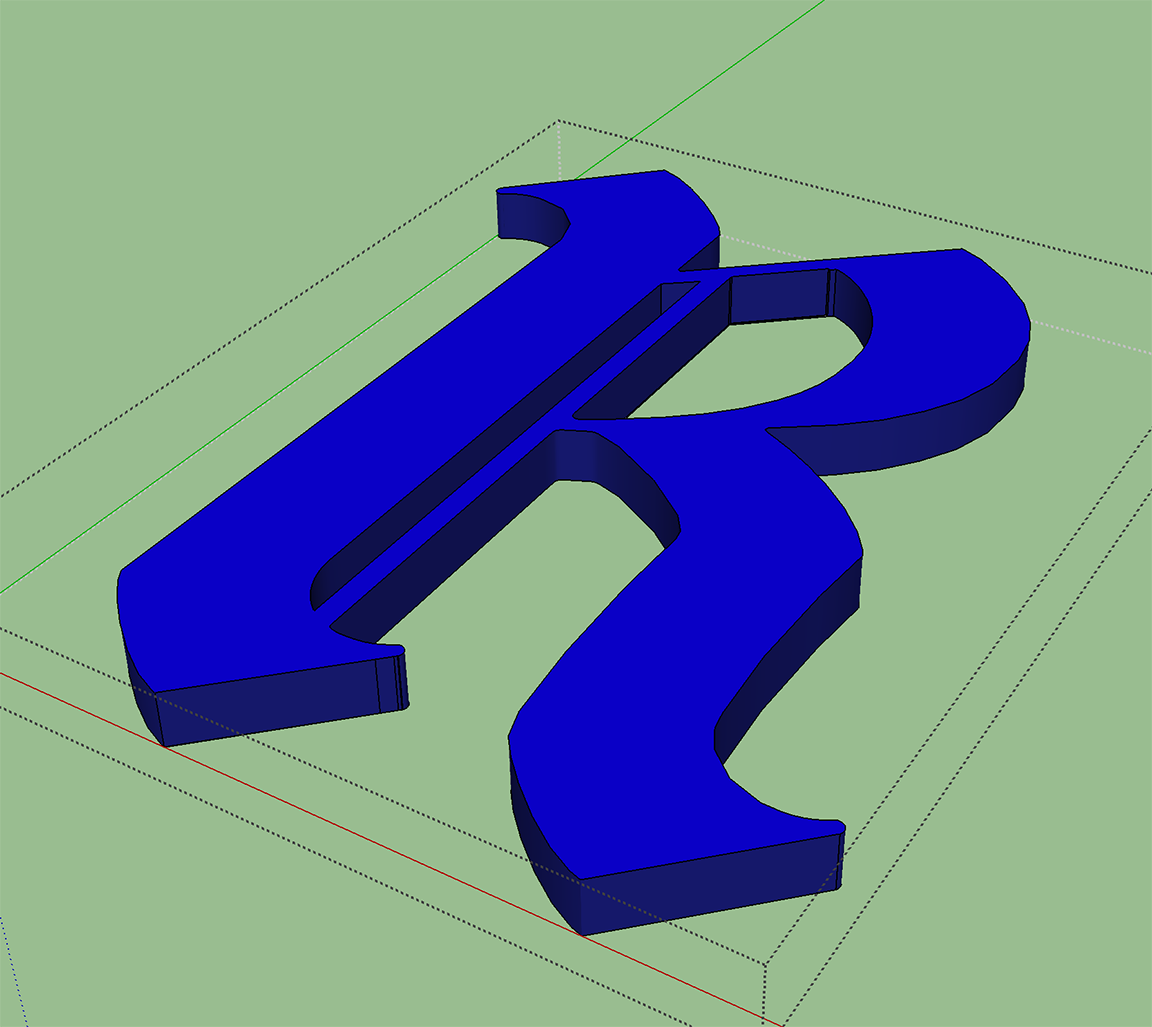
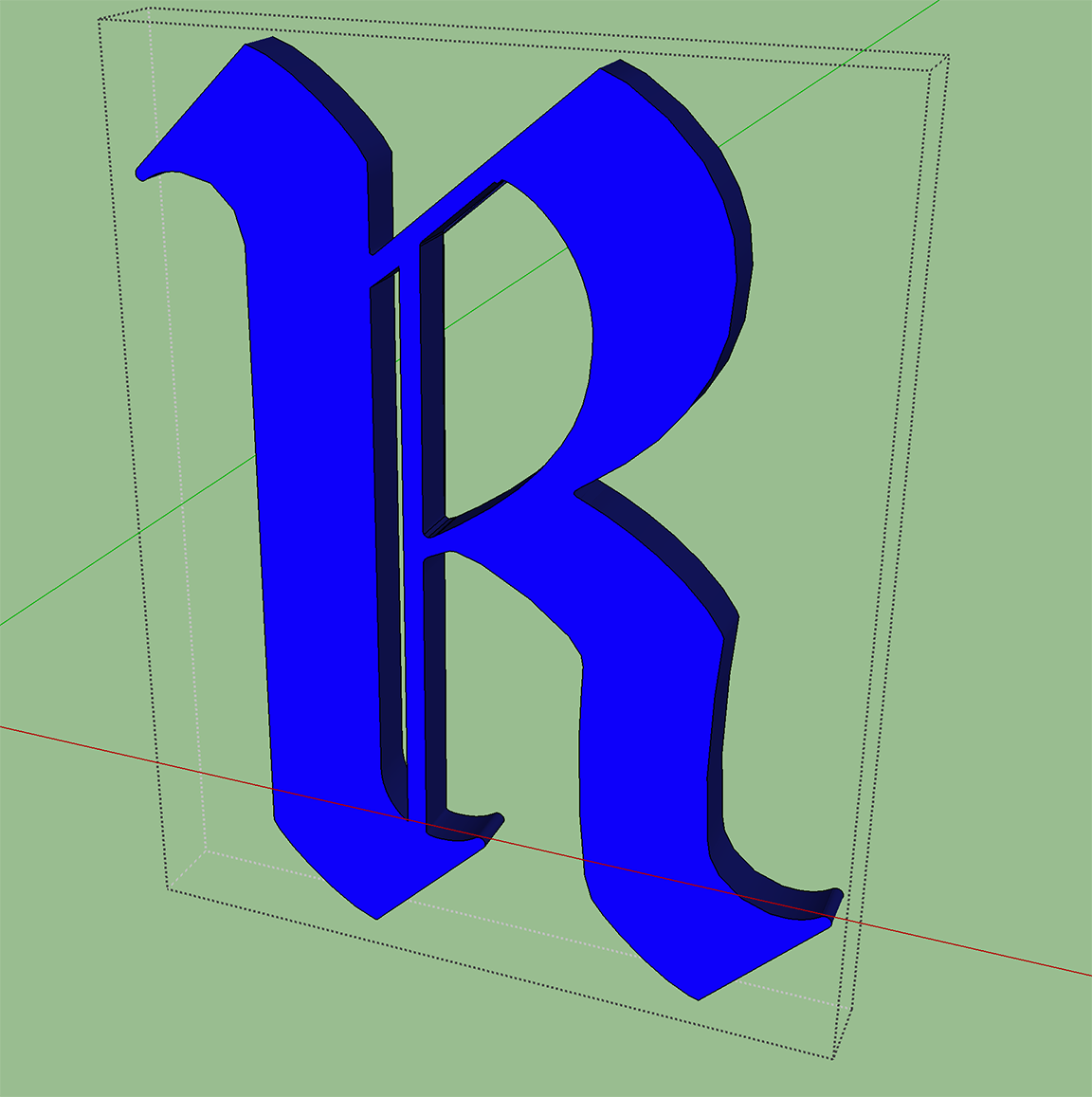
Good thing I must be related to a pit bull somewhere and won't let go, because failure is not an option. (Hive mentality) So... I had to save the file in an older version of Illustrator in order for SU7 to recognise the .dxf file, then save it there as an .skp - opened it in 17.2 but all I am getting are edges, so there is no way to push/pull a face? UPDATE: I DID IT!!!!!

 LABOR OMNIA VINCIT!!!! Thank you all you kind PATIENT people. Thank you YouTube, and I'll take my Oscar now please.









Advertisement