sketchucation logo sketchucation
    • 登入
    Oops, your profile's looking a bit empty! To help us tailor your experience, please fill in key details like your SketchUp version, skill level, operating system, and more. Update and save your info on your profile page today!
    🔌 Smart Spline | Fluid way to handle splines for furniture design and complex structures. Download

    [Plugin] ClothWorks v1.8.0 - 28 Apr 2024

    已排程 已置頂 已鎖定 已移動 Plugins
    699 貼文 161 Posters 669.5k 瀏覽 161 Watching
    正在載入更多貼文
    • 從舊到新
    • 從新到舊
    • 最多點贊
    回覆
    • 在新貼文中回覆
    登入後回覆
    此主題已被刪除。只有擁有主題管理權限的使用者可以查看。
    • A 離線
      Anton_S
      最後由 編輯

      Hi. Yes, adaptive grid is the best for irregular shapes. I am currently rewriting the tutorials to match the new functionality.

      1 條回覆 最後回覆 回覆 引用 0
      • McGyverM 離線
        McGyver
        最後由 編輯

        This looks like an interesting plugin, but I don’t see a price stated anywhere... am I missing something or is this something that shows up after downloading it? I’m not a premium member is that why I’m not seeing a price?

        Visit My ShareCG Freebie Gallery

        1 條回覆 最後回覆 回覆 引用 0
        • A 離線
          Anton_S
          最後由 編輯

          Once you download the plugin, it will work without license but with limited features. Licensing unlocks all the features. The cost of a license is 10 USD for premium and 15 USD for standard members. When you access the (Menu) Extension->ClothWorks->License menu and click on Obtain License... button, this should redirect you to a web-page showing the prices and purchase portal.

          1 條回覆 最後回覆 回覆 引用 0
          • McGyverM 離線
            McGyver
            最後由 編輯

            Thank you for the reply. 😄

            Visit My ShareCG Freebie Gallery

            1 條回覆 最後回覆 回覆 引用 0
            • SwissmountainS 離線
              Swissmountain
              最後由 編輯

              Hello Anton,

              thank you for this very useful plugin.

              I am a set designer and often it would be neat to add cables to props and into the sets.

              The plugin's ability to drape lines over objects made me try create cable additions and while it is very promising, there could be a couple of additions made to the tool that would make it even more effective.

              Pins for example could have an "Ease-in/out" switch, which would make the cables exit and enter the plugs at the ends of the cable more naturally.

              Another great addition to pin functionalty, which I suspect is much harder to add would be a rotation gizmo in addition to the move and scale gizmo. This would make it literally possible to "plug" a power cord from the device into the wall or wherever, even if they are not opposite of each other. That would be amazing in my opinion!

              Again, thank you for your contribution, the plugin is amazing as is and I hope you will make it even better.

              Cheers!
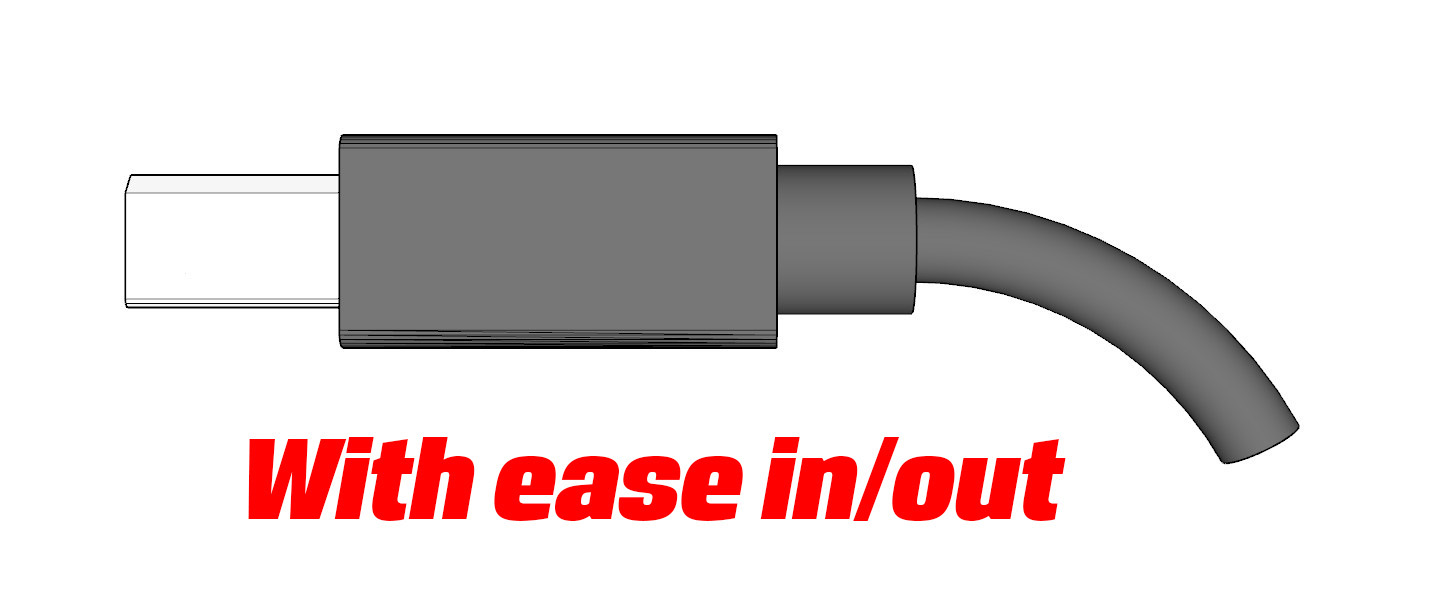

              EaseOut.jpg


              NoEase.jpg

              Cogito ergo dum-di-dum

              1 條回覆 最後回覆 回覆 引用 0
              • A 離線
                Anton_S
                最後由 編輯

                Hello swissmountain,

                Thank you for your suggestions. The rotatable gizmo is something that I already added and this is yet to be released. Stay tuned!

                Thanks,
                Anton

                1 條回覆 最後回覆 回覆 引用 0
                • SwissmountainS 離線
                  Swissmountain
                  最後由 編輯

                  Sweet! Looking forward to it : )

                  Cogito ergo dum-di-dum

                  1 條回覆 最後回覆 回覆 引用 0
                  • R 離線
                    Revnika
                    最後由 編輯

                    Hey Anton_S

                    I bought this last year, and I had to reformat my computer. when obtaining my license, it says I have to buy it again. is there a way I can redownload it? Im checking everywhere for my back up, and currently looking still.

                    Thanks
                    John

                    1 條回覆 最後回覆 回覆 引用 0
                    • A 離線
                      Anton_S
                      最後由 編輯

                      Hello John,

                      I sent you an email with your license attached.

                      Thanks,
                      Anton

                      1 條回覆 最後回覆 回覆 引用 0
                      • peterboodtsP 離線
                        peterboodts
                        最後由 編輯

                        Does clothworks is supposed to work in Sketchup 2019 ?

                        I wanted to reenter my serial and got an error :

                        SCFlicence not supported : missing Library file

                        .../Plugins/Sketchucation/SCFlicence/Mac_25/SUEX_SCFLibrary.bundle

                        Thanks !

                        Peter

                        1 條回覆 最後回覆 回覆 引用 0
                        • Dave RD 離線
                          Dave R
                          最後由 編輯

                          The current version of Clothworks does work in SU2019. Do you have the latest one?

                          Make sure you have the latest version of SCF Tools installed and you are signed in.

                          Etaoin Shrdlu

                          %

                          (THERE'S NO PLACE LIKE)

                          G28 X0.0 Y0.0 Z0.0

                          M30

                          %

                          1 條回覆 最後回覆 回覆 引用 0
                          • arqcovaA 離線
                            arqcova
                            最後由 編輯

                            @dave r said:

                            The current version of Clothworks does work in SU2019. Do you have the latest one?

                            +1, any update on new version for skp 2019?

                            1 條回覆 最後回覆 回覆 引用 0
                            • Dave RD 離線
                              Dave R
                              最後由 編輯

                              @arqcova said:

                              @dave r said:

                              The current version of Clothworks does work in SU2019. Do you have the latest one?

                              +1, any update on new version for skp 2019?

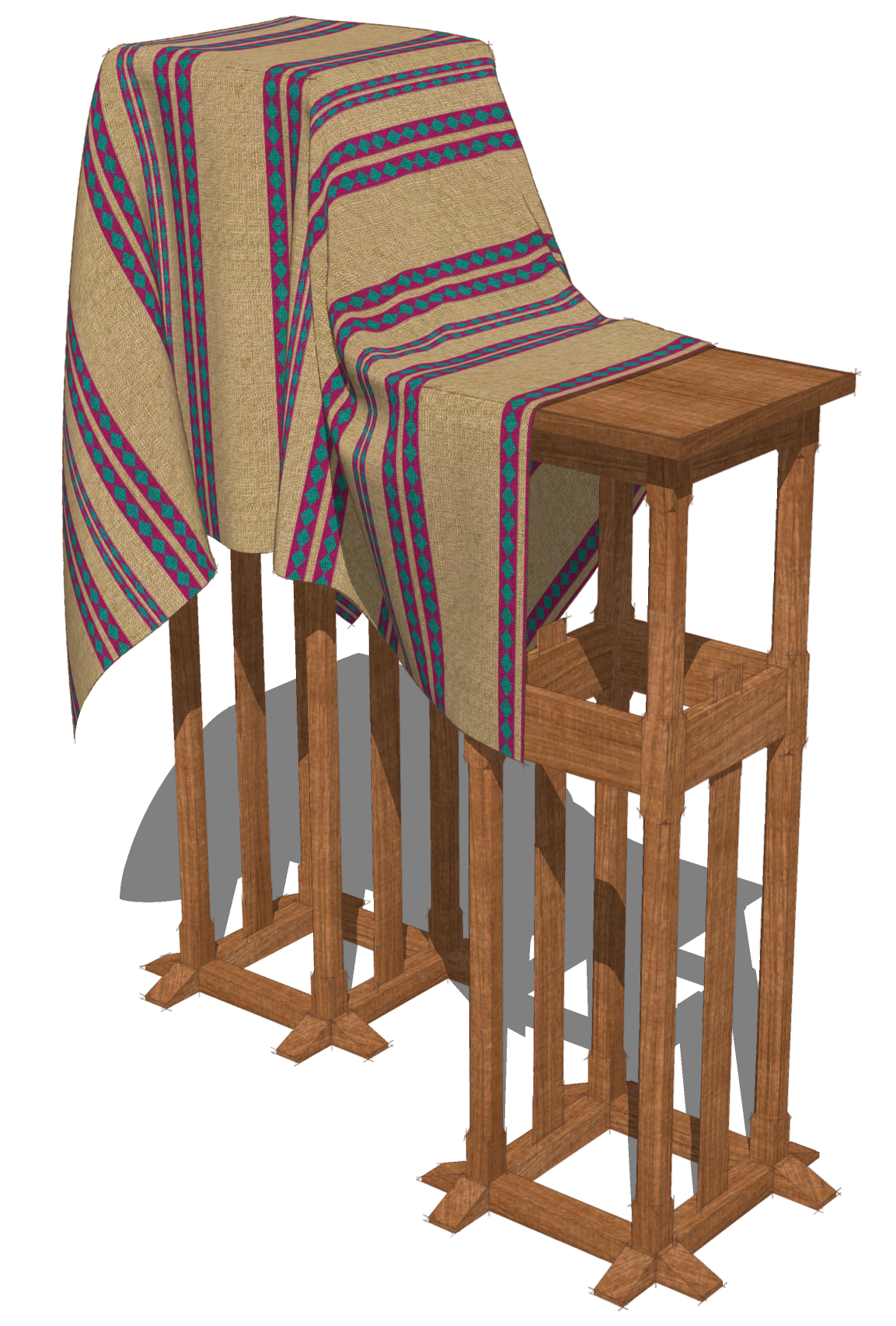
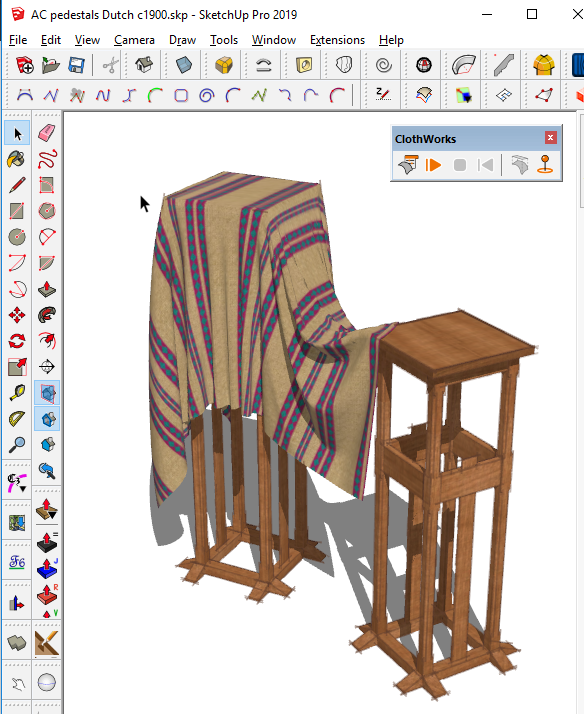
                              The current version of Clothworks works just fine in SketchUp 2019. I did this a few minutes ago with it.

                              AC pedestals draped.png

                              Screenshot - 5_23_2019 , 3_17_51 PM.png

                              Etaoin Shrdlu

                              %

                              (THERE'S NO PLACE LIKE)

                              G28 X0.0 Y0.0 Z0.0

                              M30

                              %

                              1 條回覆 最後回覆 回覆 引用 0
                              • pilouP 離線
                                pilou
                                最後由 編輯

                                Thx Anton! 😉

                                Frenchy Pilou
                                Is beautiful that please without concept!
                                My Little site :)

                                1 條回覆 最後回覆 回覆 引用 0
                                • A 離線
                                  Anton_S
                                  最後由 編輯

                                  @peterboodts said:

                                  Does clothworks is supposed to work in Sketchup 2019 ?

                                  I wanted to reenter my serial and got an error :

                                  SCFlicence not supported : missing Library file

                                  .../Plugins/Sketchucation/SCFlicence/Mac_25/SUEX_SCFLibrary.bundle

                                  Thanks !

                                  Peter

                                  Yes, ClothWorks 1.5.2 is compatible with SketchUp 2019. As Dave R pointed out, you need to install the latest version of SketchUcation Tools: https://sketchucation.com/resources/plugin-store-download

                                  1 條回覆 最後回覆 回覆 引用 0
                                  • jo-keJ 離線
                                    jo-ke
                                    最後由 編輯

                                    I have problems with su2019pro and clothworks. After every restart of su I have to reinstall clothworks. At the next start of su the plugin is disappeared.

                                    What is wrong.

                                    http://www.zz7.de

                                    1 條回覆 最後回覆 回覆 引用 0
                                    • Dave RD 離線
                                      Dave R
                                      最後由 編輯

                                      When you installed SketchUp 2019, did you right click on the installer file and choose Run as administrator? Or did you do something else?

                                      Etaoin Shrdlu

                                      %

                                      (THERE'S NO PLACE LIKE)

                                      G28 X0.0 Y0.0 Z0.0

                                      M30

                                      %

                                      1 條回覆 最後回覆 回覆 引用 0
                                      • jo-keJ 離線
                                        jo-ke
                                        最後由 編輯

                                        I just ran the exe file and installed it. strange thing...

                                        http://www.zz7.de

                                        1 條回覆 最後回覆 回覆 引用 0
                                        • A 離線
                                          Anton_S
                                          最後由 編輯

                                          @jo-ke Did you use the extension manager to install ClothWorks? If not, install ClothWorks RBZ via the Extension Manager (and also SketchUcationTools if desired for licensing):

                                          1. Open SketchUp 2019
                                          2. Select (Menu) Window -> Extension Manager
                                          3. Click Install Extension button
                                          4. Select the downloaded RBZ file
                                          5. Restart SketchUp

                                          Let me know if this works.

                                          1 條回覆 最後回覆 回覆 引用 0
                                          • EdsonE 離線
                                            Edson
                                            最後由 編輯

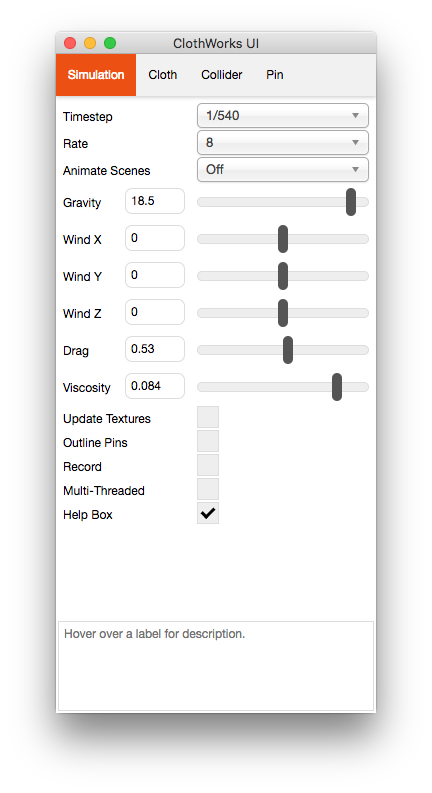
                                            I wonder if you could help me with a problem I am having. Clothworks is running very slowly and I do not know what to change for it to behave as one sees in the tutorials. Both Outliner and Components dialogues are closed.

                                            By the way, I am trying to create a curtain.

                                            I am attaching a pair of screenshots of the UI for you to see the parameters I have set.

                                            I hope you can help me. Thanks in advance.
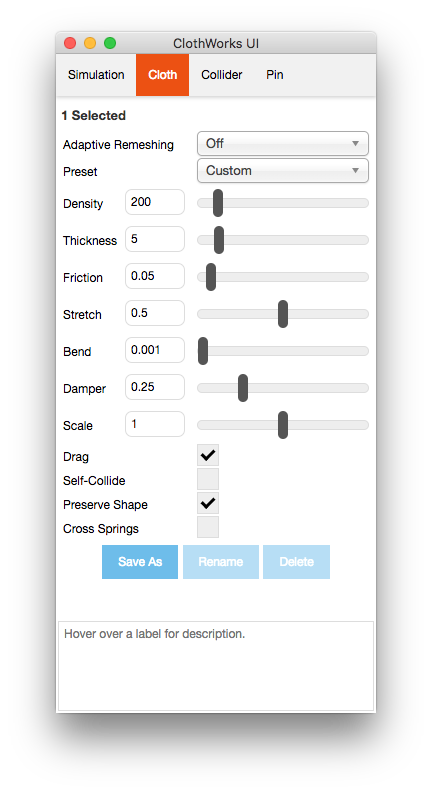
                                            Screenshot 2019-06-27 08.17.19.png
                                            Screenshot 2019-06-27 08.17.09.png

                                            edson mahfuz, architect| porto alegre • brasil
                                            http://www.mahfuz.arq.br

                                            1 條回覆 最後回覆 回覆 引用 0
                                            • 1
                                            • 2
                                            • 3
                                            • 4
                                            • 5
                                            • 6
                                            • 7
                                            • 34
                                            • 35
                                            • 5 / 35
                                            • 第一個貼文
                                              最後的貼文
                                            Buy SketchPlus
                                            Buy SUbD
                                            Buy WrapR
                                            Buy eBook
                                            Buy Modelur
                                            Buy Vertex Tools
                                            Buy SketchCuisine
                                            Buy FormFonts

                                            Advertisement