Thick lines on walls - can't push/pull
-
Hi All, I'm brand new to Sketchup - I just started using it today. I've got some tutorials up and they've been helping, but I hit a snag that I can't find the answer to online.
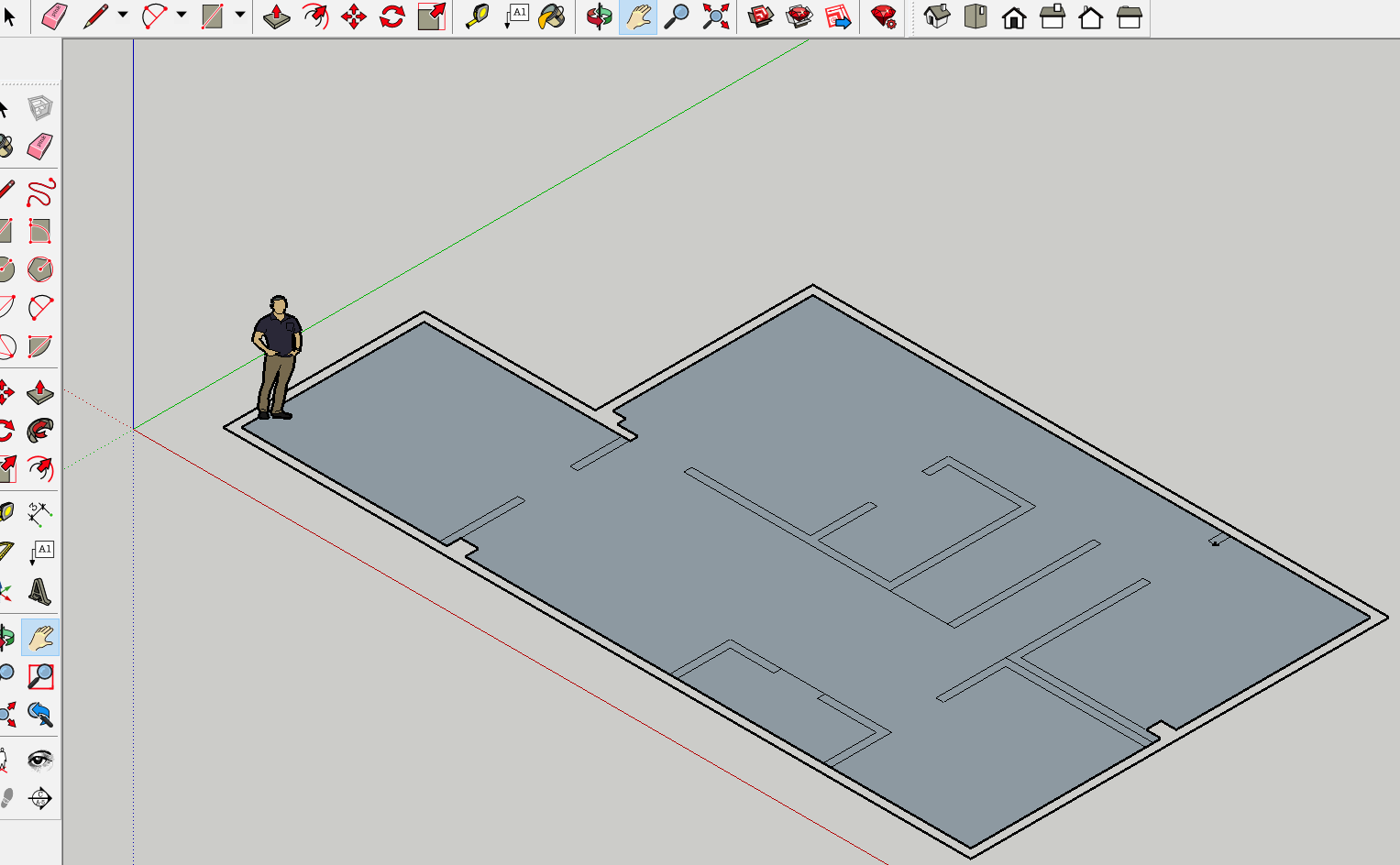
I'm working on layout the basement of my new house and i have all of the dimensions correct, but I can't push/pull the outside wall. Actually, I can't even select the outside wall as an interactive area. I believe it's got something to do with how I made it. I've got 2 sets of thick lines as the outside walls. They're the foundation walls so I liked that they were thicker than the rest, but I can't move them.
I can't figure out what I did wrong, or what to do to fix it. I've attached a screenshot.
Any help would be greatly appreciated!Thanks!
-
The big help will be to post the file "skp" (Save as "format V6"


-
-
Draw over a few more edges, making faces form, until there are no thick edges remaining.
Delete any dividing edges you don't want.
The faces should then PushPull as you hope... -
redrawing the lines worked perfectly, thanks!
-
For clean walls use Fredo Tool for see the false segments! (Mark Vertices)
So erase the 3 false long segments and redraw them
Then Make face (with the 2 "red lines")
Then Extrude by Push Pull!
Et voilà!
Ps Kill the Guide points!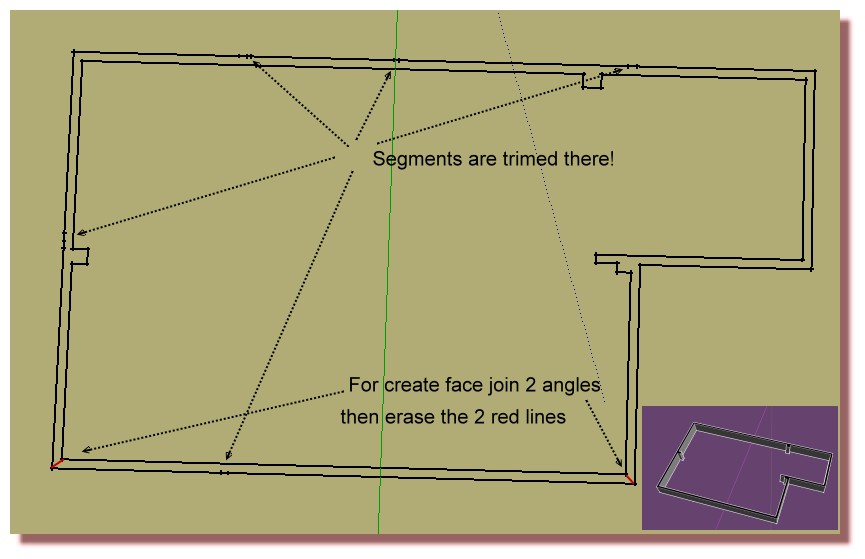


Hello! It looks like you're interested in this conversation, but you don't have an account yet.
Getting fed up of having to scroll through the same posts each visit? When you register for an account, you'll always come back to exactly where you were before, and choose to be notified of new replies (either via email, or push notification). You'll also be able to save bookmarks and upvote posts to show your appreciation to other community members.
With your input, this post could be even better 💗
Register Login


Advertisement