Medeek Wall Plugin
-
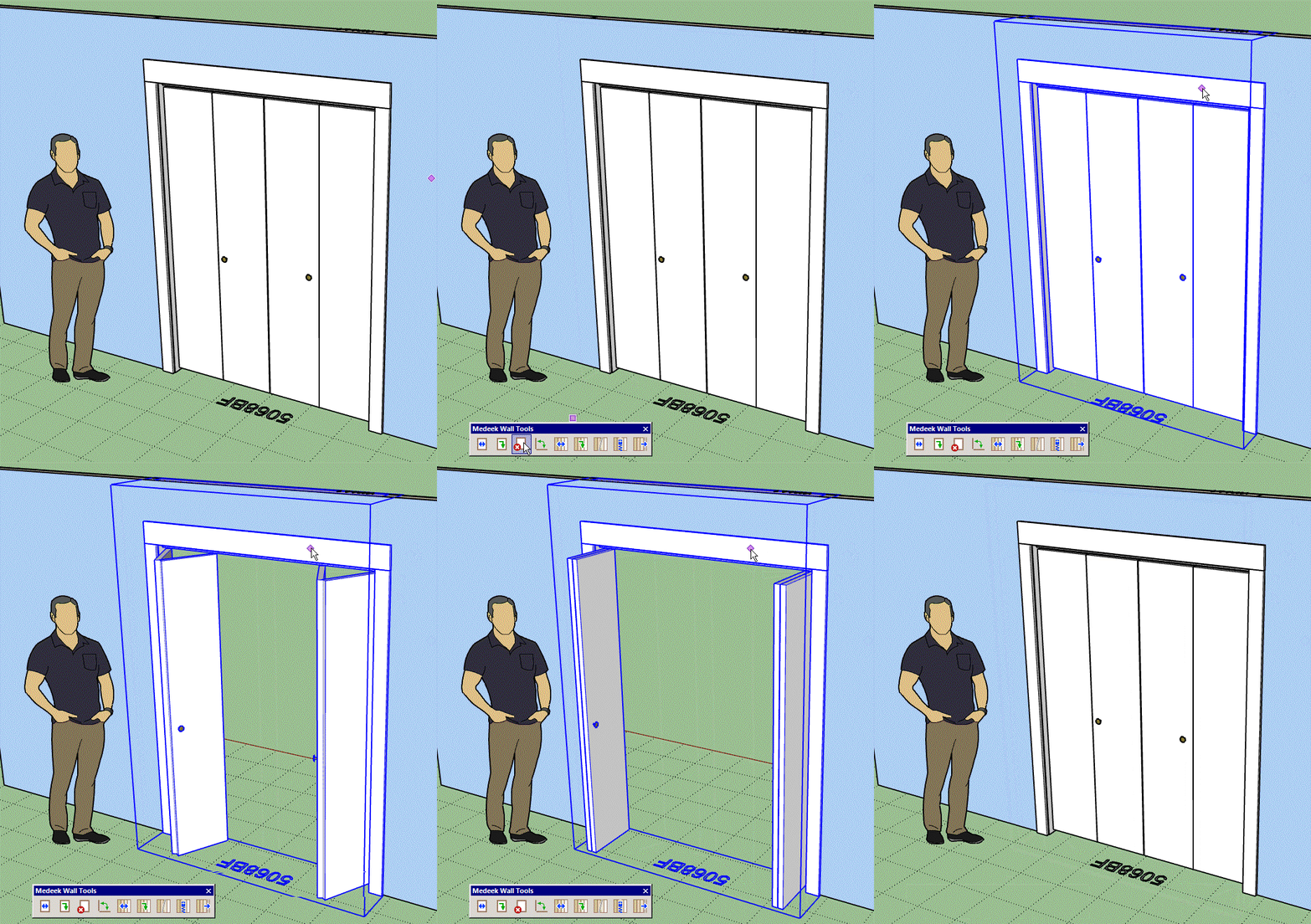
First look at a 4 panel bifold door being opened and closed:
-
Version 1.8.4 - 02.02.2021
- Added bifold (4 panel - solid) doors to the door module.
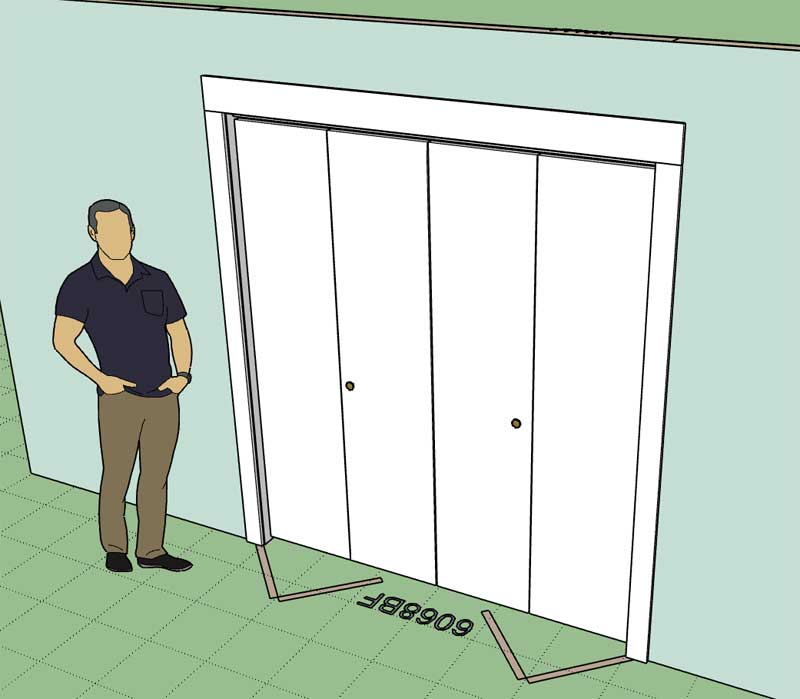
You can also add a threshold if used as an exterior door however I don't have a lot of options yet for exterior applications (ie. full glass). For now these are primarily for closet doors.
You can also switch which side the doors face by choosing LH INT or LH EXT. For the four panel bifold it doesn't matter whether you choose LH or RH, it essentially ignores the handedness of the parameter.
I still need to add in the 2 panel variant and then I think we will have most of the basics covered as far as doors are concerned, at least for now. Really exotic stuff will be up to the user to add into a framed opening (which I can provide).
The door opening algorithm was a bit more challenging than everything encountered thus far but after a couple of hours tinkering it finally came together.
-
Version 1.8.4b - 02.03.2021
- Added bifold (2 panel - solid) doors to the door module.
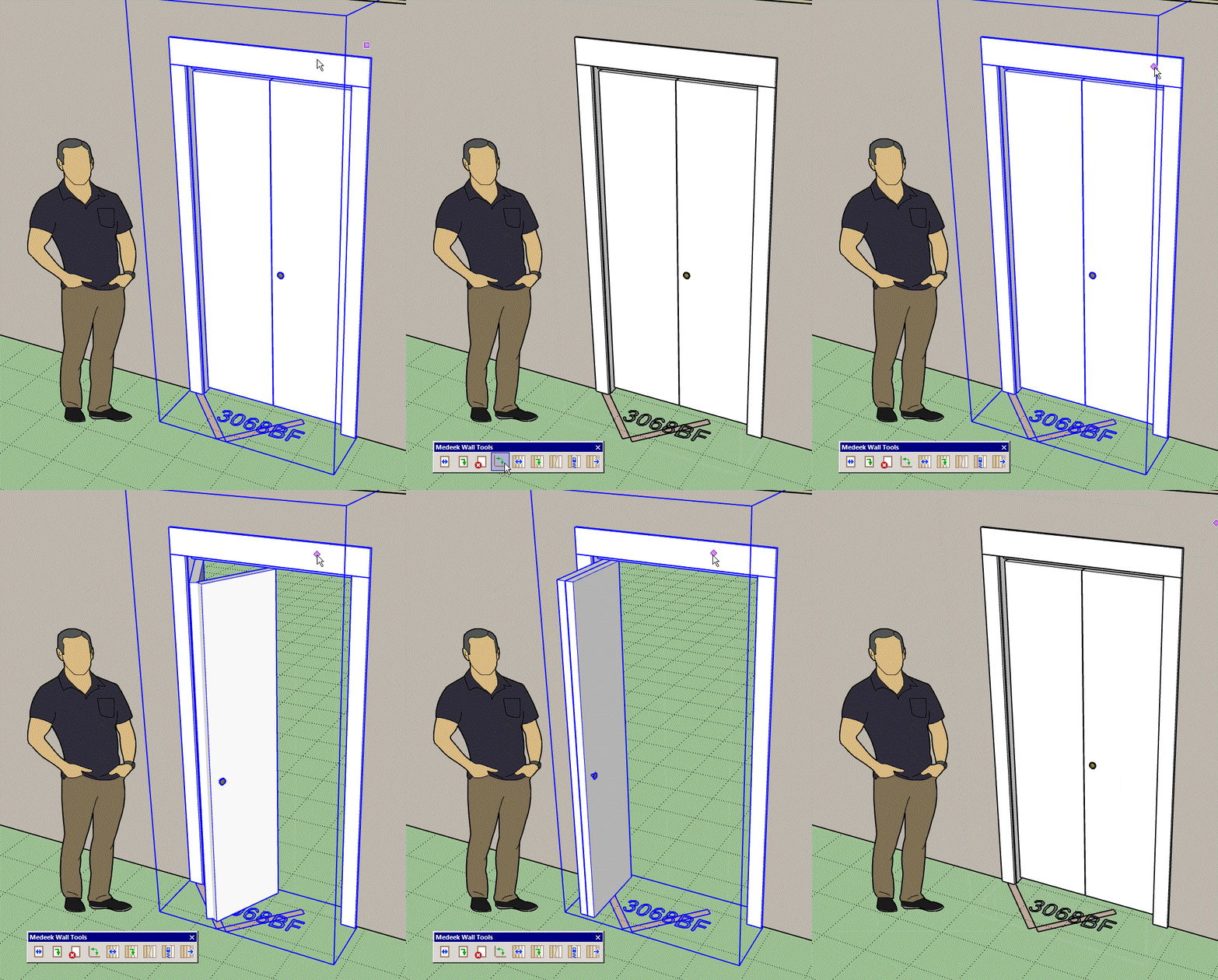
There are four possibilities for a 2 panel bifold door:
LH OUT, LH IN, RH OUT, RH IN
Whereas there is only two possibilities for a 4 panel bifold door: OUT or IN
-
I think I'm going to the call the "eyedropper" tool the "Copy Wall" tool. One additional icon will be added to the "Medeek Wall Tools" toolbar:

I know, I will hear it from everyone about the proliferation of more icons. However, there is an extension out there that allows you to customize the actual toolbars if you feel the need to:
SketchUp Extension Warehouse
Your library of custom third-party extensions created to optimize your SketchUp workflow.
(extensions.sketchup.com)
-
Version 1.8.5 - 02.07.2021
- Enabled the "Wall Copy" tool within the Medeek Wall Tools toolbar.
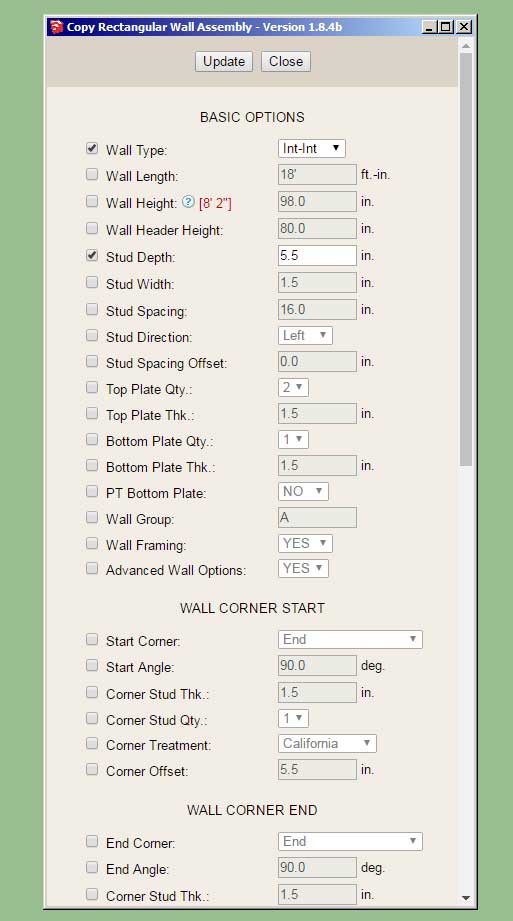
Note I've only enabled this tool for rectangular walls. After I am fully confident that it is working well and I've addressed any bugs or issues I will set it up for all the other (gable,shed and hip) wall types.
Please try out this new tool and provide any feedback or comments directly to nathan@medeek.com
-
I think the new Copy Wall tool will prove to be quite useful. As I am thinking about it this morning I realized that a similar tool for Doors and Windows would also be quite useful.
-
Version 1.8.5b - 02.08.2021
- Fixed a bug with the top plate cut out algorithm when walls meet in a "cross" configuration.
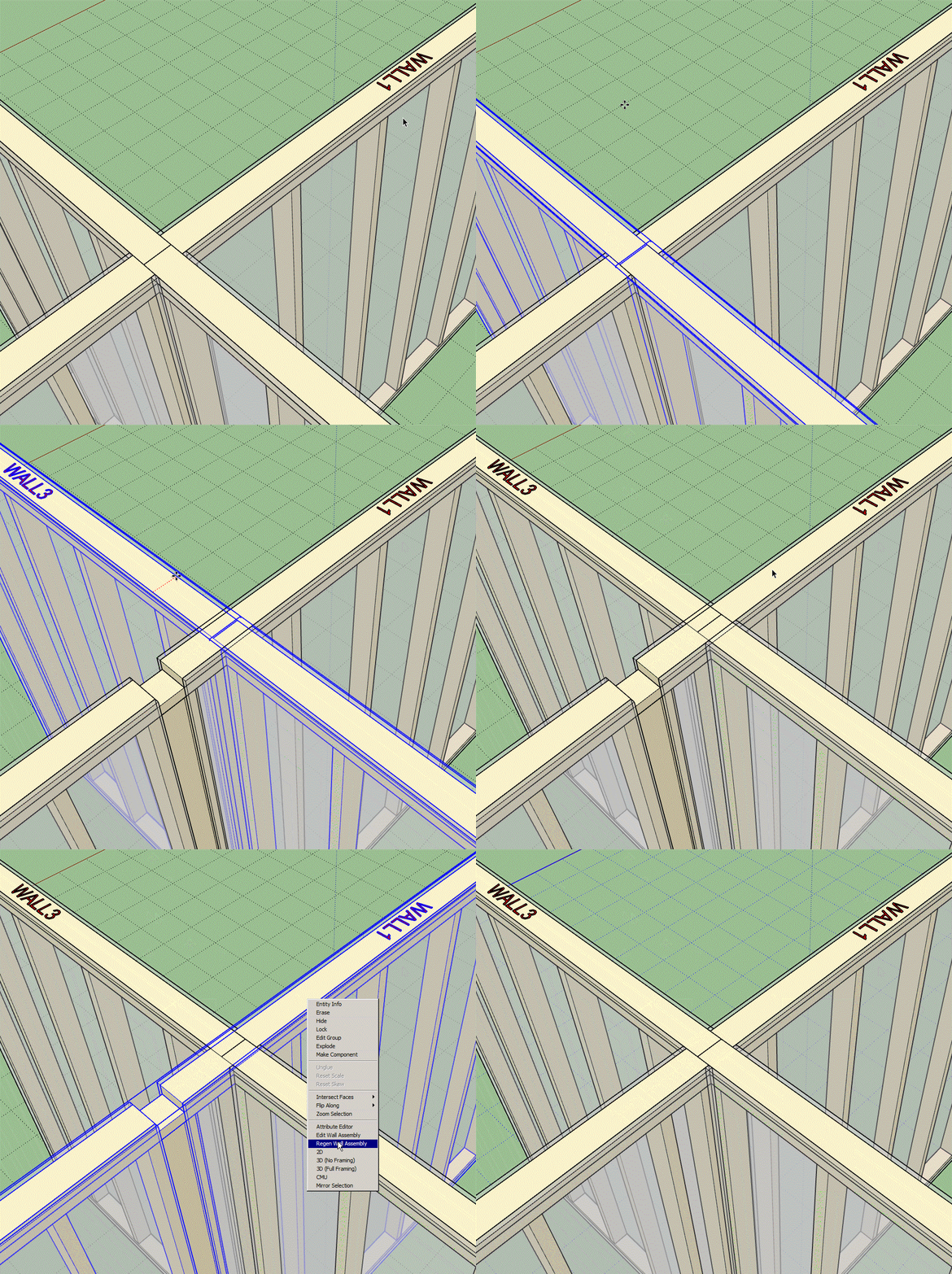
Each wall teeing into the primary wall has had its corner offset set to 1/2 the thickness of the primary wall.
-
Version 1.8.6 - 02.11.2021
- Added the following Simpson Strong-Tie hangers to the beam hanger library: LUS26-2Z, LUS28-2Z, LUS210-2Z.
-
Version 1.8.7 - 02.15.2021
- Added an option for the garage door track in the global settings.
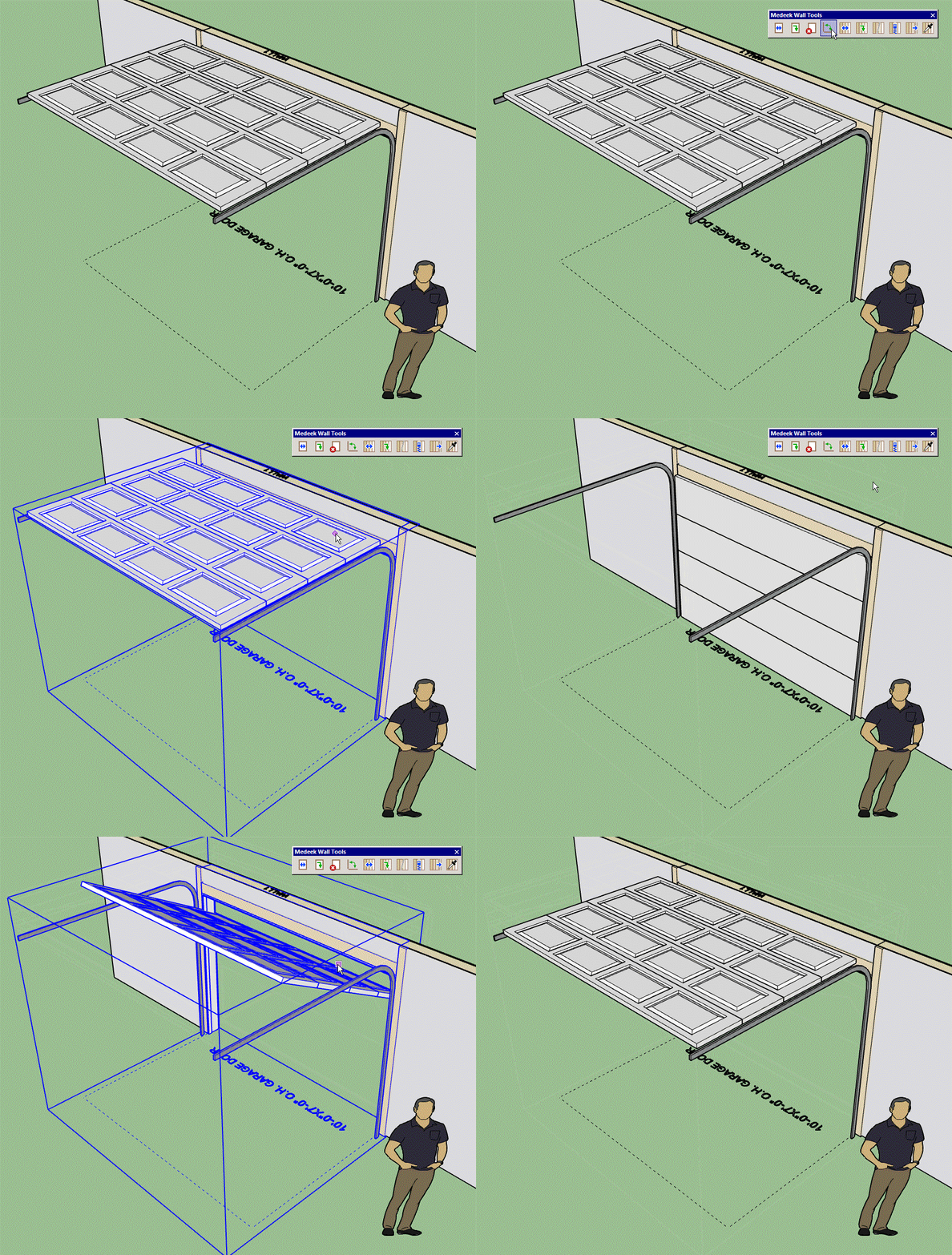
Currently you cannot set this parameter per garage door, it can only be set globally (in the Garage Door tab).

-
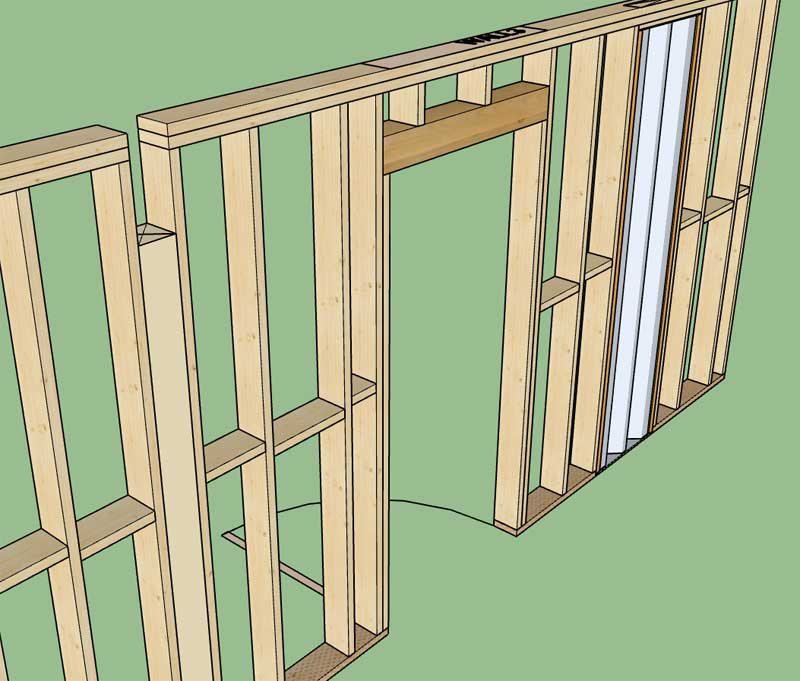
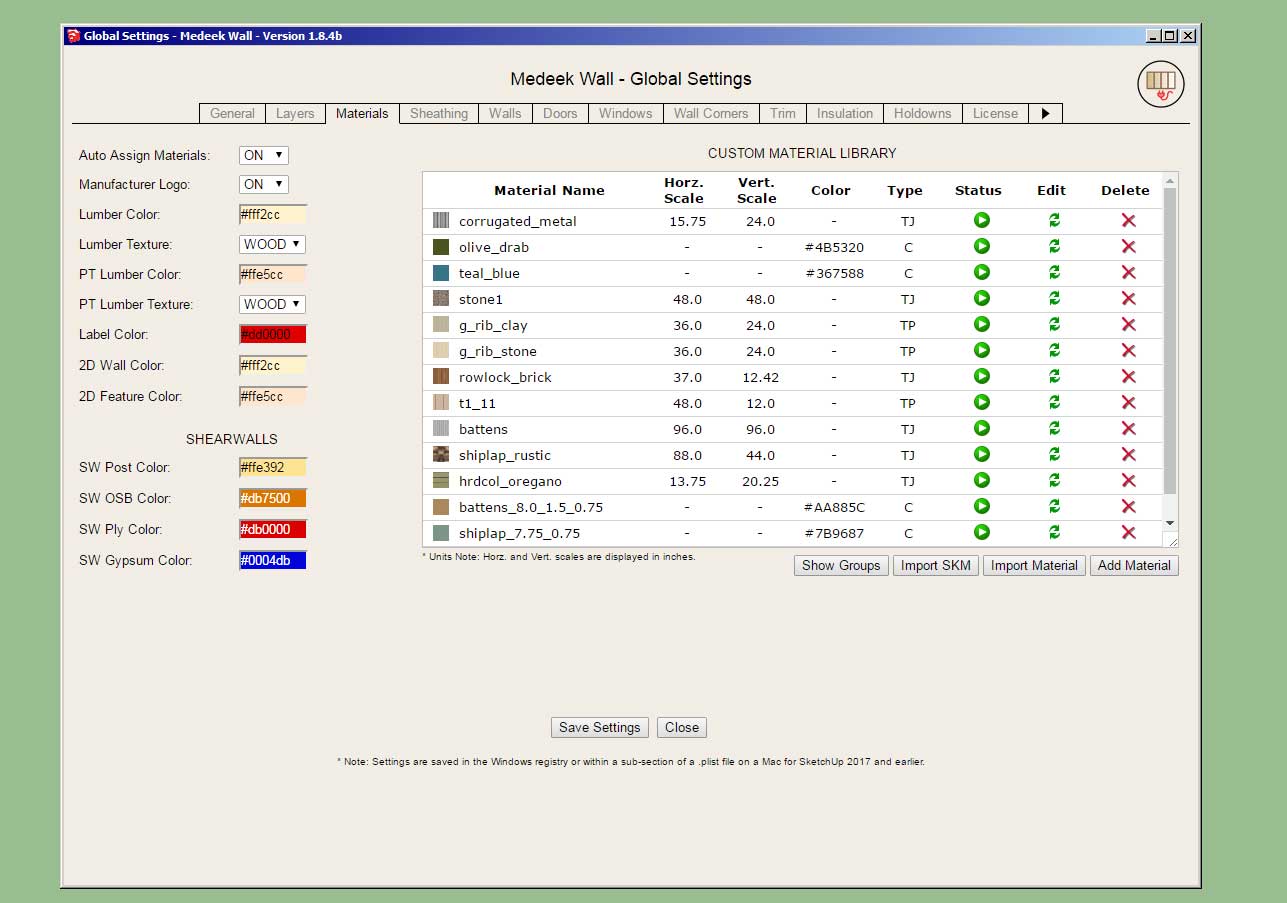
I've had a number of people recently ask me for the ability to apply a wood grain texture to the lumber (ie. studs, plates, blocking, etc...) This really isn't a big ask, so I am going to enable another couple parameters in the global settings (Material Tab) so that the user can apply a texture to lumber and pressure treated lumber. Here is a first look at what that will look like (compare the wood grain wall to the solid colored wall):

I've tried to be very subtle with the wood grain texture so that it approximates my default lumber color but as you can see it is a slightly darker shade. I'm not sure I am entirely happy with it yet but it is a start.
-
Comparison between the solid coloring and with the textures enabled (Lumber and PT Lumber):

I am quite happy with the way the pressure treated texture came out.
-
Version 1.8.8 - 02.17.2021
- Enabled options for wood grain texture for lumber and pressure treated lumber in the global settings.
-
Version 1.8.9 - 02.22.2021
- Added a "Cedar Siding" built-in material (vertical) into the material library.
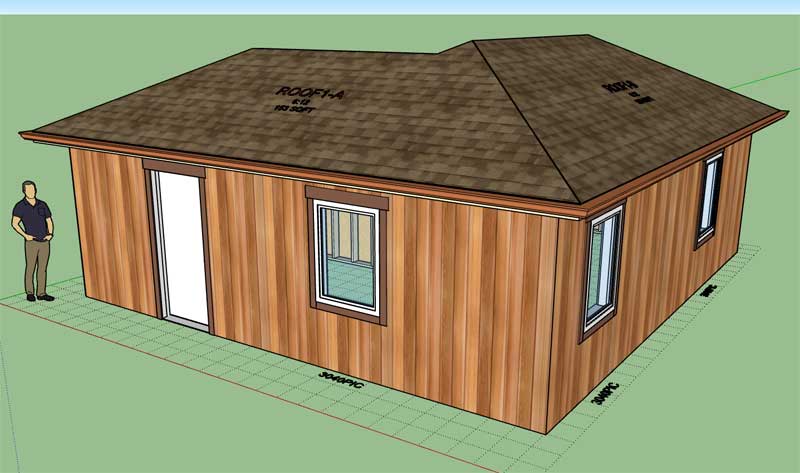
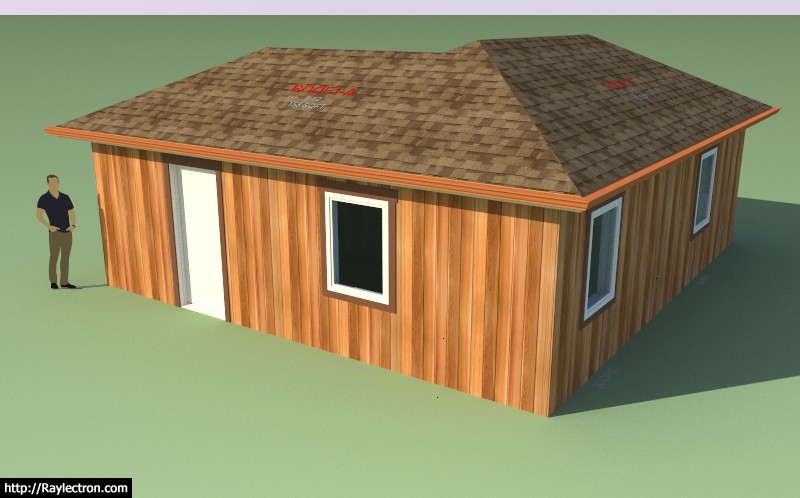
-
Version 1.9.0 - 02.24.2021
- Fixed a bug with the end stud height for Shed Walls with an "Inset Outside Corner".
-
mdkBIM Introduction (Japanese - 日本語)
A brief introduction of the mdkBIM bundle in Japanese.
mdkBIMバンドルの日本語での簡単な紹介です。 -
Version 1.9.1 - 02.27.2021
- Added one additional parameter to the "User Interface" section of the General tab of the global settings. This allows the customization (color) of the text of the HTML buttons.
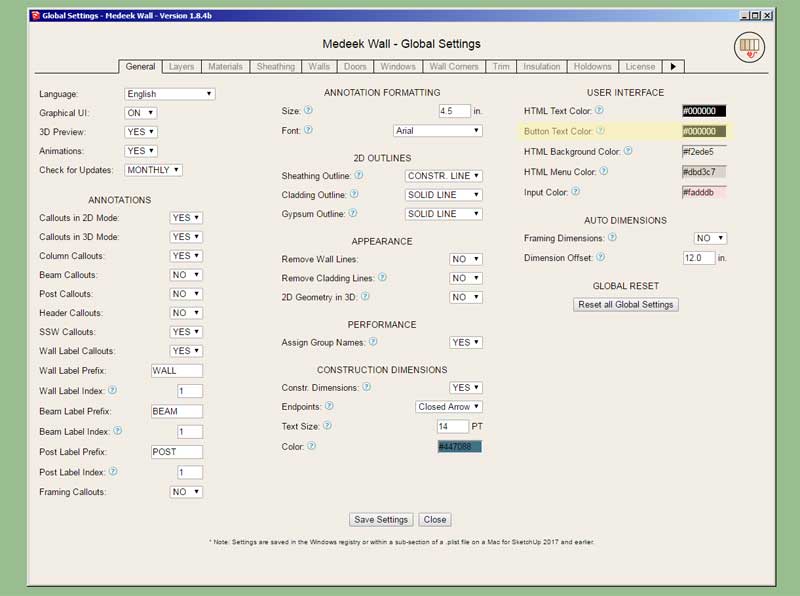
This should also resolve the issue with the "white" text of the HTML buttons for MacOS.
-
First look at the new Custom Beam Library. This will allow the user to create custom sized lumber, SCL or Timber beams:

-
Version 1.9.2 - 03.01.2021
- Added a Custom Beam Library/Manager in the Beams tab of the Global Settings.
- Enabled custom sizes for Sawn Lumber, Timber and SCL(PSL,LSL,LVL) beams.
This may seem like a rather minor update but there actually is quite a bit of code behind any of these custom libraries (within the global settings) and their menu systems, hence the three days of programming that was required.
Since glulam beams use a different sizing system I did not enable custom sizes for that beam type. Additionally, all of the steel profiles are also quite a bit more complicated than a simple width x depth profile (rectangle) so they were also not included in this update. If there are specific wide flange steel beam sizes etc... that you would like to see me add, please feel free to contact me.
-
:: OFF TOPIC ::
Happy cake day Nathaniel.
-
Yup, I'm 49 today, my kids say I'm oooold. I'll probably still be working on this plugin when I'm 60 at the rate I'm going.



Hello! It looks like you're interested in this conversation, but you don't have an account yet.
Getting fed up of having to scroll through the same posts each visit? When you register for an account, you'll always come back to exactly where you were before, and choose to be notified of new replies (either via email, or push notification). You'll also be able to save bookmarks and upvote posts to show your appreciation to other community members.
With your input, this post could be even better 💗
Register Login


Advertisement