sketchucation logo sketchucation
    • Accedi
    Oops, your profile's looking a bit empty! To help us tailor your experience, please fill in key details like your SketchUp version, skill level, operating system, and more. Update and save your info on your profile page today!
    Check out Febhouse | New extensions for Shadow Analysis in SketchUp Download

    [Plugin] CopyAlongCurve 1.0.4 (28 February 2017)

    Pianificato Fissato Bloccato Spostato Plugins
    16 Post 14 Autori 28.8k Visualizzazioni 14 Seguito
    Caricamento altri post
    • Da Vecchi a Nuovi
    • Da Nuovi a Vecchi
    • Più Voti
    Rispondi
    • Risposta alla discussione
    Effettua l'accesso per rispondere
    Questa discussione è stata eliminata. Solo gli utenti con diritti di gestione possono vederla.
    • A Non in linea
      Anton_S
      ultima modifica di Anton_S

      Allows copying groups and components along the curve/edge sequence path.
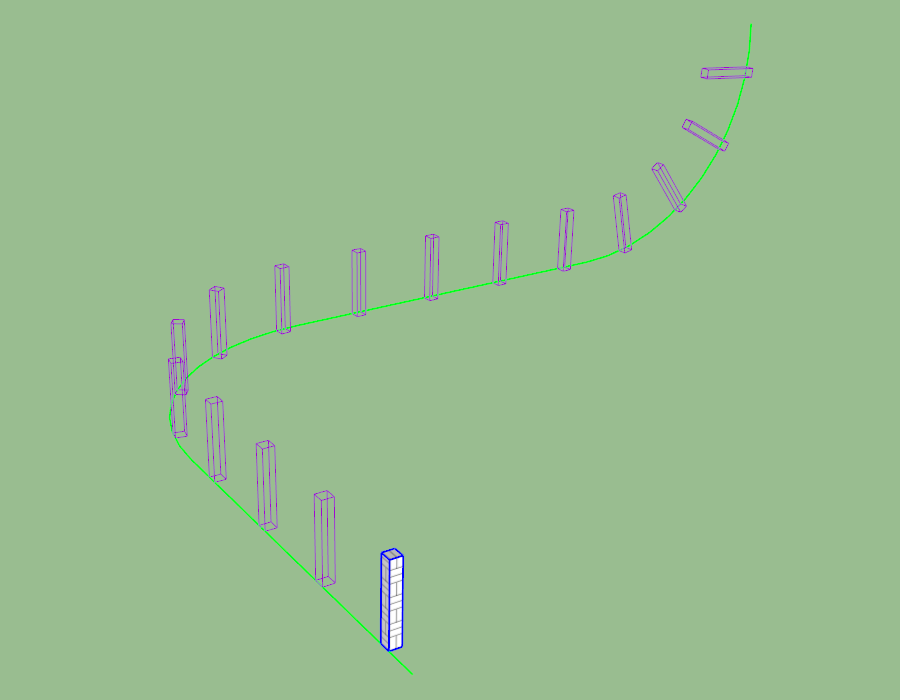
      CopyAlongCurve.png

      Access

      (Menu) Extensions → Copy Along Curve
      Usage

      1. Draw a curve or a sequence of connected edges/curves.
      2. Place and orient the target group on one of the edges of the curve.
      3. (Optional) Offset the axes of the target group to the desired center.
      4. Select (Menu) Extensions → Copy Along Curve.
      5. Select the target group.
      6. Select the edge of the curve to copy against it. Usually it is the edge closest to the target group.
      7. Adjust options or left-click to verify and proceed to copying.
      • To adjust the spacing, input a desired numeric value into the measurements box.
      • To control the number of copies and have the spacing be adjusted automatically, input a fixed value with a c in the end.
      • Use the left and right arrow keys to enable/disable alignment.
        Download
        The extension can be downloaded and installed through PluginStore or Extension Warehouse.

      Alternatively, the extension can be downloaded from Google Drive.
      Refer to this link on installing RBZ extensions: Installing Ruby Plugins

      Release Notes

      • 1.0.4 - Feb 28, 2017

      • Compatibility with SketchUp 8.

      • 1.0.3 - Dec 17, 2016

      • Added an option to toggle alignment. Use left and right arrow keys.

      • 1.0.2 - Dec 16, 2016

      • Copied groups and components are now assigned their original layer, name, and attributes.

      • 1.0.1 - Dec 15, 2016

      • Some drawing performance optimizations.

      • 1.0.0 - Dec 15, 2016

      • Initial release.

      1 Risposta Ultima Risposta Rispondi Cita 0
      • srxS Non in linea
        srx
        ultima modifica di

        👍 Advanced copy along. Thank you Anton.

        www.saurus.rs

        1 Risposta Ultima Risposta Rispondi Cita 0
        • jenujacobJ Non in linea
          jenujacob
          ultima modifica di

          Wow... thats on steroids!!!! Thanks!!!

          Sent from my SM-T815 using Tapatalk

          1 Risposta Ultima Risposta Rispondi Cita 0
          • pilouP Non in linea
            pilou
            ultima modifica di

            Hyper tricky! 😎
            Of course the more interesting is use Components! 😉
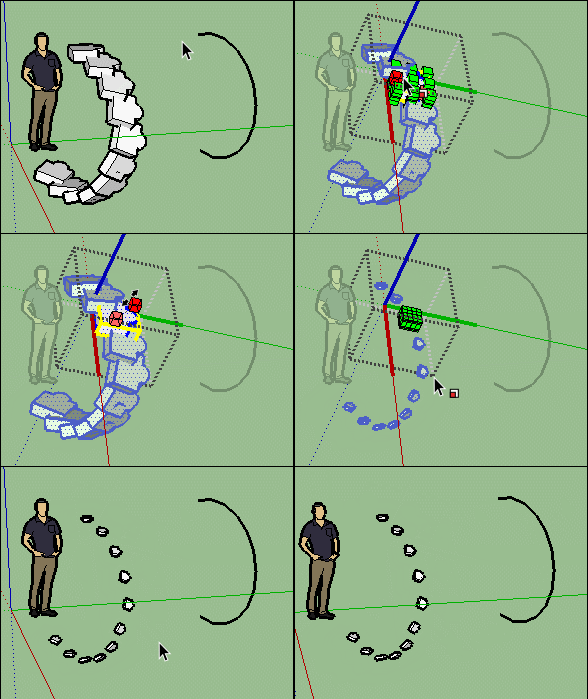
            GIF_curv1.gif

            And if you group the result and re-apply the plug
            you will obtain a galaxy in no time! 💚
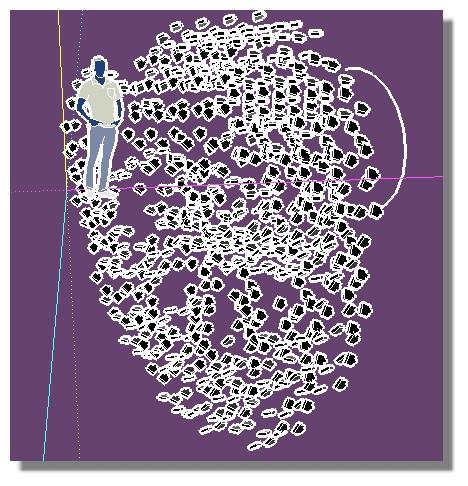
            galaxy.jpg

            Frenchy Pilou
            Is beautiful that please without concept!
            My Little site :)

            1 Risposta Ultima Risposta Rispondi Cita 0
            • B Non in linea
              Ben Ritter
              ultima modifica di

              Anton,

              Thank you for being generous to share.

              1 Risposta Ultima Risposta Rispondi Cita 0
              • Bob JamesB Non in linea
                Bob James
                ultima modifica di

                Excellent extension. Very similar to sdmitch's "Component_String".

                i7-4930K 3.4Ghz, 2x GTX780 6GB, 32GB DDR3-1600 ECC, OCZ Vertex 4 500GB, WD Black 3TB, 32TB NAS, 4x 27" Monitors, SpaceMouse Pro, X-keys XK-60

                1 Risposta Ultima Risposta Rispondi Cita 0
                • P Non in linea
                  Pherim
                  ultima modifica di

                  This is great, thank you!

                  1 Risposta Ultima Risposta Rispondi Cita 0
                  • alvisA Non in linea
                    alvis
                    ultima modifica di

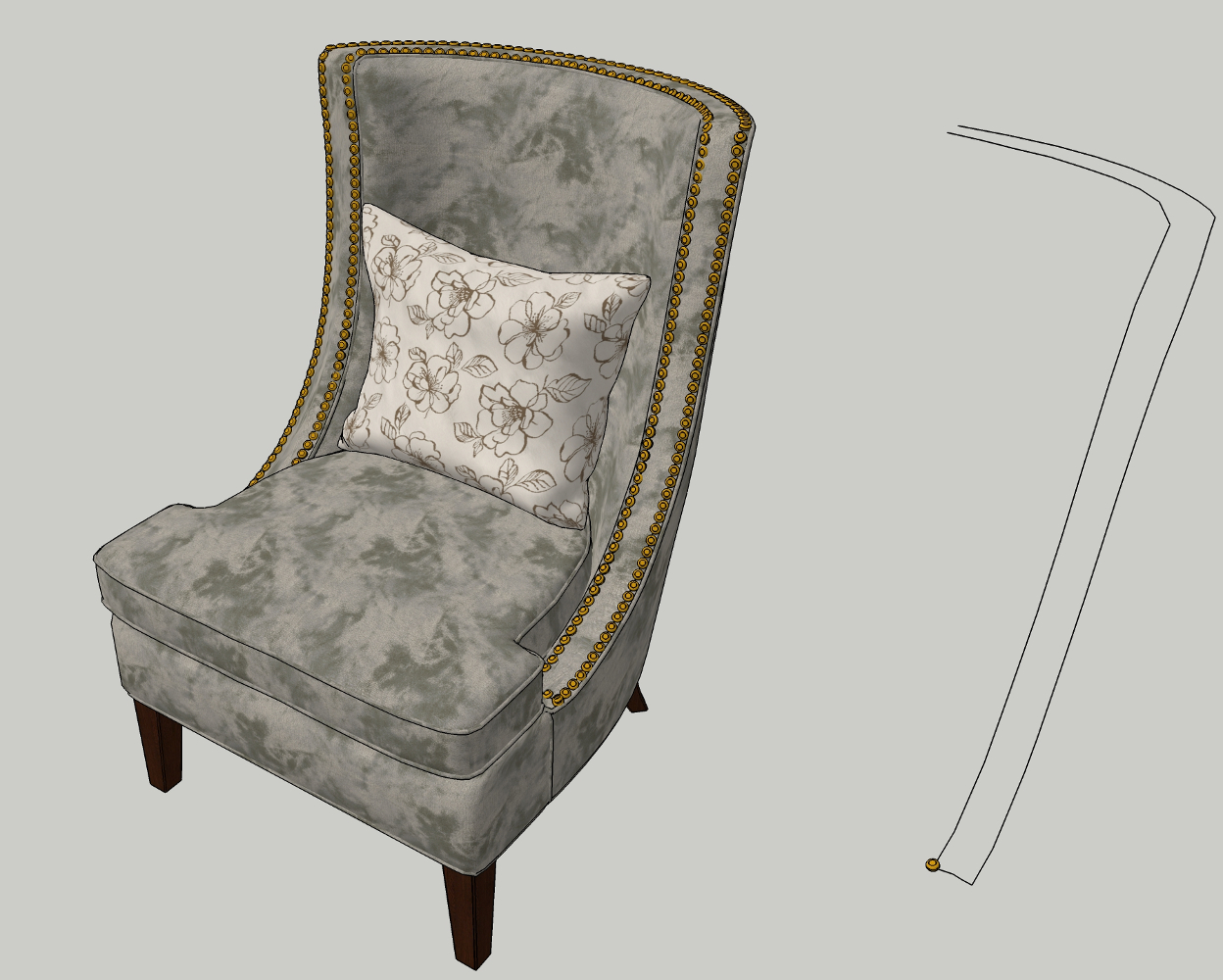
                    Thank you very much. Very accurate.


                    chair 3.jpg

                    1 Risposta Ultima Risposta Rispondi Cita 0
                    • P Non in linea
                      pxorduna
                      ultima modifica di

                      Hello Anton,
                      I got this error message after install the plug in and open Scketchup up
                      (I have ScketchUp Version 8.0.164846, Windows 7 64bits.)
                      ( I don't see the Extension Option at Menu )
                      :
                      Error Loading File C:/Program Files (x86)/Google/Google SketchUp
                      8/Plugins/ams_CopyAlongCurve/main.rb
                      undefined method new' for Length:ClassError Loading File ams_CopyAlongCurve.rb undefined method new' for Length:Class

                      1 Risposta Ultima Risposta Rispondi Cita 0
                      • A Non in linea
                        Anton_S
                        ultima modifica di

                        Hello, Alejandro,

                        It is fixed now. Thank you for the report.

                        Regards,
                        Anton

                        1 Risposta Ultima Risposta Rispondi Cita 0
                        • M Non in linea
                          mriedel
                          ultima modifica di

                          Great plugin. Works as advertised. Flexible. Most importantly, I was able to start using it productively -- without reading any documentation -- within seconds of installing it.

                          1 Risposta Ultima Risposta Rispondi Cita 0
                          • sketchartist023S Non in linea
                            sketchartist023
                            ultima modifica di

                            Trying to use this and it isn't working for this particular curve. The curve was a hand made line that I used TIG's weld tool to make it a curve. Weird thing is, it worked on the other curve just fine. Any thoughts? The object is a group, solid too btw, 0 errors with FixtIt. The line is shown as a curve as it has been welded. I have tried both closed and open curves. TY if you can help 😄

                            https://i.postimg.cc/V6s8Lt98/error1.png
                            [/url]

                            1 Risposta Ultima Risposta Rispondi Cita 0
                            • Dave RD Non in linea
                              Dave R
                              ultima modifica di

                              Share the .skp file so we can see what you have set up exactly. I just made up something that looks similar and it worked fine for me.

                              What version of SketchUp are you using? Please complete your profile.

                              Etaoin Shrdlu

                              %

                              (THERE'S NO PLACE LIKE)

                              G28 X0.0 Y0.0 Z0.0

                              M30

                              %

                              1 Risposta Ultima Risposta Rispondi Cita 0
                              • K Non in linea
                                KropocLeckor
                                ultima modifica di

                                Marvelous. Just Marvelous and Easy to use.

                                1 Risposta Ultima Risposta Rispondi Cita 0
                                • R Non in linea
                                  Requisher
                                  ultima modifica di

                                  Its amazing plugin! THANK YOU. May I ask, it is possible to get plugin button to put in in toolbar? Or how I can do it myself?

                                  Dave RD 1 Risposta Ultima Risposta Rispondi Cita 0
                                  • Dave RD Non in linea
                                    Dave R @Requisher
                                    ultima modifica di

                                    @Requisher You could learn to do the Ruby coding and add a toolbar. Might be easier to just create a keyboard shortcut for it.


                                    Etaoin Shrdlu

                                    %

                                    (THERE'S NO PLACE LIKE)

                                    G28 X0.0 Y0.0 Z0.0

                                    M30

                                    %

                                    1 Risposta Ultima Risposta Rispondi Cita 0

                                    Ciao! Sembra che tu sia interessato a questa conversazione, ma non hai ancora un account.

                                    Stanco di dover scorrere gli stessi post a ogni visita? Quando registri un account, tornerai sempre esattamente dove eri rimasto e potrai scegliere di essere avvisato delle nuove risposte (tramite email o notifica push). Potrai anche salvare segnalibri e votare i post per mostrare il tuo apprezzamento agli altri membri della comunità.

                                    Con il tuo contributo, questo post potrebbe essere ancora migliore 💗

                                    Registrati Accedi
                                    • 1 / 1
                                    • Primo post
                                      Ultimo post
                                    Buy SketchPlus
                                    Buy SUbD
                                    Buy WrapR
                                    Buy eBook
                                    Buy Modelur
                                    Buy Vertex Tools
                                    Buy SketchCuisine
                                    Buy FormFonts

                                    Advertisement