[Plugin] Animator - v4.6a - 18 Dec 25




-
New Release: Animator - v2.7a - 15 Jun 20
Requirement: LibFredo6 v9.5k
Minor release
- Extension of validity
See plugin home page of Animator for Download of RBZ from the PluginStore.
See Main Post of the Animator thread for more information.
-
@timhforprominent said:
Hi,
I am having trouble with Animator V2.6c. I get the below message,
I run 2020 on a Windows Machine.This version of Animator has expired
Please upgrade to the latest versionand I have the latest version.
Ooops! My fault. Forgot to update it in due time. Thanks for signaling.
Fredo
-
Animator v2.7a downloaded, installed, and started up fine - thank you for the quick turn-around!
-
Fredo,
Thank you very much, downloaded and installed without problems.
Thanks for such a great Plugin.
I am still learning all the functions.
Tim -
Hope to create scenes in sketchup
thank you
-
@rong1937 said:
Hope to create scenes in sketchup
Are you asking for creating scenes (which is a generic capability of Sketchup) or using scenes in Animator?
-
-
Hello Fredo,
I have been using animator extensively for the past year and a half and I have a bunch of questions / comments I wanted to send you. Sorry if I am throwing everything at once.
Over time I ended up with very complex models and complex animations. Which is a lot of fun but also leads to some challenges in terms of organization.First, now animator works perfectly with VRay. Thank you for the fix.
I sometime have a clip far into the timeline, let’s say, at 45s. When I want to edit it, I click on it. However, when I exit the clip, animator always brings me back to timecode 0.0, which can be very difficult to navigate, especially when trying to adjust several clips around the same timecode (here, 45s) and if I were zoomed in on the timeline.
Would it be possible to return to where I come from and not to 0.0?I like how movements and clips are separated by colors and I know it’s possible to assign a color element. However, it displays only a small square of color. Would it be possible to assign a color specifically for the full clip? I sometimes think it would make the whole timeline clearer.
In one of my projects, I am currently using 15 tracks in the timeline. When the project is complicated, with a lot of overlapping clips (some with pursue or repeats), if I change the length of one, it jumps to a different track and it becomes very complicated to locate on which track it went. And it seems that it’s moving the other clips. Would it be possible to ‘’lock’’ a clip on a specific track? I think this is why I was hoping to change the whole clip into a different color. To be able to locate it easily once I come back to the main timeline.
As someone mentioned in a previous post, it would be fantastic to be able to import an already animated object from a different file. Or be able to import specific clips and/or movements and re apply them to the new model.
The easing feature is what makes your plugin so great, among other things. However, for now, the in and out value of the easing have to be the same. Would it be possible to enter different values for in and out?
Would it be possible to have grey (semi transparent) bars that show a defined aspect ratio? For example, if I make a video of 2:1 ratio, grey bars would allow to see what will end up in the final frame. It would be really helpful when exporting with V-Ray.
I was wondering if there is still a time limit for each frame rendered on VRay? I remember you mentioned there was a 10 minutes limit for each frame rendering time. Is it still the case?
Finally, because my models are now very heavy and complex, animator becomes quite slow. It takes some time to get inside a clip and get back out. Or just disable it. I tried converting my non moving objects into proxies but it doesn’t seem to make any difference. I also now have to export the file (in natural mode) to judge if my animation is correct. Is there anything I could do differently to make animator run smoother?
I am sure there are very good reasons why everything is the way it is, and I apologize if these features exists and I am just unaware of them. I just thought I should send my questions. I wonder if anyone else thought about the same things. Thanks again so much for your fantastic plugin. It really changed my way of using SketchUp.
-
hi Fredo,
thank you for this useful plug in!
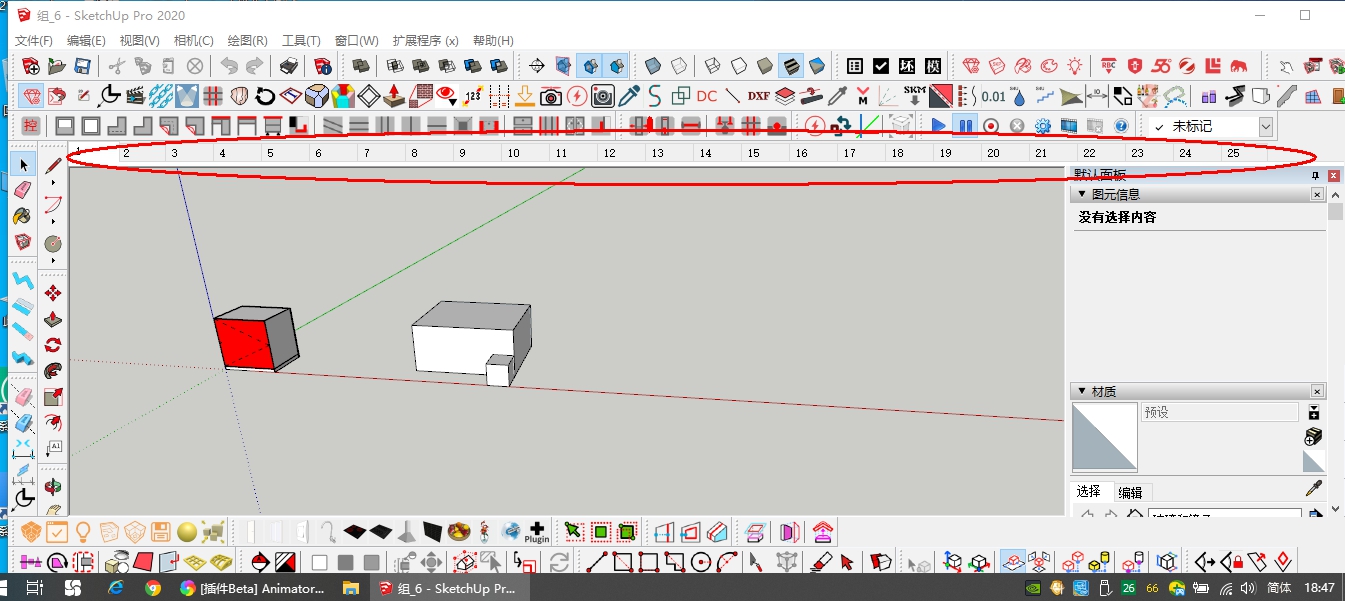
anyway i'm facing an issue using the newest Animator version (2.7a). everytime i click 'Generate a Video for the Film' button, a ruby console window always shows up. pls see below image:
im using Sketchup Pro 2019 19.2.222, Windows 10 Pro and also already installed the latest LibFredo6 10.9a.
did i miss something?
thank you very much -
@kumarakeke said:
hi Fredo,
thank you for this useful plug in!
anyway i'm facing an issue using the newest Animator version (2.7a). everytime i click 'Generate a Video for the Film' button, a ruby console window always shows up. pls see below image:im using Sketchup Pro 2019 19.2.222, Windows 10 Pro and also already installed the latest LibFredo6 10.9a.
did i miss something?
thank you very muchYes the exact problem happens to me and I can't generate videos. I am running Sketchup version 2017-17.2.2555 64bit. I haven't seen any solution for this problem in any forum yet
-
Just in case, could you tell me what is the version of your Internet Explorer browser (go to IE and find menu version).
I don't know if this is related however.
But as I cannot reproduce the problem, I need to have more information.
Thanks
-
Hi,
I'm new to animating in Sketchup but I've seen so many good reviews for Animator that I thought I would give it a go.
Really easy to learn, simple but detailed and gives a great result.
However, I'm experiencing a few issues, they are as follows:On occasion some of the buttons disappear or are missing segments.
Groups or components aren't highlighting when you need to make a selection when creating a new movement.
Sometimes when a new movement is selected none of the action tabs appear to select to enable you to make your desired movement.
A number of times I've created an entire film, which takes time, I press the save button and exit the extension. If I go to open the extension back up the entire film has gone.
Also, once a film has been created, I've saved it, opened it back up and all of my groups and components have moved, either reversed their original positions or are totally somewhere else in the model.Really sorry to highlight these issues, especially if it's something I am doing wrong. I would very much like to keep using this extension but I need some help with the above.
Many thanks
-
@mitch7780 said:
However, I'm experiencing a few issues, they are as follows:
I would need some examples or screenshots in order to troubleshoot or at least understand the kind of issues you are facing.
Fredo
-
Fredo6, we would like your feedback/input on a thread we have started about animating 3D characters in SketchUp.
-
Hi Fredo6,
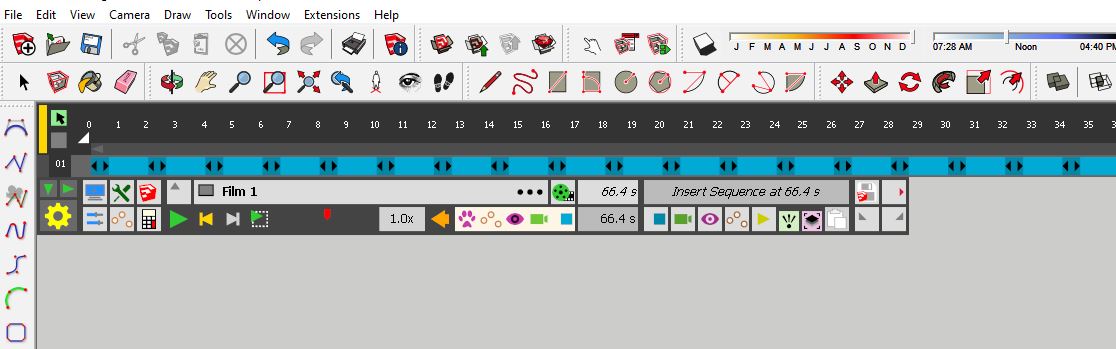
Thank you for replying.I have one example that I have taken a couple of sreenshot's of, please see attached.
You'll notice that some of the icons are missing or only partially there.
When this happens the highlight of objects also doesn't function, i.e no coloured bounding boxes.Let me know what you think, I'll try my best to give you further examples.

-
@mitch7780 said:
You'll notice that some of the icons are missing or only partially there.
When this happens the highlight of objects also doesn't function, i.e no coloured bounding boxes.Could you leave the Ruby console opened when you work with Animator. I suspect the partial display is due to some errors that will show up in the Ruby console when they happen.
Thanks
Fredo
-
Hey Fredo,
I'll give it a try.
Thank you.Ben
-
New Release: Animator - v2.8a - 17 Sep 20
Requirement: LibFredo6 v11.1
Minor release
- Bug fixing
- Extension of validity
See plugin home page of Animator for Download of RBZ from the PluginStore.
See Main Post of the Animator thread for more information.
-
Hi Fredo,
Thanks very much for the ongoing development of this excellent tool!
One feature request I have that I think would go a long way towards ease of integration with other renderers would be the ability for Animator to save individual animation frames to SketchUp scenes - each scene could then be batch rendered (for example by Enscape) without requiring any direct integration.
Is this functionality in your development plans at all? I have also been requesting Enscape to work on integrating their rendering functionality with Animator so hopefully this can happen some day!
Thanks again,
Christian -
@cmc007 said:
One feature request I have that I think would go a long way towards ease of integration with other renderers would be the ability for Animator to save individual animation frames to SketchUp scenes - each scene could then be batch rendered (for example by Enscape) without requiring any direct integration.
There are two problems with this
-
Scenes do not record the position of objects. So this would only be working for camera movements
-
I am not sure SketchUp would be happy with a huge number of scenes. At 25fps, you generate 250 scenes for a clip of 10 seconds....
I can possibly contact Enscape to see if they have an API. I have never done it as I don't have their contact.
Fredo
-


Hello! It looks like you're interested in this conversation, but you don't have an account yet.
Getting fed up of having to scroll through the same posts each visit? When you register for an account, you'll always come back to exactly where you were before, and choose to be notified of new replies (either via email, or push notification). You'll also be able to save bookmarks and upvote posts to show your appreciation to other community members.
With your input, this post could be even better 💗
Register Login


Advertisement