sketchucation logo sketchucation
    • Anmelden
    Oops, your profile's looking a bit empty! To help us tailor your experience, please fill in key details like your SketchUp version, skill level, operating system, and more. Update and save your info on your profile page today!
    🔌 Smart Spline | Fluid way to handle splines for furniture design and complex structures. Download

    Introducing Viz - parametric modeling for SketchUp

    Geplant Angeheftet Gesperrt Verschoben Extensions & Applications Discussions
    extensions
    85 Beiträge 21 Kommentatoren 30.2k Aufrufe 21 Watching
    Lade mehr Beiträge
    • Älteste zuerst
    • Neuste zuerst
    • Meiste Stimmen
    Antworten
    • In einem neuen Thema antworten
    Anmelden zum Antworten
    Dieses Thema wurde gelöscht. Nur Nutzer mit entsprechenden Rechten können es sehen.
    • pilouP Offline
      pilou
      zuletzt editiert von

      If you are interested by a French version of the guide,
      if it's not yet existing,
      i can do it for the fun! 🤓
      Same for the UI - if you have some texts, lists ...for not have to swim in the code! 😄

      French Translation of the guide done! 😄

      Frenchy Pilou
      Is beautiful that please without concept!
      My Little site :)

      1 Antwort Letzte Antwort Antworten Zitieren 0
      • F Offline
        fluid
        zuletzt editiert von

        Thanks Pilou, great job!

        1 Antwort Letzte Antwort Antworten Zitieren 0
        • F Offline
          fluid
          zuletzt editiert von

          We now have 3d boolean operations in Viz! You can grab the new version here.

          Version 0.5.0 highlights:

          • 3d Boolean Operations
          • Extrude node now works on surfaces as well, to create solids
          • Added a few more nodes, like CapEdge, ExtractEdge, etc
          • Updated the getting started guide

          [flash:umzgk0ah]https://www.youtube.com/v/YJ2gFgG3Mk8[/flash:umzgk0ah]

          1 Antwort Letzte Antwort Antworten Zitieren 0
          • PixeroP Offline
            Pixero
            zuletzt editiert von

            Looking great. 👍
            Now if we can have non destructive quad chamfer/bevel please. 😉

            1 Antwort Letzte Antwort Antworten Zitieren 0
            • pilouP Offline
              pilou
              zuletzt editiert von

              Cool! 😎
              Does it the same is possible with 2 existing solids (not created with nodes) ?

              Ps

              @unknownuser said:

              Updated the getting started guide

              So I must update my French manual! 😄

              Frenchy Pilou
              Is beautiful that please without concept!
              My Little site :)

              1 Antwort Letzte Antwort Antworten Zitieren 0
              • F Offline
                fluid
                zuletzt editiert von

                @Pixero: added to the todo list

                @pilou: Yes, you can use a "GeometrySource" node to get geometry from SketchUp and then perform boolean operations. Keep in mind the solids need to be closed.

                1 Antwort Letzte Antwort Antworten Zitieren 0
                • pilouP Offline
                  pilou
                  zuletzt editiert von

                  French Version Updated! 😄

                  Frenchy Pilou
                  Is beautiful that please without concept!
                  My Little site :)

                  1 Antwort Letzte Antwort Antworten Zitieren 0
                  • pilouP Offline
                    pilou
                    zuletzt editiert von

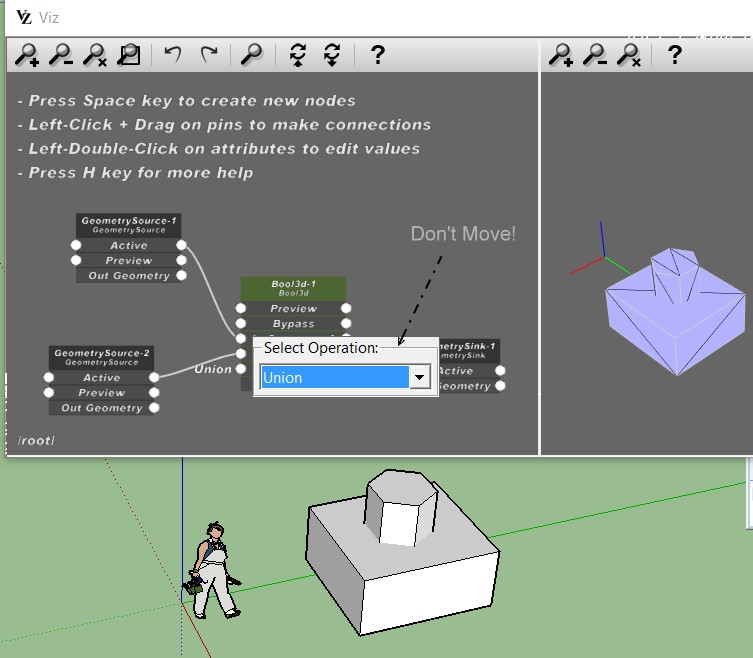
                    Does the Boolean Viz works with SU MAKE ?
                    Seems not! Even Union! (Maybe it's different than Envelopp ?

                    Suggestion : a Box Selection moving for place it for see that is behind! 😄
                    boxmove.jpg

                    Frenchy Pilou
                    Is beautiful that please without concept!
                    My Little site :)

                    1 Antwort Letzte Antwort Antworten Zitieren 0
                    • F Offline
                      fluid
                      zuletzt editiert von

                      Did you turn off the preview on node "GeometrySource-1" and "GeometrySource-2"? Otherwise they'll probably cover the result of the boolean operation. Also, you should connect the "Out Geometry" pins to the inputs of the boolean operation, not the "Active" pins.

                      1 Antwort Letzte Antwort Antworten Zitieren 0
                      • pilouP Offline
                        pilou
                        zuletzt editiert von

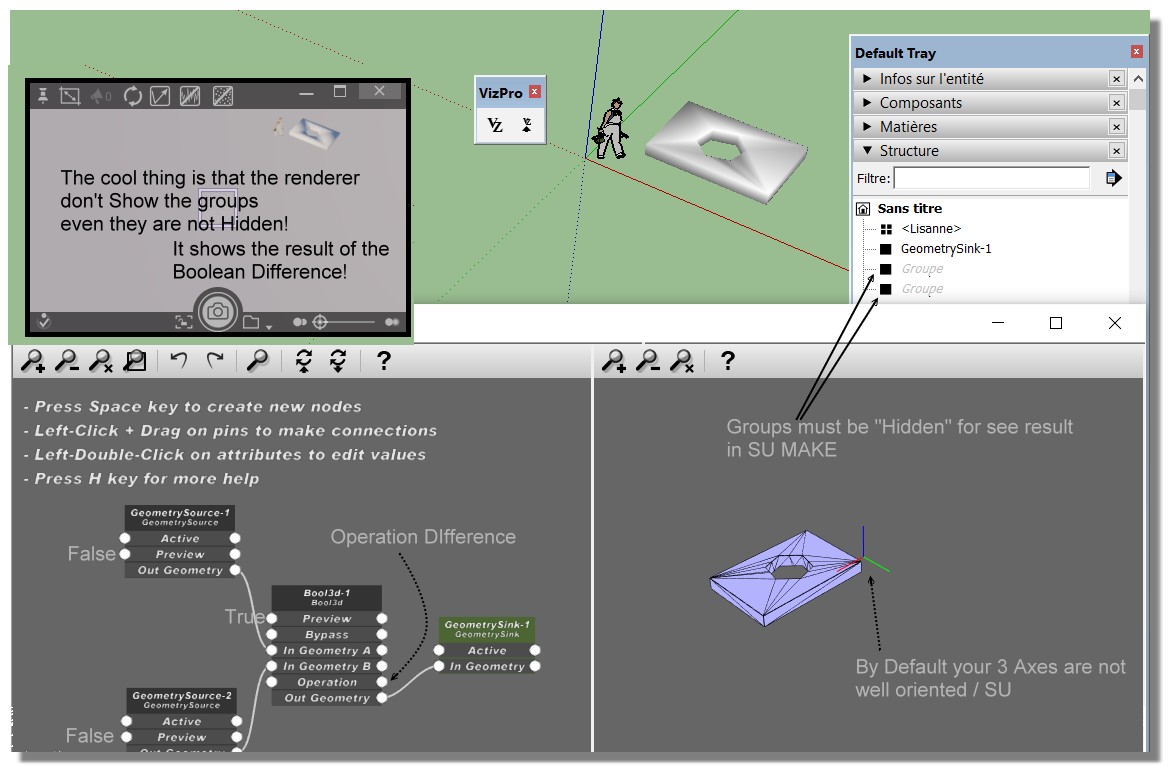
                        OK! Better that works in SU MAKE except I must hide existing groups! 😉
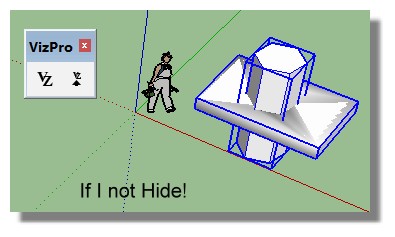
                        not_hide.jpg

                        Just something not very clear!
                        How attribut easily an existing group to a specific Geometry Source Node?

                        Here I create a group then create a Node Source Then click Set Geometry Source
                        then I create a second group then a Second Node Source Then Click Set Geometry Source

                        It's not possible to select a Node Source existing on the Screen then Click Set Geometry Source? or...
                        There is a list a groups of Source objects but how to apply a specific Nodes?
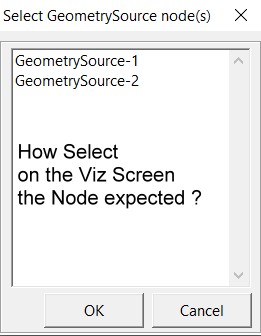
                        List_source.jpg

                        Verify if your start Viz default axes are in the same orientation than default Axes SU Screen!
                        Seems there are not! 😄
                        (Click for Zoom)
                        Viz_Diff_ok.jpg

                        Frenchy Pilou
                        Is beautiful that please without concept!
                        My Little site :)

                        1 Antwort Letzte Antwort Antworten Zitieren 0
                        • F Offline
                          fluid
                          zuletzt editiert von

                          Currently the to assign SketchUp geometry to a GeometrySource node in Viz you have to select the appropriate GeometrySource in the list, but probably selecting the node directly in Viz would be more practical.
                          I'm adding it to the to do list, together with the axis orientation issue.

                          Instead of hiding the groups in SketchUp, you can also move the GeometrySink group to a different location, so you'll be able to see both the operands of the boolean operation as well as the results.

                          1 Antwort Letzte Antwort Antworten Zitieren 0
                          • genki.ttG Offline
                            genki.tt
                            zuletzt editiert von

                            I just installed v.0.5.0 on mac, but it doesn't start when I click Vz icon or select 'Start Viz' from menu ... what's wrong??

                            SketchUp PRO 2016
                            MacBookPro 15' OSX 10.11.6

                            1 Antwort Letzte Antwort Antworten Zitieren 0
                            • F Offline
                              fluid
                              zuletzt editiert von

                              Do you get any error in the ruby console?

                              1 Antwort Letzte Antwort Antworten Zitieren 0
                              • genki.ttG Offline
                                genki.tt
                                zuletzt editiert von

                                @fluid said:

                                Do you get any error in the ruby console?

                                Ruby console shows ...

                                Error: #<NoMethodError: undefined method start' for VizPro:Module> /Users/architect7/Library/Application Support/SketchUp 2016/SketchUp/Plugins/VizPro/VizProCore.rb:7:in block in module:VizPro'
                                SketchUp:1:in `call'

                                1 Antwort Letzte Antwort Antworten Zitieren 0
                                • F Offline
                                  fluid
                                  zuletzt editiert von

                                  We just released a new version of Viz, you can get it here

                                  In this new version:

                                  • Improved GraphEditor look
                                  • Fixed Mac issue
                                  • Added more primitives, such as Cone, Sphere, Teapot, Cylinder
                                  • Added a node to create lines from an array of point positions
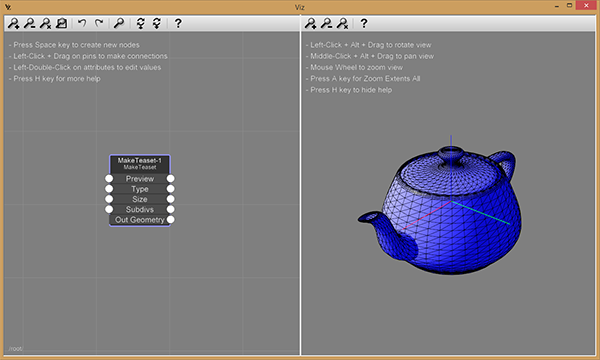
                                  http://www.fluidinteractive.com/wordpress/wp-content/uploads/2016/08/MakeTeapot.png

                                  1 Antwort Letzte Antwort Antworten Zitieren 0
                                  • genki.ttG Offline
                                    genki.tt
                                    zuletzt editiert von

                                    Thank you for rapid release !
                                    I could open VizPro on Mac !
                                    I could see the tea cup that has a big hole on bottom !
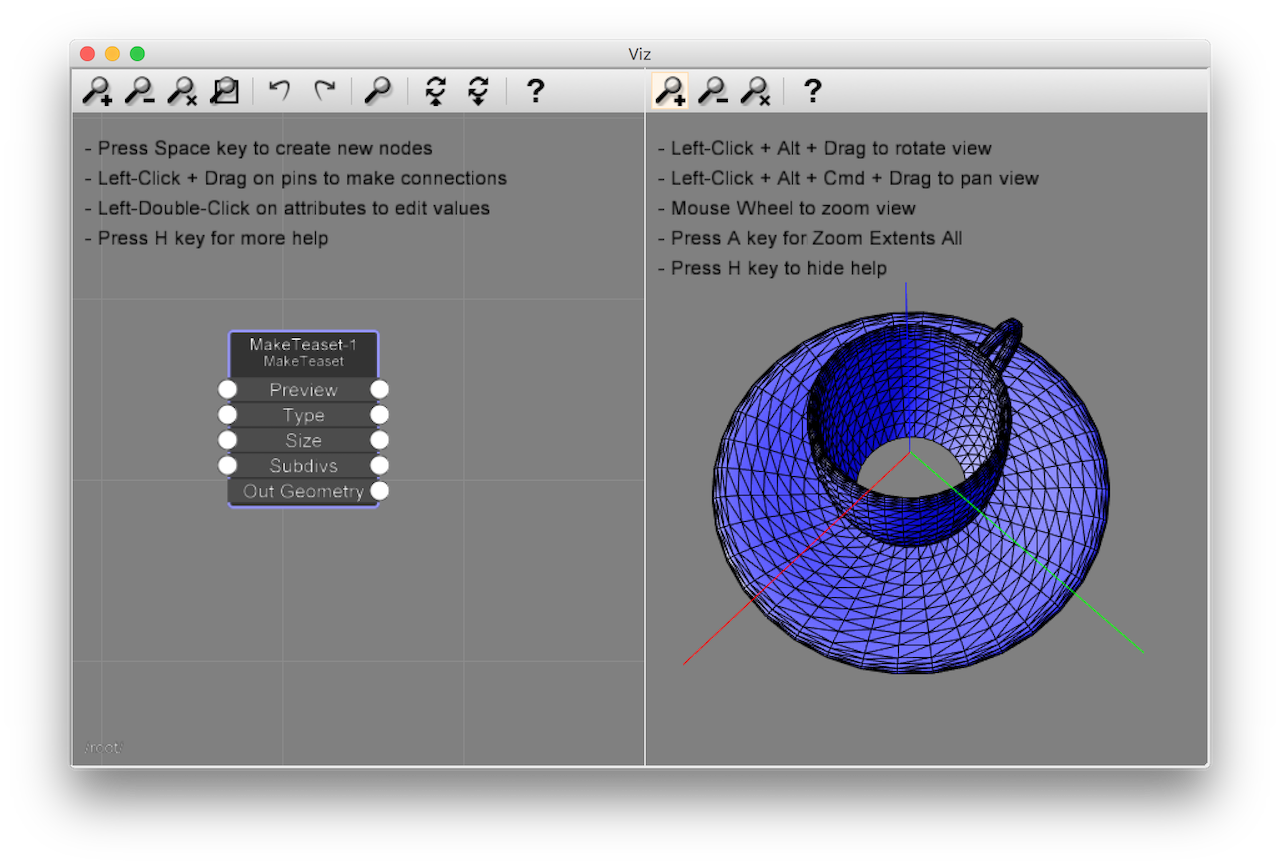

                                    VizPro061_TeaCup.png

                                    1 Antwort Letzte Antwort Antworten Zitieren 0
                                    • F Offline
                                      fluid
                                      zuletzt editiert von

                                      We just released a new version of Viz, you can grab it here.

                                      This version highlights:

                                      • Added the "Duplicate" node, to copy and instance geometry
                                      • Improved node editor look
                                      • Bug fixes
                                        Viz getting started guide

                                      [flash:36jgs09v]https://www.youtube.com/v/MjmTH2uixd4[/flash:36jgs09v]

                                      1 Antwort Letzte Antwort Antworten Zitieren 0
                                      • pilouP Offline
                                        pilou
                                        zuletzt editiert von

                                        Pleasures' Multiplication! 😎
                                        Luckily seems the manual is not modified, so no need to update the French one! 😉
                                        Nevertheless Youtube video added and publicity made! 🤓

                                        PS With what program do you make your tutorial ?

                                        Frenchy Pilou
                                        Is beautiful that please without concept!
                                        My Little site :)

                                        1 Antwort Letzte Antwort Antworten Zitieren 0
                                        • F Offline
                                          fluid
                                          zuletzt editiert von

                                          For the tutorial we used Camtasia Studio.

                                          1 Antwort Letzte Antwort Antworten Zitieren 0
                                          • F Offline
                                            fluid
                                            zuletzt editiert von

                                            We just released a new version of Viz, you can grab it here.

                                            This version highlights:

                                            • Added support of instancing geometry made itself of components
                                            • Bug fixes
                                            • Added instancing sample
                                              Viz getting started guide

                                            [flash:1cisnfai]https://www.youtube.com/v/t5Zk5PWRZVs[/flash:1cisnfai]

                                            1 Antwort Letzte Antwort Antworten Zitieren 0
                                            • 1
                                            • 2
                                            • 3
                                            • 4
                                            • 5
                                            • 4 / 5
                                            • Erster Beitrag
                                              Letzter Beitrag
                                            Buy SketchPlus
                                            Buy SUbD
                                            Buy WrapR
                                            Buy eBook
                                            Buy Modelur
                                            Buy Vertex Tools
                                            Buy SketchCuisine
                                            Buy FormFonts

                                            Advertisement