sketchucation logo sketchucation
    • 登入
    Oops, your profile's looking a bit empty! To help us tailor your experience, please fill in key details like your SketchUp version, skill level, operating system, and more. Update and save your info on your profile page today!
    🔌 Smart Spline | Fluid way to handle splines for furniture design and complex structures. Download

    SubD examples and models

    已排程 已置頂 已鎖定 已移動 SUbD
    renderpluginsextensions
    1.7k 貼文 81 Posters 1.1m 瀏覽 79 Watching
    正在載入更多貼文
    • 從舊到新
    • 從新到舊
    • 最多點贊
    回覆
    • 在新貼文中回覆
    登入後回覆
    此主題已被刪除。只有擁有主題管理權限的使用者可以查看。
    • HornOxxH 離線
      HornOxx
      最後由 編輯

      Hi All - there is a stupid question from me, which reveals that I have not yet understood essential SubD functions 😉
      Once I have fiddled with the crease tools here and there, I often end up in a mess of values. Then I would often like to reset all these Crease values to "nothing" to start over again with my trial and error method. Is there a function within SubD that resets all these values?
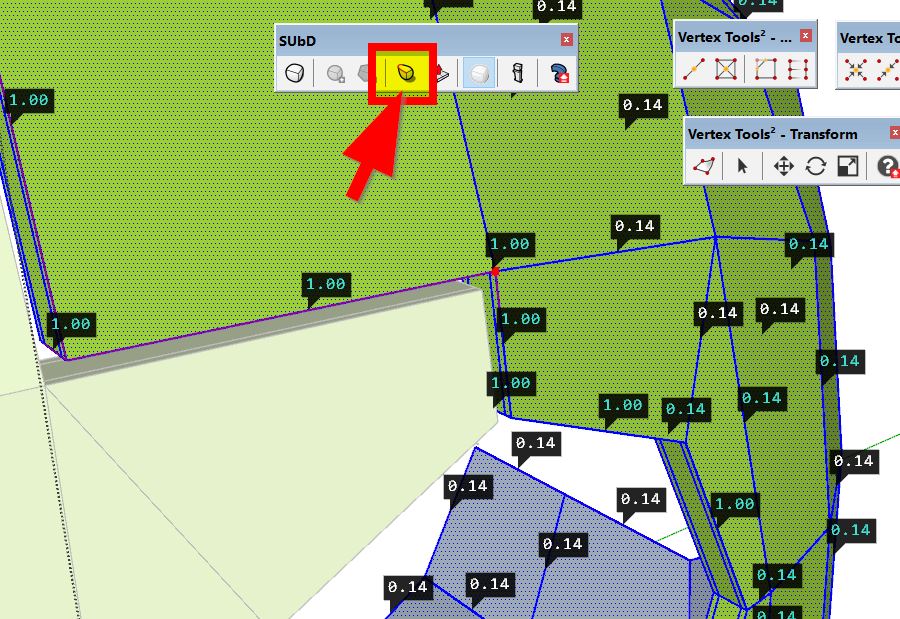

      crease.jpg

      never trust a skinny cook

      1 條回覆 最後回覆 回覆 引用 0
      • V 離線
        Vizan
        最後由 編輯

        @hornoxx said:

        Hi All - there is a stupid question from me, which reveals that I have not yet understood essential SubD functions 😉
        Once I have fiddled with the crease tools here and there, I often end up in a mess of values. Then I would often like to reset all these Crease values to "nothing" to start over again with my trial and error method. Is there a function within SubD that resets all these values?

        Ctrl+A+Crease Tool

        1 條回覆 最後回覆 回覆 引用 0
        • BoxB 離線
          Box
          最後由 編輯

          Unfortunately it looks like those vertex ones are persistent little 'objects' even exploding doesn't remove the crease. I think it's an issue that Thomthom would need to address.
          You can at least ctrl click on them and reset them all at once, not as easy as doing the edges though.

          1 條回覆 最後回覆 回覆 引用 0
          • HornOxxH 離線
            HornOxx
            最後由 編輯

            thank you Box for your study - exactly this was my attempt and I thought not to know the decisive click now 😉

            never trust a skinny cook

            1 條回覆 最後回覆 回覆 引用 0
            • thomthomT 離線
              thomthom
              最後由 編輯

              Yup, it's on my list to add a way to select all creased entities. Might add a separate Clear Creasing as well for easy shortcut-action.

              Thomas Thomassen — SketchUp Monkey & Coding addict
              List of my plugins and link to the CookieWare fund

              1 條回覆 最後回覆 回覆 引用 0
              • BoxB 離線
                Box
                最後由 編輯

                A little late night doodle.

                https://i.imgur.com/FoOssUm.gif

                1 條回覆 最後回覆 回覆 引用 0
                • B 離線
                  Builder54
                  最後由 編輯

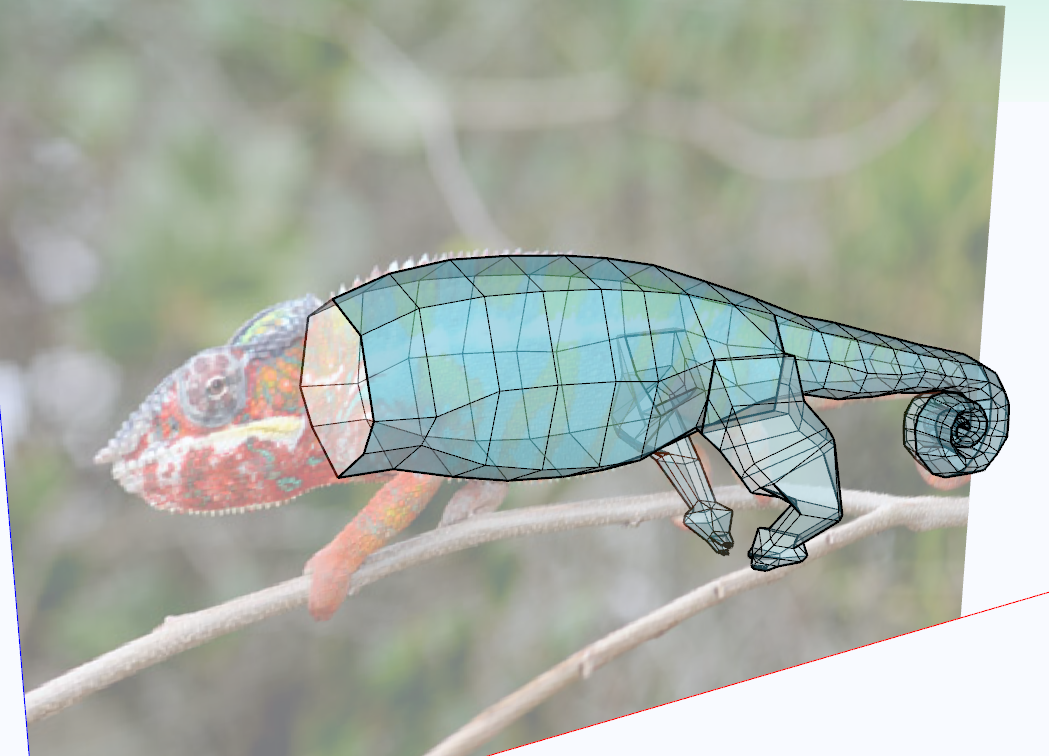
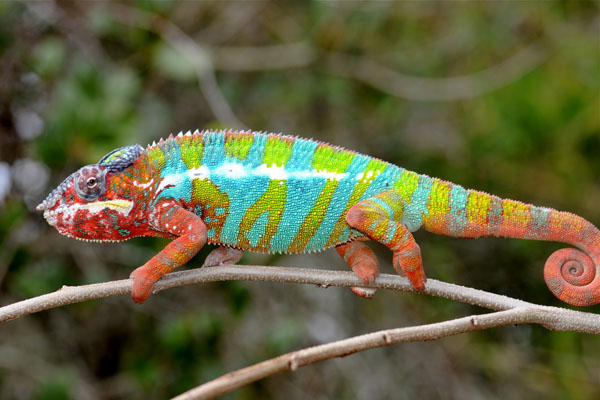
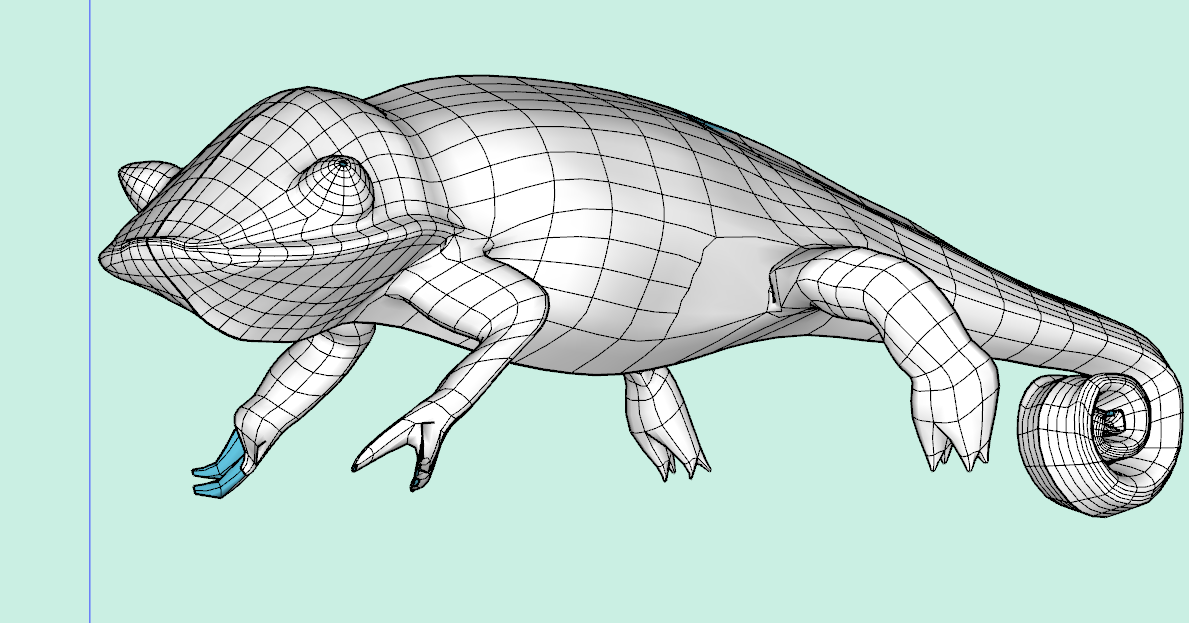
                  I began to focus on organic modelling in Sketchup a few months back. It has not come easy to me. But I'm ready to begin a model that I will see to completion. I'll post updates here to help me stay focused. The subject for this model came out of my discussion with Forrest Gimp on another forum. Unfortunately, I have zero experience with rendering. So my goal here will be to successfully produce a life-like model transitioning from a low poly model using Vertex Tools 2, Quadface Tools, then use SubD to complete it. Any advice along the way would be appreciated.

                  This was my first session's work. Roughly 4 hours 😲

                  [attachment=2]panther-chameleon.jpg[/attachment

                  panther-chameleon.jpg


                  SketchUp_CQpaXsagve.png


                  SketchUp_lodfSBEVa1.png

                  "Don't be afraid of working hard. There are No shortcuts to mastering something."

                  Robh Ruppel

                  1 條回覆 最後回覆 回覆 引用 0
                  • pbacotP 離線
                    pbacot
                    最後由 編輯

                    I think this whole thread is instructive: http://sketchucation.com/forums/viewtopic.php?f=397&t=73461

                    cool stuff!

                    MacOSX MojaveSketchUp Pro v19 Twilight v2 Thea v3 PowerCADD

                    1 條回覆 最後回覆 回覆 引用 0
                    • B 離線
                      Builder54
                      最後由 編輯

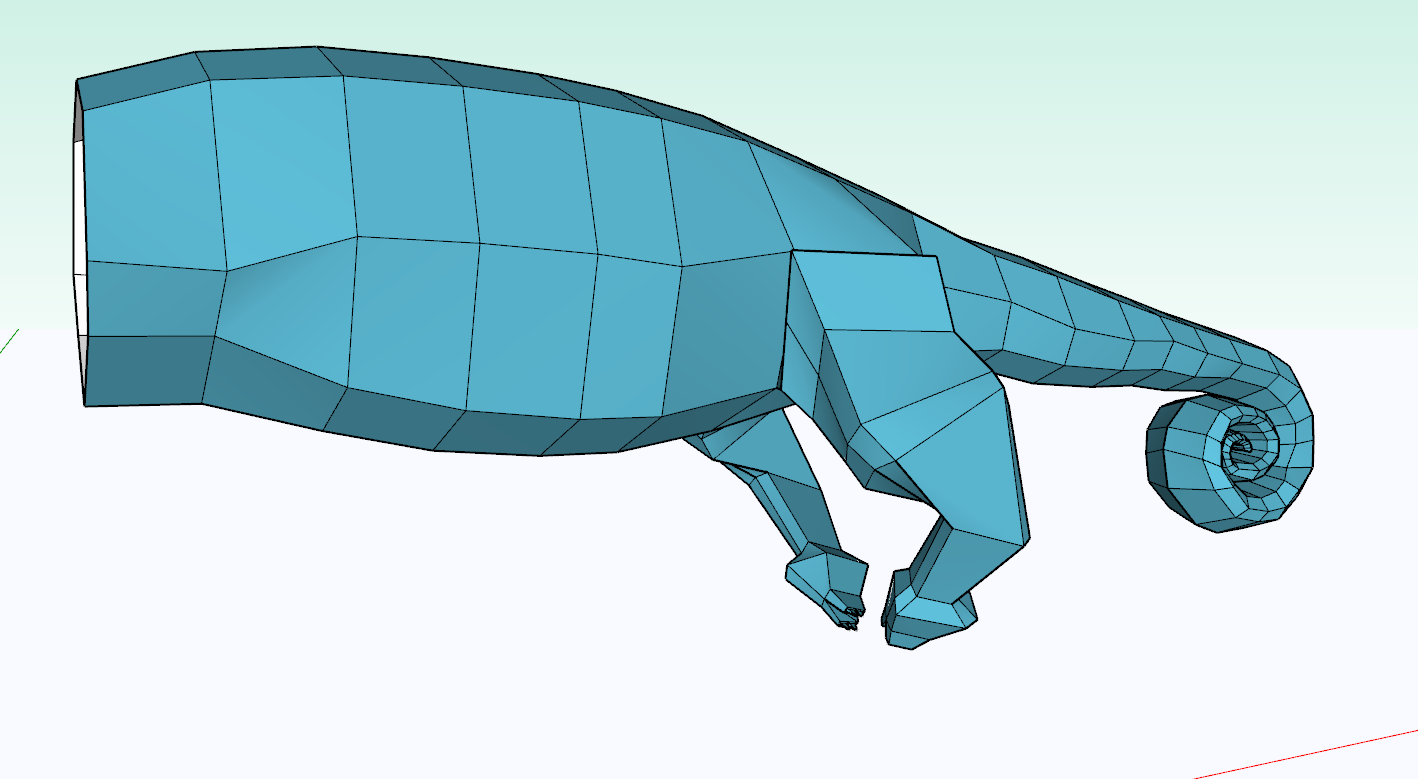
                      The next step will be to take a fresh look tomorrow and begin fine tuning with details. I'm a huge fan of TutorialsUp on YouTube. He has a sharp attention to detail. This is an area I need to improve on.

                      sbJ3WJOAm3.png

                      "Don't be afraid of working hard. There are No shortcuts to mastering something."

                      Robh Ruppel

                      1 條回覆 最後回覆 回覆 引用 0
                      • B 離線
                        Builder54
                        最後由 編輯

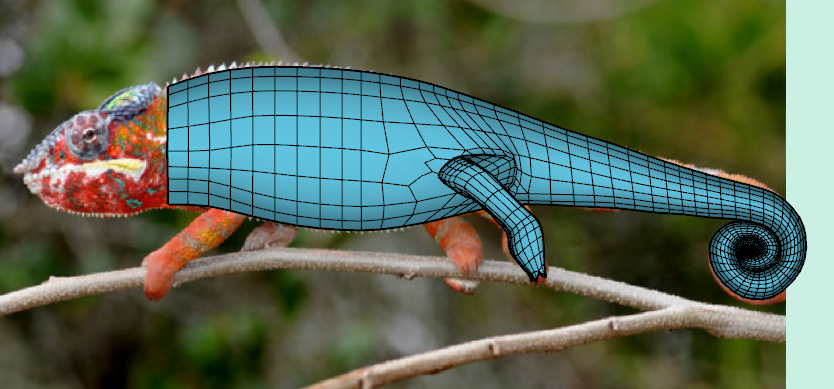
                        In the process of trial and error over the last few months, I have seen patterns of error. As with any type of modelling, there needs to be a workflow. A type of best practices, in order to ensure minimal mistakes and to be efficient.

                        Here are some of the things I've learned

                        1. Don't model in millimeters if I'm planning on subdividing. Scale up 10 -100 x's
                        2. Don't re-invent the wheel. Model half as a component then mirror to complete the full form
                        3. Keep it simple, and elegant. Lines should look streamlined
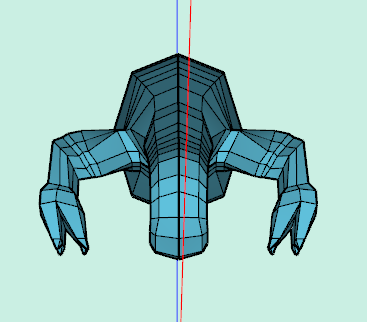
                        4. Huge challenge for me was to improve my power of observation. I started off attempting to model my face. You'll never see that. You would think that after 60 some years, I would know my own face. Apparently not. Still haven't come close to mastering it. But here I'm posting a new image of the hind leg. The chameleon's legs didn't resemble the picture image. I've improved that now. Another reminder to work smarter not harder

                        to be continued...

                        Any quick tips on repositioning the legs. From this view, the claws will not be perching on the branch. I have already tried isolating parts and moving them inward. But it does tend to distort geometry higher upper in the chain.

                        edit: another tidbit I found useful is to navigate with viewports rather than scrolling with mouse. Staying in parallel projection using Front and Side viewports is quick.
                        SketchUp_P2FARNLsjY.png


                        SketchUp_9fFny5LqY0.png

                        "Don't be afraid of working hard. There are No shortcuts to mastering something."

                        Robh Ruppel

                        1 條回覆 最後回覆 回覆 引用 0
                        • B 離線
                          Builder54
                          最後由 編輯

                          Cool images


                          SketchUp_s0DSPg1AlD.png


                          SketchUp_klQhaXhYqR.png

                          "Don't be afraid of working hard. There are No shortcuts to mastering something."

                          Robh Ruppel

                          1 條回覆 最後回覆 回覆 引用 0
                          • alvisA 離線
                            alvis
                            最後由 編輯

                            Respect!

                            1 條回覆 最後回覆 回覆 引用 0
                            • BoxB 離線
                              Box
                              最後由 編輯

                              Nice.

                              1 條回覆 最後回覆 回覆 引用 0
                              • HornOxxH 離線
                                HornOxx
                                最後由 編輯

                                ... Builder54, obviously you must have found any shortcut to master such a comlex thing 😄 😉 Prima! 👍 👍

                                never trust a skinny cook

                                1 條回覆 最後回覆 回覆 引用 0
                                • B 離線
                                  Builder54
                                  最後由 編輯

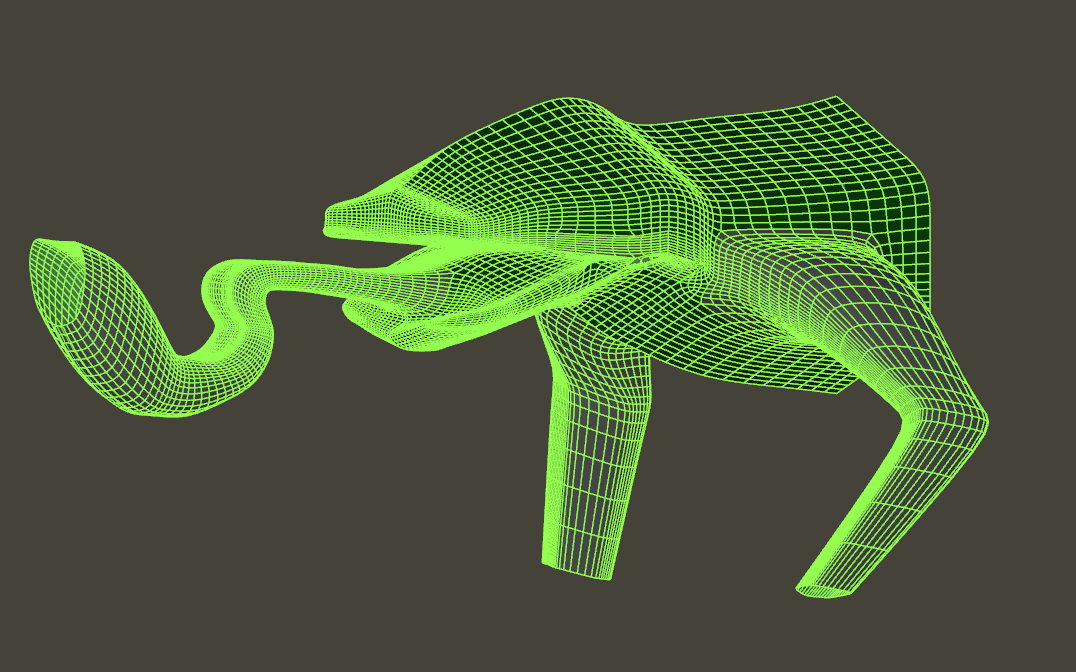
                                  Expanding my approach to greater detail. Partial body only. Next post will have eyes, feet, facial topology, and a slug at the tongue tip 😄

                                  SketchUp_ZwAHvpvBsH.png

                                  "Don't be afraid of working hard. There are No shortcuts to mastering something."

                                  Robh Ruppel

                                  1 條回覆 最後回覆 回覆 引用 0
                                  • B 離線
                                    Builder54
                                    最後由 編輯

                                    @hornoxx said:

                                    ... Builder54, obviously you must have found any shortcut to master such a comlex thing 😄 😉 Prima! 👍 👍

                                    Indeed I did. Sore ass, sore fingers, tired eyes from hours in front of my 15" laptop 😛 . I'm thinking it will pay off though. Seriously, thank you for the encouragement.

                                    Edit: HornOxx You must be referring to my Slug 3D buddy Forrest Gimp. He is awesome. It just took me all day to get that. 💚

                                    "Don't be afraid of working hard. There are No shortcuts to mastering something."

                                    Robh Ruppel

                                    1 條回覆 最後回覆 回覆 引用 0
                                    • B 離線
                                      Builder54
                                      最後由 編輯

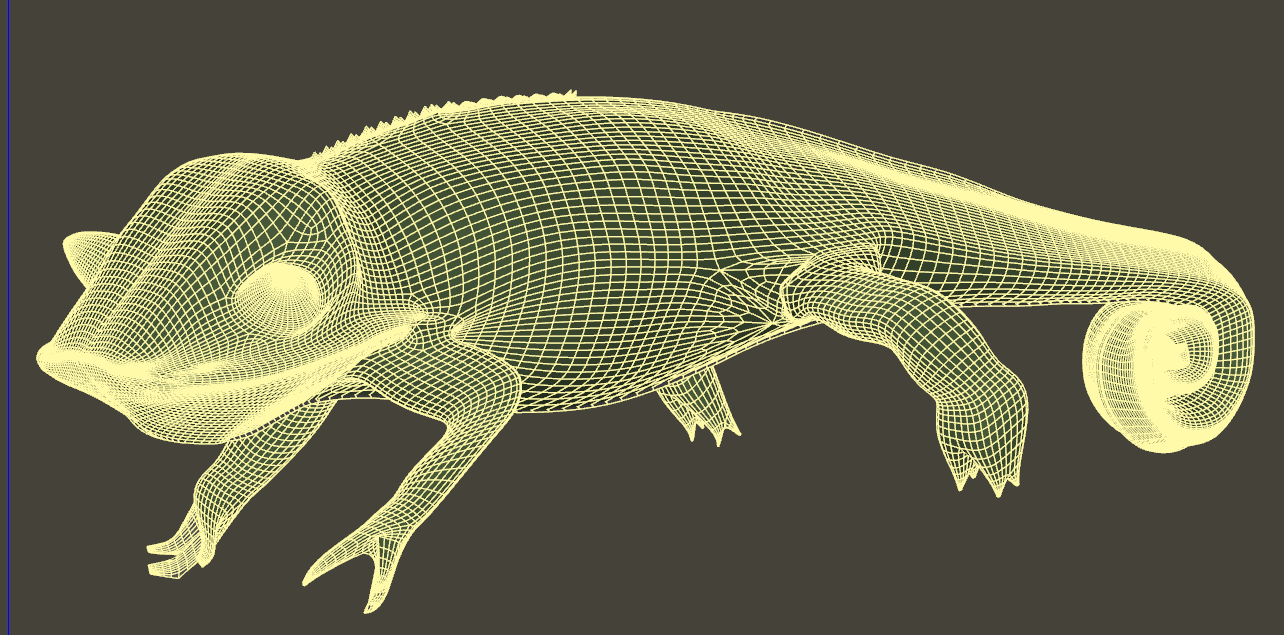
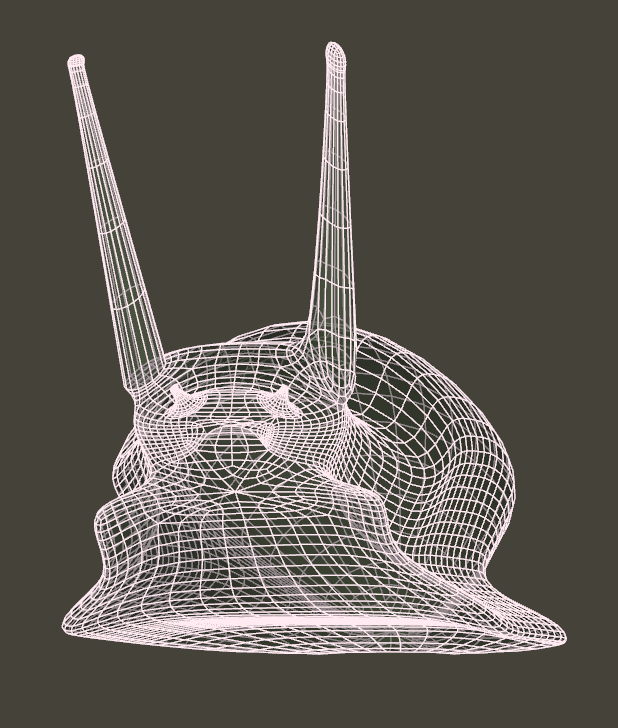
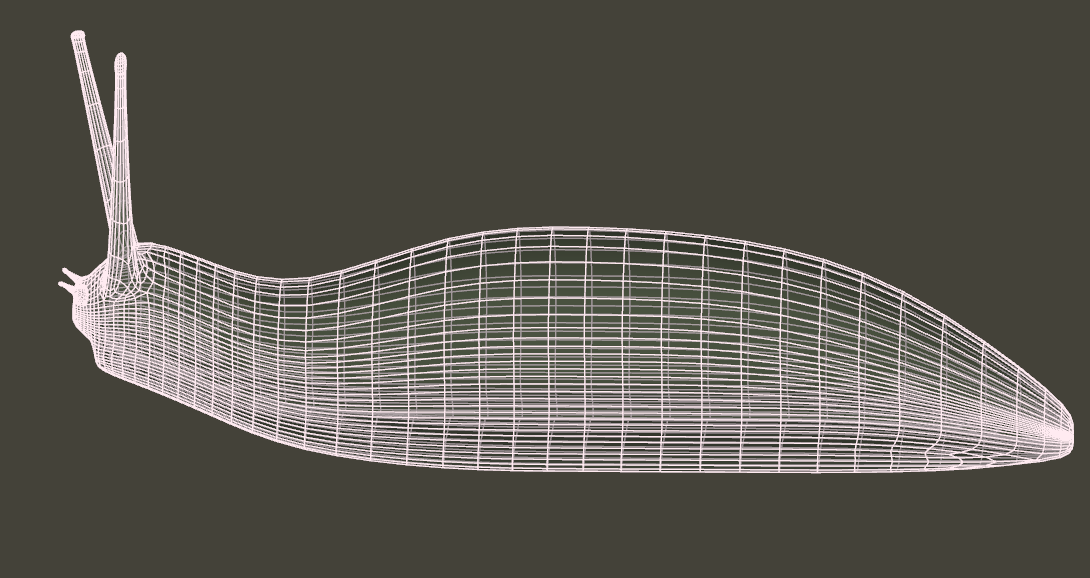
                                      The wire mesh looks decent but I can see that before it is ready for rendering, a lot of fine tuning would be needed.
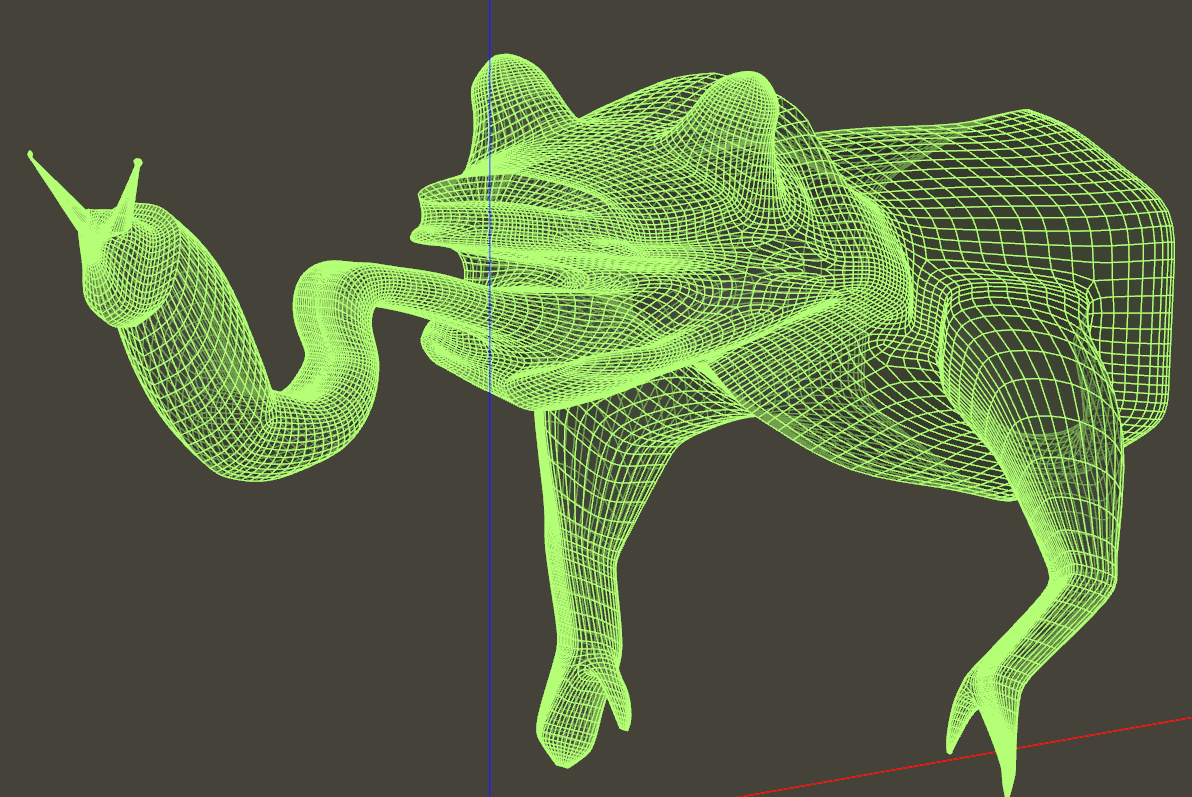

                                      SketchUp_zNyf5CLfnV.png

                                      "Don't be afraid of working hard. There are No shortcuts to mastering something."

                                      Robh Ruppel

                                      1 條回覆 最後回覆 回覆 引用 0
                                      • B 離線
                                        Builder54
                                        最後由 編輯

                                        Improving the Slug


                                        SketchUp_gKafKKED0H.png


                                        SketchUp_LyXkTCMSm7.png

                                        "Don't be afraid of working hard. There are No shortcuts to mastering something."

                                        Robh Ruppel

                                        1 條回覆 最後回覆 回覆 引用 0
                                        • B 離線
                                          Builder54
                                          最後由 編輯

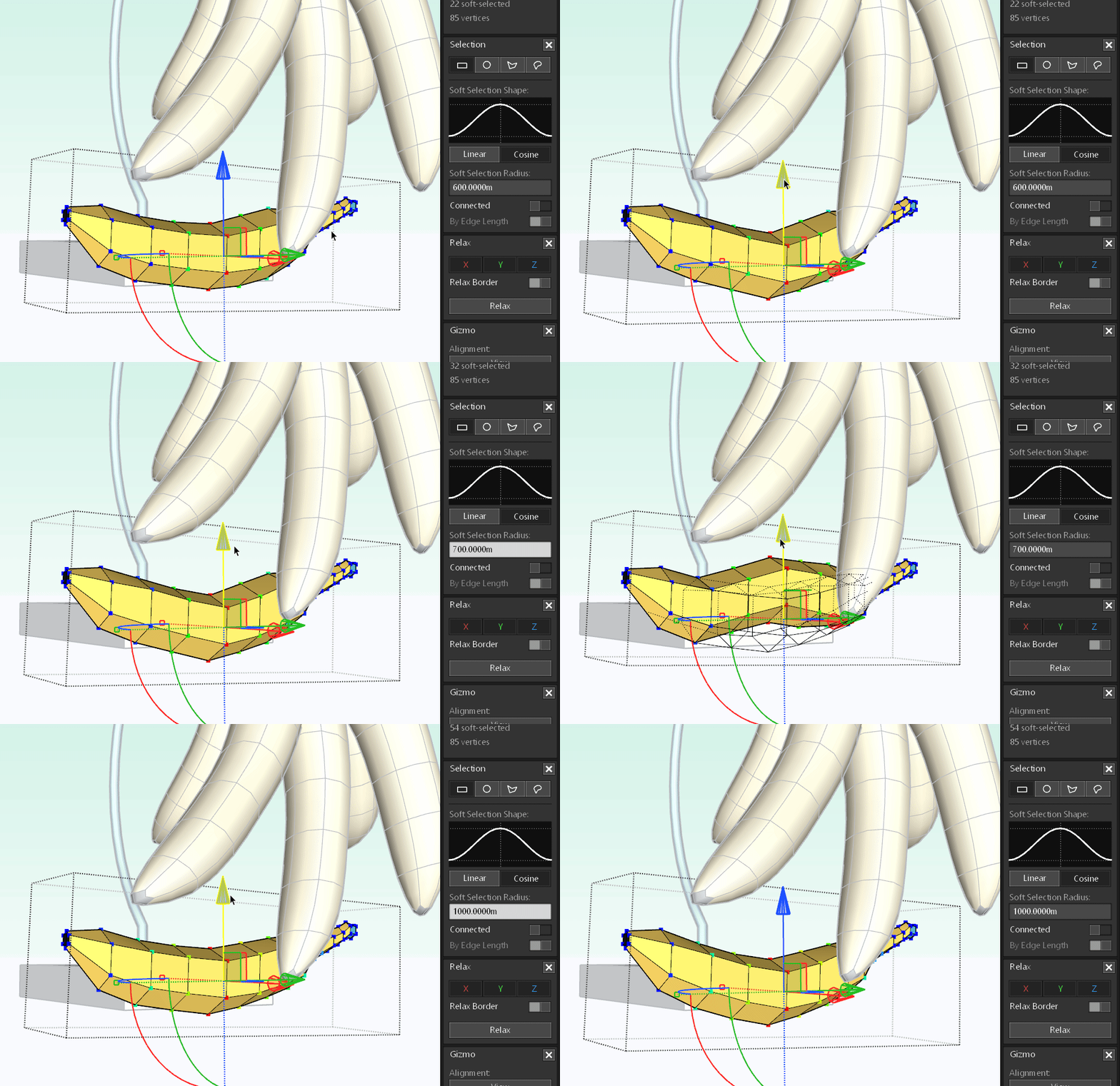
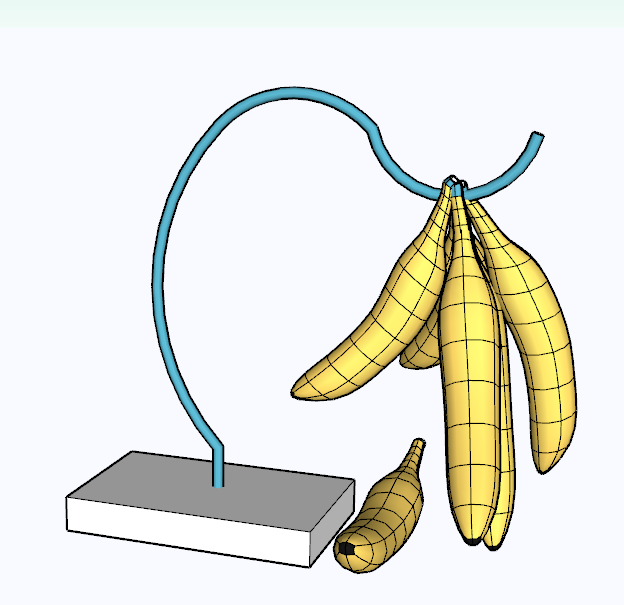
                                          Just an exercise with Vertex Tools. Six sided polygon. Playing with soft selection radius.
                                          SketchUp_zzSispXnbe.png


                                          cus7iD9aaR.gif

                                          "Don't be afraid of working hard. There are No shortcuts to mastering something."

                                          Robh Ruppel

                                          1 條回覆 最後回覆 回覆 引用 0
                                          • B 離線
                                            Builder54
                                            最後由 編輯

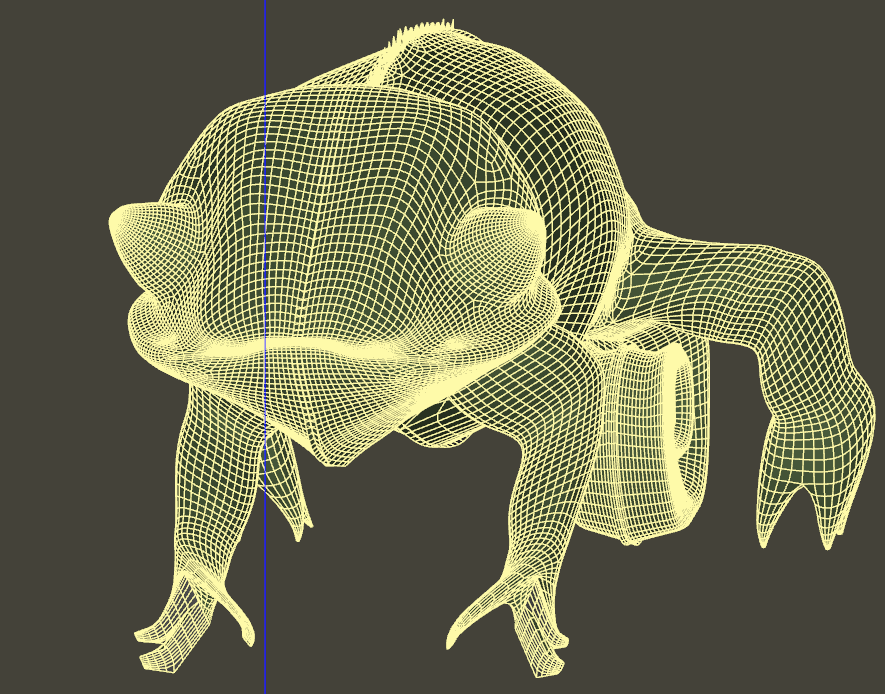
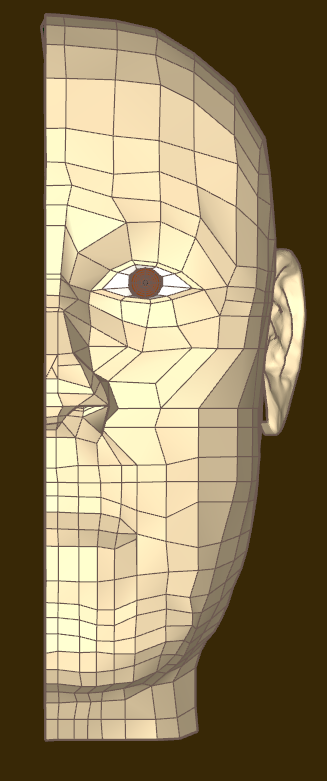
                                            More Training exercises..

                                            Needed improvements are

                                            1 A number of loops remain open around the eyes and mouth
                                            2 There are poles that have more than 4 sides. This is cause distortion in the final SUbD
                                            3 Loops are not all parallel. Again this will cause distortion

                                            Overall I'm happy with the natural looking form
                                            SketchUp_BEh3nNqzyG.png[attachment=1:3m3hqq33]<!-- ia1 -->HZmYi8cJsz.png[/attachment[attachment=0]yAKctnQODk.png<!-- ia1 -->[/attachment:3m3hqq33]
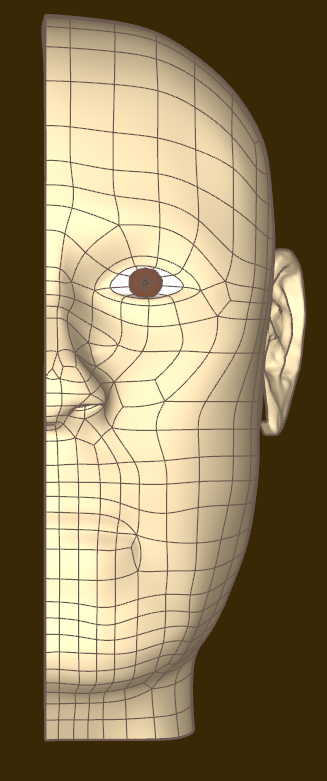
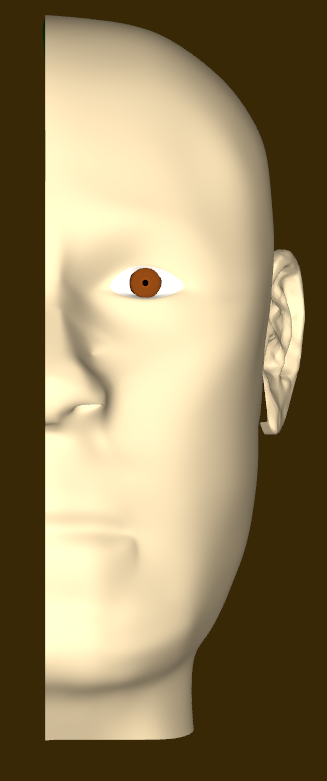

                                            HZmYi8cJsz.png


                                            yAKctnQODk.png

                                            "Don't be afraid of working hard. There are No shortcuts to mastering something."

                                            Robh Ruppel

                                            1 條回覆 最後回覆 回覆 引用 0
                                            • 1
                                            • 2
                                            • 3
                                            • 4
                                            • 5
                                            • 82
                                            • 83
                                            • 1 / 83
                                            • 第一個貼文
                                              最後的貼文
                                            Buy SketchPlus
                                            Buy SUbD
                                            Buy WrapR
                                            Buy eBook
                                            Buy Modelur
                                            Buy Vertex Tools
                                            Buy SketchCuisine
                                            Buy FormFonts

                                            Advertisement