How do I extrude this?
-
Hi there,
I have drawn a geometric shape with the pencil tool and the problem I have is when it is sent into solidworks there is nothing there. Is there a quick and easy way to extrude the vertices to convert it into a solid object?
Im using Sketchup 2015.
-
Can you post the SKP file?
And what is the format acceptable by SolidWorks?Hatchings are not helpful

-
OMG sorry thats the wrong pic.
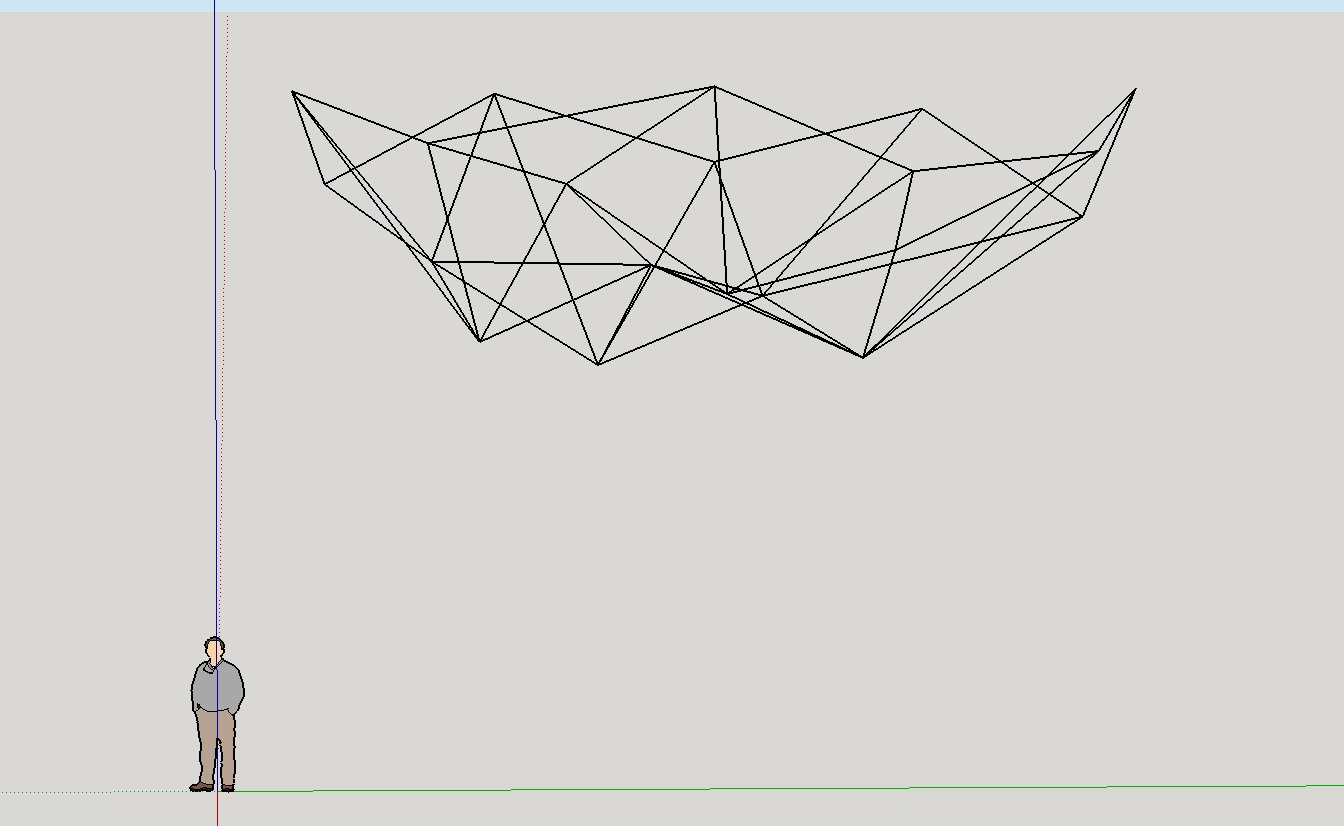
This is the one.
heres the link https://drive.google.com/open?id=0B-WGyti8iPA0Qmp0SVFIbjgzTTA%26amp;authuser=0
-
You're not having a good day.

That's an enoermous DWG, not a SKP.
It also contains lots of complex parts - you might go mad trying to make it into a solid.
You image shows a screen-shot from a SKP !
That looked like a mesh of edges that'd be possible to work with to get a solid.
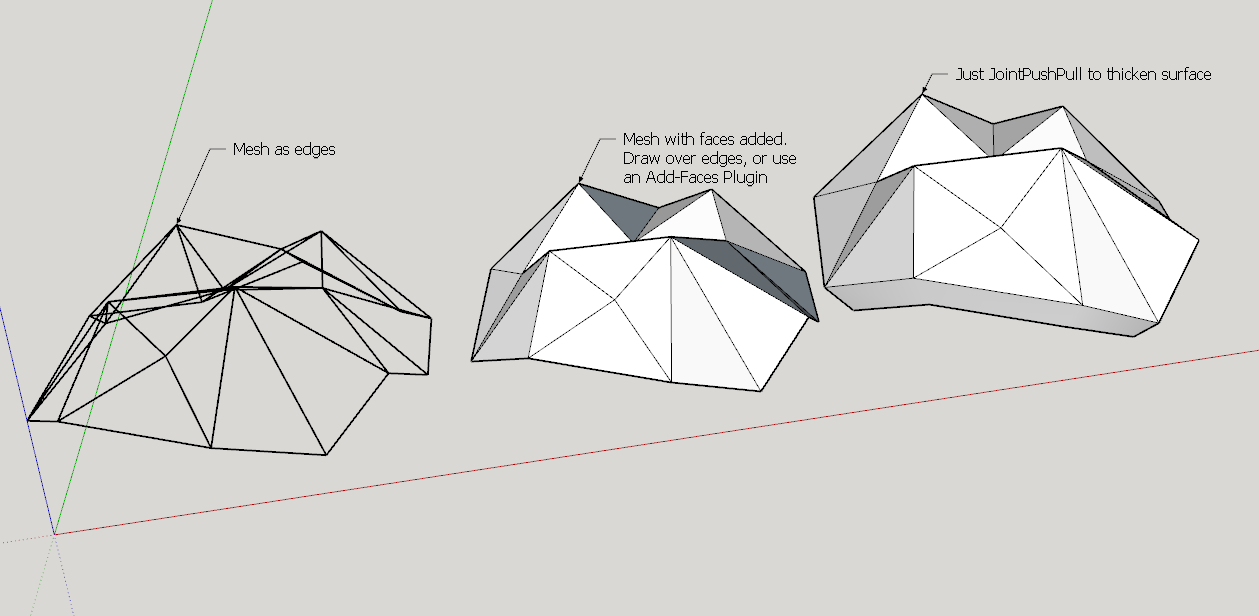
Use AddFaces on the edges, then use Joint-PushPull plugin to give thickness ? ...What are you wanting to do ?
-
Ahh not my day, here it is - >
How do I install plugins for 2015 mac??
-
SketchUp > Preferences > Extensions > Install button...
Find the downloaded RBZ file and OK.
Answer 'yes' to all prompts.Almost all plugins [and extensions, which are actually just a sub-set of all plugins - which can be separately activated/deactivated in the Preferences/Extensions panel...], will come as RBZ archives and are auto-installed into your own default-plugins folder.
RB files in there are automatically loaded as SketchUp starts.
Auto-installing has been available since v8.2 !Make sure you have the latest versions of any plugins - since v2014 a lot has changed, and most plugins have been rewritten to be compatible with v8 through to v2015.
If you come across a ZIP format plugin archive just rename it with .RBZ at the end - an RBZ is just a renamed ZIP. Then install it as outlined above.
If you find a lone RB file, ZIP it then rename it .RBZ etc...An alternative to all of this faff is to get the SketchUcation PluginStore Toolset RBZ and install that - see the Resources menu above.
Thereafter you can install from a dialog browser directly, without needing to manually download any RBZ files. The SCF PluginStore dialog lets you browse the hundreds of plugins available, Auto-Install selected ones etc.
It also has Update reminders [including Batch-Updating], Bundles to assist in installing Plugin sets across versions and computers, Managers to enable/load/disable Extensions AND vanilla-Plugins - including making Sets for quickly swapping between set ups, and other several tools - to Uninstall/Reinstall Plugins, Install Plugins from archives [RBZ OR ZIP], open your Plugins folder directly, list your shortcuts and so on... -
You can attach a SKP direct to your post.
There is a 4Mb limit.
The SKP download linked is enormous - 48.6Mb, but Purges to 3.8Mb !
Learn to use Model Info > Statistics > Purge Unused etc...
Even smaller - you could have done a 'save_as', on what I assume to be the component in question, then it's a mere 37kb !
Reload that after editing it...Observations...
The component has been scaled.
The component is drawn upside down.
I edited it using a Add-Face Plugin - there are several - e.g. mine http://sketchucation.com/pluginstore?pln=addfaces
I then used Fredo's JointPushPull to thicken the surface... http://sketchucation.com/pluginstore?pln=JointPushPull
Also note it needs his Lib installing too http://sketchucation.com/pluginstore?pln=LibFredo6I realize it's probably upside down, but that's a feature of your SKP/Component modelling...

-
Hi TIG,
Thanks for the instructions about purging and installation extensions!
In regards to the mesh I actually dont want to add faces but I want to just thicken the mesh into tubes, leaving the faces open. Is this possible?
-
That is a completely different thing !
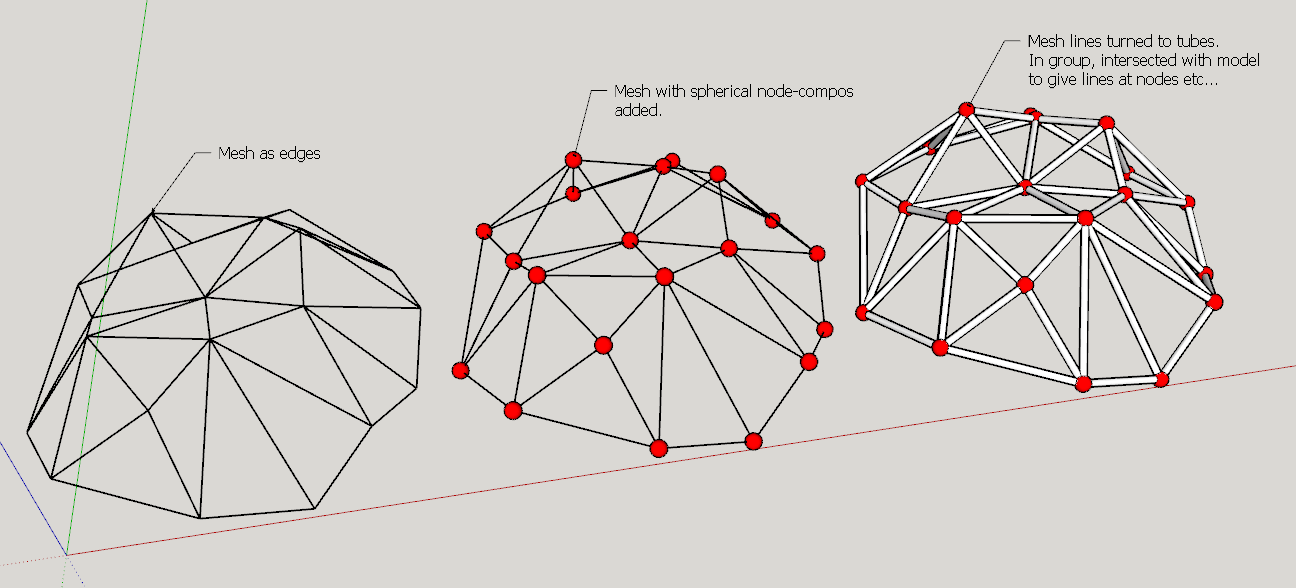
Use lines to tubes on the selected edges.
http://sketchucation.com/pluginstore?pln=lines2tubes
However, neat 'node' connectors need adding manually... make a sphere compo with its origin in the center and snap instances to nodes, then do the tubes...
If you leave the tubes in a group you can edit it, select all and intersect with model, to make cuts at the nodes interfaces.
Size/color the nodes and set the tube diameter etc as desired...
-
Thanks TIG!!!!
-
Does lines2tubes work in sketchup 2015? I cant seem to see it in the Extensions list.
-
@unknownuser said:
Does lines2tubes work in sketchup 2015? I cant seem to see it in the extensions list.
Yes works fine!

Menu Tools / Convert arcs Circles...Lines to Cylinders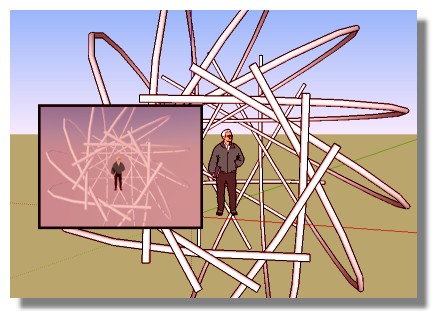
-
Yes - I did my example in v2015.
As Pilou explains...
That plugin appears under the 'Tools' menu.
Read the plugin's instructions...
Not all plugins appear in the 'Plugins' menu [which is now confusingly renamed as 'Extensions' in v2015!]
Some plugins may appear in 'Draw', 'Tools' or even 'File' menu - it just depends on the plugin .
Some plugins only run from a Toolbar.
Some plugins only run from the right-click context-menu, and then only appear if a suitable selection exists.
A few more-rarely-used plugins are run by typing commands into the Ruby Console.
Read each plugin's instructions... -
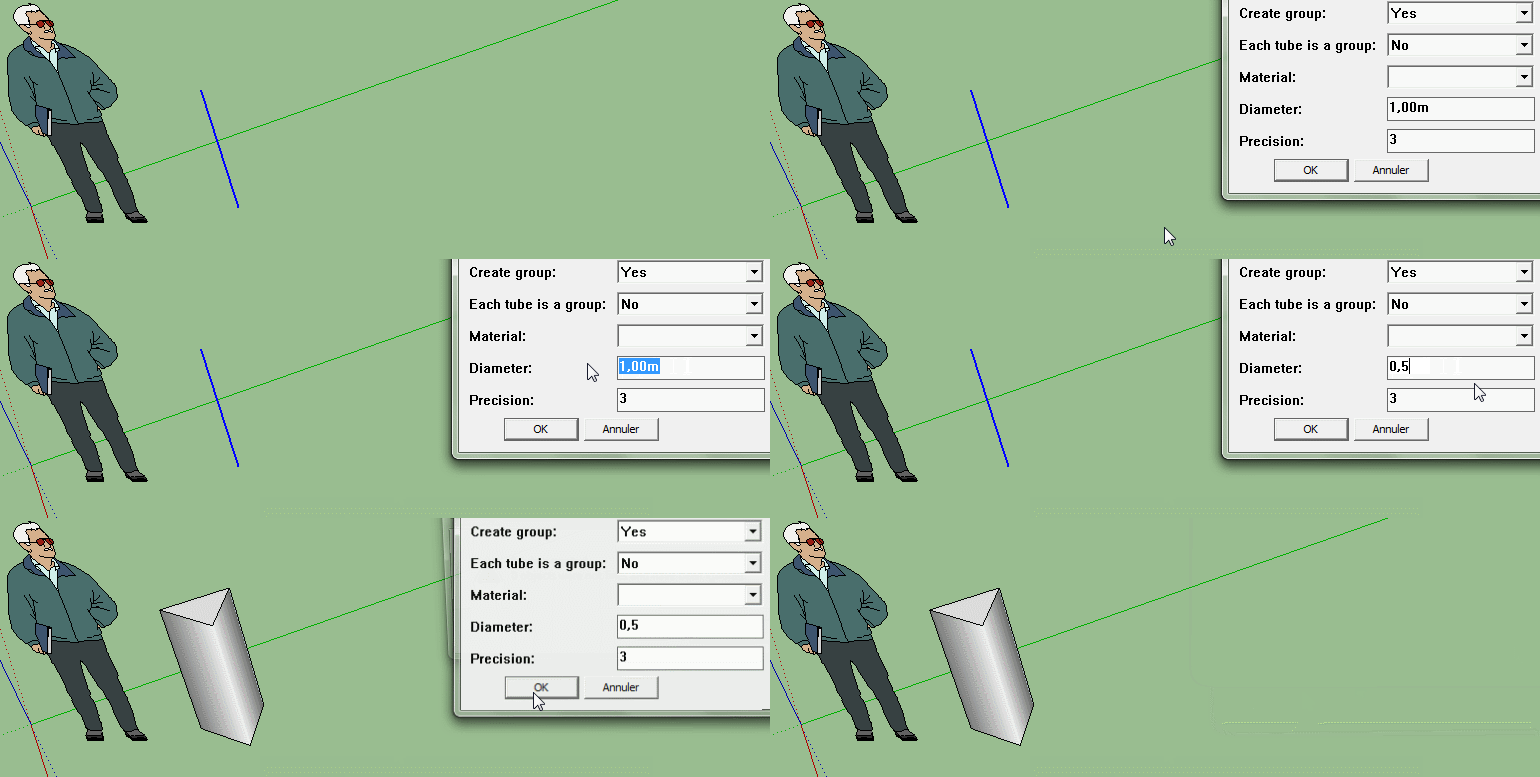
Think about it, what do you get if you only use four sides?
-
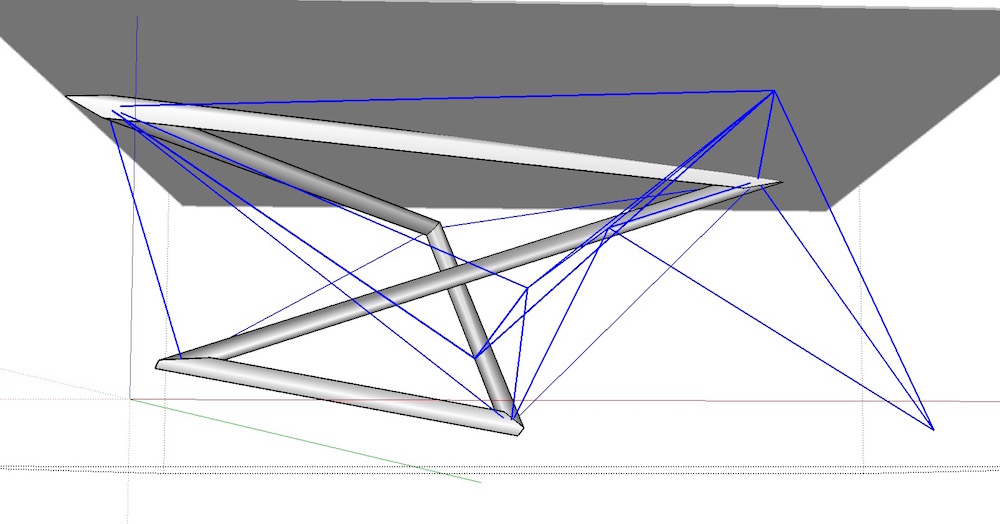
Thanks TIG, is there a plugin to also convert lines to square tubes?
I am trying the pipealongpath plugin but it is only converting some of the lines.
-
or Three ?
Click Image for animation!




Hello! It looks like you're interested in this conversation, but you don't have an account yet.
Getting fed up of having to scroll through the same posts each visit? When you register for an account, you'll always come back to exactly where you were before, and choose to be notified of new replies (either via email, or push notification). You'll also be able to save bookmarks and upvote posts to show your appreciation to other community members.
With your input, this post could be even better 💗
Register Login


Advertisement