Shadows on ground ... but not on objects
-
If those are groups or components make sure in the entity info they have the "Receive shadows" option checked. Right click on the group/component/Entity info/Check Receive shadows
-
@ely862me said:
If those are groups or components make sure in the entity info they have the "Receive shadows" option checked. Right click on the group/component/Entity info/Check Receive shadows

-
Still doesn't receive shadows.
-
Can you share the skp, it's hard to guess from images.
-
I can't replicate this...
What version of SU are you using...??
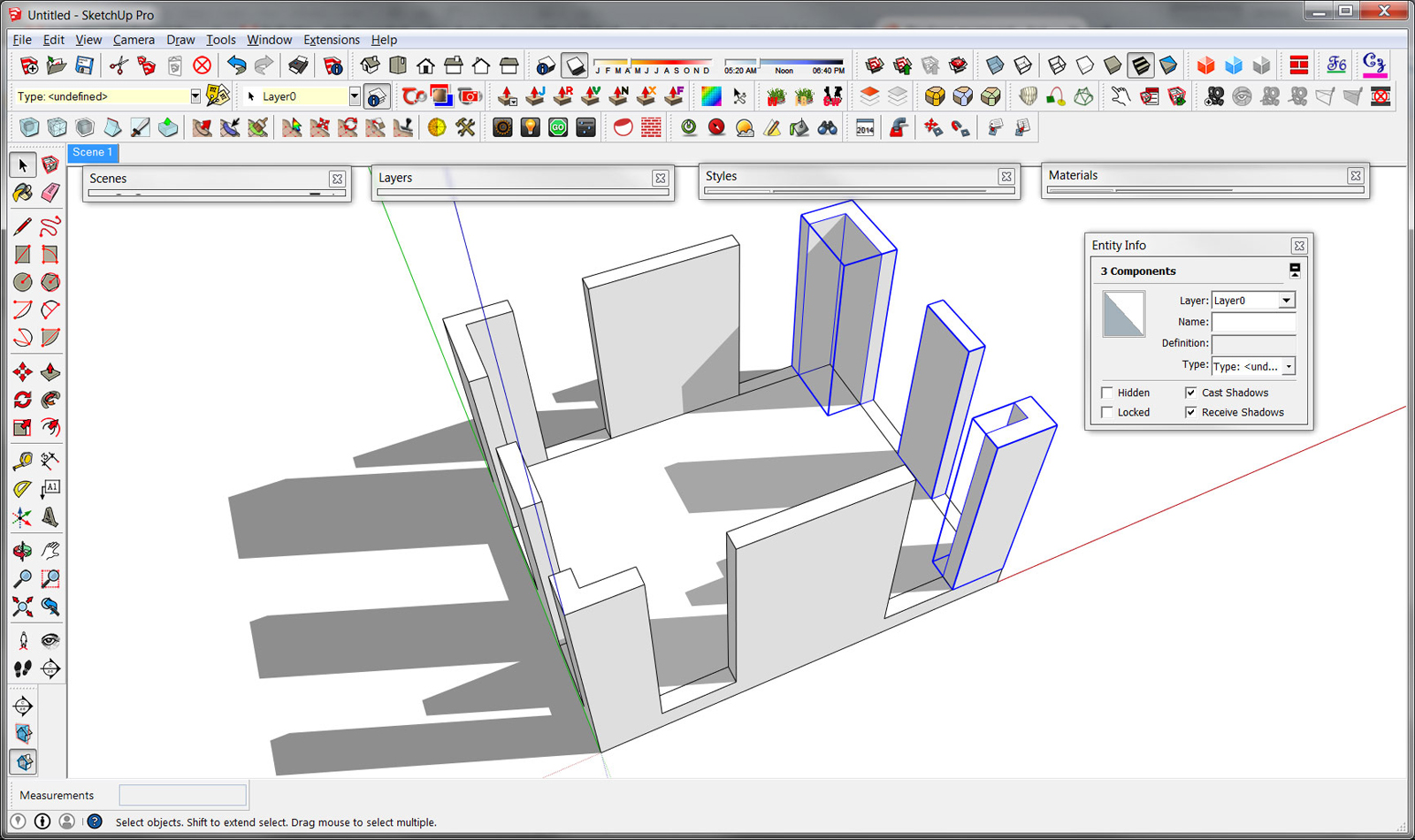
-
That's why I asked for the model Kim, I'm guessing it's a style issue or a transparent material.
-
I just saw it, Box...
But look at the time you posted and the time I did...
-
I tried to upload the model, but it says that it's too big to upload. How can I share it with you?
-
One way to fix the problem is to copy and paste as a new file - the shadows are on the objects too.
-
You can upload up to 4mb. You can compress the file and it might get smaller. But for such a few geometry I wonder why the file exceeds 4mb ?
Most likely as Box said it is about the style you are using, in that case you could go to Window/Styles/Default styles and pick Simple style, and check the shadows back on. It should work.
When pasting the geometry in a new file, you get back to the Simple style which is a default style. -
In the shadow settings dialog, have you unticked On Faces?
-
[quote="ely862me"]
Most likely as Box said it is about the style you are using, in that case you could go to Window/Styles/Default styles and pick Simple style, and check the shadows back on. It should work.
Didn't help.
-
@box said:
In the shadow settings dialog, have you unticked On Faces?
Yes, but it didn't help. The only method that helped was to copy and paste to a new file.
-
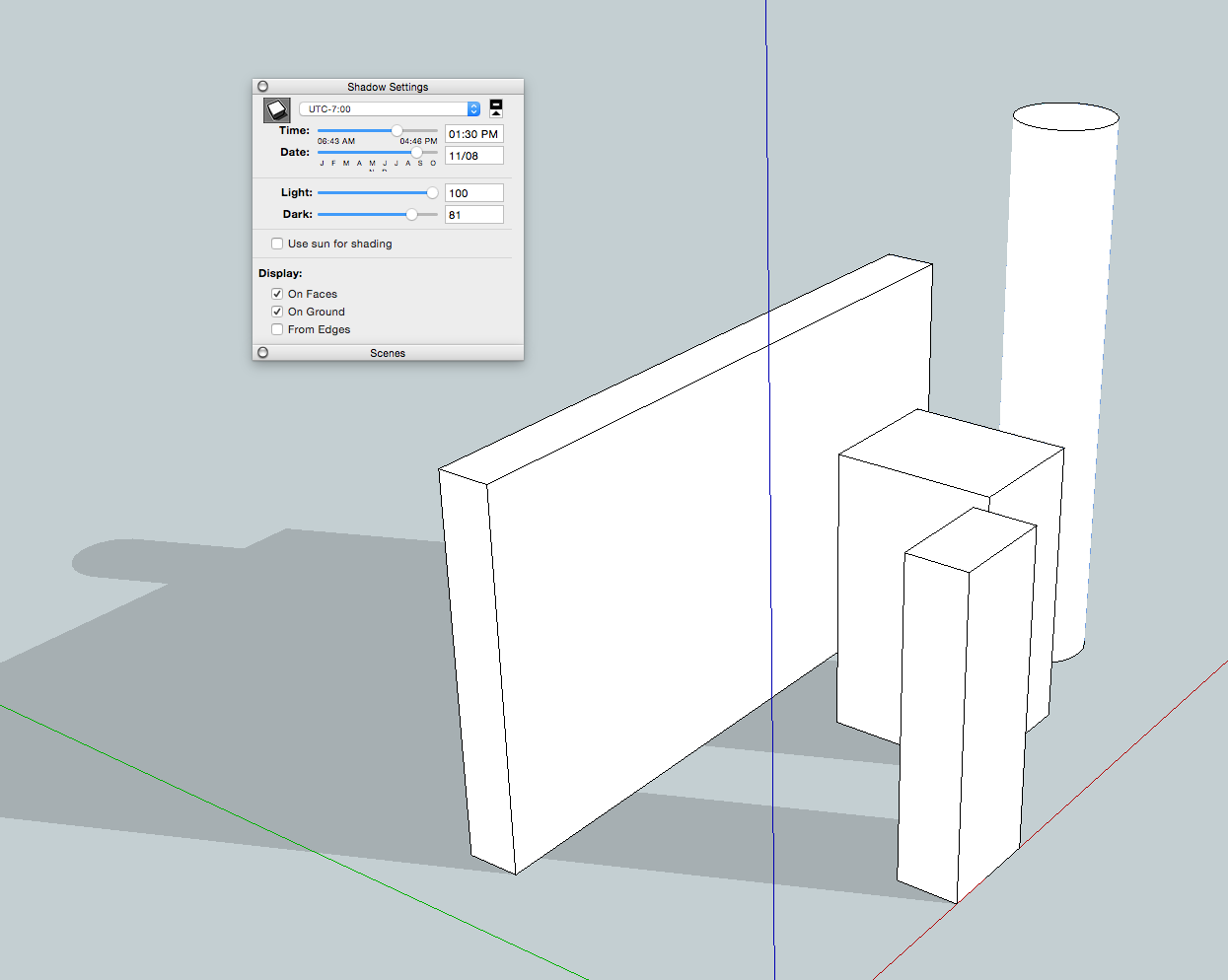
it's possible you've fiddled with the shadow light & dark settings..
?
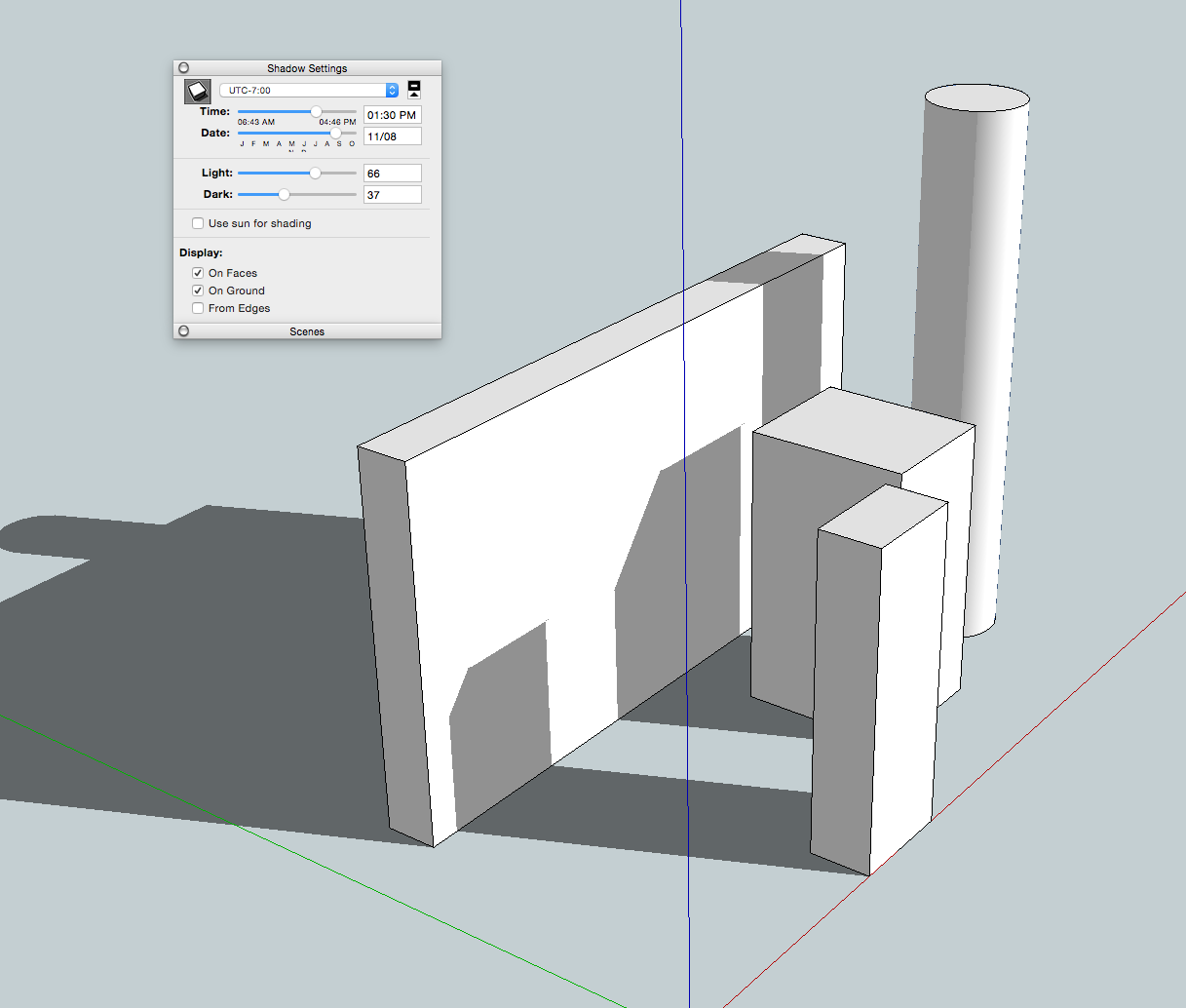
-
Your picture suggests that you have nested groups. Have you enabled receive shadows on all the levels of nesting? A nested object will not receive shadows if its containing group does not.
-
@slbaumgartner said:
Your picture suggests that you have nested groups. Have you enabled receive shadows on all the levels of nesting? A nested object will not receive shadows if its containing group does not.
That's a good observation.
@djh, you might try exploding all your groups and components to see what happens.
You say, though, that copying the model to a new file fixed the problem. That might indicate you have a corrupted file.
-
@jeff hammond said:
it's possible you've fiddled with the shadow light & dark settings..
?[attachment=1:1i2nw2cq]<!-- ia1 -->Screen Shot 2014-11-20 at 11.30.27 AM.png<!-- ia1 -->[/attachment:1i2nw2cq]
[attachment=0:1i2nw2cq]<!-- ia0 -->Screen Shot 2014-11-20 at 11.30.43 AM.png<!-- ia0 -->[/attachment:1i2nw2cq]
I did fiddle with them. Then, I fiddled with them again and again, but it only affected the shadows that were present. It didn't seem to restore the shadows on the objects.
-
@slbaumgartner said:
Your picture suggests that you have nested groups. Have you enabled receive shadows on all the levels of nesting? A nested object will not receive shadows if its containing group does not.
Sorry, I don't know what nesting is. All objects are on Layer0. I exploded all of the objects, but the shadows still don't appear on the objects.
-
-
@dave r said:
@slbaumgartner said:
Your picture suggests that you have nested groups. Have you enabled receive shadows on all the levels of nesting? A nested object will not receive shadows if its containing group does not.
That's a good observation.
@djh, you might try exploding all your groups and components to see what happens.
You say, though, that copying the model to a new file fixed the problem. That might indicate you have a corrupted file.
It probably is a corrupted file.





Hello! It looks like you're interested in this conversation, but you don't have an account yet.
Getting fed up of having to scroll through the same posts each visit? When you register for an account, you'll always come back to exactly where you were before, and choose to be notified of new replies (either via email, or push notification). You'll also be able to save bookmarks and upvote posts to show your appreciation to other community members.
With your input, this post could be even better 💗
Register Login


Advertisement