Three lines instead of one
-
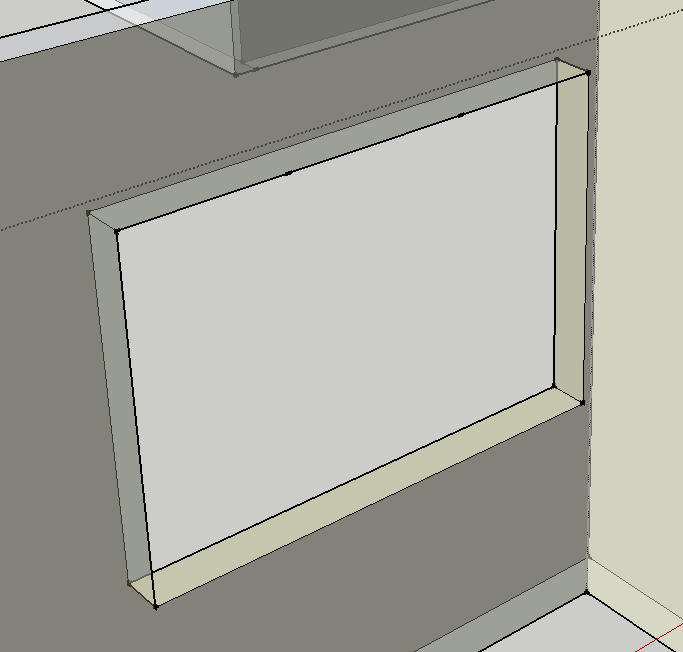
On the attached image I get 3 lines created at the top of the opening instead of 1. Even when I play around with it I still get 3. Why would that be?
thank you
-
@susteve said:
On the attached image I get 3 lines created at the top of the opening instead of 1. Why would that be?
I guess some hidden lines are breaking your new line. Try <view> --> <hidden geometry>
-
Also you might have edges/faces on an OFF layer that are also in the same context.
NEVER put raw edges/faces onto a layer other than Layer0.
Always have Layer0 as your active-layer.
Layers do NOT separate geometry: layers merely control visibility.
Having some edges on layers that are unseen, but which are still interacting is a recipe for impending madness
To separate things use groups of components to contain your geometry, and then assign layers to those groups or component-instances, switching a layer OFF then hides that group.
-
thank you for the help

Hello! It looks like you're interested in this conversation, but you don't have an account yet.
Getting fed up of having to scroll through the same posts each visit? When you register for an account, you'll always come back to exactly where you were before, and choose to be notified of new replies (either via email, or push notification). You'll also be able to save bookmarks and upvote posts to show your appreciation to other community members.
With your input, this post could be even better 💗
Register Login


Advertisement