sketchucation logo sketchucation
    • 登入
    Oops, your profile's looking a bit empty! To help us tailor your experience, please fill in key details like your SketchUp version, skill level, operating system, and more. Update and save your info on your profile page today!
    🔌 Smart Spline | Fluid way to handle splines for furniture design and complex structures. Download

    Fishing net modeling

    已排程 已置頂 已鎖定 已移動 Plugins
    131 貼文 12 Posters 13.5k 瀏覽 12 Watching
    正在載入更多貼文
    • 從舊到新
    • 從新到舊
    • 最多點贊
    回覆
    • 在新貼文中回覆
    登入後回覆
    此主題已被刪除。只有擁有主題管理權限的使用者可以查看。
    • W 離線
      willipop
      最後由 編輯

      Hi everybody !

      I'm trying to make a model of a giant fishing net and I'm wondering if there's anyway or plugin available to do it.

      So far I already tried pipe along path wich makes my sketchup crash.

      I did achieve small scale success with the 1001 bit tools architecture plugin using Rectangular grille and circular grille tool, but it seems to add too much vertex and sketchup crash when I'm tying to apply it on a large wireframe surface.

      The actual method I'm using is :

      1 : I make the surface wich is about 50m x 8m with ondulation
      2 : I use artisan plugin to add vertex with the subdivide selection tool
      3 : I turn on hidden geometry and choose the style wireframe to only see the wireframes
      4 : I select the wireframe of the surface and apply the Rectangular grille tool of the 1001 bit tools pluggin

      Is there a better way to do this ? Thanks for your help !

      Willipop

      1 條回覆 最後回覆 回覆 引用 0
      • cottyC 離線
        cotty
        最後由 編輯

        Do you habe an example picture of the desired net?

        my SketchUp gallery

        1 條回覆 最後回覆 回覆 引用 0
        • W 離線
          willipop
          最後由 編輯

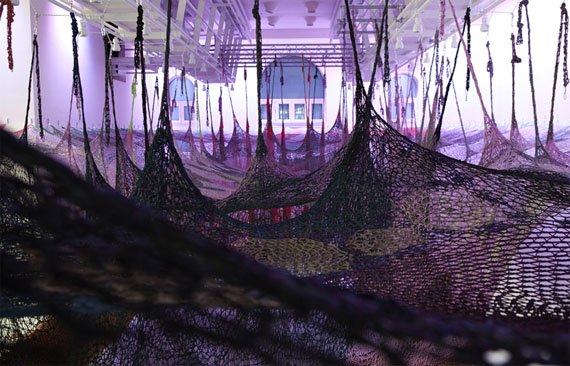
          Not as precise as this but here is the big picture :

          ernestoneto_1746772_a.jpg

          1 條回覆 最後回覆 回覆 引用 0
          • BoxB 離線
            Box
            最後由 編輯

            Have a look at Tig's extrusion tools, particularly Extrude Edges by Rails to Lattice.

            1 條回覆 最後回覆 回覆 引用 0
            • W 離線
              willipop
              最後由 編輯

              I have this plugin, I'll try it right away ! Could tell me what is a lattice ?

              Thanks for the help guys !

              1 條回覆 最後回覆 回覆 引用 0
              • W 離線
                willipop
                最後由 編輯

                I'm having trouble with selecting the profile curve ... should I still work in wireframe style while using this tool ?

                1 條回覆 最後回覆 回覆 引用 0
                • W 離線
                  willipop
                  最後由 編輯

                  Is there a way to transform wireframes to edges ?

                  1 條回覆 最後回覆 回覆 引用 0
                  • Dave RD 離線
                    Dave R
                    最後由 編輯

                    How about posting your SKP file so we can actually see what you've got?

                    Etaoin Shrdlu

                    %

                    (THERE'S NO PLACE LIKE)

                    G28 X0.0 Y0.0 Z0.0

                    M30

                    %

                    1 條回覆 最後回覆 回覆 引用 0
                    • BoxB 離線
                      Box
                      最後由 編輯

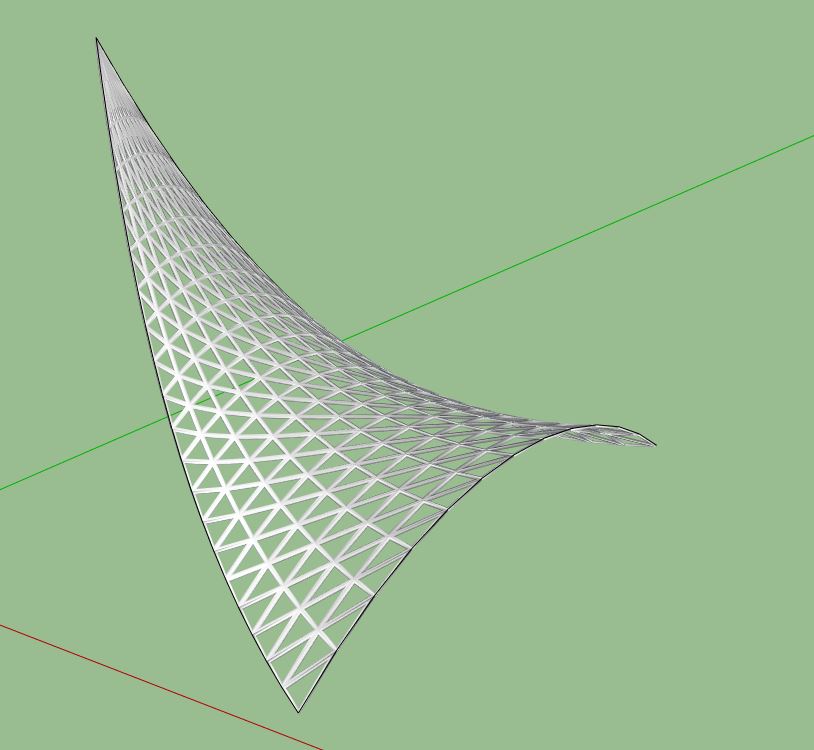
                      Just as a start, this is a lattice made quickly with tigs tool.

                      Lattice.JPG

                      1 條回覆 最後回覆 回覆 引用 0
                      • W 離線
                        willipop
                        最後由 編輯

                        Very nice Box !

                        Can you set the thickness of the lattice ?

                        I added a quick test (sketchup v8) but I'm using 2014.


                        fishnettest.skp

                        1 條回覆 最後回覆 回覆 引用 0
                        • BoxB 離線
                          Box
                          最後由 編輯

                          Yes you can change the thickness.
                          But you need to think about the complexity of the geometry you want to create. A huge complex net made in one piece will bring any computer to it's knees.
                          If you want to do it make it in repeatable sections as components.
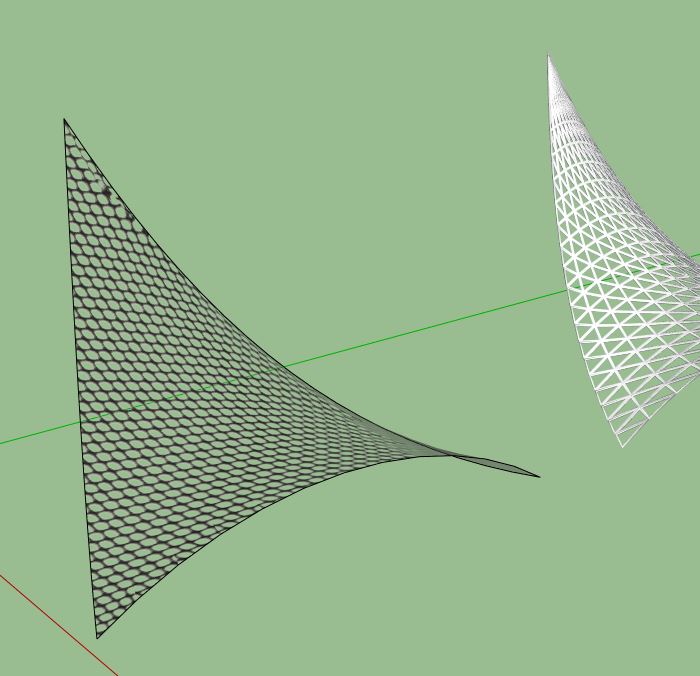
                          Or consider using a nice net texture. The image below is one of the default fencing textures.

                          Texture.JPG

                          1 條回覆 最後回覆 回覆 引用 0
                          • W 離線
                            willipop
                            最後由 編輯

                            I see ! The problem with the textrure is it won't cast the shadows !?

                            1 條回覆 最後回覆 回覆 引用 0
                            • cottyC 離線
                              cotty
                              最後由 編輯

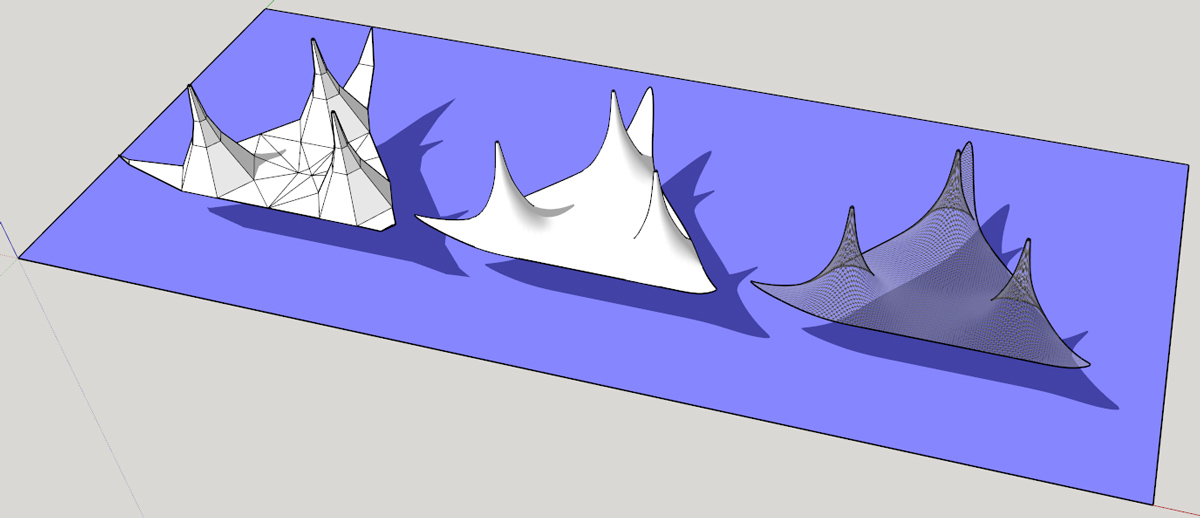
                              Example how to use Artisan to create the basic shape for texturing...

                              netartisan.jpg

                              my SketchUp gallery

                              1 條回覆 最後回覆 回覆 引用 0
                              • W 離線
                                willipop
                                最後由 編輯

                                Super cool cotty ! how did you pass from the middle shape to 3rd shape at the very right ? Is this actual edges ?

                                1 條回覆 最後回覆 回覆 引用 0
                                • W 離線
                                  willipop
                                  最後由 編輯

                                  @ Cotty, can you upload your file ?

                                  1 條回覆 最後回覆 回覆 引用 0
                                  • cottyC 離線
                                    cotty
                                    最後由 編輯

                                    @willipop said:

                                    Super cool cotty ! how did you pass from the middle shape to 3rd shape at the very right ? Is this actual edges ?

                                    I followed Boxs suggestion with the simple fence texture...
                                    The model is attached.


                                    netartisan_cotty.skp

                                    my SketchUp gallery

                                    1 條回覆 最後回覆 回覆 引用 0
                                    • W 離線
                                      willipop
                                      最後由 編輯

                                      I'm wondering if there is a way to turn hidden geometry lines into edges !?

                                      1 條回覆 最後回覆 回覆 引用 0
                                      • olisheaO 離線
                                        olishea
                                        最後由 編輯

                                        @willipop said:

                                        I'm wondering if there is a way to turn hidden geometry lines into edges !?

                                        Yes, unsoften them. Select all and slide the soften edges slider. Uncheck both the boxes too.

                                        oli

                                        1 條回覆 最後回覆 回覆 引用 0
                                        • W 離線
                                          willipop
                                          最後由 編輯

                                          Thx Oli ! I noticed we can change the weight of the edges in the style option but it is just for the display and it do not affect the weight of the shadows casted. Is there any other way too make the edges solid ?

                                          1 條回覆 最後回覆 回覆 引用 0
                                          • W 離線
                                            willipop
                                            最後由 編輯

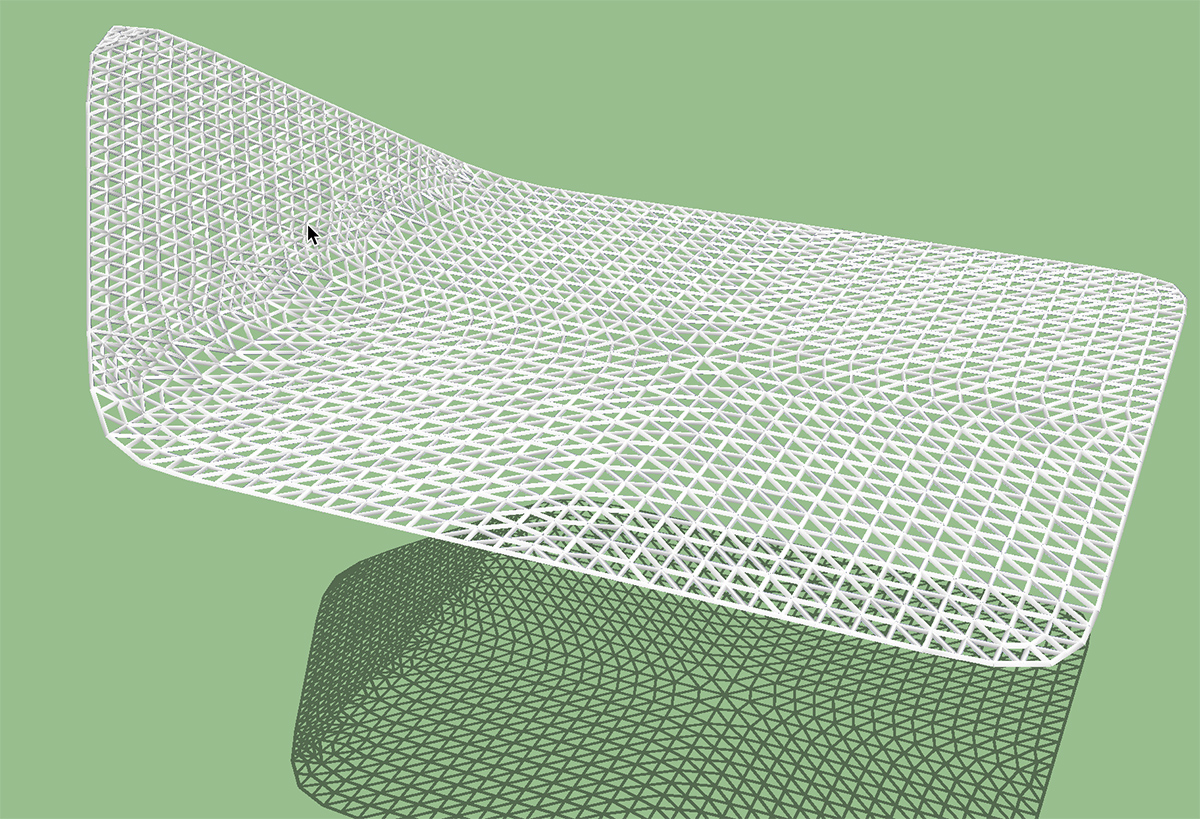
                                            Here is a try I did today.

                                            1- Sarted with a rectangle
                                            2- Applyed several time the subdivide selection tool from artisan
                                            3- Applyed the subdivide and smooth tool from artisan
                                            4- Turned on hidden line and selected style wireframe
                                            5- Selected the lines and get rid of the smoothing edges to get edges
                                            6- copied those edges
                                            7- Finally I used tube to cylinder plugin and It took 10 min approx of working progress

                                            I'll have no choice to go with this kind of work flow if I don't find anything better than this. End of semester is coming fast 😛


                                            fishnettest.jpg

                                            1 條回覆 最後回覆 回覆 引用 0
                                            • 1
                                            • 2
                                            • 3
                                            • 4
                                            • 5
                                            • 6
                                            • 7
                                            • 6 / 7
                                            • 第一個貼文
                                              最後的貼文
                                            Buy SketchPlus
                                            Buy SUbD
                                            Buy WrapR
                                            Buy eBook
                                            Buy Modelur
                                            Buy Vertex Tools
                                            Buy SketchCuisine
                                            Buy FormFonts

                                            Advertisement